लोगो डिज़ाइन प्रक्रिया: Brief से Final Files तक 7 Steps में
एक काम करने वाले डिज़ाइनर की end-to-end लोगो डिज़ाइन प्रक्रिया। Brief, research, concept, sketch, vector, variants, handoff। Real template और delivery checklist अंदर।
एक अच्छा लोगो अनिवार्य लगता है। जैसे यह कुछ और हो ही नहीं सकता था। यह अनिवार्यता एक ऐसे डिज़ाइनर की प्रक्रिया का output है जिसने steps skip करने से सात बार इनकार किया।
ज़्यादातर बुरे लोगो इसलिए बुरे नहीं होते क्योंकि taste की कमी है। वे इसलिए बुरे होते हैं क्योंकि डिज़ाइनर ने पहले दिन Illustrator खोल लिया, brief skip की, research skip की, sketching skip की, variant system skip किया, और handoff skip किया। यह paper उस process को बताता है जो एक काम करने वाला डिज़ाइनर असल में इस्तेमाल करता है, साथ में एक real brief template और delivery checklist।
प्रक्रिया ही deliverable है
लोगो दिखने वाला output है। प्रक्रिया वह है जो इसे pitch deck के बाहर भी ज़िंदा रखती है।
एक दोपहर में बना लोगो, दोपहर में बने लोगो जैसा ही दिखता है। यह landing page header पर 1x में ज़िंदा रहता है और 16px favicon पर, काली t-shirt पर, या कढ़ाई वाली टोपी पर मर जाता है। सात steps एक-दूसरे पर compound होते हैं। हर एक अगले को सीमित करता है। कोई भी step skip करें और उसके बाद वाला उस constraint के बिना चलता है जिसकी उसे ज़रूरत थी, इसीलिए "quick logos" छह महीने बाद अधूरे लगते हैं।
Step 1: वह brief जिसे आप actually इस्तेमाल कर सकते हैं
Brief एक contract है। अगर brief अस्पष्ट है, तो लोगो अस्पष्ट होगा, और कितनी भी sketching इसे ठीक नहीं कर सकती।
ज़्यादातर briefs इसलिए विफल होती हैं क्योंकि वे या तो marketing questionnaire होती हैं या vibes document ("clean पर bold भी, approachable भी पर premium भी")। दोनों में से कोई भी कुछ सीमित नहीं करता। एक काम की brief एक page पर पाँच सवालों के specific जवाब मांगती है। नीचे दिया गया template जैसा है वैसा ही इस्तेमाल करें, kickoff call से पहले client द्वारा भरा हुआ।
| Section | सवाल | जवाब का format |
|---|---|---|
| 1. Business | एक वाक्य में, business क्या करता है? | एक वाक्य। mission statement नहीं। |
| 2. Audience | आपका अब तक का सबसे अच्छा एक customer कौन था? उन्हें 2 वाक्यों में describe करें। | Real person, persona नहीं। |
| 3. Competitors | तीन नाम बताएं। आपका लोगो किसके जैसा नहीं दिखना चाहिए? | तीन logos के links जिनसे आप बच रहे हैं। |
| 4. Application | लोगो सबसे ज़्यादा कहाँ दिखेगा? | Top तीन surfaces, ranked। |
| 5. Feeling | इस list से तीन शब्द चुनें जो brand को describe करते हों। तीन और चुनें जो नहीं करते। | Shared vocabulary list से। |
Feeling वाला सवाल वह है जिसे ज़्यादातर डिज़ाइनर skip करते हैं। 25 से 40 adjectives की एक vocabulary list दें (bold, restrained, playful, serious, warm, clinical, classic, contemporary, technical, human, soft, sharp)। तीन picks और तीन anti-picks ज़रूरी करें। Anti-picks, picks से ज़्यादा valuable हैं। "Clinical नहीं" "warm" से ज़्यादा सीमित करता है।
इस step के बड़े brand context के लिए, brand identity कैसे बनाएं देखें, जो उस discovery layer को cover करता है जिसके अंदर एक लोगो बैठता है। यहाँ की brief केवल logo-only scope के लिए compressed version है। Brief sign होने तक Figma नहीं खोलते। Brief में revisions सस्ती हैं। Logo में revisions नहीं।
Step 2: Research जो एक opinion कमाती है
Research वह जगह है जहाँ असली सोच होती है। लोगो अभी खींचा नहीं गया, और यही बात है।
Research के तीन passes हैं, क्रम में। क्रम skip करें और आप concept को bias कर देते हैं इससे पहले कि आप उसका हक़ कमाएं।
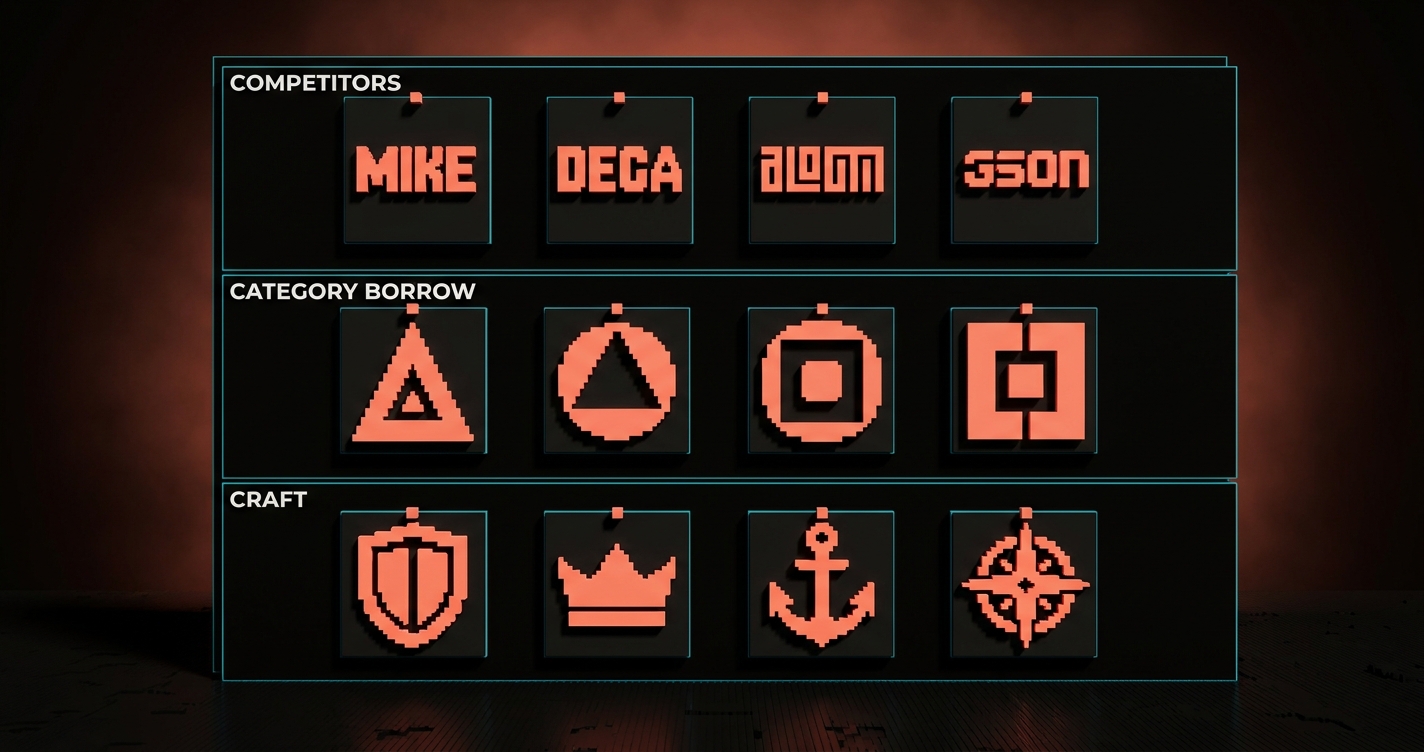
Competitor pass. हर competitor और adjacent-category लोगो को एक audit board में लाएं। उन्हें color family, mark style (wordmark, lettermark, symbol, combination), era, और craft level के हिसाब से group करें। यह board इस बात का evidence है कि category अभी कैसी दिखती है, जो आपको बताता है कि आपको कैसा नहीं दिखना चाहिए।
Category pass. उन adjacent categories के logos लाएं जिनसे brand उधार लेना चाहता है। एक fintech जो design tool जैसा feel करना चाहता है वह Linear और Vercel खींचता है, PayPal नहीं। एक coffee shop जो hardware brand जैसा feel करना चाहता है वह Braun और Muji खींचता है, Starbucks नहीं। Borrow direction अक्सर वही जगह होती है जहाँ से अच्छे ideas आते हैं।
Craft pass. 20 से 40 logos लाएं जिन्हें आप personally respect करते हैं। Category से constraint न करें। यहीं पर आपको याद आता है कि अच्छे logos कैसे feel करते हैं, ताकि आप उस पहली shape पर default न करें जो आपका हाथ खींचता है।
Research तब खत्म होती है जब आप तीन वाक्य लिख सकते हैं: category अभी कैसी दिखती है, brand को उसके बाहर से क्या उधार लेना चाहिए, और एक चीज़ जो लोगो earn करेगा जो किसी competitor के पास नहीं है।
Step 3: Pixels से पहले Concept
Concept वह जगह है जहाँ आप तय करते हैं कि लोगो क्या कर रहा है, इससे पहले कि आप तय करें कि वह कैसा दिखेगा। दो डिज़ाइनर एक ही brief इस्तेमाल करके बिल्कुल अलग logos बना सकते हैं क्योंकि उनके concepts अलग हैं।
एक concept एक वाक्य है जो बताता है कि mark को क्या communicate करना चाहिए और कैसा feel करना चाहिए। किन shapes का इस्तेमाल करना चाहिए नहीं, कौन सा color होना चाहिए नहीं। Examples:
- "Mark को एक ऐसी quiet confidence जैसा feel करना चाहिए जिसे अपनी आवाज़ उठाने की ज़रूरत नहीं।"
- "Mark को एक single continuous motion जैसा feel करना चाहिए, जैसे product खुद।"
- "Mark को type का एक ऐसा piece जैसा feel करना चाहिए जो इतना अच्छा drawn हो कि brand name ही पूरा लोगो हो।"
Explore करने के लिए तीन concepts सही संख्या है। एक ऐसी commitment है जो आपने अभी earn नहीं की। दस commit करने से इनकार है। तीन आपको defensible directions चुनने और sketching से पहले बुरे वाले खत्म करने के लिए मजबूर करता है।
तीन concepts को client के सामने words में present करें, images में नहीं। आप idea pitch कर रहे हैं, execution नहीं। अगर client तीन वाक्यों से direction नहीं चुन सकता, तो brief काफी specific नहीं थी और आप step 1 पर वापस जाते हैं।
Step 4: हाथ से Sketching
Sketching वह जगह है जहाँ concept एक shape बनता है। यह paper पर होता है, Figma में नहीं। इसका एक specific कारण है।
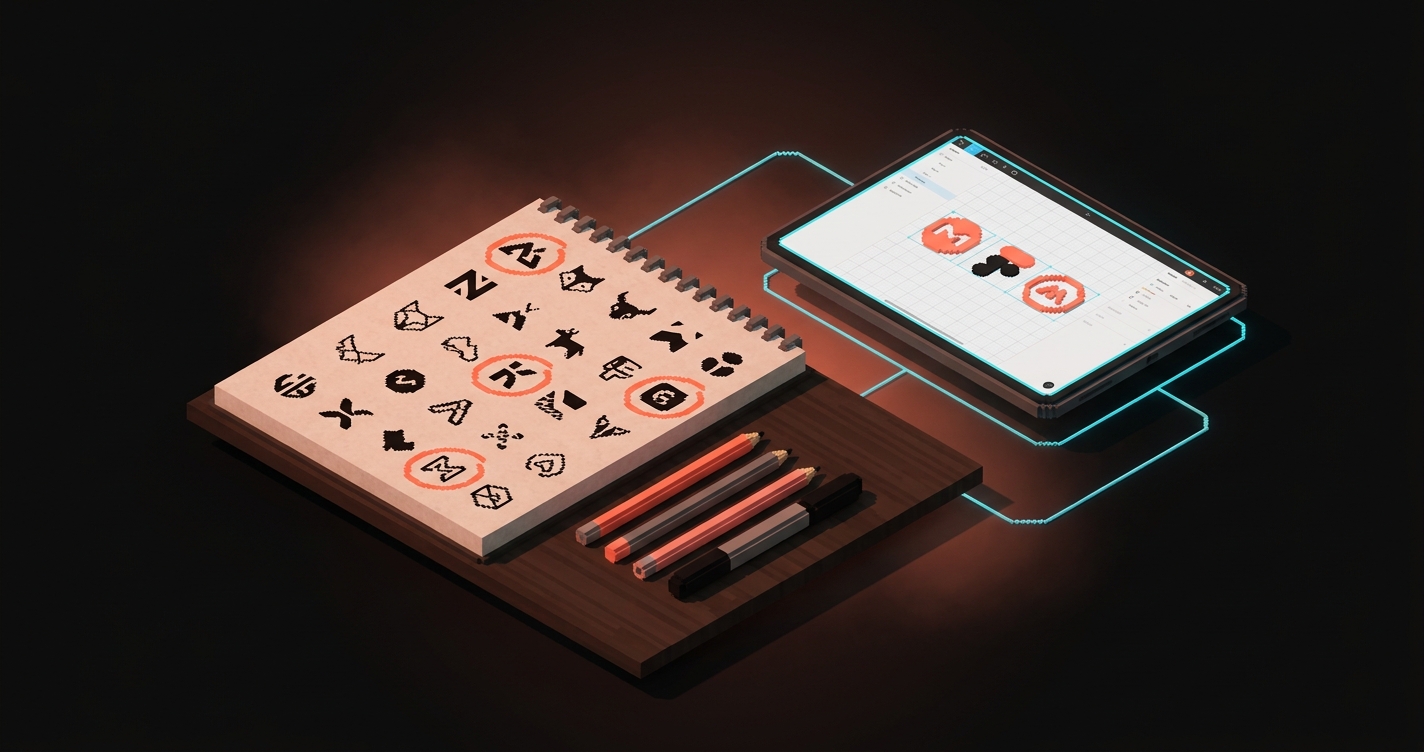
Digital tools सब कुछ समान रूप से polish करते हैं। हर line smooth, हर curve clean, हर corner even। यह smoothness शुरू में एक trap है क्योंकि यह हर idea को समान रूप से finished दिखाती है और आप एक अच्छे idea को polished बुरे idea से अलग करने की क्षमता खो देते हैं। Paper uneven है। Paper आपको 20 मिनट में 40 बार एक ही mark खींचने के लिए मजबूर करता है, और 35वीं बार तक आप देख सकते हैं कि किस version में structural bones हैं जो matter करते हैं।
एक अच्छा sketching session प्रति concept direction 30 से 80 thumbnails produce करता है, छोटे और तेज़ और बदसूरत, कोई erasing नहीं और कोई judging नहीं। फिर scanning के लायक 5 से 10 पर circle करें, उन्हें Figma में small size पर लाएं, और एक group के रूप में देखें। जो 2 से 3 अभी भी सही feel करते हैं वे vectoring के लिए आपके candidates हैं।
Step 5: बचे हुए कुछ को Vectoring
Vectoring craft work है। हर curve, हर corner, हर optical correction intent के साथ बनाया जाता है। यहीं quality तय होती है।
तीन चीज़ें matter करती हैं, और ज़्यादातर junior designers केवल पहली ही करते हैं।
Construction. तय करें कि लोगो strict geometric grid पर बना है, loose optical grid पर, या post-hoc refined freehand curves पर। Strict grids engineered feel करती हैं, loose optical grids human feel करती हैं, और freehand crafted feel करता है। एक चुनें और हर letter और shape में discipline बनाए रखें।
Optical correction. Mathematical precision और visual precision एक ही चीज़ नहीं हैं। एक perfectly circular O उसी height के square से छोटा दिखता है, इसलिए round forms को 1 से 2 percent overshoot करें और vertical strokes को horizontal से थोड़ा ज़्यादा mass दें। जो mark geometrically correct है पर optically गलत है वह off दिखता है, और कोई client आपको नहीं बता पाएगा क्यों। यह amateur और professional vector work के बीच की रेखा है।
Reduction. हर stage पर पूछें कि क्या निकाला जा सकता है। एक curve, एक serif, एक detail हटाएं। अगर mark अभी भी पढ़ा जा सकता है, तो वह detail decoration था, structure नहीं। Negative space logo design approach इस discipline का एक flavor है जो forms के बीच की जगह पर apply होता है।
Vector stage तब खत्म होता है जब mark 24px पर clearly read होता है, 240px पर टिका रहता है, और अगर कोई एक element हटाएं तो टूट जाता है।
Step 6: Variants और Mark के आसपास का System
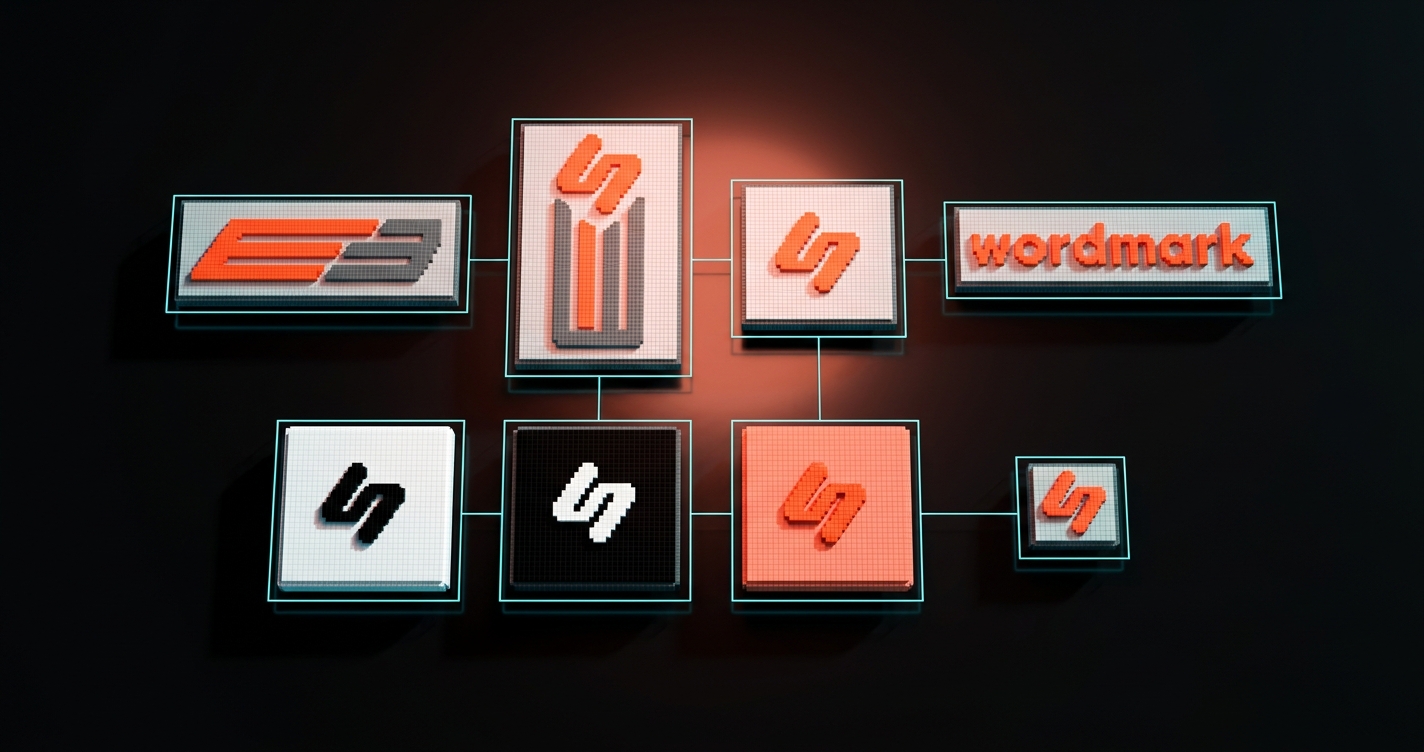
एक single file एक mark है। Variants का एक system एक लोगो है। यह अंतर उस लोगो को अलग करता है जो आप deliver कर सकते हैं उससे जो केवल pitch deck के hero में काम करता है।
एक काम का लोगो कम से कम एक variant system के साथ ship होता है:
| Variant | इस्तेमाल |
|---|---|
| Primary lockup | पूरा लोगो, आमतौर पर wordmark plus mark |
| Horizontal lockup | Page headers, email signatures, footer strips |
| Vertical lockup | Profile avatars, app icons, business card backs |
| Mark only | Favicons, app icons, social avatars |
| Wordmark only | ऐसे contexts जहाँ mark बहुत छोटा होगा |
| Monochrome | Print और merchandise के लिए pure black, white, और single-color brand ink |
| On-light और on-dark | Paired clear space और contrast rules |
| Minimum size rules | जब lockup टूटता है और mark-only over आता है |
Variant system वह जगह भी है जहाँ production में color decisions लिए जाते हैं। Brand color palette guide layered approach को cover करती है, और typography system work वही discipline है जो type पर apply होती है।
Step 7: Handoff Pack
Handoff वह जगह है जहाँ लोगो property बनता है। ज़्यादातर freelancers तीन PNGs के साथ ZIP ship करते हैं और काम हो गया बोलते हैं। यह file transfer है, handoff नहीं।
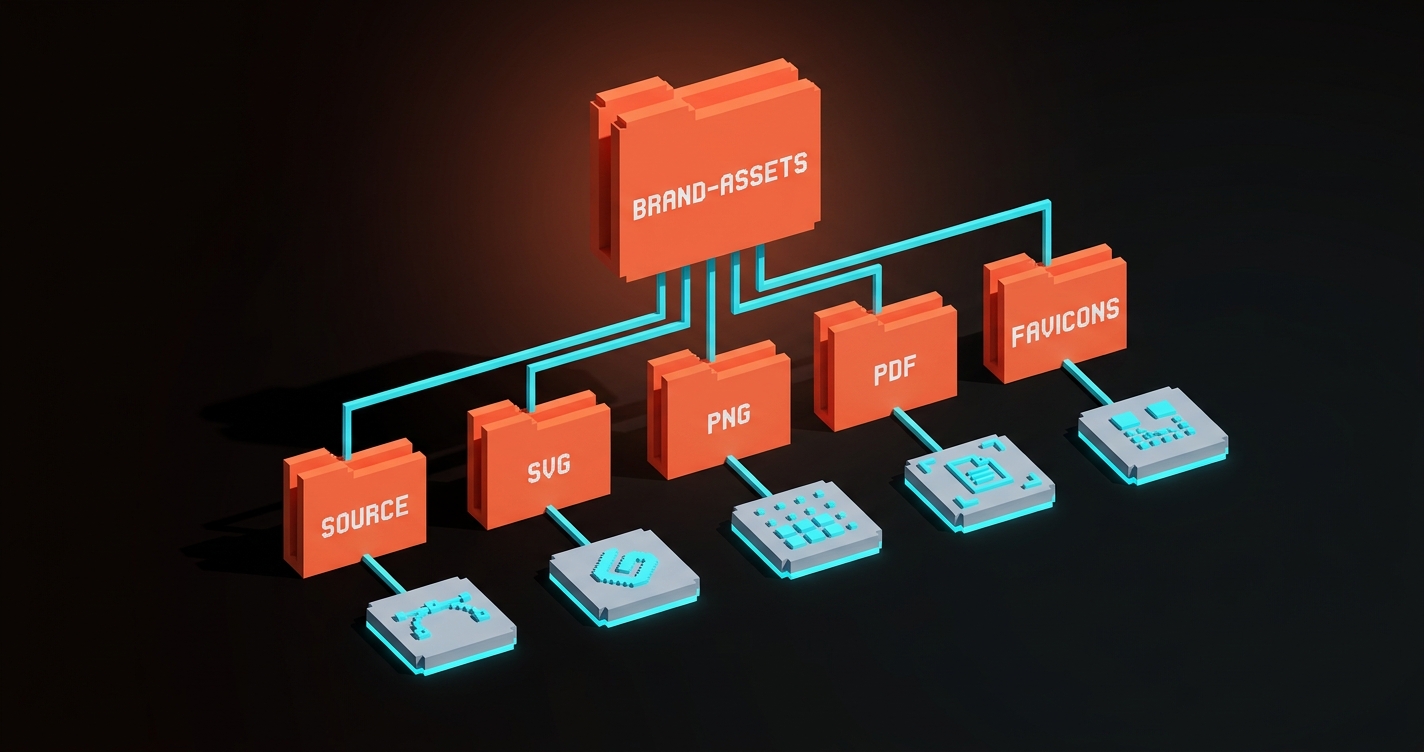
एक real handoff pack में वह सब कुछ है जो client की internal team और बाहरी partners को अगले 5 से 10 साल में चाहिए होगा। एक बार बनाएं, एक बार deliver करें, फिर कभी इसके बारे में न सुनें। इसे delivery checklist के रूप में इस्तेमाल करें।
Source files
- Master vector file (AI या SVG), editable, layers named
- प्रति variant अलग files (horizontal, vertical, mark, wordmark, monochrome)
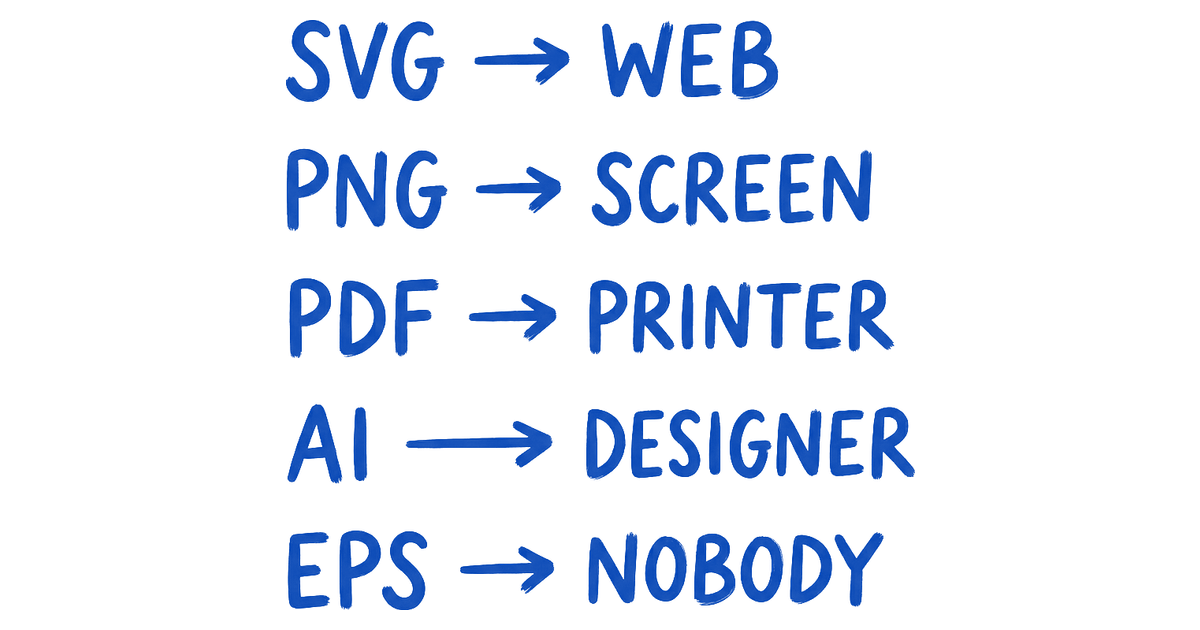
- SVG exports, optimized, web-ready
- Multiple sizes में PNG exports, transparent background
- Print के लिए PDF exports (CMYK, ज़रूरत हो तो bleed के साथ)
- Favicon set (16x16, 32x32, 180x180, 512x512)
Spec documentation
- Clear space rules, diagrammed
- Minimum size rules, diagrammed
- Color tokens (hex, RGB, CMYK, print relevant हो तो Pantone)
- Typography pairing, primary और fallback typefaces named के साथ
- इस्तेमाल के do's और don'ts, visually दिखाए गए
Applications और license
- Brand-color और photography backgrounds पर लोगो, approved
- 400x400 और 1024x1024 पर social avatar
- Email signature composition, presentation title slide template
- Signed ownership transfer, commercial fonts इस्तेमाल हों तो typography licenses listed
- Launch के बाद 6 महीने के लिए brand questions के लिए contact
पूरी चीज़ को folder structure explain करने वाले readme के साथ Zip करें। Handoff pack वह क्षण है जब client को लगना बंद होता है कि उन्होंने किसी को hire किया है और उन्हें लगने लगता है कि वे कुछ own करते हैं।
वास्तविक Project Timeline
यहाँ एक solo designer या small studio के लिए working schedule के रूप में सात steps हैं।
| Step | Working days | Deliverable |
|---|---|---|
| 1. Brief | 1-2 | एक-page signed brief |
| 2. Research | 2-3 | तीन-वाक्य audit summary |
| 3. Concept | 1-2 | तीन लिखित concept directions |
| 4. Sketching | 2-4 | Scanned thumbnails, 2-3 candidates |
| 5. Vector | 3-5 | Refined vector marks |
| 6. Variants | 2-4 | Full variant system |
| 7. Handoff | 1-2 | Complete handoff pack |
| कुल | 12-22 days |
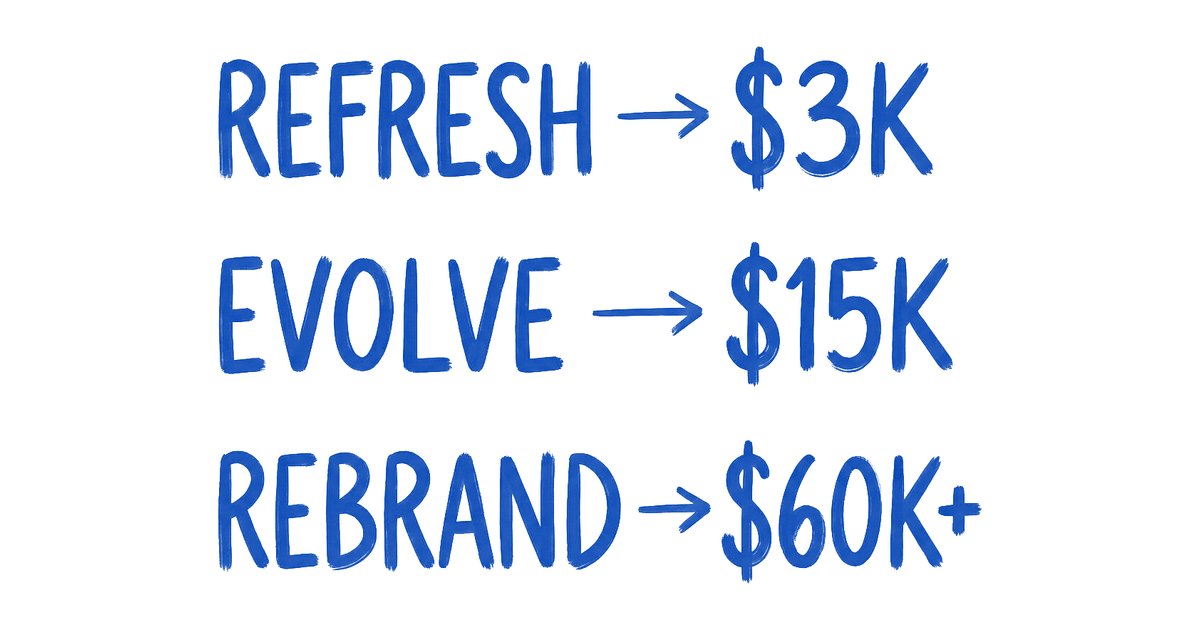
Solo designer के लिए realistic calendar time 4 से 8 हफ्ते है। Pricing scope के हिसाब से map करती है: freelance logo-only small businesses के लिए 2,000 से 15,000 dollars, mid-sized के लिए 15,000 से 40,000। Studios उसी scope के लिए deeper craft के साथ 25,000 से 100,000 charge करते हैं। 2,000 dollars से कम में आपको template font में wordmark मिल रहा है, logo process नहीं।
तीन गलतियाँ जो Logo Projects को मारती हैं
इसे सौ बार गलत होते देखने के बाद, तीन patterns किसी भी चीज़ से ज़्यादा reliably logo work को मारते हैं।
Figma में शुरू करना। हर डिज़ाइनर brief, research, और sketching skip करने और बस shapes इधर-उधर करने के लिए tempted होता है। जो लोगो निकलता है वह उस shape जैसा दिखता है जो डिज़ाइनर पहले से बनाना जानता था। यह तीसरे revision round में survive नहीं करेगा। Paper first, हमेशा।
Variants की जगह एक लोगो दिखाना। Clients single-file logos reject करते हैं क्योंकि वे नहीं देख सकते कि यह उनके business card, avatar, या favicon पर कैसे काम करता है। Variants वह तरीका है जिससे client लोगो को एक ऐसे system के रूप में visualize करता है जिसे वे operate कर सकते हैं।
Handoff pack skip करना। Client को PNG मिलती है, छह महीने बाद source file नहीं मिलती, नई agency से लोगो remake करने को कहता है, और जिस mark पर आपने तीन हफ्ते लगाए वह किसी ऐसे इंसान द्वारा redraw होता है जिसने आपकी brief कभी नहीं देखी। Handoff pack वह है जो आपके जाने के बाद work को protect करता है।
FAQ
Logo design process में कितना समय लगता है?
Full seven steps चलाने वाला solo designer: 12 से 22 working days, यानी client review के साथ 4 से 8 calendar weeks। Studio engagement: बड़ी team के साथ 3 से 6 weeks। 2 हफ्ते से कम में promise किया गया कुछ भी brief, research, या variant system skip कर रहा है।
Logo design brief में क्या होना चाहिए?
पाँच sections, एक page, kickoff से पहले client द्वारा भरा हुआ: एक वाक्य में business क्या करता है, सबसे अच्छा एक customer कौन है, तीन competitors और लोगो कैसा नहीं दिखना चाहिए, top तीन surfaces जहाँ यह दिखेगा, और shared vocabulary list से तीन adjectives जो brand को describe करते हैं plus तीन जो नहीं करते। Anti-adjectives adjectives से ज़्यादा matter करते हैं।
क्या मुझे सच में paper पर sketch करना ज़रूरी है?
हाँ, और कारण structural है। Digital tools सब कुछ समान रूप से polish करते हैं, जो छुपाता है कि किन ideas में real bones हैं। Paper आपको एक ही mark कई बार खींचने के लिए मजबूर करता है, और repetition उन structural ideas को surface करती है जो आप screen पर miss कर देते। जो ज़्यादातर डिज़ाइनर paper skip करते हैं वे technically clean पर generic feel करने वाले logos produce करते हैं।
ऐसे logos ship करें जो अपनी inevitability earn करते हैं
सात steps bureaucracy नहीं हैं, ये compounding हैं। Brief research को narrow करती है, research concept को narrow करती है, concept sketch को narrow करता है, sketch vector को narrow करता है, vector variants को narrow करता है, variants handoff को narrow करते हैं। जब तक लोगो ship होता है, यह छह filters से गुज़र चुका होता है, और जो निकलता है वह एकमात्र version है जो brief को देखते हुए exist कर सकता था। यही वह quality है जो लोगो को inevitable feel कराती है, genius नहीं और taste नहीं, बल्कि एक ऐसी process जिसने हर option हटा दिया जो सही नहीं था।
सात steps run करें। Brief template इस्तेमाल करें। Variant system ship करें। Handoff pack deliver करें। लोगो client के business पर तब भी काम कर रहा होगा जब वे आपका नाम याद करना बंद कर चुके होंगे।
Need a logo that survives every surface it lands on? Brainy runs the full seven-step logo process with the brief, the variants, and the delivery pack included.
Get Started