Logo File Formats Explained: SVG, PNG, PDF, AI, EPS
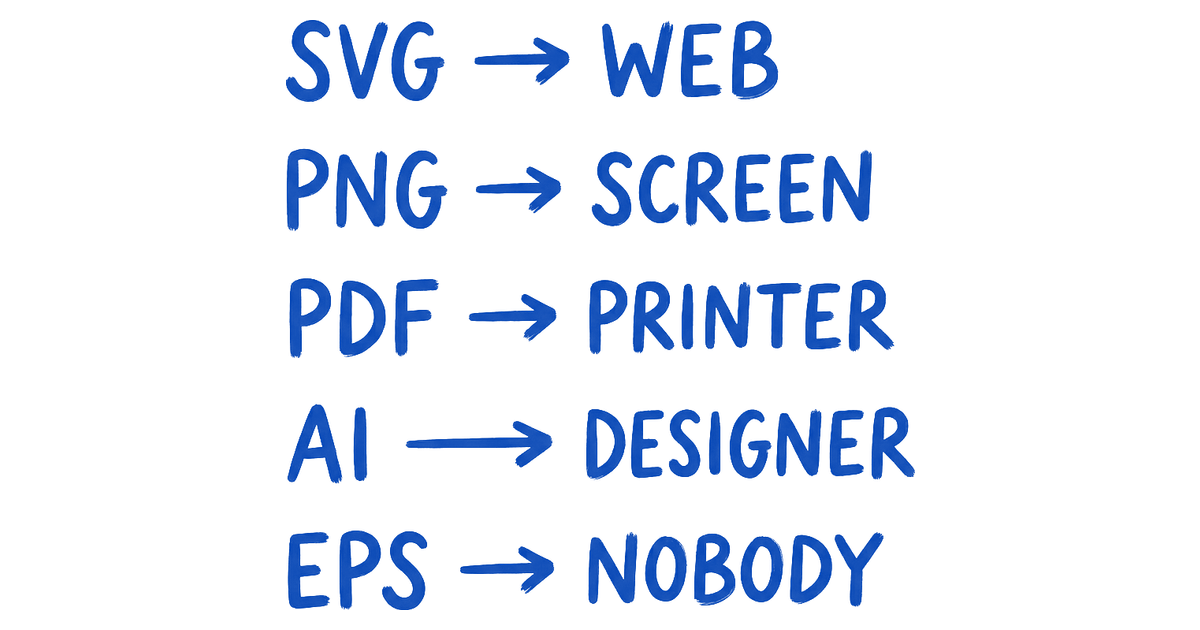
SVG for web. PNG for slides. PDF for print. AI and EPS for editing. The complete guide to which logo file format to use, when, and exactly why.
Logo File Formats Explained: SVG, PNG, PDF, AI, EPS
The only thing you need to remember about logo file formats
A logo is not a file. It is a system of files. Sending one PNG and calling it a handoff is how a brand looks amateur in front of paying customers.
The five formats that actually matter are SVG, PNG, PDF, AI, and EPS. Each one has a job. Use the wrong one for the wrong job and the logo either pixelates on a billboard, refuses to open on a vendor's machine, or comes back from the embroidery shop looking like it was designed on a flip phone.

Vector vs raster, in one paragraph
| Type | Formats | Behavior |
|---|---|---|
| Vector | SVG, AI, EPS, PDF | Stores shapes as math. Scale to any size and the math recalculates; edges stay crisp. |
| Raster | PNG, JPG | Stores a fixed pixel grid. Zoom past 100% and you see the grid. |
That is the entire difference. Your logo must always exist in vector form first, with raster exports generated from it.

SVG, the web-native vector format
SVG stands for Scalable Vector Graphics. It is an XML-based format that browsers read natively, which means no render overhead, no blurry retina display, no separate 2x file to maintain. Drop it in an <img> tag or inline it directly in HTML and it scales to any resolution without an extra byte.
SVG is correct for:
- Website headers
- App icons
- Email signatures (on platforms that support it)
- Any digital surface you control
Most design tools export it directly.
Where SVG stumbles:
- Microsoft Office: Word and PowerPoint have inconsistent SVG support by version and OS
- Legacy print workflows: some production tools choke on SVG; use PDF or EPS instead
PNG, the safe fallback that ruins prints
PNG is raster. It stores pixels. Every application on earth opens a PNG, which is its only competitive advantage, and a real one for digital contexts.
| Context | PNG verdict |
|---|---|
| Web, below original export size | Fine |
| Slides, social posts, internal documents | Fine |
| Never. PNG cannot scale up without degrading, and the print shop will tell you this in an email at the worst possible moment. |
A logo at 300 DPI on a business card must come from a vector source.
Always export PNG at large resolution, 2000px on the longest side minimum, with two versions: white background and transparent.

PDF, the format that travels everywhere without breaking
PDF embeds vector data. Export one from Illustrator or Figma and it opens on any device, fully scalable, no software required.
No font problems. No missing assets. No "I don't have Illustrator" replies from vendors.
For print work, PDF is the most practical vector delivery format:
- Commercial printers accept it directly into their workflow
- Signage vendors place it into wide-format layout software
- Embroidery shops convert from it without losing line precision
- Vendors who do not have Illustrator can still open it
It is the format to send when you do not know which application the other person uses, which covers most external handoffs.
PDF is also the format for lockup variants (logo plus tagline, stacked, horizontal). The vendor places it directly into InDesign or Acrobat with no conversion step.
AI, the working file your designer keeps
AI is Adobe Illustrator's native working file, not the deliverable. It stores everything:

- Layers and objects
- Color swatches
- Guides and artboards
- Live text with original fonts intact
- Appearance attributes
- Spot colors
Your designer keeps the AI file. You get exports from it. If the relationship ends and you need to edit the logo later, that AI file is what makes the edit possible.
Contracts should require the designer to hand it over on project completion. If yours did not, that is a gap worth addressing before you need to make changes.
AI files open fully only in Illustrator (and partially in Affinity Designer). For clients pasting a logo into a deck, send PNG. For a vendor who specifically asks for AI, send it and confirm their Illustrator version, since cross-version compatibility is unreliable.
EPS, the legacy format your printer still asks for
EPS (Encapsulated PostScript) predates PDF. It was the standard vector exchange format before PDF became dominant, and print vendors who have been in business for decades still ask for it out of habit.
View the press kit on about.gitlab.com
EPS and AI carry the same vector data. The key difference: EPS is more universally readable across older production software, while AI preserves Illustrator-specific features like live text and transparency that EPS flattens on export.
When a vendor asks for EPS, give them EPS. When no one is asking, PDF handles the same job with better compatibility across modern tools.
The favicon and social avatar trap
A favicon is not a scaled-down logo. It is separate design work. At 32x32 pixels, most logo details disappear. A wordmark with a tagline becomes a gray smear, and what reads cleanly at 300px becomes illegible at 32px.

The favicon process in three steps:
- Design a dedicated favicon mark, usually the first letter, a monogram, or the most recognizable logomark element with secondary detail removed.
- Export the file, either
.ico(a container for PNG at 16x16, 32x32, and 48x48) or a 192x192 PNG that the browser scales. - Handle social avatars separately. Instagram crops to a circle at roughly 110x110px, so the profile icon should be the logomark alone, never the full lockup with wordmark.
The client handoff kit Brainy ships with every logo
Every Brainy logo handoff ships as a structured folder, not a zip of random exports. Here is the exact structure:
YourBrand_Logo_Kit/
├── 01_Web/
│   ├── logo-primary.svg
│   ├── logo-primary@2x.png         (2000px, transparent bg)
│   ├── logo-reversed.svg
│   ├── logo-reversed@2x.png
│   ├── icon-only.svg
│   └── favicon/
│       ├── favicon.ico
│       ├── favicon-192.png
│       └── favicon-512.png
├── 02_Print/
│   ├── logo-primary-CMYK.pdf
│   ├── logo-primary-CMYK.eps
│   ├── logo-reversed-CMYK.pdf
│   └── logo-reversed-CMYK.eps
├── 03_Source/
│   └── logo-master.ai
└── README.txt
Every folder has a purpose. The README contains one paragraph of guidance on which folder to open for which job.
No client should have to guess. A logo kit without a README is a kit designed for designers, not clients.
Browse the brand kit on brand.github.com
Have Brainy design your logo and you get the full kit, labeled and structured, the first time.
One-glance format decision table
The single table below maps every common use case to the correct format. Print it, screenshot it, paste it in your studio Notion, whatever keeps it within arm's reach when a client asks "which file do I send to the printer."
| Use case | Correct format | Why |
|---|---|---|
| Website header | SVG | Scales to any resolution; native browser support |
| Website fallback | PNG (2x) | Universal compatibility when SVG is unavailable |
| Email signature | PNG | SVG blocked or stripped by most email clients |
| Print (business card, letterhead) | PDF or EPS | Vector; accepted by any commercial printer |
| Large-format signage | PDF or EPS | Scales to any size without quality loss |
| Embroidery or vinyl cutting | EPS or AI | Required input for most production software |
| Slides (Google, PowerPoint) | PNG | SVG support varies by version; PNG is reliable |
| Social media avatar | PNG (square, logomark only) | Platforms compress or reject SVG |
| Favicon | .ico or PNG (192x192) | Browser spec; SVG not universally supported |
| Video watermark | PNG (transparent) | PNG alpha channel works in video editors |
| Logo editing or redesign | AI | Full working file with all layers and attributes |
| Vendor handoff (unknown tools) | Opens everywhere; preserves vector data |

FAQ
What is the difference between AI and EPS?
Both are vector formats. AI is Illustrator's native working format and preserves live text, transparency, artboards, and appearance attributes. EPS is older and more broadly readable but flattens those features on export. Keep AI as the source of truth, send EPS when a vendor requests it.
Can I just use PNG for everything?
No. PNG degrades when printed or scaled past its export size. Vendors will reject it, embroidery machines cannot use it. The table above shows what to send instead.
What about WebP, GIF, TIFF, or BMP?
None of these are logo formats. WebP is for photo compression, GIF's 256-color palette wrecks clean edges, TIFF is for archiving, and BMP has no transparency. The five formats above cover every legitimate logo use case.
My designer only sent me a PNG. What do I do?
Ask for the full kit: SVG, PDF, EPS, and the AI source. Working files belong to the client unless your contract says otherwise. If the designer is unresponsive, have Brainy redesign your logo and get every file right this time.
Should logos be RGB or CMYK?
RGB for screens, CMYK for print. The color shift between profiles is real, so proof anything heading to a physical printer. PDF and EPS for print should be CMYK unless the vendor says otherwise.
Does SVG work for email signatures?
Mostly no. Gmail, Outlook, and Apple Mail handle SVG inconsistently, and some clients strip it entirely. Use a PNG for email signatures. 200px wide at 2x resolution is a reliable baseline.
What format does an embroidery shop need?
The machine runs a stitching format (DST, PES) that a digitizer produces from your artwork. Give the shop your vector logo as EPS or AI so they can trace and convert it accurately. Never send a PNG to an embroidery vendor.
Ship the right format the first time
SVG on the website. PNG as the fallback. PDF for the printer.
AI for future edits. EPS when a legacy vendor requires it. Favicon designed as its own mark, not resized. The full kit, labeled and structured, shipped once and referenced forever.
The brands that look polished across every touchpoint are not using better logos. They are using the right files for every surface.
For more practical brand guides, browse the full Brainy Papers library. Need a logo system built and delivered correctly the first time? Have Brainy design your logo.
Need a logo that ships with the right files for every use case, not a single PNG you have to email back for? Brainy designs and delivers full logo systems.
Get StartedGet new papers by email
New Brainy papers in your inbox. Confirm once, unsubscribe anytime.