iOS Permission Prompts: Bad, Good and Great Examples
Seven iOS permission prompts rewritten from "needed for a better experience" to one sentence that says what the app does, when, and why it helps. Apple's own examples, the formula and a checklist.
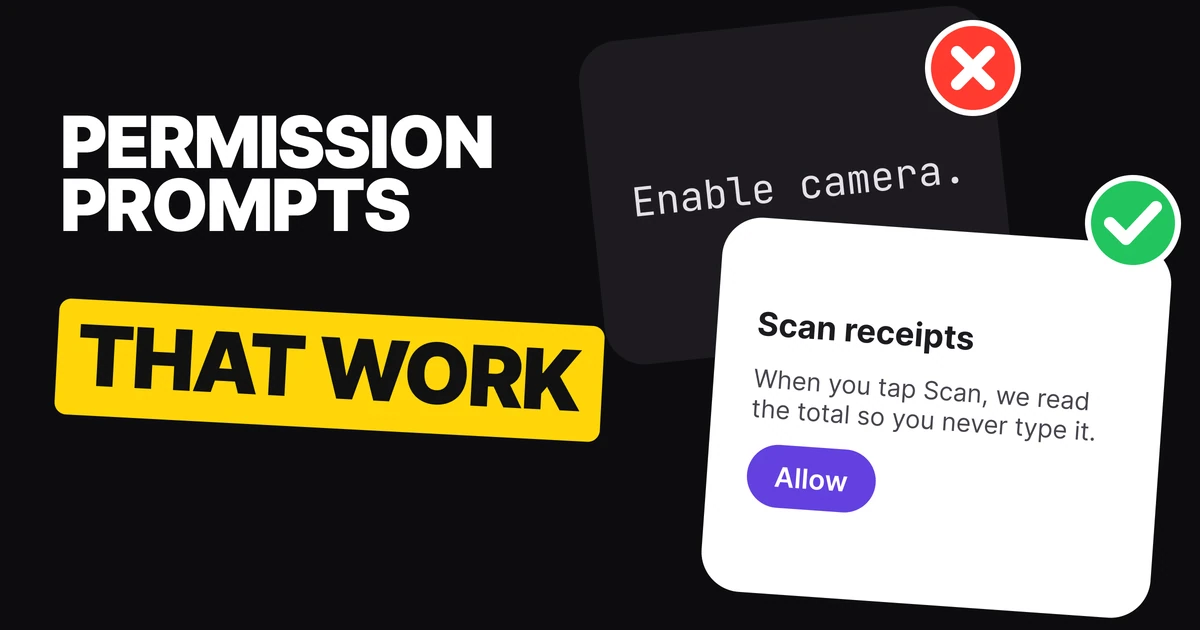
When an app asks for your camera, microphone or Face ID, iOS writes the title and the two buttons. The one line the app writes is the reason, and most apps waste it. Below are seven permission prompts climbed from bad to great, the reason behind every rung, and a formula for the next one you write.
What you write and what iOS writes
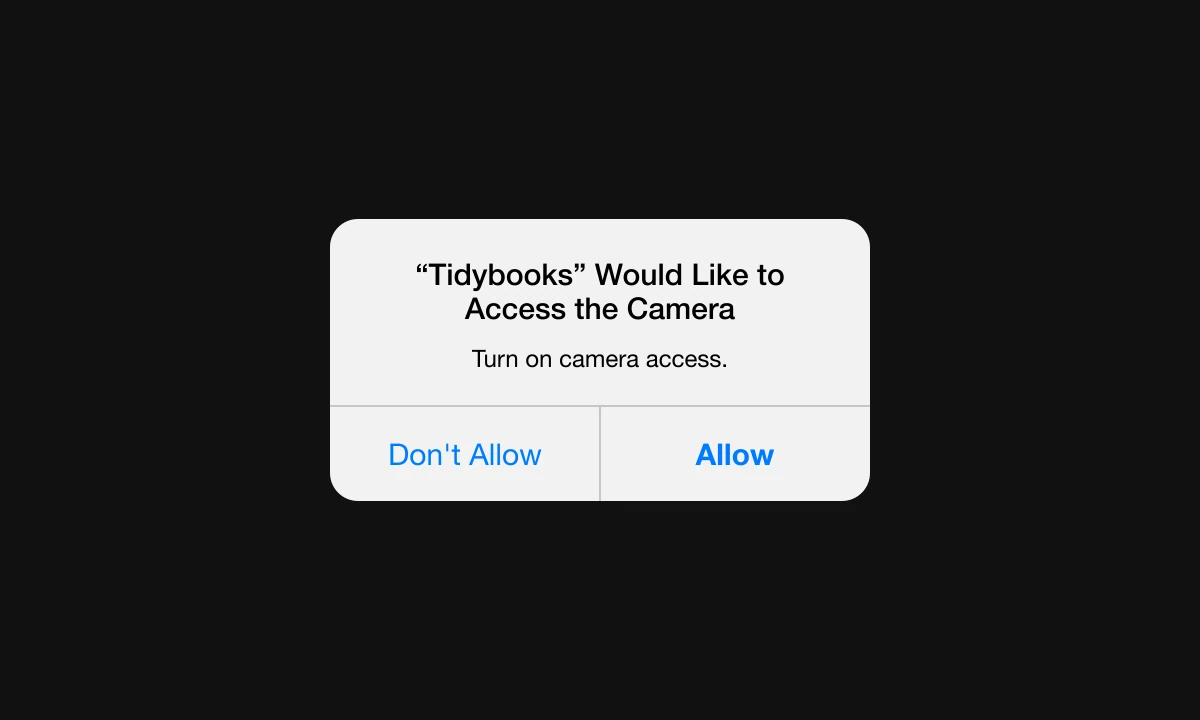
The system alert has a fixed shape. iOS supplies the title ("Would Like to Access the Camera") and the buttons. The app supplies one sentence, called the purpose string, that says why it needs access. It lives in a key in the app's Info.plist (NSCameraUsageDescription for the camera, NSMicrophoneUsageDescription for the microphone) and is shown again in Settings under Privacy.
Bad
Great
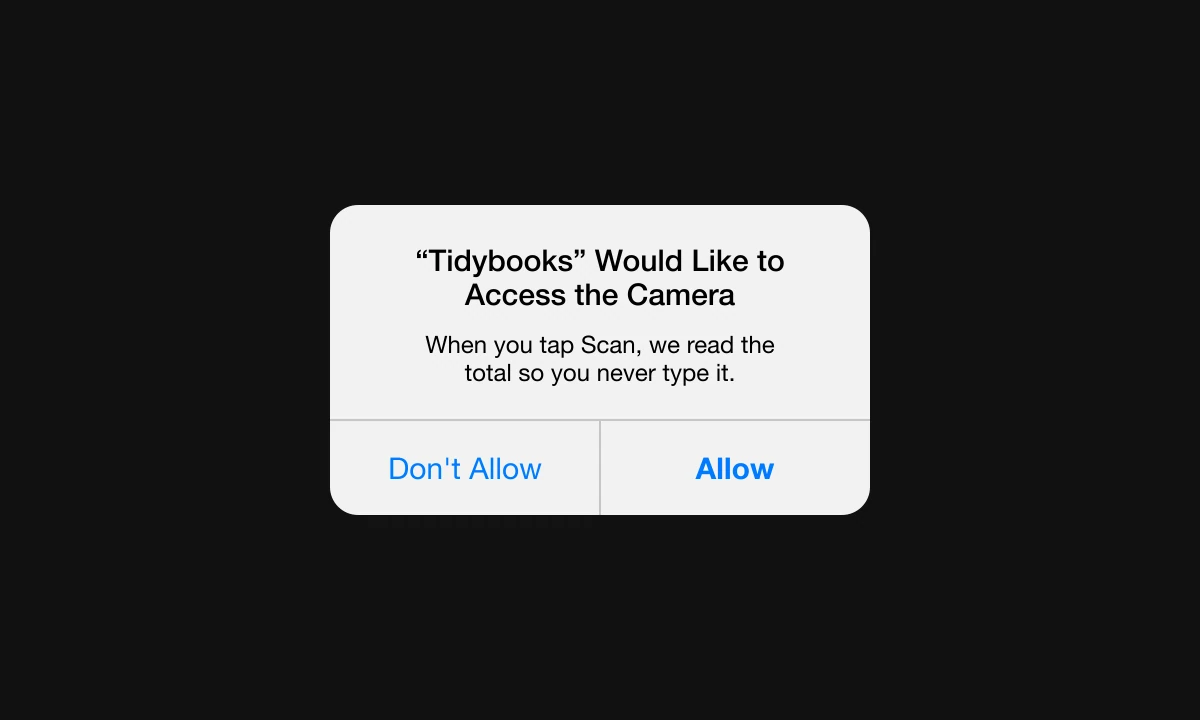
Both alerts have the same title and the same buttons. Only the one sentence changed. The bad one tells people what to do with a switch they were just asked to flip. The great one tells them what happens when they tap Scan, so the question "why does a bookkeeping app want my camera?" is answered before it is asked.
Apple's guidance for this sentence is short: a brief, complete sentence that is straightforward, specific and easy to understand, in sentence case, in the active voice, ending with a period. Every great line below follows it.
Rung by rung
| Rung | What the line does | What it still leaves out |
|---|---|---|
| Bad | Gives a command or says access is "needed" | What the feature does, when, why it helps |
| Good | Says what the access is for | When it happens and the benefit |
| Great | Says what the app does, when, and why it helps | Nothing the person needs to decide |
1. Camera
Bad
Turn on camera access.
An order with no reason. It repeats the alert's own title.Good
We use the camera to scan receipts.
Names the job. People still do not know when the camera will open.Great
When you tap Scan, we read the total so you never type it.
Ties access to a moment (tap Scan) and to a benefit (no typing). The camera never opens by surprise.
Tidybooks is an invented app. Apple recommends asking when the person uses the feature that needs access, so the best moment to show this prompt is the first tap on Scan, not the first launch.
2. Microphone
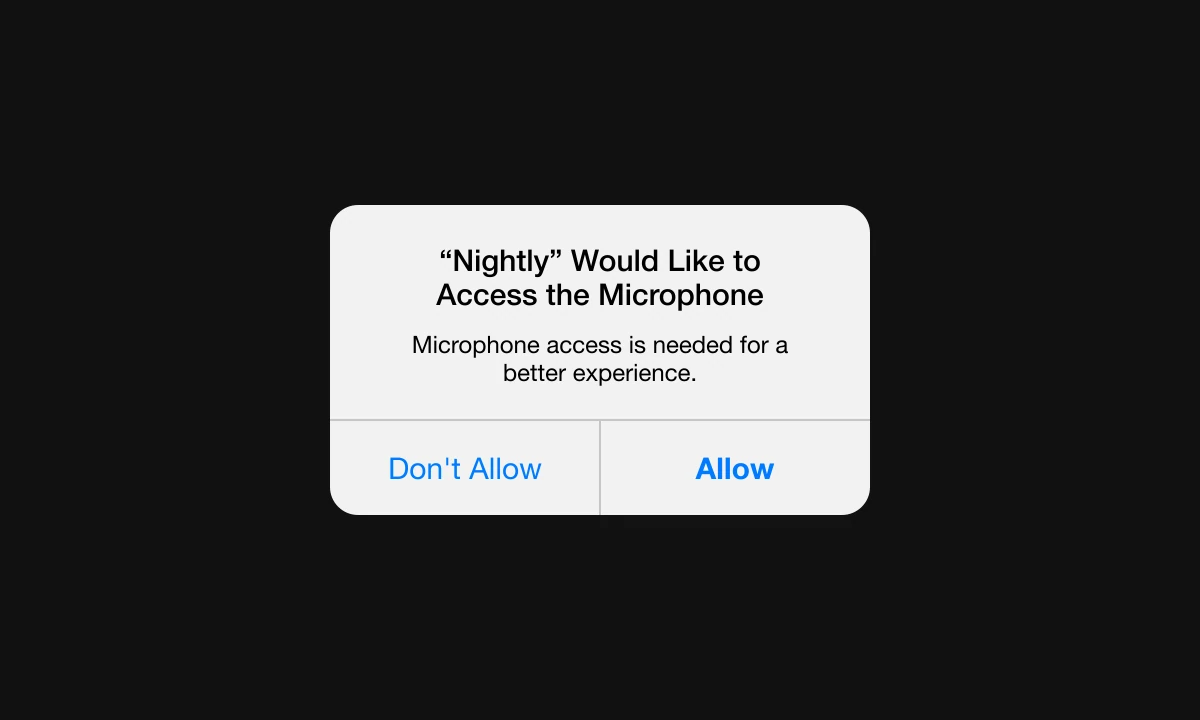
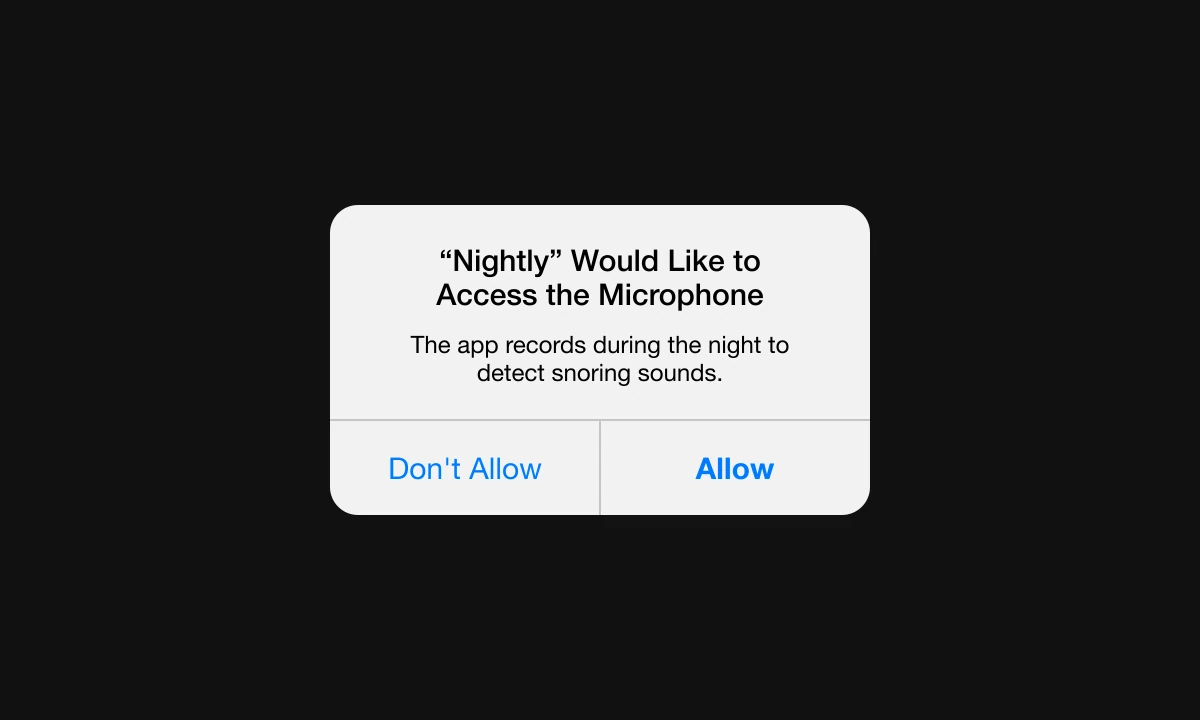
Here the bad and the great lines are Apple's own, word for word, from its privacy guidelines.
Apple's bad example
Apple's great example
Bad
Microphone access is needed for a better experience.
Passive and vague. "A better experience" could mean anything, and "needed" sounds like a demand.Good
We listen to detect snoring.
Active, and says what for. It does not say when, or that it is overnight.Great
The app records during the night to detect snoring sounds.
Active, says how (records), when (during the night) and why (to detect snoring). Someone who reads this knows exactly what they are agreeing to.
Nightly is an invented app. The lesson is in the verbs: "is needed" hides who is doing what, and "records during the night" says it plainly. Honesty about recording is also what makes people tap Allow.
3. Bluetooth
Bad
Bluetooth is required.
A statement of fact, not a reason. Required by whom, for what?Good
We use Bluetooth to open your lock.
Names the device and the job.Great
As you walk up, we unlock your door, so you never need a key.
Says the moment (as you walk up) and the payoff (no key). The word Bluetooth is already in the system title.
Doorkey Home is an invented app. Notice that the great line does not repeat the title. iOS already says "Would Like to Use Bluetooth", so the sentence spends its words on the reason.
4. Face ID
Bad
Enable Face ID.
An imperative with no reason, the same shape as Apple's "Turn on microphone access." example.Good
Use Face ID to sign in faster.
Gives the benefit. Still silent on what Face ID actually protects.Great
Face ID unlocks the app on open, so only you see your money.
Says when (on open) and what it protects (your money). It claims nothing beyond unlocking the app, because Face ID only tells an app whether the match passed.
Northbank is an invented banking app. Keep security copy to what the feature really does. A line that promises more than the check delivers is worse than a dull one.
5. Photos
Bad
Photo access is required.
The same "required" problem as Bluetooth, and it sounds like a threat.Good
We save your edits to your library.
Says what happens to the photo.Great
When you tap Export, we save the photo so you can share it.
Ties the save to the Export tap and gives the reason (share it).
Filmstrip is an invented photo editor. The title iOS writes here is "Would Like to Add to Your Photos", which is the narrow write-only permission. The sentence should read like it: it saves, it does not browse.
Two more, written fresh
The same rules hold for situations the five above do not cover. These two are our own examples, with invented apps.
Bad
Location is needed for a better experience.
The same empty phrase as the microphone example, with a different permission.Good
We use your location to find restaurants.
Says what the access is for.Great
When you open the app, we show restaurants that deliver to your door.
Says when (on open) and the result (only places that deliver to you).
Bad
Allow access to your contacts.
A command that sounds like the app wants to read everyone you know.Good
We use your contacts to find friends.
Names the use, but "find friends" can mean uploading a list.Great
When you tap Add Friend, we suggest people from your contacts so you can split a bill.
Ties access to the tap and to the job. It sets the expectation that suggestions appear on demand.
The formula: what it does, when, why it helps
Every great line above fits the same three parts in one sentence:
[What it does.] [When it happens.] [Why it helps.]
| Prompt | What it does | When | Why it helps |
|---|---|---|---|
| Camera | We read the total | When you tap Scan | You never type it |
| Microphone | The app records | During the night | To detect snoring sounds |
| Bluetooth | We unlock your door | As you walk up | You never need a key |
| Face ID | Face ID unlocks the app | On open | Only you see your money |
| Photos | We save the photo | When you tap Export | You can share it |
The "when" is the part teams drop first, and it is the one that makes access feel safe, because it promises the app will not act at a moment the person did not choose.
A checklist for your next prompt
- One sentence, active voice, ends with a period. That is Apple's own bar.
- Say the reason, never the permission. iOS already printed "Access the Camera".
- Name the moment. A tap, a time of night, the first open of a feature.
- Ask when the feature needs it. Not on first launch, unless the feature is the first launch.
- No "needed", "required" or "better experience". They sound like demands and say nothing.
- Promise only what the feature does. If it only unlocks the app, say that.
- Read it in Settings too. The same string appears under Privacy, out of context.
FAQ
What is a purpose string on iOS?
It is the one sentence an app supplies to explain why it wants access to something private, like the camera or microphone. It lives in the app's Info.plist under keys such as NSCameraUsageDescription and is shown in the system alert and in Settings under Privacy.
How do you write a good permission message?
Write one brief, active sentence ending with a period that says what the feature does, when it happens, and why it helps. "When you tap Scan, we read the total so you never type it." is an example of the shape.
What are examples of bad permission prompts?
Vague or passive lines with no reason: "Microphone access is needed for a better experience.", "Turn on camera access.", "Bluetooth is required." and "Enable Face ID." Each tells people what the app wants and never why.
Who writes the title and buttons of an iOS permission alert?
iOS does. It writes the title and the buttons, so the only copy you control is the purpose string. That is why the one sentence has to carry the whole reason.
When should an app ask for permission?
Ask when someone uses the feature that needs it, not before. Apple's guidance is to request access only when the app clearly needs it, so a camera prompt belongs on the first tap of Scan.
Sources
- Privacy: Requesting permission, Apple Human Interface Guidelines. The source of the two microphone strings, the "brief, complete sentence" guidance and the advice to ask in context.
- Requesting authorization to capture and save media, Apple AVFoundation documentation.
- Writing, Apple Human Interface Guidelines.
- Info.plist keys used above:
NSCameraUsageDescription,NSMicrophoneUsageDescription,NSBluetoothAlwaysUsageDescription,NSFaceIDUsageDescription,NSPhotoLibraryAddUsageDescription, in Apple's Information Property List reference. - The apps in the examples (Tidybooks, Nightly, Doorkey Home, Northbank, Filmstrip and the two fresh ones) are invented. Only the microphone strings are Apple's.
- First published as a carousel on UX Brainy.
Want every permission, onboarding and empty state written and designed as one system? Our team designs app UI with the words in it from the first draft.
Get StartedGet new papers by email
New Brainy papers in your inbox. Confirm once, unsubscribe anytime.