

AI Design Workflow: The End-to-End Process Real Designers Use in 2026
A working playbook for an AI-native design workflow. The six stages, which AI touches each one, and the review gates that keep taste in the loop when the pipeline is generating fast.
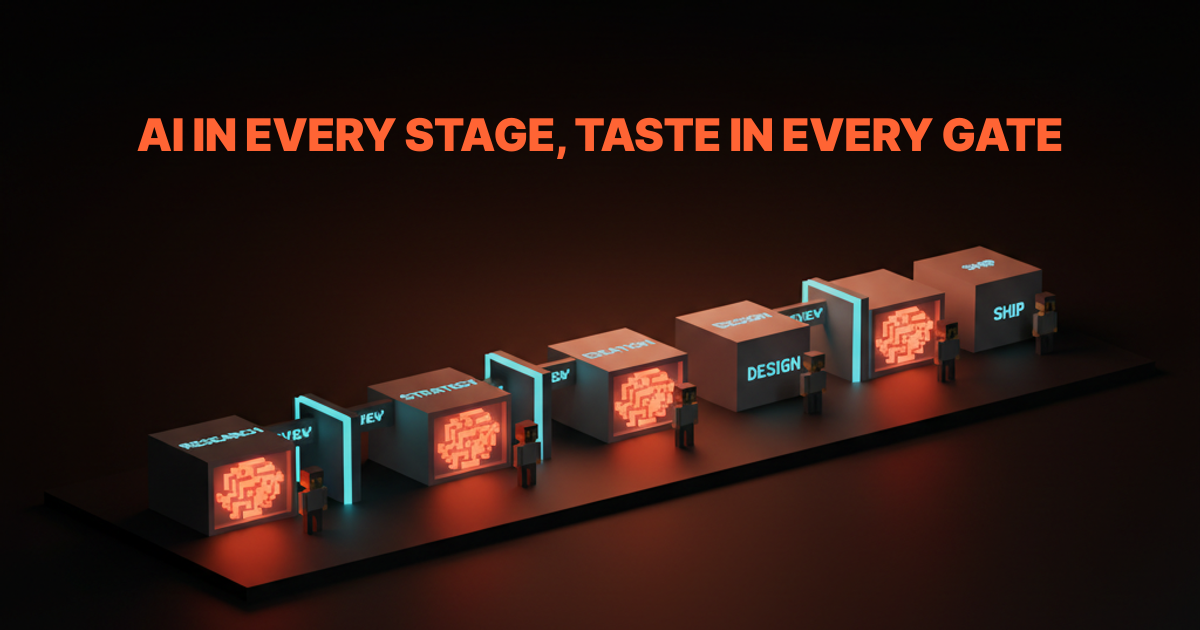
The AI design workflow debate has two loud camps. The first says AI will replace designers. The second says AI is a toy that designers should ignore.
Both are wrong. The designers shipping the best work in 2026 are using AI in every stage of the process, and they are more employable than ever, not less. Because AI amplifies judgment, it does not replace it.
This is the working playbook. Six stages from research to ship, exactly where AI pulls weight in each one, and the review gates that keep taste in the loop when the pipeline is moving fast. Not a tool list, a process.
What an AI design workflow actually is
An AI design workflow is a design process where AI is a first-class participant in every stage, not a sidecar. Every stage has a specific AI role, a specific human role, and a specific review gate between stages.
The non-AI workflow runs research, ideation, design, prototyping, review, and ship as sequential human steps. The AI workflow keeps the same six stages but swaps in AI for the high-volume, low-taste work inside each one. The human stays in charge of judgment. The AI handles the thousand variations that judgment has to pick between.
The designers who thrive are the ones who define those gates clearly. The designers who struggle are either delegating judgment to the AI or refusing to delegate anything to it. Both failure modes produce weaker work than a well-gated hybrid.
The ai-native glossary covers why this matters as a category, and the prompt engineering glossary covers the input discipline that holds the workflow together.
The six stages and where AI lives in each
Every shipping design workflow moves through six stages. AI does not replace any of them. It changes the cost of the work inside each one.
Stage 1: Research
AI compresses the discovery phase from weeks to days. Designers who used to spend 40 hours on competitive audits, market positioning, and user interview synthesis now spend four.
What AI does well:
- Summarize 20 competitor sites into a positioning matrix in 10 minutes
- Cluster 50 user interview transcripts into themes with quote citations
- Turn a rough brief into a set of jobs-to-be-done statements
- Generate survey questions that avoid leading-question bias
- Translate customer support tickets into usability issue lists
What AI does badly:
- Pick the customer insight that actually matters (that is taste)
- Decide which competitor is worth copying and which is a cautionary tale
- Know which research question the business actually needs answered
- Spot the thing a customer did not say but implied
The review gate: a human-written research summary that names the three insights driving the project. If the human cannot name them, the research did not finish, no matter how many documents the AI produced. The prompt engineering for designers breakdown covers the prompts that actually extract useful research synthesis.
Stage 2: Strategy and framing
AI is a sparring partner here, not an author. Strategy work is where designers lose ground if they let AI write the plan.
What AI does well:
- Pressure-test a positioning statement against industry alternatives
- Generate 20 taglines to see which directions are crowded
- Red-team a product strategy document with devil's advocate questions
- Draft a decision matrix comparing three strategic directions
What AI does badly:
- Pick the strategic direction that matches the team's actual capability
- Know which part of the market is worth entering now versus in two years
- Decide what to cut from scope when the team is already over-committed
The review gate: a written strategy doc with three yes/no decisions called out. AI can draft the options. The human signs the decisions. The brand strategy glossary covers what lives in this stage for brand projects.
Stage 3: Ideation and concept
AI is a volume machine for divergent thinking. The designers who get this stage right use AI to generate ten times the concepts, then apply judgment to narrow them.
What AI does well:
- Generate 50 logo directions from a brand brief
- Produce 20 layout variations of a hero section
- Create moodboards from three reference images with stylistic variation
- Sketch low-fidelity wireframes from a written user story
- Produce alternate copy voicings (formal, playful, technical) for the same headline
What AI does badly:
- Know which of the 50 logos reads as distinctive in the real market
- Pick the hero layout that matches the brand system without seeing the brand system
- Recognize when a concept is genuinely new versus a remix of training data
The review gate: a concept board with three to five directions, each labeled with the specific reason it made the cut. Anything labeled "because it looks cool" goes back. The logo design process breakdown covers how this stage works for identity projects specifically.
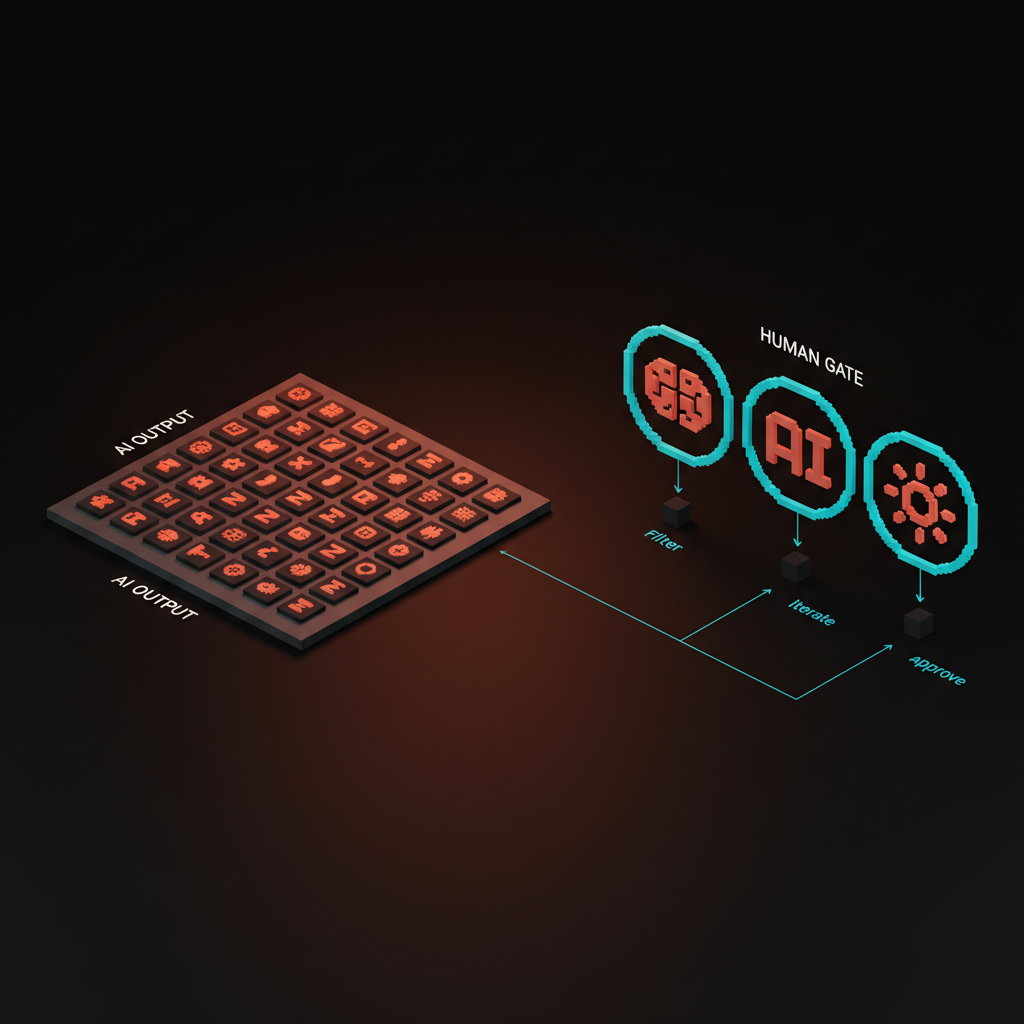
Stage 4: Design and refinement
AI is a pair designer at this stage. Not a replacement, a sparring partner who produces alternates, critiques drafts, and generates assets at the scale a single designer cannot.
What AI does well:
- Generate icon sets in a defined style from one reference
- Produce variations of an illustration in the same visual language
- Critique a design against a checklist (accessibility, brand, information hierarchy)
- Generate photographic assets for product mockups
- Convert a rough Figma frame into a code prototype
- Write copy that fits a fixed character count for a specific UI slot
What AI does badly:
- Design a bespoke system that has to be stewarded for years
- Know when a brand should break its own rules
- Pick between three equally good refinements (that is taste)
- Decide what to leave out of a layout
The review gate: a design review against the brand system. If the AI-assisted design conflicts with the brand system, the system wins. If the design conflicts with the system because the system is wrong, the system gets updated before the design ships. The brand identity guidelines piece covers the system that governs this call.
Stage 5: Prototyping and handoff
AI shortens the distance between comp and code to near zero. This is the stage that changed the most between 2024 and 2026.
What AI does well:
- Generate a working React or Vue prototype from a Figma file via Figma MCP
- Write tests against interaction contracts the designer wrote in plain language
- Produce responsive code across breakpoints from a single comp
- Generate accessibility patches for common issues (missing labels, insufficient contrast)
- Write component documentation from a design system file
What AI does badly:
- Decide which component belongs in the system versus the one-off layer
- Spot the interaction edge case the designer did not draw
- Know when to refuse a design that is technically shippable but bad for users
The review gate: a handoff review that pairs the designer and the engineer against the deployed prototype on a real device. Not a Figma comp, a deployed prototype. AI makes this stage fast. It does not make it optional. The figma mcp guide and claude code for designers breakdowns cover the specific wiring that makes this work in practice.
Stage 6: Review, test, and ship
AI is a first-pass reviewer, a human is the final one. Products that ship with AI as the only reviewer fail in ways that are expensive to fix later.
What AI does well:
- Run accessibility checks (wcag, contrast, keyboard nav) at scale
- Summarize 200 pieces of user feedback into clusters
- Check consistency of design tokens across the codebase
- Pre-screen design review comments for duplicates and non-issues
- Generate release notes from a Figma file changelog
What AI does badly:
- Feel the emotional weight of a specific user flow
- Recognize when "correct" is also "cold"
- Know which feedback is signal and which is a loud outlier
The review gate: a small group of humans using the product on real devices for at least one full day before ship. Automated tests catch regressions. Humans catch the vibe. Both are non-negotiable.
The review gates that keep taste in the loop
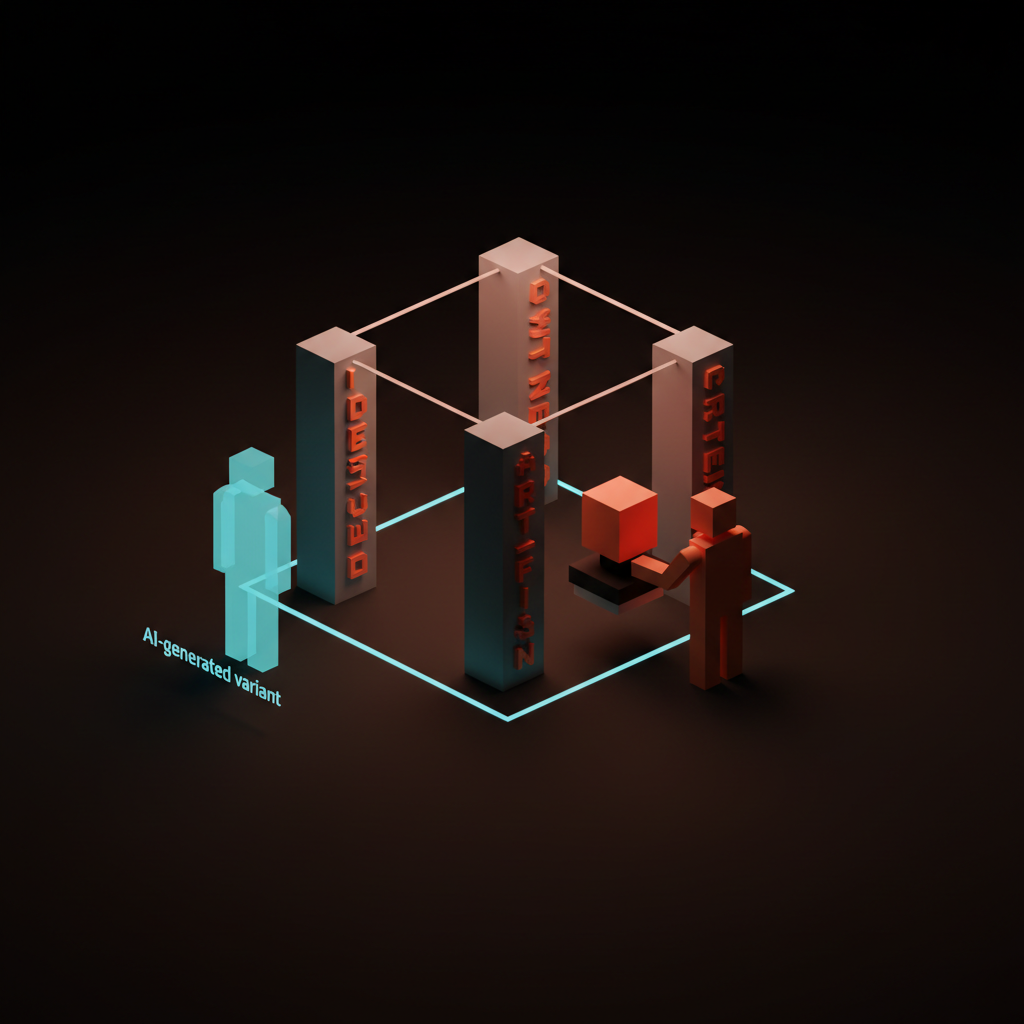
The six stages produce volume. The review gates produce quality. Every gate has the same structure.
A named decision. What is being decided. Ship this concept, cut this feature, accept this design review.
A named owner. Exactly one human makes the call. Not a committee, not the AI, one person with a title.
A named artifact. The document, the comp, the deployed prototype that is being reviewed.
A named criterion. The specific rule the decision tests against. Brand system compliance, business metric impact, accessibility baseline.
Skip any of the four and the gate dissolves into a vague discussion that takes longer than the work it was supposed to approve. The discipline is what makes the workflow repeatable instead of personality-driven.
The five-to-one rule
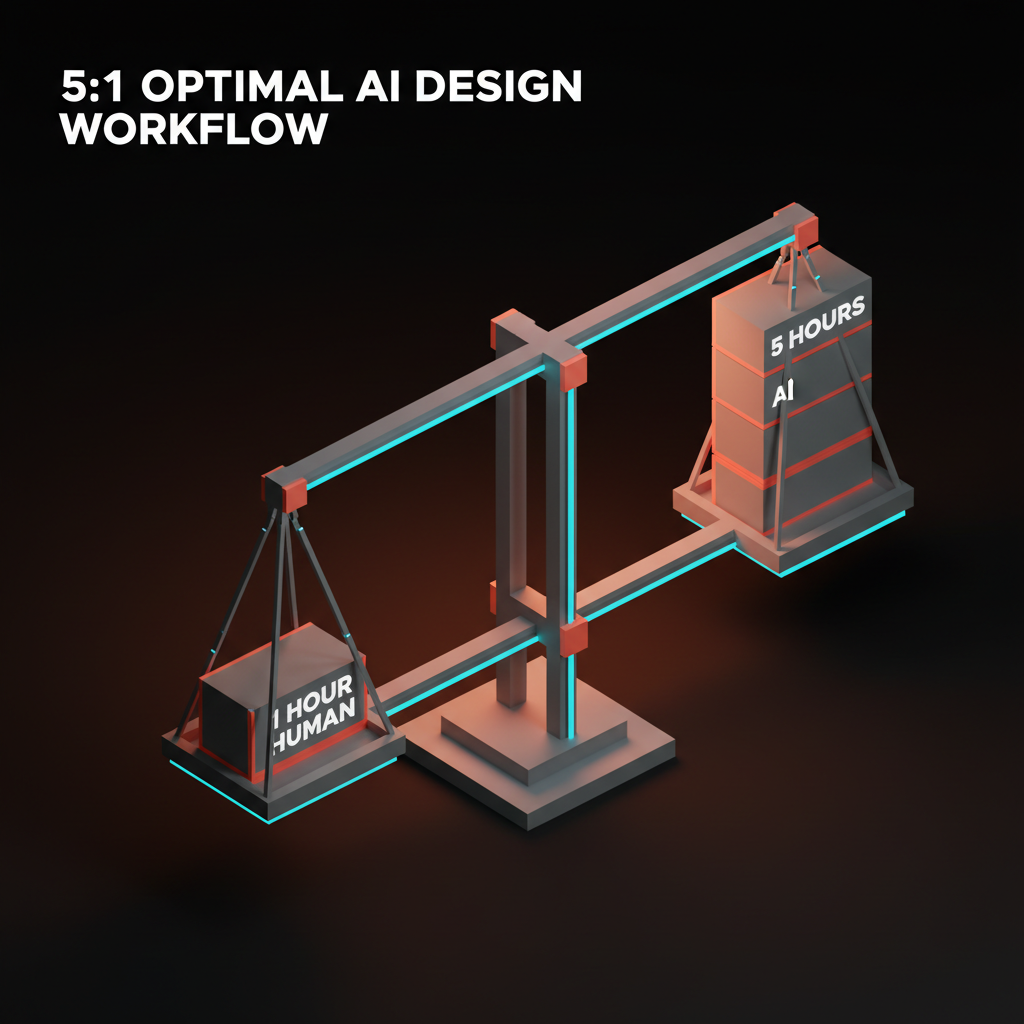
For every one hour of human work, AI can generate five hours worth of options. That is the ratio that defines an AI-native workflow. Less, and the human is doing work the AI should be doing. More, and the human is drowning in AI output.
The five-to-one rule shows up in practice as:
- One hour of concept direction, five hours of AI-generated variants
- One hour of brand brief writing, five hours of AI-generated positioning options
- One hour of design critique writing, five hours of AI-generated refinements
- One hour of prototype review, five hours of AI-generated interaction tests
Hit the ratio and the designer is working at a higher level of abstraction than the non-AI version. Miss it in either direction and the workflow underperforms. This is the habit most designers are still calibrating in 2026.
Where AI breaks the workflow
Three failure patterns show up in every AI-native team that struggles. Spotting them early is worth more than any tool choice.
The infinite-variant trap. The designer keeps asking the AI for more options instead of picking one. Symptom: a Figma file with 200 frames and no shipped work. Fix: set a hard cap on variants per stage (50 in ideation, 5 in refinement, 1 at ship) and enforce it.
The AI-voice drift. Everything starts to sound like ChatGPT wrote it. Copy goes corporate, moodboards go generic, interactions go formulaic. Symptom: the product loses the brand voice over a quarter. Fix: a human-written brand voice guide, reviewed against every AI output, with specific banned phrases listed.
The review-skip failure. The AI output looks finished, so the human signs off without reviewing. Symptom: accessibility regressions, brand system violations, or broken edge cases caught after ship. Fix: make the review gate artifact-producing. A review that does not generate a document did not happen.
What AI cannot do
Every stage above has an AI role and a human role. The human role exists because AI cannot do five things that still matter.
Taste. The call between five equally good options based on craft and context. AI can generate the options. Only a human with experience can pick the one.
Editorial judgment. Knowing what to leave out. AI optimizes for producing. Designers optimize for cutting. The work improves by subtraction, which is not a move AI makes naturally.
Cross-domain synthesis. Pulling an insight from biology into a brand system, or a tactic from retail into a digital product. AI can summarize, but it does not make unexpected jumps that resonate.
Relational trust. The client meeting where a decision gets made because the designer and the client trust each other. AI does not hold relationships. It holds context windows. The context window explained piece covers why that is a real technical limit, not a personality trait.
Responsibility. When a design ships and fails, a human is accountable. That is the definition of a job. AI produces artifacts, humans produce accountability. The workflow is built so the humans can be accountable for the artifacts.
Designers who build their workflow around those five human jobs get more employable, not less. Designers who try to automate them get replaced.
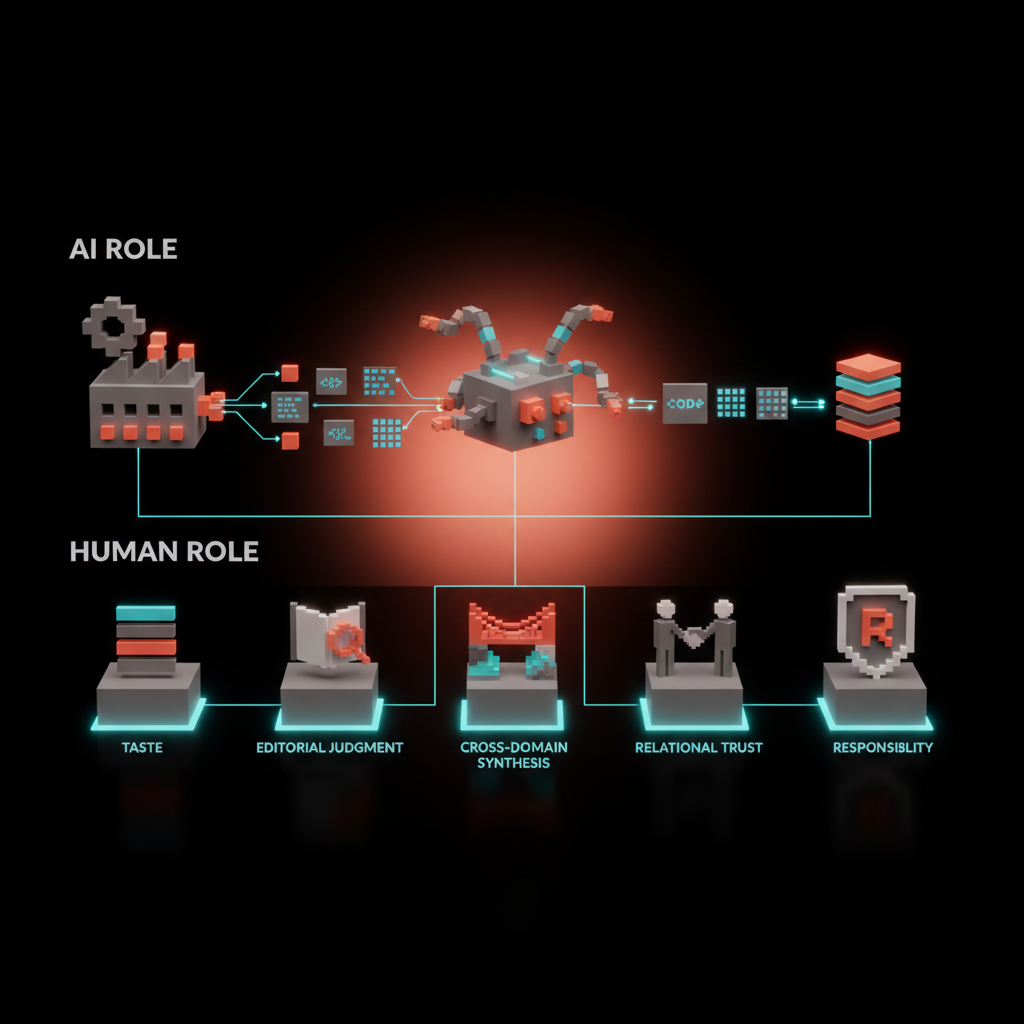
The workflow in one diagram
The working diagram of an AI design workflow fits on one page.
| Stage | AI role | Human role | Review gate |
|---|---|---|---|
| Research | Synthesize sources, cluster interviews, draft summaries | Pick the three insights that matter | Written research summary with three insights |
| Strategy | Pressure-test, generate alternatives, red-team | Make three yes/no decisions | Strategy doc with signed decisions |
| Ideation | Generate 10x variants, produce moodboards, sketch layouts | Pick three to five directions with named reasons | Concept board with labeled survivors |
| Design | Produce assets, critique against checklist, generate refinements | Decide which design ships, own the brand system | Design review against brand system |
| Prototype | Generate code, write tests, produce responsive variants | Approve handoff on a real device | Deployed prototype reviewed by designer and engineer |
| Review | Pre-screen feedback, run accessibility checks, summarize | Make ship/no-ship call | One day of real-device testing before ship |
Print this. Pin it above the monitor. Every project runs against this diagram, or the workflow is not AI-native, it is just "AI somewhere."
How to start if you are not AI-native yet
Do not overhaul the workflow all at once. Pick one stage, get it working, then expand.
Week one to two: introduce AI into research. Use it to synthesize interviews or competitor sites. Keep the rest of the workflow unchanged.
Week three to four: add AI to ideation. Generate 50 concepts per project and narrow with your existing judgment. Notice what changes in the quality of the final direction.
Week five to six: bring AI into design refinement. Generate icon sets, variations, and asset packs inside your existing design system. The system should feel stronger, not looser.
Week seven to eight: connect AI into prototyping via Figma MCP and a coding agent. This is the highest-impact stage to automate and usually the last one most teams adopt.
Week nine onward: rebuild the review gates to match the faster pipeline. The old review cadence will collapse under the new throughput, and the team needs new rituals to keep up.
If you want a team that runs this workflow on real client work instead of as a thought experiment, hire Brainy. We run brand, web, and product UI with AI in every stage, review gates at every boundary.
What to measure
An AI design workflow should measurably outperform a non-AI one on three axes.
Throughput. More concepts per week. More shipped pages per month. More components in the system per quarter. The quantity of shipped work is the first thing that changes.
Cycle time. From kickoff to shipped ver-one should compress by 30 to 50%. If it does not, the review gates are broken or the team is bottlenecked on something AI does not touch.
Quality. Post-ship metrics (conversion, accessibility audit score, support ticket reduction) should hold or improve. If quality drops, the AI is replacing judgment somewhere it should be amplifying it.
Measure all three. Missing any one of them means the workflow is not actually AI-native, it is AI-decorated.
AI design workflow in 2026 conditions
Three forces shape the workflow this year.
Coding agents are production-ready. Claude Code, Cursor, and their peers can ship real front-end work from a Figma file and a design system. The designer who does not have a coding-agent-in-the-loop is leaving output on the floor.
AI-generated imagery is good enough for product work. Not for brand hero images (still custom), but for supporting assets, diagrams, illustrations, and prototype content. Every product team should have a house style trained into an image generator by Q3.
Brand voice is under attack. Every team using AI without strict voice guards is drifting toward a generic corporate tone. The brand voice document is more important in 2026 than it was in 2024, not less.
The workflow has to absorb these shifts without losing its gates. The team that does that outships the team that does not by a wide margin.
FAQ
What is an AI design workflow?
A design process where AI is a first-class participant at every stage (research, strategy, ideation, design, prototyping, review) with explicit review gates between stages. The human owns the judgment, the AI owns the volume, and the gates keep taste in the loop while the pipeline moves faster than a non-AI workflow.
Will AI replace designers in 2026?
No, but AI will replace designers who refuse to use it. The designers shipping the best work are running AI across the whole workflow and making more decisions per week than ever before. AI eliminates the low-taste, high-volume work. It does not eliminate the taste, and taste is where designers earn their keep.
What stages of design benefit most from AI?
Research synthesis (10x speed), concept ideation (10x volume), asset generation (scale from 1 to 50 variants per hour), and prototyping (hours instead of days from Figma to deployed code). Strategy and final review benefit least because those stages depend heavily on human judgment and context.
How do you keep brand voice consistent when using AI?
A written brand voice document with explicit rules, banned phrases, and example sentences. Every AI output gets reviewed against the document. A human editor catches drift. Without that document, every AI-generated copy slowly converges on a generic corporate tone. The document is the single most important artifact in an AI-native team.
What is the five-to-one rule in AI design?
The productivity ratio of an AI-native workflow: for every hour of human work, AI generates about five hours worth of options, variants, or alternatives. Less than five-to-one and the human is doing work AI should be doing. More than five-to-one and the human is drowning in output without judgment to narrow it. Five-to-one is the calibration target.
How do you start moving to an AI design workflow?
Introduce AI into one stage at a time, starting with research. Add ideation next, then design refinement, then prototyping.
Keep the review gates strict. Measure throughput, cycle time, and quality. Expand the AI layer only when the gates hold. A full transition takes a design team roughly two months.
The workflow is the product
An AI design workflow is not a toolchain, it is a way of working. The teams that treat it as a toolchain swap tools every quarter and never outperform. The teams that treat it as a process with gates and ratios ship faster, keep quality, and learn across projects instead of starting from zero each time.
Pick the six stages. Name the AI role and the human role in each. Define the gates.
Enforce the five-to-one rule. Measure the three outcomes. Rebuild rituals as throughput outgrows them. Ship the work.
If you want a studio that runs this workflow on real client projects (brand, web, product UI), hire Brainy. AI in every stage, taste in every gate, every time.
Related reading
- AI Agents for Designers
- Prompt Engineering for Designers
- Claude Code for Designers
- Figma MCP Guide
- Design Systems Guide
Want an AI design workflow that ships real products instead of generating demos? Brainy runs brand, web, and product UI as an AI-native practice.
Get StartedGet new papers by email
New Brainy papers in your inbox. Confirm once, unsubscribe anytime.





