

Claude Code for Designers: A Working Designer's Setup
How real designers use Claude Code every day for design systems, component refactors, and Figma-to-code work. The setup, the workflows, the limits.
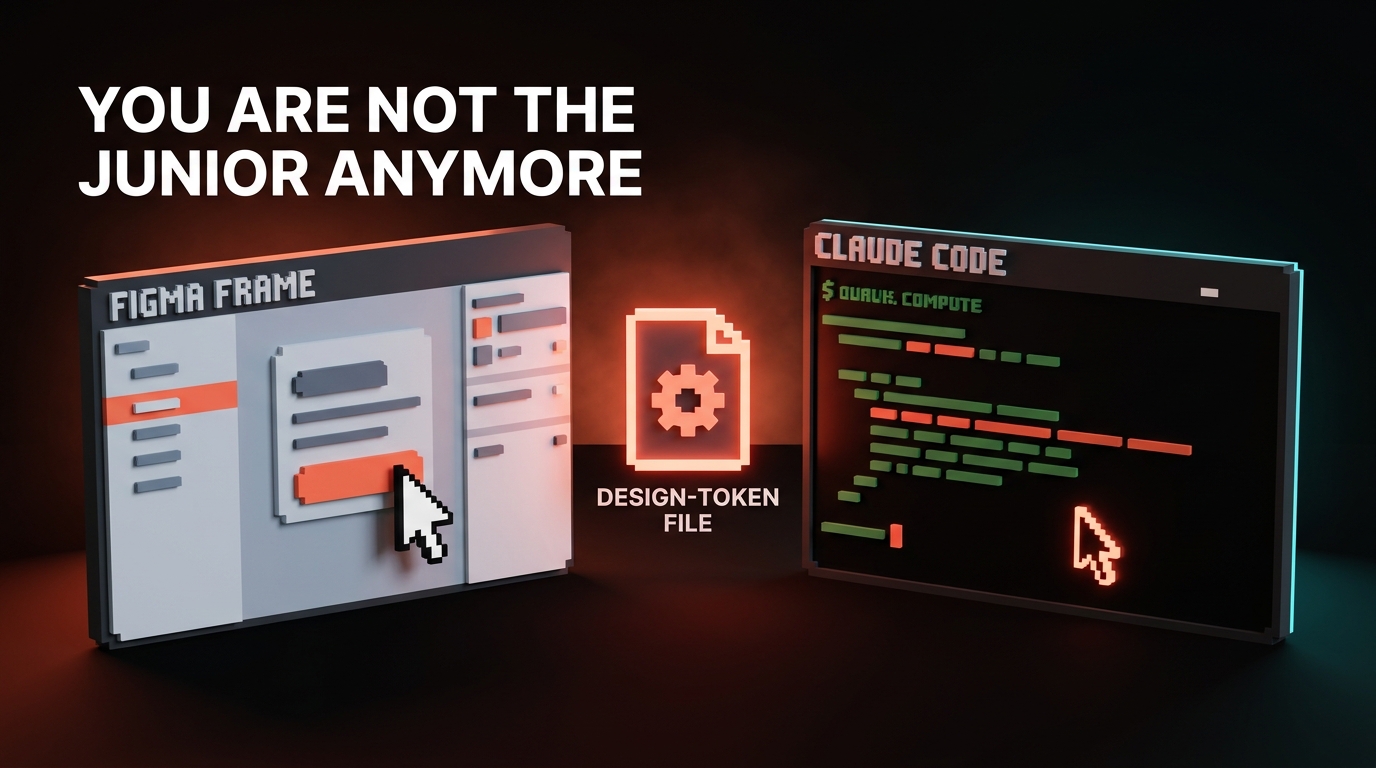
The designer I worked with last month shipped a full design system refactor in three days. She is not an engineer. She does not know Bash. She had never written a regex in her life. She had Claude Code, a CLAUDE.md file, and a taste for calling out her own bad decisions.
That is the version of this tool nobody is talking about. Every Claude Code post is written by a senior engineer, for senior engineers. It is full of agent lanes, hook scripts, and obscure flags. Designers read it, assume it is not for them, close the tab.
It is for you. More than it is for most engineers, honestly. Because the thing designers struggle with is not typing code. It is maintaining a design system across ten repos while the team keeps adding features. That is exactly the problem Claude Code eats for breakfast.
Claude Code is an agent, not an autocomplete
Claude Code is not a GitHub Copilot clone. It is not a chat window with a code theme. It is a long-running agent that lives in your terminal, reads your entire repo, edits files, runs tests, opens PRs, and talks back when it is confused.
The important shift: it does not wait for you to tell it which line to edit. You give it a goal. It figures out which files to open, what to change, whether to add a new component or modify an existing one, and how to keep the rest of the code working while it does it.
That is the part that changes everything for a designer. You stop pointing at specific lines. You start describing outcomes. Describing outcomes well is its own discipline, covered in prompt engineering for designers. "Update every Button component to use the new focus ring token, including the legacy disabled variant, and make sure the storybook stories still pass." That is a sentence. It is also a day of design ops work gone in four minutes.
A designer's job was always taste, not syntax. Claude Code makes taste the actual product.
Install it in ten minutes
You need three things: Node.js, a terminal, and a Claude account.
- Open Terminal (Mac: Cmd+Space, type Terminal). You are going to type two commands. That is the whole install.
- Install Node if you do not have it. Go to nodejs.org, click the LTS download, run it. That part is a normal installer with a double-click.
- In the terminal, paste:
npm install -g @anthropic-ai/claude-code - Navigate to your design repo:
cd ~/path/to/your/repo - Run:
claude
First run, it walks you through logging in. You are done.
The repo can be anything: a design system package, a Next.js marketing site, a Storybook, a Figma token export, a Tailwind config, whatever you work in. If it is a folder with files, Claude Code can read it.
| Step | What it looks like | How long |
|---|---|---|
| Install Node | Standard Mac/Windows installer | 2 min |
| Install Claude Code | One npm command | 1 min |
| Log in | Browser redirect | 1 min |
| First session | claude in any folder | Immediate |
Write CLAUDE.md like a design brief, not a readme
CLAUDE.md is the file Claude Code reads first every time it opens a repo. Engineers use it for build commands and test paths. That is fine. That is also leaving ninety percent of the real value on the table.
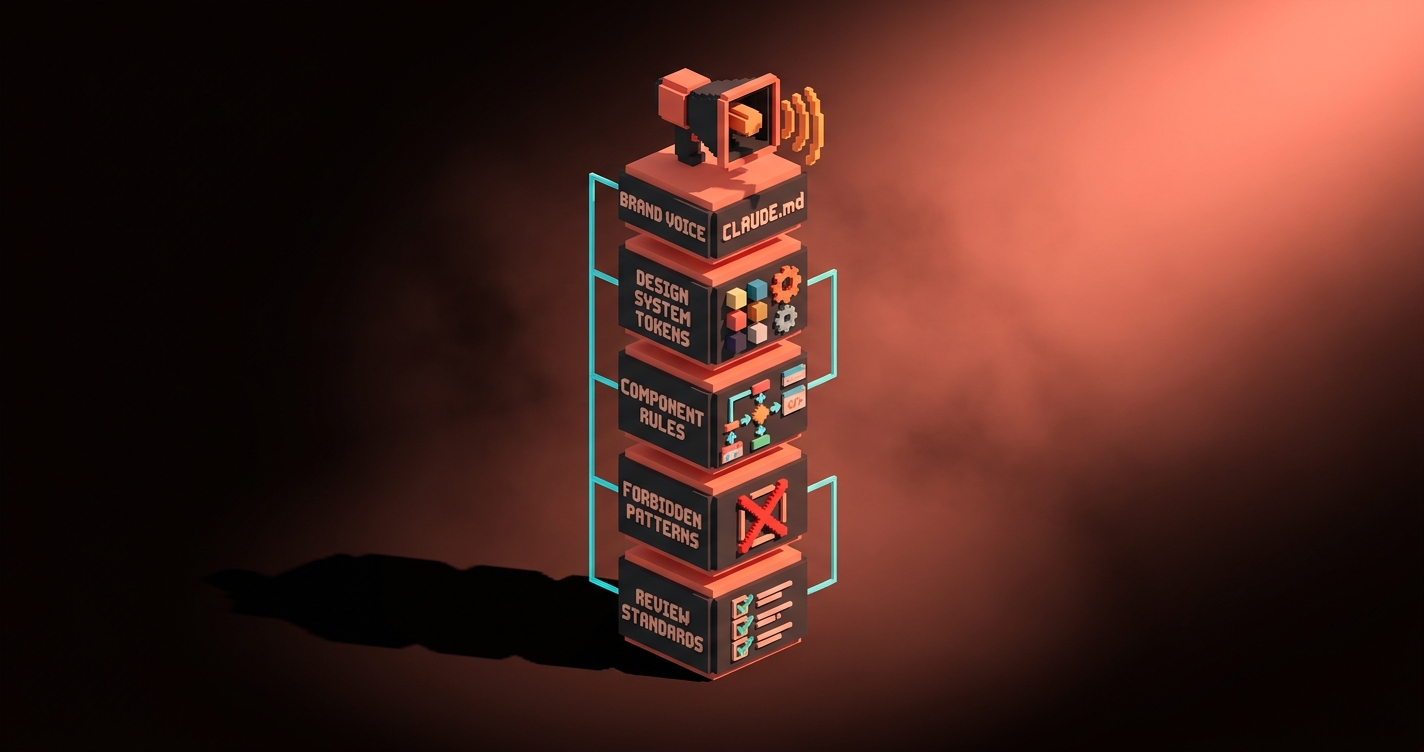
Treat CLAUDE.md like a design brief you are handing to a brand new designer. Voice, brand rules, what this product is, what we never do, what clean work looks like here. Every sentence you put in CLAUDE.md is a sentence you never have to repeat in chat.
The template I give every designer I onboard:
# CLAUDE.md

## What this repo is
One line. "Marketing site for Acme, a B2B analytics tool for finance teams."

## Voice
Three adjectives that describe how we write. Three phrases we never use. One example of a sentence we would ship and one we would cut.

## Design system
Where tokens live (path). Where components live (path). How we name things. Forbidden patterns (no inline styles, no hardcoded hex, no px values for spacing).

## Components we have
One-line descriptions of Button, Card, Hero, Nav, etc. So Claude does not build a new one when we already have it.

## What clean work looks like
A short paragraph. "We ship small, focused PRs. We update the Storybook story when we change a component. We never introduce a new dependency without asking."

## What to ask before proceeding
"If you are about to add a new color, stop and ask. If you are about to rename a component, stop and ask."

## Review standards
"Every change must pass typecheck and lint. Screenshots of before/after for any visual change."
Write it once per repo. Update it when you learn something new about how the agent screws up in your codebase. It compounds.
The five workflows that matter
Most Claude Code tutorials list twenty features. Five of them are where ninety percent of a designer's value shows up.
Design system maintenance. "Find every place we still use the old spacing values (8px, 16px, 24px) and replace them with tokens (--space-2, --space-4, --space-6). Update the components. Keep the stories passing." Two minutes. Historically a week.
Component refactor. "Our Button has grown to twelve variants. Audit them. Tell me which three are actually used and which nine are dead. Then propose a consolidated API and implement it behind a feature flag." You review the proposal. You say yes. It ships.
Figma-to-page. Paste a Figma screenshot or, better, wire up Figma MCP. Say "build this hero section using our existing components and tokens, not new ones." It gives you a PR that matches the design within a round or two of feedback.
Token propagation. Brand updates a color. "Replace --color-accent across the entire monorepo and run typecheck." The work is not typing, it is courage. Claude Code has unlimited courage and zero ego.
Visual review. "Run the dev server, take screenshots of every page, and tell me which ones have broken spacing or overflow compared to the last deploy." This one is magic if your repo has Playwright or a similar setup. It catches things your eye misses.
| Workflow | Before Claude Code | With Claude Code |
|---|---|---|
| Design system sweep | 2 to 5 days, 1 designer + 1 eng | 20 minutes, 1 designer |
| Component audit + refactor | 1 sprint | 1 afternoon |
| Figma-to-page | 1 to 3 days | 1 to 3 hours |
| Token propagation | Week, error-prone | Minutes, dependable |
| Visual regression pass | Usually never happens | Every PR |
Hand it the Figma, not the screenshot
If you only have a PNG, paste the PNG. Claude Code handles images. It will miss spacing exactness and some typography nuance, but the structure will come through.
If you have Figma, wire up the Figma MCP server. That is a five-minute install that gives Claude Code direct read access to your Figma frames. Frame IDs, layer names, spacing values, token links, the whole structure. The output quality jumps hard. The model stops guessing.
Either way, one rule: always give it your existing design system, not a blank canvas. "Build this with our components" beats "build this" every single time. If you leave the canvas blank, Claude Code will invent components you already have. That is wasted work.
Where Claude Code stops earning your trust
Be honest with yourself. This is where the tool fails today.
Real brand illustration. Anything that requires a specific artistic style, hand-drawn character work, or brand mascots that have to look like your brand. Claude Code calls generators, it does not have taste. You still brief Prismlight, Runesmith, or a human illustrator for that.
Subjective layout taste. It can lay out a page correctly. It cannot tell you the page is emotionally boring. It cannot tell you the hero needs more air. It cannot feel that a weight decision is wrong. That is still you.
First-principles product decisions. It can implement whatever you ask. It cannot tell you whether you should be asking for it. That is still the designer's job, which is the one that actually pays.
Anything where the repo is a mess. If your codebase has no consistent system, no CLAUDE.md, no naming convention, no tokens, Claude Code will make the mess worse faster. You have to clean up the foundation first. That is frustrating but it is also fair.
If you want more AI workflow breakdowns, browse the rest of Brainy Papers. If you want this installed in your design team properly, hire Brainy and we will handle the setup plus the first real workflow.
The designer's starter checklist
Day one, here is the real list.
- Install Claude Code (npm command, one minute)
- Log in and verify the session works
- Pick one repo. Just one. Start small.
- Write CLAUDE.md using the template above. Spend an hour on it.
- Pick one of the five workflows. Do it end-to-end.
- Review the diff carefully. Do not rubber-stamp. You are the art director.
- Tell Claude where it went wrong. Update CLAUDE.md with the lesson.
- Do another workflow. Do it tomorrow.
A week of that and you will feel the difference. A month and you will not want to go back.
FAQ
Do I need to know how to code to use Claude Code?
No. You need to know what you want, how to describe it, and how to read a diff well enough to say "this is right" or "this is wrong." If you have ever given feedback to a junior designer, you have the skill.
Is Claude Code safe on a production repo?
Yes, if you use a branch. Never run it on main. Create a branch, let Claude Code work there, review the PR like any other PR, merge when it is good. Git protects you. So does requiring PRs to pass tests.
Claude Code vs Cursor vs v0 vs Lovable, what is the difference?
Cursor is a full editor with Claude built in. v0 and Lovable generate UI from prompts but do not live in your repo long-term. Claude Code is headless, lives in any repo, and is the most powerful for existing codebases. For brand-new prototypes, v0 or Lovable is faster. For real product work, Claude Code wins.
How much does Claude Code cost?
A Claude Max subscription covers it, and that is what most designers should start on. Heavier teams move to API pricing. Either way, it is cheap compared to the time it saves on the workflows above.
What should I never use Claude Code for?
Brand illustration, subjective taste calls, product strategy, anything that requires knowing why a user actually wants the feature. Keep those in your hands. Give the repetitive execution to the tool.
You are not the junior anymore
For a long time, designers were the people who drew the vision and handed it to engineers who actually built the thing. That meant designers waited. For sprint capacity. For backend work. For someone else to do the typing.
That era is over.
The junior is not a person anymore. The junior is a model. You are the art director.
Write CLAUDE.md like a design brief. Hand the work to the agent. Review the diff like you would review a junior's mockup, with standards. Send it back when it is wrong. Ship it when it is right.
The design system refactor is three days, not three sprints. The marketing site ships this week, not next quarter. The token update propagates in minutes, not days of chasing.
Install it. Write the brief. Ship the work.
Want Claude Code installed in your design team without the fumbling? Brainy ships the setup.
Get StartedGet new papers by email
New Brainy papers in your inbox. Confirm once, unsubscribe anytime.





