

Design Handoff: How to Hand Figma to Developers Without Losing the Design
A working playbook for design handoff in 2026. The Figma file structure, token discipline, MCP wiring, and review loop that ships designs intact instead of approximated.
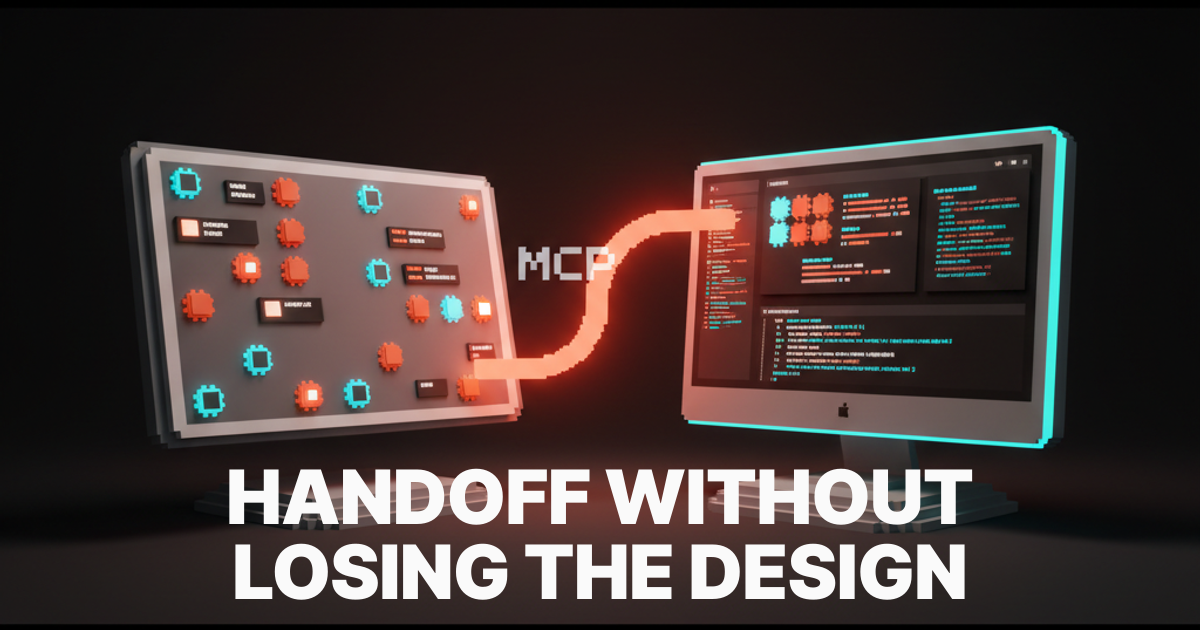
Most design handoffs go bad in the same way. Designer ships a Figma file. Developer opens it, asks three questions, gets two answers, and starts approximating. Two weeks later the deployed product looks 80% like the comp, the designer is annoyed, the developer is defensive, and the PM rebrands the gap as "iteration." Nothing about that workflow has improved in a decade.
This guide replaces that workflow. A real handoff in 2026 is a system, not a meeting. The Figma file structure that prevents ambiguity, the token discipline that makes the design machine-readable, the Figma MCP wiring that lets coding agents read the design directly, and the review loop that catches drift before it ships.
What design handoff actually is
Design handoff is the moment a design becomes implementable code. Everything before that moment is design. Everything after is development. The handoff is the interface between the two systems, and it succeeds or fails on how machine-readable the design is.
The old definition (a meeting where the designer walks the developer through the file) is a failure pattern. Walks-throughs do not scale, do not survive personnel changes, and do not match what coding agents actually need. The 2026 definition is different. The handoff is the structured artifact that lets a developer (or a Claude Code agent) build the design without asking anyone what was intended.
That artifact lives in the Figma file. The quality of the file determines the quality of the handoff. There is no separate handoff document, no annotated PDF, no Notion brief that fills in the gaps. The file is the brief.
The four-layer Figma file that survives handoff
A handoff-ready Figma file is structured in four layers. Skip any layer and the developer has to guess. Build all four and the developer (or the AI agent) has nothing left to ask.
Layer 1: Tokens
Tokens are the source of truth for every value in the design. Color, spacing, typography, radius, shadow, motion. Every visible value in every comp resolves back to a token.
Tokens live in Figma Variables (or Tokens Studio if your team is on the older workflow). They are named semantically, not visually. color/background/primary, not gray-50. spacing/lg, not 24px. Semantic names survive a redesign. Literal names break the day someone changes the value.
A handoff file with no tokens is a handoff file where every developer makes a hundred micro-decisions about which color, which spacing, which radius, and where each one goes. Multiply those hundred decisions across a dozen components and the deployed product no longer matches the comp. The fix is not "be more careful." The fix is tokens, enforced from the start. The design systems guide breakdown covers the full token taxonomy.
Layer 2: Components
Components are the reusable units the design system ships. Every button, input, card, modal, nav, and primitive lives as a Figma component with all variants, all states, and all responsive behavior baked in.
The rule: nothing reaches the page layer that is not a component. A "loose" element (a one-off button styled by hand inside a hero) is a future bug. The first time the brand color changes, that loose element does not update. The second time, neither does the next one. After six months the design system is gruyere.
Variants matter as much as components. A button is not one component, it is the button family with size variants, type variants (primary, secondary, ghost, destructive), and state variants (default, hover, active, disabled, loading). Every variant the developer needs to build must exist in the file. If it does not, the developer invents it, and the invented version drifts from the next designer's idea of what it should look like.
Layer 3: Patterns
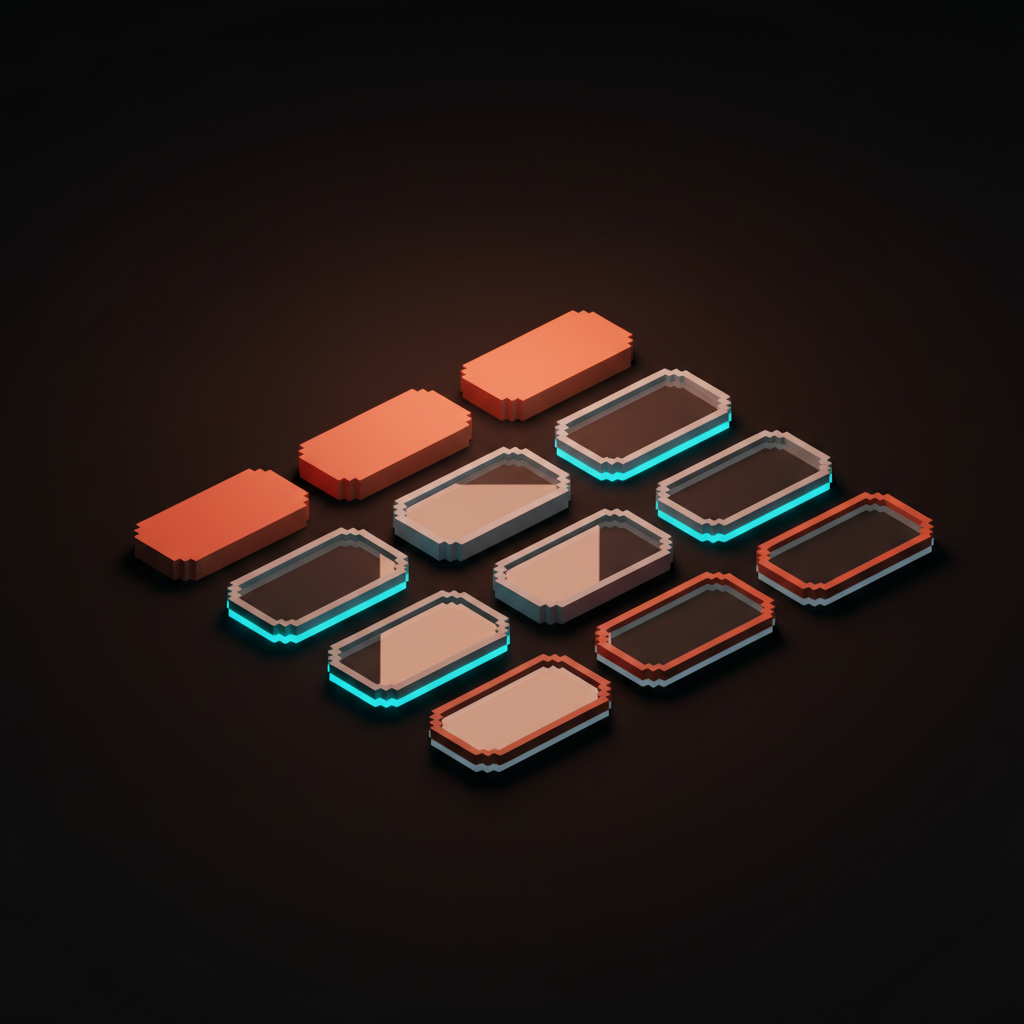
Patterns are the assemblies of components into reusable layout blocks. Hero sections, feature grids, navigation bars, footers, pricing tables. They are not full pages, they are the macros the pages compose from.
Patterns sit between components and pages. They are the level at which most "design intent" lives, because a pattern decides not just what the components are but how they relate. A hero pattern says: headline, subhead, CTA, and supporting visual, in this order, with this spacing, with these size relationships at each breakpoint.
Patterns also document responsive behavior. A pattern is not really documented until it has at least three breakpoint variants (mobile, tablet, desktop). Patterns without breakpoints are decorative wireframes pretending to be system components.
Layer 4: Pages
Pages are the final compositions. They use patterns, which use components, which use tokens. By the time a page exists, every value, every primitive, and every block is already decided.
A handoff-ready page composes from patterns and adds nothing new. The moment a page introduces a new color, a new spacing value, or a new button style that does not exist in the system, the four-layer model is broken and the developer cannot reproduce the page deterministically.
Pages should also be marked with their purpose. The hero, the headline, the primary CTA, the conversion path. Annotation here is not "tell the developer what to build," it is "tell the agent (human or AI) what the page is for so trade-off decisions can be made correctly when the implementation hits a real-world constraint."
Token discipline is the load-bearing wall
Of the four layers, tokens are the one most teams skip and the one whose absence destroys the handoff fastest. A token-disciplined file with imperfect components still ships approximately to the comp. A token-sloppy file with perfect components ships an approximation of an approximation.
Three rules keep token discipline.
Every visible value resolves to a token. Not most. All. If a color, spacing, radius, or typography value is not a token, it is a future bug.
Tokens are named semantically. surface/raised, text/muted, border/strong. Not gray-100, gray-400, gray-700. Semantic names map to intent. Literal names map to a specific shade of gray and break the moment the brand updates.
Tokens have a single source of truth. They live in one Figma library, exported once, consumed everywhere. A token defined in three places is a token defined in zero places, because no one knows which version is current.
The color theory for designers breakdown covers how to build a token-friendly palette from scratch. The typography system design piece does the same for type tokens.
Figma MCP changes the handoff
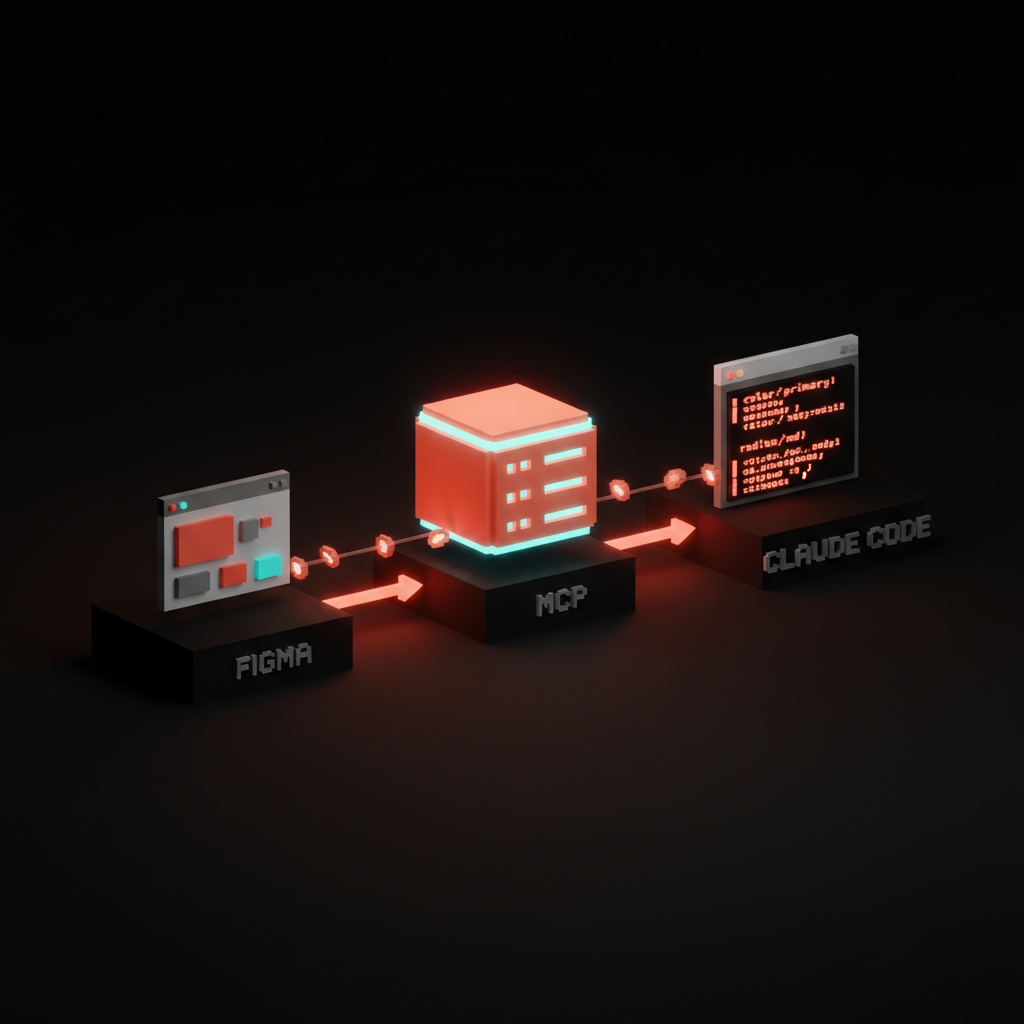
In 2026 the highest-leverage change to the handoff workflow is Figma MCP. The Model Context Protocol server published by Figma lets coding agents (Claude Code, Cursor, Claude Desktop) read the Figma file directly, including tokens, components, variables, and Code Connect mappings.
That changes the math. The developer no longer transcribes the design by eye. The agent reads the file, generates the component, and the developer reviews. Approximation drops. Speed jumps. The handoff is no longer a translation step, it is a compilation step.
The catch: MCP only works as well as the file underneath it. A four-layer file with clean tokens, real components, and Code Connect bindings produces clean code. A loose file with no tokens produces the same approximation as before, just faster. MCP amplifies the file. It does not rescue it.
For the deeper read on setup, the figma mcp guide covers the full wiring across Claude Code, Cursor, and Claude Desktop. The claude code for designers breakdown covers how the agent fits into the working designer's day.
The Code Connect layer
Code Connect is the explicit link between a Figma component and the production code component that implements it. Without it, MCP-driven generation has to guess the component name, the prop API, and the import path. With it, the generation is deterministic.
A team that ships a real product UI should consider Code Connect non-optional. The setup cost is small (one mapping per component) and the payoff compounds across every future generation. Coding agents, Storybook integrations, design QA tools, and visual diff systems all benefit.
The mapping lives in a small .figma.tsx file per component, declaring the React component, its props, and how the Figma variants map to those props. After that, the agent or the developer pulls component instances from Figma and gets back fully-typed React.
The handoff review loop
A handoff is not done when the file is shipped. It is done when the deployed product matches the comp. Three review checkpoints catch drift before it ships.
Checkpoint 1: Pre-handoff design self-audit
Before sending the file to development, the designer runs five checks.
Every visible value resolves to a token. Every page-level element is a component instance, no loose primitives. Every component has all the variants the page uses. Every responsive breakpoint is documented for every pattern on the page. Every page is annotated with its primary purpose and conversion path.
Pages that fail any of the five go back into design, not into development. This is the cheapest place to catch drift, because nothing has been built yet.
Checkpoint 2: First-build component review
The developer (or the agent) builds the components first, before pages. The designer reviews the components against the Figma library before any page work begins.
This is the moment to catch token drift, missing variants, and prop API mismatches. Fixing them at the component level fixes them everywhere. Fixing them at the page level fixes them once and re-introduces them on the next page.
A 30-minute component review at this checkpoint saves 30 hours of page-level rework later. The math is brutal in the team's favor.
Checkpoint 3: Visual QA against the comp
After the page ships to staging, the designer runs visual QA against the comp. Not "does it look fine," but "does it match the comp pixel-for-intent." Tokens, spacing, weights, breakpoints, states, motion.
The QA is not a list of nitpicks. It is a structured comparison against the four-layer file. Anything that differs is either a bug, a design decision the developer made under constraint, or a comp that needs to update to match the better real-world implementation. All three are valid outcomes. The point is to make the difference visible and decided, not invisible and shipped.
If you want a team that runs this loop as one workflow instead of two siloed teams, hire Brainy. Brand, web, and product UI shipped without the handoff drift.
The handoff cheat sheet
Save this. Pin it to the design ops doc.
| Layer | Lives in | What it ships | Failure mode |
|---|---|---|---|
| Tokens | Figma Variables | Color, spacing, type, radius, shadow, motion | Loose values that do not resolve to tokens |
| Components | Figma Library | Buttons, inputs, cards, primitives with all variants | Loose elements styled by hand inside pages |
| Patterns | Figma Library | Hero, nav, feature, footer assemblies with breakpoints | One-breakpoint patterns missing responsive behavior |
| Pages | Figma file | Final compositions made of patterns and components | Pages that introduce new values not in the system |
| Tooling | Role | When it pays off |
|---|---|---|
| Figma Variables | Token source of truth | Every project, no exceptions |
| Code Connect | Map Figma components to React components | The first time MCP generates a component for you |
| Figma MCP | Let coding agents read the file | The first time you want Claude Code to build a screen |
| Storybook | Live component reference for developers | Cross-team handoff with multiple developers |
| Visual diff (Chromatic, Percy) | Catch drift after deploy | Any team shipping more than one designer's work |
What changes in 2026
Three shifts changed the handoff in the last 18 months.
AI agents read the file directly. Claude Code, Cursor, Claude Desktop, and v0 all consume Figma through MCP. The handoff is no longer "designer explains, developer implements," it is "designer ships a structured file, agent generates code, developer reviews and integrates." The bottleneck moved from translation to file quality.
Code Connect closed the prop API gap. Until 2026, MCP-driven generation had to guess prop names. Code Connect mappings made the link deterministic, which made AI-generated components actually integrable instead of demo-grade.
Tokens became table stakes. Three years ago, token discipline was a maturity marker for top-tier design teams. Today it is a precondition for shipping anything that touches AI tooling. A design system without tokens is invisible to MCP, invisible to Code Connect, and invisible to every coding agent reading the file.
The teams shipping the cleanest products in 2026 are not the teams with the prettiest comps. They are the teams with the tightest four-layer files, the strictest token discipline, and the cleanest Code Connect bindings. Beauty still matters. It compounds on top of structure, not instead of it.
FAQ
What is design handoff?
Design handoff is the process of transferring a design from a design tool (usually Figma) into production code. In 2026, handoff is structured around a four-layer Figma file (tokens, components, patterns, pages) that lets developers and AI coding agents implement the design deterministically instead of by approximation.
What is the best way to hand off Figma to developers?
Build a four-layer file. Tokens for every visible value. Components with all variants. Patterns with all breakpoints. Pages composed only from existing patterns and components. Layer in Code Connect mappings if the team uses MCP-driven coding agents. Run a three-checkpoint review loop (pre-handoff audit, component-first build review, visual QA against the comp).
What is Figma Developer Mode?
Figma Developer Mode is a paid tier that exposes design specs (CSS, iOS, Android), code snippets, and the Code Connect mapping panel to developers viewing a file. It is useful for teams that ship native code or want first-class developer ergonomics inside Figma. Most of the value compounds when paired with token discipline and component variants.
Do I need Figma MCP for design handoff?
Not strictly, but it changes the math. With MCP, coding agents read the Figma file directly and generate components against the actual tokens and component variants. Without MCP, the developer transcribes the design by eye, which is slower and more drift-prone. Teams using Claude Code or Cursor for production work get a large lift from wiring MCP in.
How do I avoid design drift after handoff?
Three rules. Token discipline at the source (every visible value resolves to a token). Component-first builds (developer builds components before pages, designer reviews them before any page work). Structured visual QA after deploy (compare against the four-layer file, not against vibes). Drift is not a personality problem, it is a process problem.
What tools do I need for modern design handoff?
The minimum is Figma with Variables and Components. The next step up is Figma Developer Mode plus Code Connect for typed React mappings. The advanced step is Figma MCP wired into the coding agents your team uses (Claude Code, Cursor, Claude Desktop). Storybook and visual diff tools (Chromatic, Percy) round out the stack for larger teams.
The handoff is the system, not the meeting
Design handoff used to be a moment. A meeting, a Loom, a Notion doc, a "let me know if you have questions" Slack message. That model never scaled and now it is being eaten by AI agents that need structured input, not human walkthroughs.
The 2026 model is different. The handoff is the file. The file is the system. The system has four layers. Tokens, components, patterns, pages. Get the layers right and the developer ships the design intact, the agent generates code that compiles, and the QA pass is short. Get them wrong and every downstream surface degrades, regardless of how good the comp looks in isolation.
Pick one project. Audit the file against the four layers. Find the worst gap. Fix that first. Then run the handoff again with the new structure and watch how much faster, cleaner, and more accurate the implementation lands.
If you want a team that runs design and development as one operation, with the file as the contract and no handoff drift, hire Brainy. Same team, same system, same shipped product.
Tired of designs that ship looking 80% like the comp? Brainy runs design and development as one team, no handoff drift.
Get StartedGet new papers by email
New Brainy papers in your inbox. Confirm once, unsubscribe anytime.





