वेब एक्सेसिबिलिटी चेकलिस्ट: काम करने वाले डिज़ाइनर्स के लिए WCAG 2.2
WCAG 2.2 एक्सेसिबिलिटी चेकलिस्ट, काम के हिसाब से व्यवस्थित: Figma, ब्राउज़र, शिप के बाद। साथ में डिज़ाइनर की गलतियों और criteria का मैप।
ज़्यादातर वेब एक्सेसिबिलिटी चेकलिस्ट डिज़ाइनर्स के लिए बेकार होती हैं। वे WCAG success criterion नंबर के हिसाब से व्यवस्थित होती हैं, जो कि एक वकील spec पढ़ने का तरीका है और सॉफ्टवेयर कोई इस तरह नहीं बनाता।
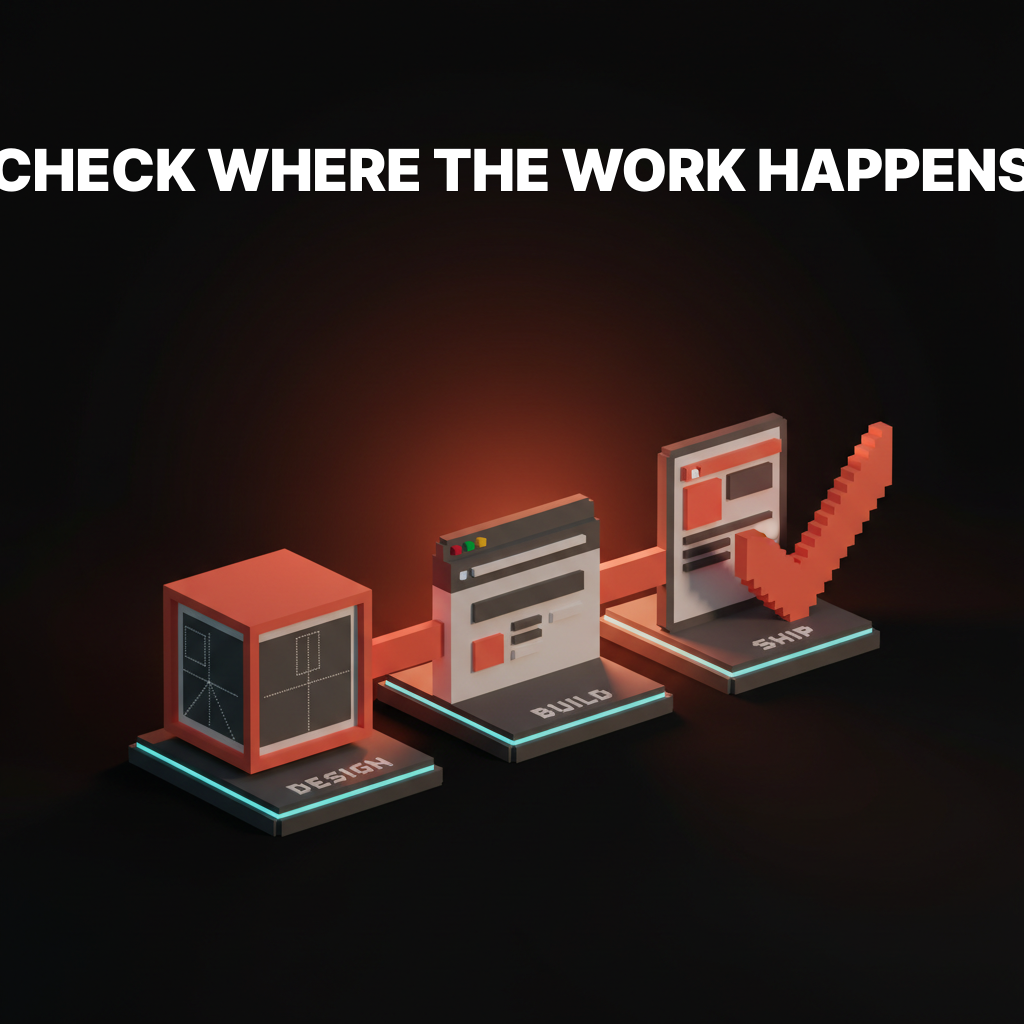
डिज़ाइनर्स Figma खोलते वक्त criterion 1.4.3 के बारे में नहीं सोचते। वे Figma खोलते हैं और एक टेक्स्ट कलर चुनते हैं। काम की चेकलिस्ट वहीं मिलती है जहाँ फैसला होता है, यानी तीन अलग-अलग लिस्ट: एक डिज़ाइन फाइल के लिए, एक ब्राउज़र के लिए, एक लॉन्च के बाद के लिए। किसी और तरीके से व्यवस्थित करो, और इसे स्किप कर दिया जाएगा।
WCAG 2.2 असल में क्या माँगती है
WCAG 2.2 2026 तक का मौजूदा ग्लोबल स्टैंडर्ड है, और यह WCAG 2.1 के ऊपर नौ नए success criteria जोड़ती है, जो ज़्यादातर mobile, touch targets, cognitive load, और authentication पर फोकस हैं।
डिज़ाइनर्स के लिए मायने रखने वाले नौ नए criteria की लिस्ट छोटी है। Focus appearance सख्त हो गई है (2.4.11, 2.4.13)। Dragging gestures के लिए अब एक non-drag विकल्प ज़रूरी है (2.5.7)। Touch targets का minimum size 24 गुणा 24 CSS pixels है जब तक target के आसपास पर्याप्त spacing न हो (2.5.8)। पेजों पर consistent help placement ज़रूरी है (3.2.6)। Forms एक ही जानकारी को बिना ज़रूरत के दो बार नहीं माँग सकते (3.3.7)। Authentication बिना किसी विकल्प के पासवर्ड याद रखने जैसे cognitive test पर निर्भर नहीं कर सकती (3.3.8, 3.3.9)।
AA वह level है जो दुनिया भर के ज़्यादातर accessibility कानूनों में ज़रूरी है, जिसमें EU का European Accessibility Act, US में Section 508, और UK के Public Sector Bodies Accessibility Regulations शामिल हैं। AAA ज़्यादा सख्त है और ज़्यादातर government, healthcare, और education के लिए रखी जाती है।
WCAG section नंबरों से व्यवस्थित चेकलिस्ट एक spec है। काम के हिसाब से व्यवस्थित चेकलिस्ट एक tool है।
वह एकमात्र चेकलिस्ट फॉर्मेट जो काम करता है
तीन जगह हैं जहाँ accessibility के फैसले होते हैं। डिज़ाइन फाइल। ब्राउज़र में बना interface। लॉन्च के बाद का production site।
लगभग 70% accessibility failures Figma में लिए गए फैसले हैं, 20% implementation में, और 10% लॉन्च के बाद content changes, third-party embeds, या user-generated material के ज़रिए आते हैं। कोई भी चेकलिस्ट जो इन तीन phases को map नहीं करती, वह डिज़ाइनर को spec language को workflow language में ट्रांसलेट करने पर मजबूर करती है, और उसी ट्रांसलेशन में items छूट जाते हैं।
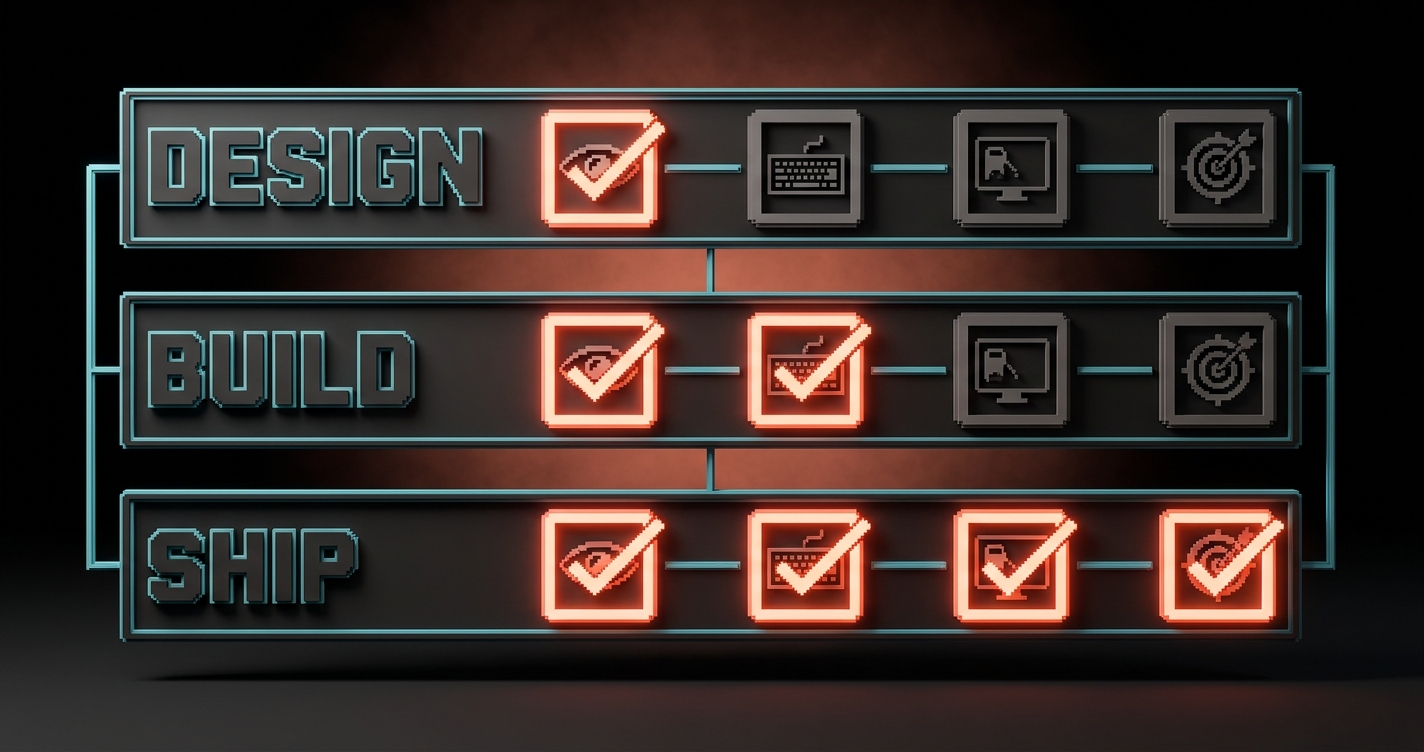
इस article का बाकी हिस्सा तीन लिस्ट हैं, क्रम में। इन्हें क्रम में चलाएं। जो भी design-phase check में fail हो, उसे कभी build phase तक नहीं पहुँचना चाहिए। जो build phase में fail हो, वह कभी ship नहीं होना चाहिए।
Design-phase चेकलिस्ट (Figma में क्या चेक करते हैं)
लगभग 70% accessibility failures डिज़ाइन फाइल में लिए गए फैसले हैं, यानी वहाँ fix करना सबसे सस्ता भी है।
| चेक | WCAG 2.2 criterion | Figma में कैसे verify करें |
|---|---|---|
| Body text का background के खिलाफ contrast 4.5:1 हो | 1.4.3 Contrast (Minimum) | Stark, Able, या Figma का built-in contrast checker |
| Large text (18pt+ या 14pt+ bold) 3:1 हो | 1.4.3 | Same tools |
| Non-text UI (buttons, borders, icons, focus rings) 3:1 हो | 1.4.11 Non-text Contrast | Canvas पर color pairs manually sample करें |
| Touch targets कम से कम 24 गुणा 24 CSS px हों (48 गुणा 48 recommended) | 2.5.8 Target Size (Minimum) | Frame dimensions directly मापें |
| जानकारी केवल color से न दी जाए | 1.4.1 Use of Color | Frame को grayscale करें (Figma plugin या screenshot filter) |
| हर image frame में layer metadata में alt text हो | 1.1.1 Non-text Content | Figma का accessibility panel या dev mode |
| Headings logical order में हों (H1, H2, H3, H1, H3, H2 नहीं) | 1.3.1 Info and Relationships | Heading tree ऊपर से नीचे पढ़ें |
| हर interactive element के लिए focus state डिज़ाइन हो | 2.4.7 Focus Visible, 2.4.11 Focus Not Obscured | हर interactive component का focus variant हो |
| Link text context के बाहर भी समझ में आए | 2.4.4 Link Purpose | "click here" या "learn more" जैसे labels नहीं |
| Form labels visible हों, सिर्फ placeholder नहीं | 3.3.2 Labels or Instructions | हर field का input के बाहर persistent label हो |
डिज़ाइन फाइल वह जगह भी है जहाँ आप नए WCAG 2.2 mobile criteria पकड़ते हैं। 2.5.8 में fail होने वाले tap targets लगभग हमेशा इसलिए fail होते हैं क्योंकि डिज़ाइनर desktop pixels में सोच रहा था और target 16-pixel icon है जिसमें कोई padding नहीं।
Contrast के बारे में गहरी जानकारी के लिए देखें contrast rules और APCA। Design-phase का color work वह जगह है जहाँ ज़्यादातर sites audit से पहले ही हार जाती हैं, एक line of code लिखे जाने से पहले।
Build-phase चेकलिस्ट (ब्राउज़र में क्या चेक करते हैं)
ब्राउज़र वह जगह है जहाँ accessibility decisions prove या expose होते हैं, क्योंकि यह पहली जगह है जहाँ real assistive tech आपके काम को छूती है।
| चेक | WCAG 2.2 criterion | ब्राउज़र में कैसे verify करें |
|---|---|---|
| हर page सिर्फ keyboard से काम करे (tab, shift-tab, enter, space, arrow keys) | 2.1.1 Keyboard | Mouse हटाएं और page navigate करें |
| Focus order visual order follow करे (LTR में left-to-right, top-to-bottom) | 2.4.3 Focus Order | Tab करते जाएं और focus ring देखें |
| Focus कभी sticky headers, cookie banners, या modals से छिपे नहीं | 2.4.11 Focus Not Obscured (Minimum) | Tab करते हुए scroll करें और visibility confirm करें |
| Drag interactions का click या tap alternative हो | 2.5.7 Dragging Movements | Sliders, sortable lists, carousels चेक करें |
| पहले tab पर skip-to-content link दिखे | 2.4.1 Bypass Blocks | Page load पर एक बार tab करें |
| HTML landmarks इस्तेमाल हों (header, nav, main, footer, aside) | 1.3.1, 4.1.2 | DOM outline inspect करें |
| Form errors announce हों, सिर्फ color-coded नहीं | 3.3.1, 3.3.3, 4.1.3 | Screen reader के साथ broken form submit करें |
| Screen reader headings, lists, और buttons सही announce करे | 4.1.2 Name, Role, Value | Windows पर NVDA, Mac पर VoiceOver, Android पर TalkBack |
| Personal data fields पर autocomplete attributes सेट हों | 1.3.5 Identify Input Purpose | Name, email, address fields पर autocomplete inspect करें |
| Media में captions, transcripts, या audio descriptions हों | 1.2.1 से 1.2.5 | हर video play करें, tracks चेक करें |
Automated tools इनमें से लगभग 30% पकड़ते हैं। बाकी के लिए एक इंसान को tab दबाना और screen reader सुनना पड़ता है। दोनों ज़रूरी हैं, और कोई एक दूसरे की जगह नहीं ले सकता।
2026 में best browser-stage tool stack छोटा है: automated scanning के लिए axe DevTools, page-level audits के लिए Lighthouse, और manual pass के लिए एक real screen reader। तीन tools, दस मिनट प्रति page, लगभग वह सब कुछ पकड़ लेता है जो एक real audit flag करती।
Post-ship चेकलिस्ट (production में क्या चेक करते हैं)
Accessibility लॉन्च पर खत्म नहीं होती, क्योंकि content, third-party embeds, और user-generated material सब डिज़ाइनर के sign off के बाद ship होते हैं।
| चेक | WCAG 2.2 criterion | Production में कैसे verify करें |
|---|---|---|
| CMS-authored images में alt text editor level पर enforced हो | 1.1.1 | CMS test करें: क्या author बिना alt के publish कर सकता है? |
| Embedded third-party widgets (chat, maps, forms) accessible हों | Varies | Embeds वाले pages पर axe चलाएं |
| PDF downloads और documents tagged और readable हों | 1.1.1, 1.3.1, 2.4.6 | Acrobat के accessibility checker में खोलें |
| Help, support, और contact links हर page पर एक ही जगह हों | 3.2.6 Consistent Help (WCAG 2.2 नया) | Templates पर visual audit |
| Forms एक flow में redundant information न माँगें | 3.3.7 Redundant Entry (WCAG 2.2 नया) | Multi-step forms walk-through करें |
| Authentication का accessible alternative हो (passkeys, email links, SSO) | 3.3.8, 3.3.9 Accessible Authentication (WCAG 2.2 नया) | Password manager blocked करके signup और login try करें |
| Dynamic content (modals, toasts, live regions) announce हो | 4.1.3 Status Messages | Screen reader खुला रखकर हर एक trigger करें |
| User द्वारा 200% zoom scaling के बाद page contrast और target-size rules पर खरी उतरे | 1.4.4 Resize Text, 1.4.10 Reflow | Browser को 200% zoom करें और चेक करें |
| Auto-playing media न हो, या media में pause control हो | 1.4.2 Audio Control, 2.2.2 Pause, Stop, Hide | Page cold load करें |
| Cookie banner keyboard focus trap न करे | 2.1.2 No Keyboard Trap | Banner में tab करें, वापस बाहर tab करें |
Post-ship list वह जगह है जहाँ ज़्यादातर teams fail होती हैं। Design accessibly ship हुई। CMS authors इसे untagged PDFs, autoplay videos, और एक chat widget से भर देते हैं जिसके launcher का contrast ratio 2:1 है। Accessibility एक system property है, launch milestone नहीं।
WCAG criteria से mapped common designer mistakes
हर accessibility audit finding एक specific WCAG success criterion तक वापस जाती है, और ज़्यादातर डिज़ाइनर्स same पाँच criteria के खिलाफ same पाँच गलतियाँ कर रहे हैं।
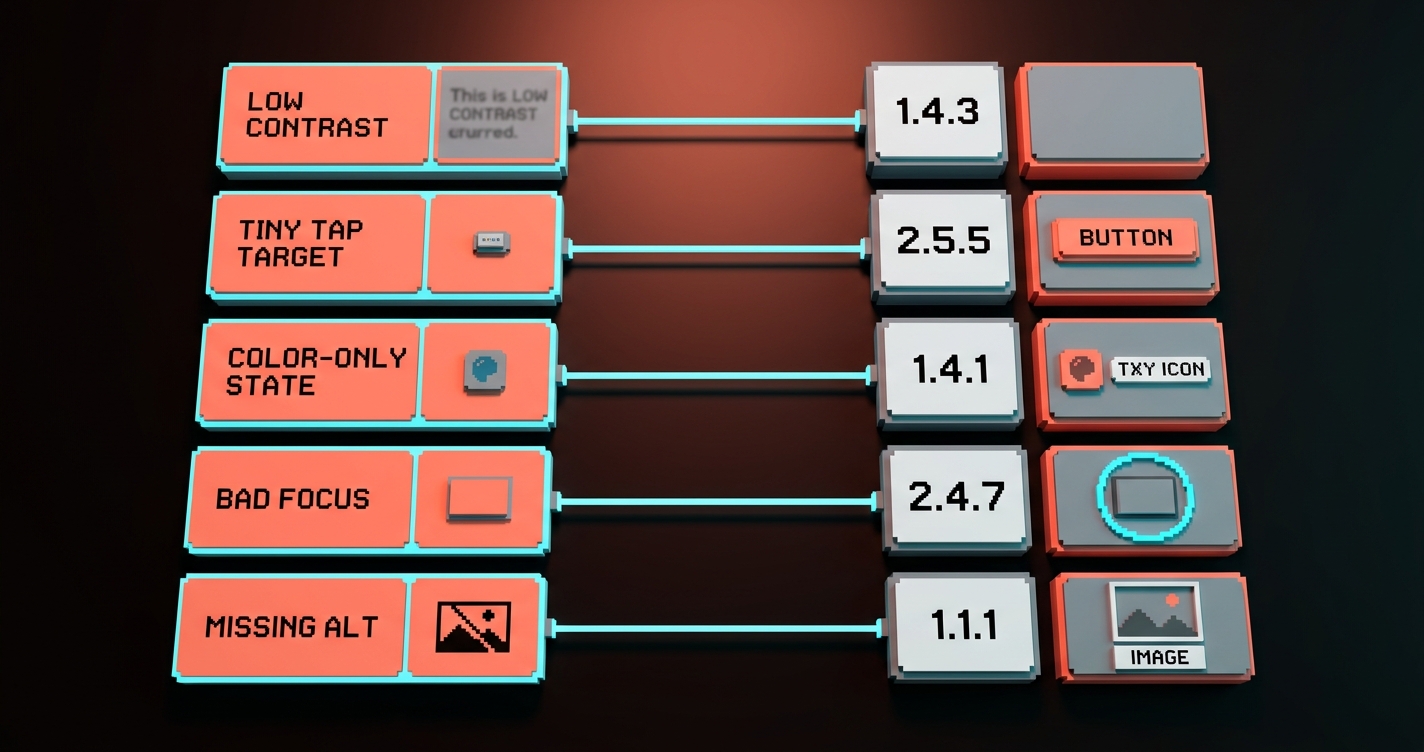
| Designer की गलती | असल में क्या है | WCAG 2.2 criterion जो violate होती है |
|---|---|---|
| Placeholder text को एकमात्र label बनाना | Users typing शुरू करते ही label खो देते हैं | 3.3.2 Labels or Instructions |
| aria-label या tooltip के बिना icon-only buttons | Screen readers "button" announce करते हैं बिना purpose के | 4.1.2 Name, Role, Value |
| Error messages सिर्फ red border या red text से दिखाना | Color blindness वाले users को कोई error नहीं दिखती | 1.4.1 Use of Color, 3.3.1 Error Identification |
| Aesthetics के लिए focus ring हटाना | Keyboard users देख नहीं पाते वे कहाँ हैं | 2.4.7 Focus Visible |
| बिना spacing के 24 गुणा 24 px से छोटे tap targets | Mobile users बार-बार गलत tap करते हैं | 2.5.8 Target Size (Minimum) |
| "Subtle" UI पर low contrast (placeholder text, disabled states, helper copy) | धूप में या vision loss वाले readers पढ़ नहीं पाते | 1.4.3 Contrast (Minimum), 1.4.11 Non-text Contrast |
| Modal जो focus trap करे पर ESC से बंद न हो | Keyboard users modal में फँस जाते हैं | 2.1.2 No Keyboard Trap |
| Drag-only navigation वाले carousels | Motor-impaired users आगे नहीं बढ़ पाते | 2.5.7 Dragging Movements |
| Sticky header जो tab पर focused element छिपाए | Users देखते हैं page scroll हो रहा है पर position track नहीं कर पाते | 2.4.11 Focus Not Obscured |
| सिर्फ password से sign-in, SSO या email link नहीं | Cognitive load failure | 3.3.8 Accessible Authentication |
यही दस गलतियाँ हर audit report की बहुमत बनाती हैं। इन्हें fix करो और किसी consultant के spreadsheet खोलने से पहले ही WCAG 2.2 AA का 80% हो जाता है।
Accessibility की basics एक अच्छे visual hierarchy के बाकी हिस्सों से भी जुड़ती हैं। Contrast, target size, और focus states hierarchy decisions हैं। जो design hierarchy सही करती है, वह accessibility checklist का ज़्यादातर हिस्सा automatically सही करती है, यही वजह है कि अच्छे color theory और accessible design के बीच overlap लगभग पूरा है।
चेकलिस्ट को एक हफ्ता जलाए बिना कैसे चलाएं
चेकलिस्ट तभी काम की है जब इसे चलाने में मिनट लगें, दिन नहीं, यानी tooling को ज़्यादातर काम खुद करना होगा।
काम का cadence तीन passes है, एक-एक प्रति phase, हर एक तब जब काम उस phase तक पहुँचे। सभी तीन अंत में नहीं। उनमें से एक अंत में नहीं। तीन अलग passes, हर एक सस्ती, हर एक जहाँ हो सके tooling से enforced।
- Design pass: 10 मिनट प्रति screen। हर text pair पर Stark या Figma का contrast checker, color-only information test करने के लिए frame grayscale करें, हर tap target मापें। Handoff से पहले करें, review के दौरान नहीं।
- Build pass: 10 मिनट प्रति template। axe DevTools scan, keyboard-only navigation test, most-visited pages पर एक screen-reader pass। axe-core को CI में integrate करें ताकि नया code regressions के साथ merge न हो सके।
- Ship pass: monthly, हर release पर नहीं। Production पर full-site axe या pa11y crawl, किसी भी document library पर PDF audit, forms और authentication flows का manual walkthrough।
यह प्रति product प्रति महीने आधे दिन का काम है और शायद हर design handoff पर 15 मिनट। इससे ज़्यादा और team इसे चलाना बंद कर देगी। इससे कम और audits unfixed वापस आएंगी।
FAQ
क्या WCAG 2.2 कानूनी रूप से ज़रूरी है?
हाँ, ज़्यादातर major markets में। European Accessibility Act जून 2025 में लागू हुआ और minimum के रूप में WCAG 2.1 reference करता है, 2.2 current working standard के रूप में। US में Section 508 WCAG 2.0 reference करता है लेकिन procurement contracts तेज़ी से 2.2 की माँग कर रहे हैं। Canada, UK, Australia, और Japan सभी के similar requirements हैं जो WCAG 2.1 या 2.2 से जुड़े हैं। अगर आप उन markets में ship कर रहे हैं, 2.2 AA safe target है।
WCAG 2.2 के नए criteria जो मुझे actually जानने चाहिए?
डिज़ाइनर्स के लिए चार सबसे ज़रूरी हैं। 2.5.7 Dragging Movements drag interactions के लिए non-drag alternative माँगता है। 2.5.8 Target Size (Minimum) कम से कम 24 गुणा 24 CSS pixels के tap targets माँगता है पर्याप्त spacing के साथ। 2.4.11 Focus Not Obscured माँगता है कि focused element scrolling और sticky overlays के बाद भी visible रहे। 3.3.8 Accessible Authentication बिना alternative के पासवर्ड याद रखने जैसे cognitive tests prohibit करता है (SSO, passkey, या email link)।
क्या मुझे mobile के लिए अलग चेकलिस्ट चाहिए?
नहीं। WCAG 2.2 explicitly mobile और touch को cover करने के लिए लिखी गई है, यही वजह है कि इसके इतने नए criteria (target size, dragging, focus) mobile-aware हैं। वही तीन-phase चेकलिस्ट mobile web और responsive design के लिए काम करती है। Native apps के लिए additional platform-specific guidelines हैं (Apple का HIG और Android Accessibility) लेकिन WCAG rules फिर भी लागू होती हैं।
WCAG 2.2 में minimum touch target size क्या है?
24 गुणा 24 CSS pixels 2.5.8 Target Size (Minimum) के तहत minimum है, लेकिन इसके exceptions हैं अगर targets के आसपास पर्याप्त spacing हो या वे text के साथ inline हों। Practical target जो ज़्यादातर डिज़ाइनर्स को aim करना चाहिए वह 48 गुणा 48 CSS pixels है, जो Apple और Google की platform recommendations से match करता है और WCAG spec के edge cases से बचाता है।
चेकलिस्ट ship करें, अंदाज़ा नहीं
Accessibility एक compliance task नहीं है। यह एक design property है, तीन moments पर बनी, tooling से enforced, humans से checked।
जो teams बिना दर्द के accessible sites ship करती हैं, वे सबसे अच्छे auditors वाली नहीं हैं। वे वे हैं जिन्होंने checks को design phase, build phase, और ship phase में shift किया, और जिन्होंने किसी भी known failure के साथ काम को आगे बढ़ने से इनकार किया।
तीन lists चलाएं। दस common mistakes को compound होने से पहले पकड़ें। Browser-stage scans को CI में automate करें। Post-ship drift को monthly audit करें। WCAG 2.2 AA एक finish line होना बंद हो जाती है और team के काम करने का एक property बन जाती है।
आज अपनी site का एक product surface चुनें। उसकी Figma file के खिलाफ design-phase checklist चलाएं। Fixes गिनें। वह count वह cost है जो इसे पहले न चलाने की है।
चेकलिस्ट ship करें, अंदाज़ा नहीं।
Need a site that passes WCAG 2.2 without a three-month remediation cycle? Brainy ships accessible design from the first Figma frame.
Get Started