
Why Your UI Typography Looks Junior: 6 Fixes With Exact Values
Six typography mistakes that make an interface look junior, and the senior fix for each with the exact numbers: a type scale, one family, readable gray, caps, line height and hierarchy.
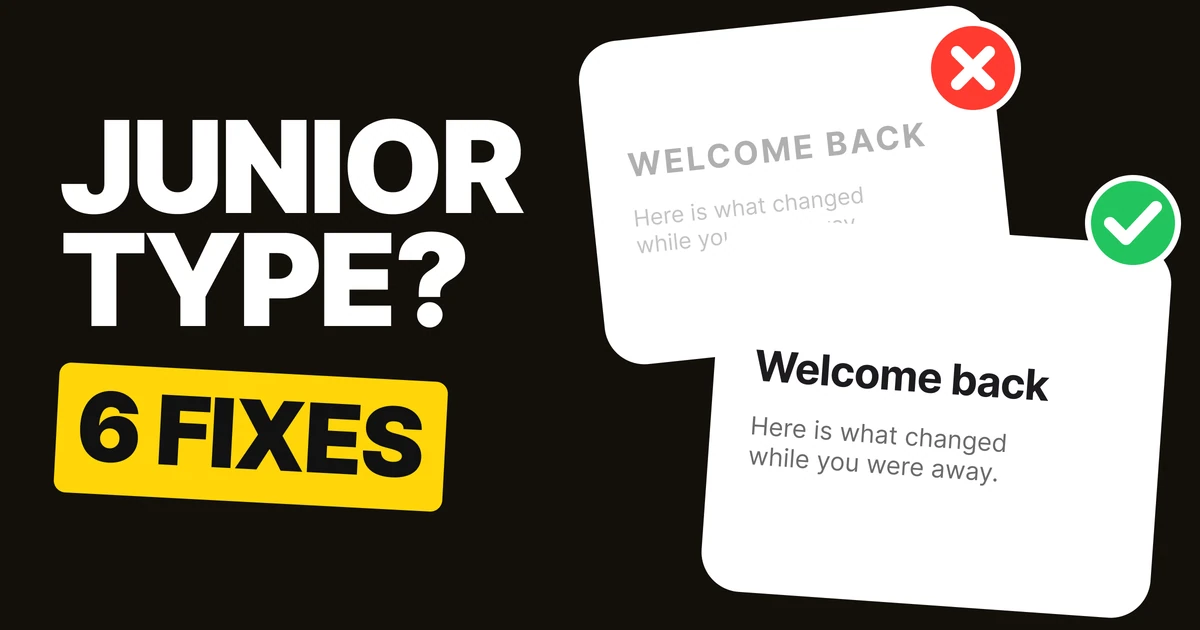
Junior typography is rarely one big mistake. It is six small ones, each decided by feel: a size that looked right, a font that seemed fun, a gray that looked elegant. Senior type looks calm because every one of those choices follows a rule. Here are the six, with the numbers.
1. Use a type scale
✕ Junior: sizes picked by feel
✓ Senior: one ratio, 1.25 from 16
On the left, every size was chosen on its own: 31, 27, 22, 17, 15, 13. The steps between them are uneven, so some levels look almost identical and others jump. On the right, every size is the one before it times 1.25: 16, 20, 25, 31, 39. The steps are even, so each level is clearly different from the next.
A ratio between 1.2 and 1.333 suits most interfaces. Pick one, write it down, and never type a size that is not on the list. In CSS that is a short set of variables, and in Figma a set of text styles. Our guide to the modular type scale covers choosing the ratio.
:root {
  --text-sm: 0.8rem;    /* 12.8px */
  --text-base: 1rem;    /* 16px */
  --text-lg: 1.25rem;   /* 20px */
  --text-xl: 1.563rem;  /* 25px */
  --text-2xl: 1.953rem; /* 31px */
  --text-3xl: 2.441rem; /* 39px */
}
2. One family, two weights
Weekend in Lisbon
a little travel diaryThree days, two neighbourhoods and one very long tram ride.
READ MORE✕ Junior: four fonts on one card
Weekend in Lisbon
A little travel diaryThree days, two neighbourhoods and one very long tram ride.
Read more✓ Senior: one family, regular and bold
Every new font brings its own personality, and four personalities on one card argue. The reader cannot tell which one is the brand. One family in two weights, regular for reading and bold for headings, is enough to build every level a screen needs.
If you want a second family, give it one job, like headlines only, and keep it there everywhere. Never add a font to make one element "special".
3. Gray you can read
Your order is on the way
Arriving 14:20 to 14:40.We'll text you when the courier is close.
✕ #B0B0B0 on white: hard to read
Your order is on the way
Arriving 14:20 to 14:40.We'll text you when the courier is close.
✓ #6B6B6B on white: easy to read
Light gray looks refined in a design file on a bright monitor. On a phone outdoors, it disappears. The arrival time on the left is the most useful line on the card and the hardest to read.
#6B6B6B still feels quiet next to the black title, and it stays readable. As a rule, secondary text on white should be no lighter than about #767676, the lightest gray that passes the accessibility minimum for body text.
4. Caps for labels only
We've updated our terms. Please review the changes before your next order.
✕ Junior: a sentence in capitals
UPDATE
We've updated our terms
Please review the changes before your next order.
✓ Senior: a capital label, sentence case text
Capitals remove the shapes of words. In lowercase, the tall and short letters give each word an outline your eye recognises; in capitals every word is a rectangle, so a sentence has to be read letter by letter. That is why a paragraph in caps feels like shouting and takes longer to read.
Caps work for what they were made for: short labels of one to three words, like a section tag, a status or a button. Everything longer goes in sentence case.
5. Tight heads, airy body
Spacing is part of the type
Tight leading turns a paragraph into a wall. Give body text room to breathe and keep headings snug.
✕ Junior: loose heading, cramped body
Spacing is part of the type
Tight leading turns a paragraph into a wall. Give body text room to breathe and keep headings snug.
✓ Senior: heading at 1.1, body at 1.5
Line height has opposite jobs at different sizes. Large headings already have plenty of space inside their letters, so a heading at 1.1 holds together as one shape. Small body text needs room between lines so the eye can find the start of the next one, so it gets 1.5.
The junior version does the reverse, often because one line height was applied to everything. Set two values and use them everywhere: around 1.1 to 1.2 for headings, 1.4 to 1.6 for body text.
6. Size, weight, color, space
Order #2841
DeliveredToday, 14:203 itemsTotal $42.80
✕ Junior: everything bold, one size
● Delivered
Order #2841
Today, 14:20 · 3 itemsTotal $42.80
✓ Senior: four tools, one clear order
When everything is bold, nothing is. The junior card has five lines at the same size and weight, so the reader has to read all of them to find the one that matters.
The senior card uses four tools, each a little: the order number is bigger, the status gets a color and a dot, the details drop to gray, and space separates the total. No single tool is pushed hard, which is why it looks calm. More on this in typographic hierarchy.
The six fixes on one table
| Junior | Senior | The value |
|---|---|---|
| Sizes picked by feel | One type scale | 1.25 from 16: 20, 25, 31, 39 |
| Several fonts | One family, two weights | Regular and bold |
| Light gray text | Gray you can read | #6B6B6B on white, never lighter than #767676 |
| Sentences in caps | Caps for short labels | One to three words |
| One line height for all | Two line heights | Headings 1.1, body 1.5 |
| Everything bold | Four tools of hierarchy | Size, weight, color, space |
FAQ
What is a good type scale for UI?
A ratio between 1.2 and 1.333 from a 16 px base. A 1.25 ratio gives 16, 20, 25, 31 and 39 px, enough levels for most screens.
How many fonts should a UI use?
One family is enough, used in two weights. Add a second family only with one fixed job, like headlines, and use it the same way everywhere.
What line height should body text have?
Around 1.5 for body text and around 1.1 to 1.2 for large headings.
What gray is readable on white?
#767676 is the lightest gray that passes the WCAG minimum for body text on white. #6B6B6B gives a little more margin and still reads as secondary.
Should UI text be in all caps?
Only for short labels of one to three words. Longer text in capitals is slower to read because words lose their shape.
Sources
- Type scale: 16 × 1.25ⁿ = 20, 25, 31.25 and 39.06, shown rounded.
- Contrast on white, computed with the WCAG 2 formula: #B0B0B0 2.2 to 1, #767676 4.5 to 1, #6B6B6B 5.3 to 1. WCAG asks for 4.5 to 1 for body text (1.4.3 Contrast (Minimum)).
- First published as a carousel on UX Brainy.
Want type that looks this calm across your whole product? Our team builds UI and design systems with the typography decided once.
Get StartedGet new papers by email
New Brainy papers in your inbox. Confirm once, unsubscribe anytime.