
Error Message Examples: Bad, Good and Great, Rewritten
Eight error messages climbed from a raw code to copy people can act on. Each rung explained, the three-line formula behind the great ones, and a checklist for your next review.
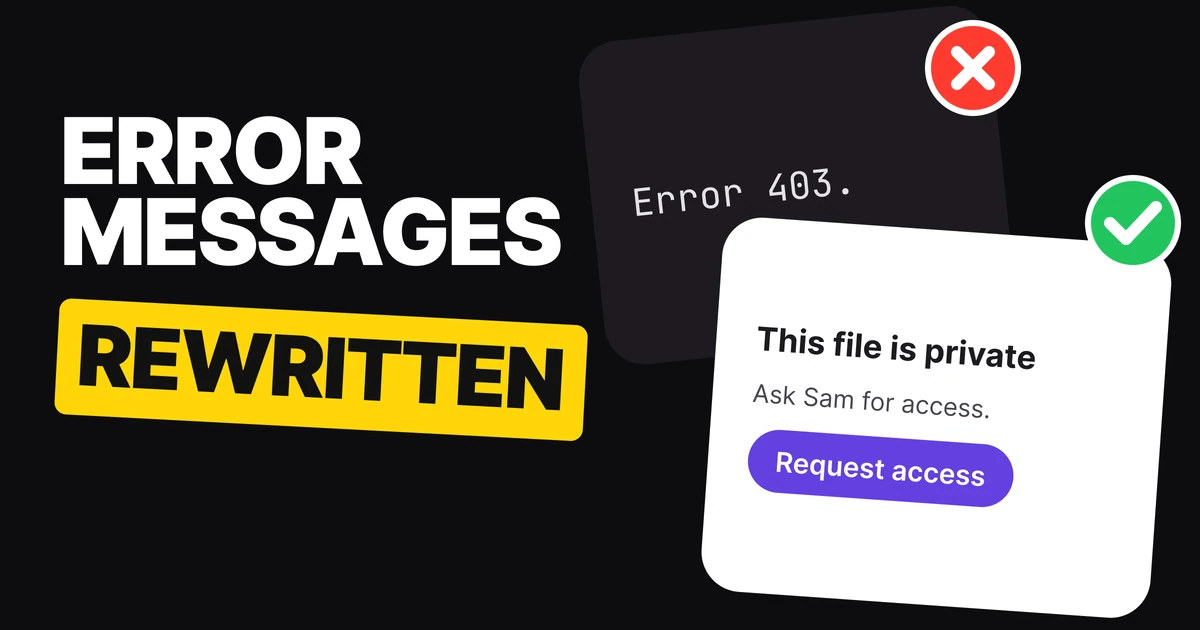
A great error message tells people three things: what happened, why it happened, and what to do next, with a button that does it. Most products stop at the first one, and many never get past a code. Below are eight error messages climbed from bad to great, the reason behind every rung, and a formula you can use on the next one you write.
What changes from bad to great
Bad
Great
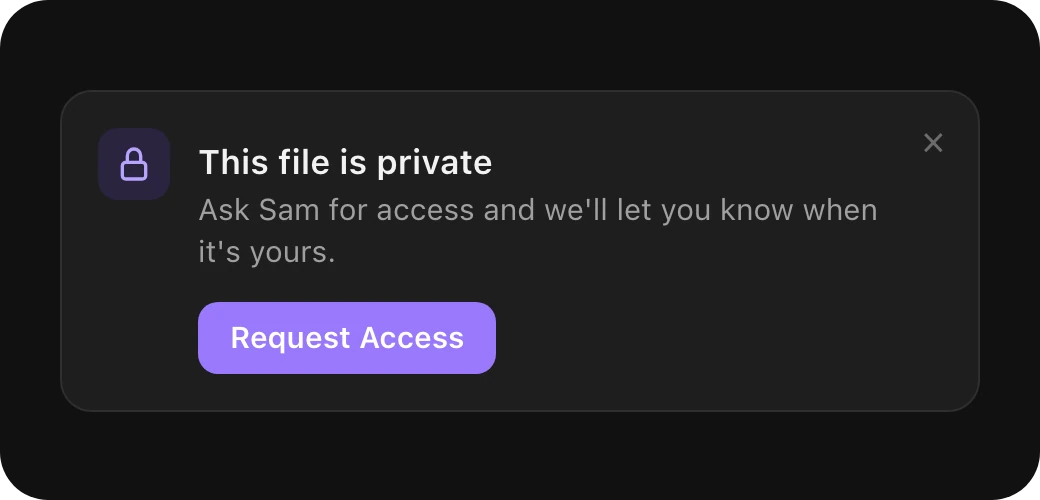
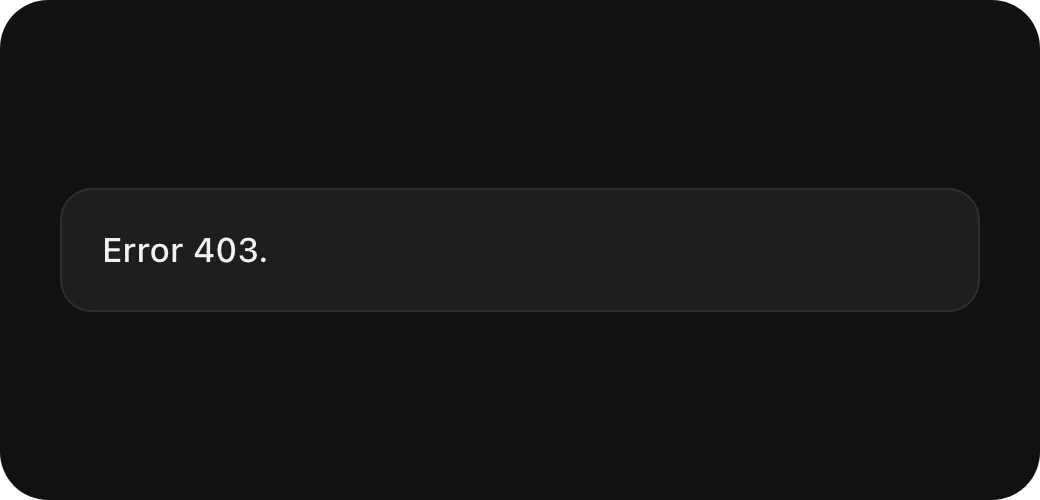
The bad message is written for the server. A 403 is a real status code and it is accurate, but the person reading it learns nothing they can use. The great message is written for the person: it names the file, explains that it is private, names who can open it, and turns the next step into one tap.
Each rung adds one thing:
| Rung | What it gives people | What it still leaves out |
|---|---|---|
| Bad | A code or a vague word like "failed" | What happened, why, what to do |
| Good | What happened, in plain words | Why, and what to do next |
| Great | What happened, why, and the next step on a button | Nothing they need to decide |
1. No access
Bad
Error 403.
A status code. Correct for a developer, empty for everyone else.Good
You don't have access to this file.
Says what happened, in the reader's words. Leaves them stuck.Great
This file is private. Ask Sam for access and we'll let you know when it's yours.
Says why (it is private), who can fix it (Sam) and what happens after. The button is Request Access, so asking takes one tap.
A 403 means the person is signed in but has no permission. That distinction matters for the copy: they do not need to sign in again, they need someone to share the file.
2. A declined card
Bad
Transaction failed.
"Failed" with no subject. Was it the card, the shop, the connection?Good
Your card was declined.
Names the cause people can act on.Great
Your card was declined. Your bank said no. Try another card, or ask your bank to approve it.
Places the problem with the bank, not the person, and gives two ways out. The button is Use Another Card, the faster one.
Payment errors carry the most money and the most embarrassment. Blame nobody, and keep the way out on the same screen.
3. A file that's too large
Bad
Upload error.
Could be anything, so people retry the same file and hit the same wall.Good
This file is too large.
The cause, but not by how much.Great
This video is 2.4 GB. The limit is 2 GB. Trim it a little and try again.
Both numbers, so people can see the gap is small. The button is Trim Video, which fixes it without leaving the app.
When a limit is involved, say the limit. People cannot fix a number they are never told.
4. Going offline
Bad
Network error.
Sounds like something broke, and maybe like work was lost.Good
You're offline.
Plain, but the first worry in anyone's head is "did I lose my changes?"Great
You're offline. Your changes are saved on this phone and will sync when you're back.
Answers the worry before it is asked. The button is Try Again.
5. Getting signed out
Bad
Error 401: Unauthorized.
"Unauthorized" reads like an accusation, and it is a code again.Good
Your session expired.
Accurate, but "session" is a developer's word.Great
You were signed out. It's been 30 days. Sign in again and we'll bring you back here.
Explains the reason and promises people will not lose their place. The button is Sign In.
A 401 is the opposite case to a 403: the person is not signed in, or their sign-in ran out. Sending them to the sign-in screen is the fix, and saying they will land back where they were removes the reason to hesitate.
Three more, written fresh
The same rules hold for situations the five above do not cover. These three are our own examples.
Bad
Error 500. Something went wrong.
The code adds nothing, and "something" admits we do not know.Good
We couldn't save your changes.
Owns the problem and names what failed.Great
We couldn't save your changes. That's on our side, not yours. Your text is still here, so try again in a minute.
Says whose fault it is and that nothing was lost. The button is Save Again.
Bad
Too many requests.
Machine language for a person who is probably already frustrated.Good
Too many attempts. Try again later.
Clear, but "later" could mean a minute or a day.Great
Too many attempts. For your safety, sign-in is paused for 15 minutes. You can reset your password now instead.
Gives the wait time, the reason and a faster path. The button is Reset Password.
Bad
Invalid link.
Suggests the person typed something wrong.Good
This invite has expired.
The real cause, with no blame.Great
This invite has expired. Invites last 7 days. Ask Maya to send a new one.
Says why links expire and who can fix it. The button is Ask for a New Invite.
The formula: what happened, why, what to do next
Every great message above fits the same three lines:
[What happened, in the reader's words.]
[Why, in one short sentence.]
[What to do next.]   [Button: the next step as a verb]
| Message | What happened | Why | What to do next |
|---|---|---|---|
| No access | This file is private | Only invited people can open it | Request Access |
| Declined card | Your card was declined | Your bank said no | Use Another Card |
| Too large | This video is 2.4 GB | The limit is 2 GB | Trim Video |
| Offline | You're offline | Changes are saved on this phone | Try Again |
| Signed out | You were signed out | It's been 30 days | Sign In |
The "why" line is the one teams cut first, and the one that stops the next support ticket.
A checklist for your next review
- No raw codes. Keep 403, 401 and 500 in the logs, out of the message.
- No blame. "Your bank said no", not "You entered an invalid card".
- Say the numbers. A size limit, a wait time, a number of days.
- One button, named as a verb. "Trim Video", not "OK".
- Say what was kept. If nothing was lost, say so.
- Don't confirm accounts on sign-in. "Wrong password" tells a stranger the account exists. Say "That email and password don't match" instead.
- Then check the color. Words carry the error; color and an icon support them. Our paper on error message color has the reds to use in light and dark.
Paper
Error message color: the 8 reds to use instead of #FF0000
The sibling of this paper: the words are here, the colors, icons and code are there.
FAQ
How do you write a good error message?
Say what happened in plain words, why it happened in one short sentence, and what to do next. Put the next step on a button named as a verb, like Try Again or Use Another Card.
What are examples of bad error messages?
Raw codes and vague words: "Error 403", "Error 401: Unauthorized", "Transaction failed", "Upload error" and "Network error". Each is accurate and none tells people what to do.
Should error messages show error codes?
Not as the message. A code helps support and developers, so keep it in the logs or in small text under the real message if your support team asks for it.
What is the difference between a 401 and a 403 error message?
A 401 means the person is not signed in or their sign-in expired, so the message should send them to sign in. A 403 means they are signed in but lack permission, so the message should tell them who can give them access.
Why shouldn't a login error say "wrong password"?
Because it confirms the account exists, which helps someone guessing at accounts. Security guidance recommends one generic message for a wrong email or a wrong password.
Sources
- HTTP status codes: 403 Forbidden and 401 Unauthorized on MDN.
- Error-message guidelines, Nielsen Norman Group.
- Writing, Apple Human Interface Guidelines.
- Authentication and error messages, OWASP Cheat Sheet Series.
- First published as a carousel on UX Brainy.
Want every error, empty and loading state written and designed as one system? Our team designs product UI with the words in it from the first draft.
Get StartedGet new papers by email
New Brainy papers in your inbox. Confirm once, unsubscribe anytime.