
Modal vs Bottom Sheet: When to Use Each in a Mobile App
A modal blocks, a bottom sheet lets people browse. The one question that decides between them, both patterns rebuilt, a decision table for ten common cases and the platform rules behind it.
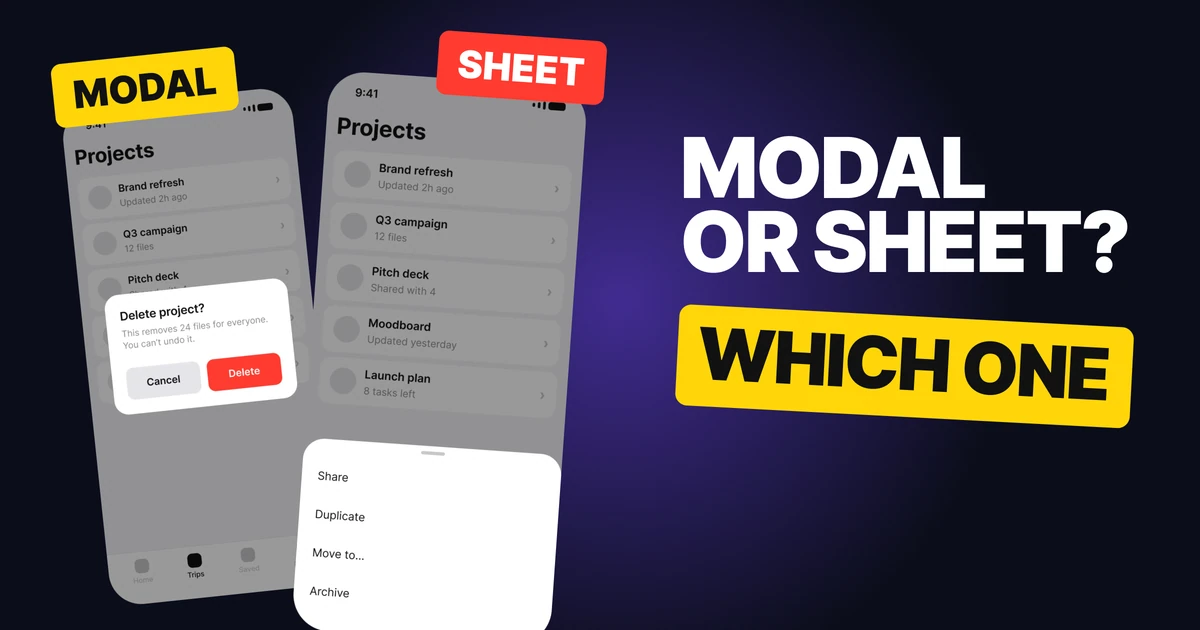
Modals and bottom sheets both slide over the screen, so teams treat them as the same thing with different shapes. They are not. One stops people until they answer, the other lets them pick something and keep going. Here is the one question that decides it, both patterns rebuilt, and a decision table for the cases that come up in every app.
The one question: does it have to be answered now?
If the person cannot continue until they choose, it is a modal. If they could ignore it and the screen would still make sense, it is a sheet.
That single question settles most cases before anyone argues about looks. It also explains every other difference between the two: a modal sits in the middle and dims everything because nothing else matters until it is answered, and a sheet rises from the bottom and leaves the screen in view because the screen is still the point.
The modal: decide before you go on
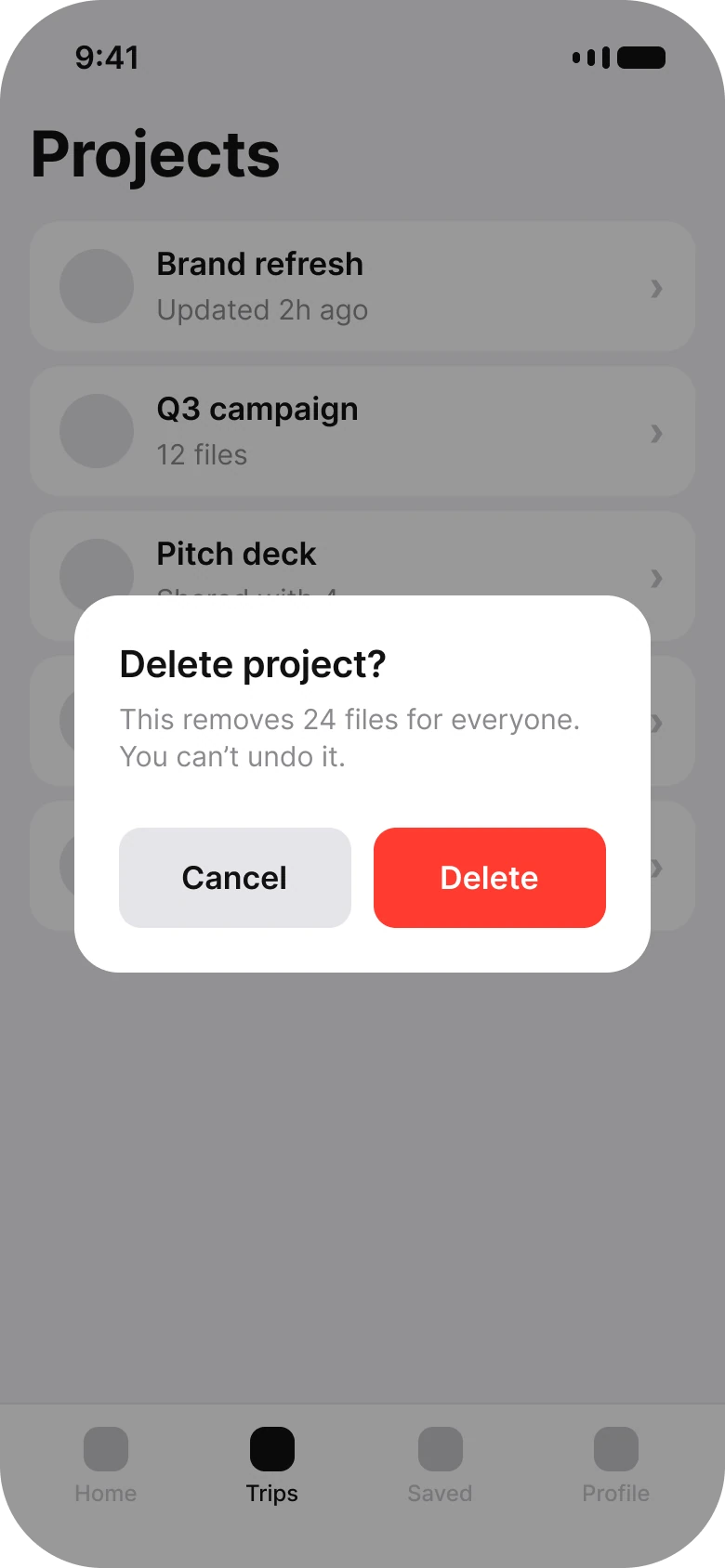
A modal, called a dialog on Android and an alert on iOS, interrupts on purpose. It is right when:
- People must decide before going on. The app cannot guess the answer.
- The action can't be undone. Deleting a project that removes 24 files for everyone deserves a pause.
- There are two choices at most. Cancel and the action, named as a verb: Delete, not OK.
Where it fails: anything optional. A modal that asks for a rating, announces a feature or offers a menu blocks people from what they came to do, and they learn to tap whatever closes it without reading.
The bottom sheet: browse, then pick
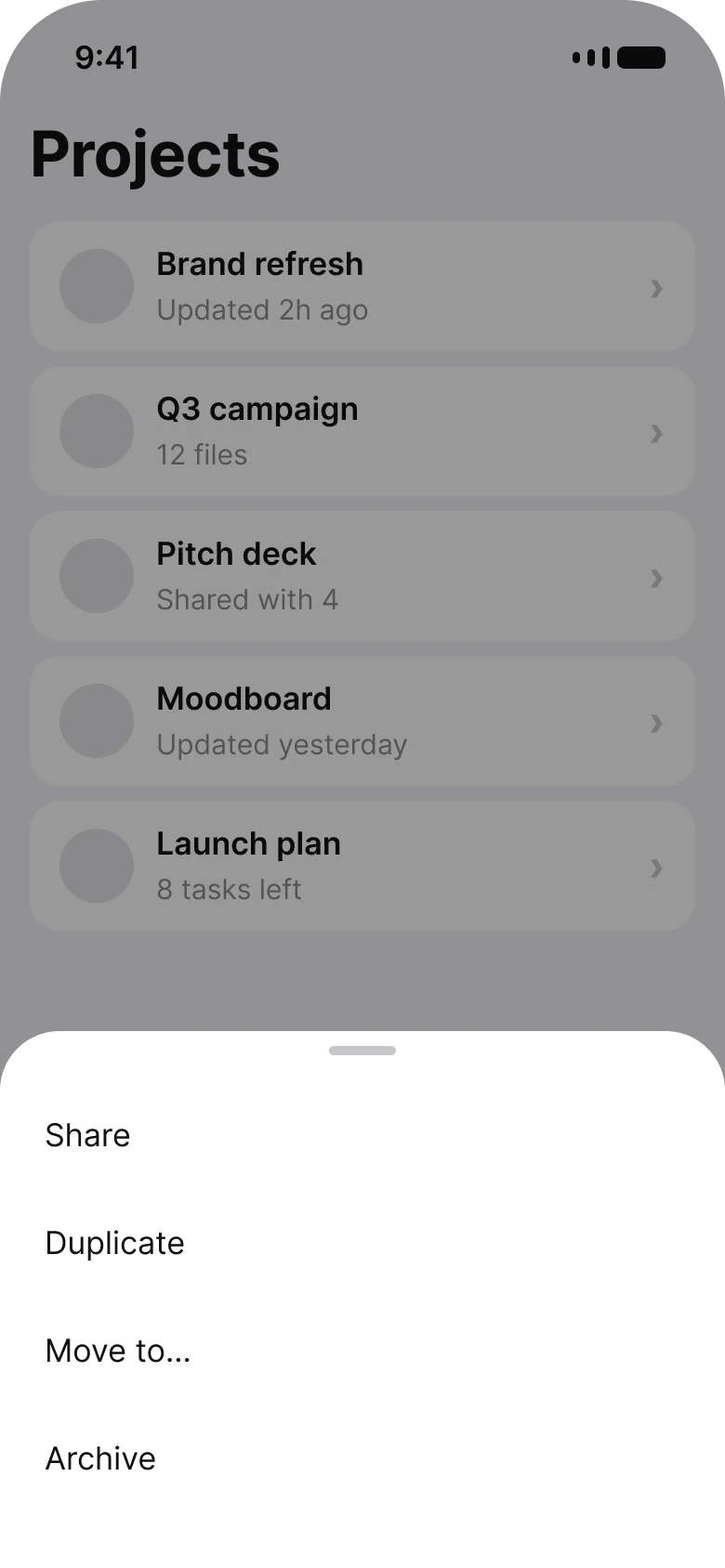
A bottom sheet holds choices that belong to what is already on screen. It is right when:
- The options belong to this screen. Share, duplicate, move or archive this project.
- People can swipe it away to back out. No answer is required.
- There are more than two choices. A sheet has room for a list, and the list sits in thumb reach.
Where it fails: anything that must not be skipped. A sheet can be dismissed with a stray swipe, so a destructive confirmation that lives only in a sheet is easy to lose or to trigger by accident.
Too many buttons is a sheet in disguise
Wrong: a modal
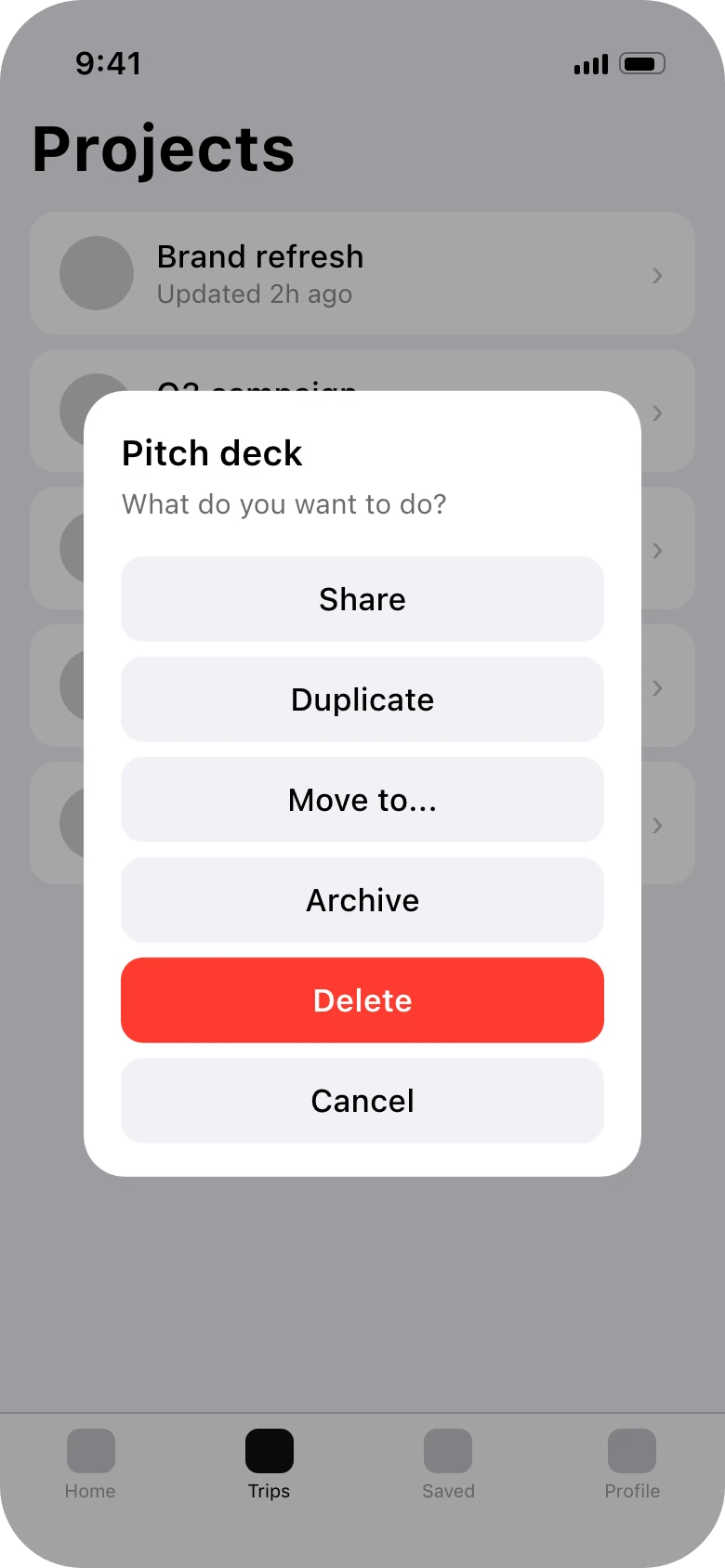
Right: a sheet
The left screen is the most common mix-up. Six stacked buttons in a centered box ask people to read a menu inside an interruption. None of the choices is urgent, so nothing needs to block the screen. The same options in a sheet read as a list, stay within reach of the thumb and close with a swipe.
Material Design's rule is short: a dialog should hold two actions at most. When you need a third, you have a menu, and a menu belongs in a sheet.
The two together: delete from a sheet, confirm with a modal
First, the sheet
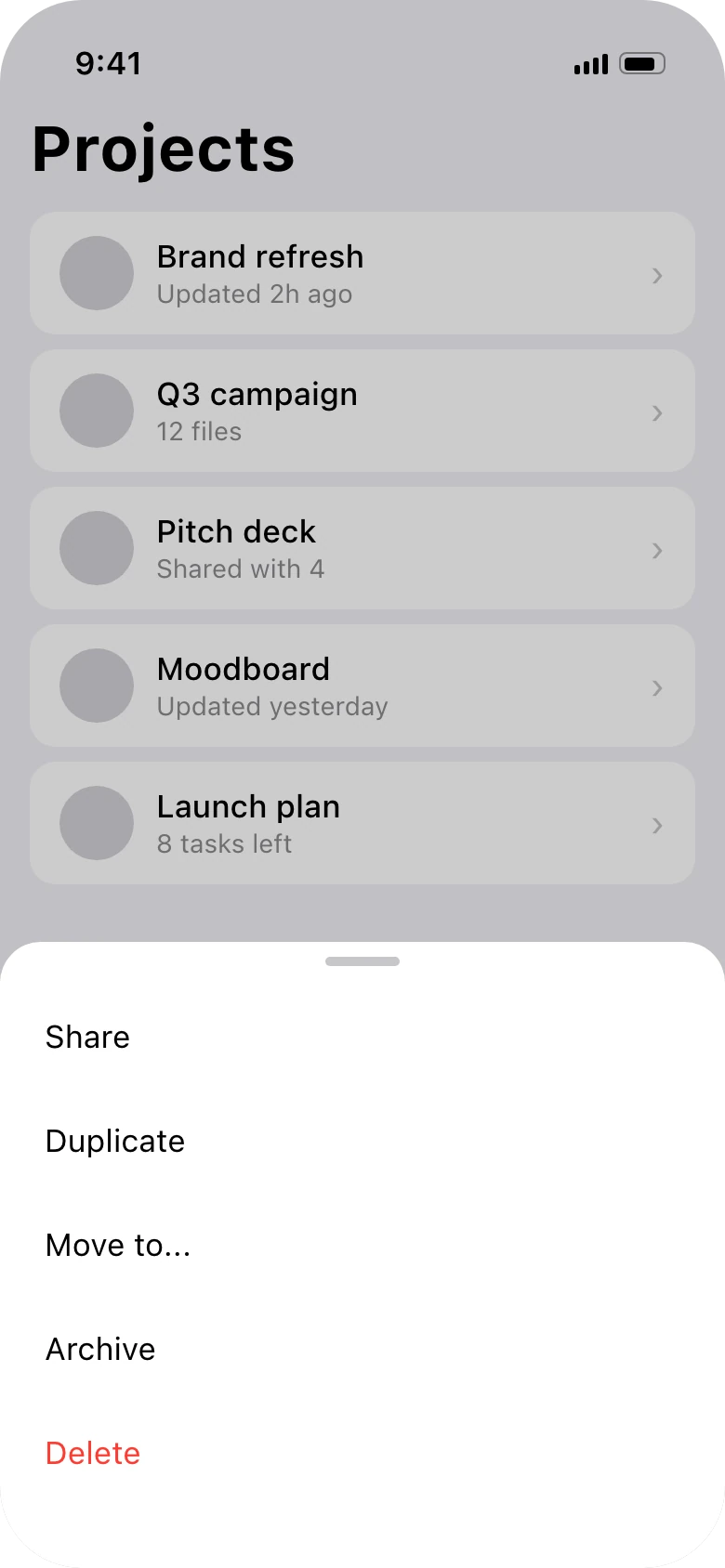
Then, the modal
The patterns are not rivals. A destructive option can sit in a sheet with the other actions, set in red and placed last. Tapping it opens the modal, because only now is there a decision that cannot be undone. Browse in the sheet, block at the moment it matters.
Modal or sheet: a decision table
| Situation | Pick | Why |
|---|---|---|
| Delete a project for everyone | Modal | Can't be undone, two choices |
| Discard unsaved changes | Modal | People must decide before leaving |
| Sign out on a shared device | Modal | A yes or no that changes state |
| Share, duplicate, move, archive | Sheet | Options for the item on screen |
| Sort or filter a list | Sheet | People want to see the list change behind it |
| Choose a saved card at checkout | Sheet | More than two options, part of the screen |
| Add a photo from camera or library | Sheet | A choice of source, easy to back out of |
| Place details on a map | Sheet | The map stays the point |
| Accept new terms before continuing | Modal | The app can't go on without an answer |
| Announce a new feature | Neither | Nobody has to decide. Use an inline banner |
Who does it well
You can check these on your phone today:
- Apple Maps and Google Maps keep search results and place details in a sheet over the map, so you never lose your place.
- The iOS share sheet lists every app and action for the thing you are looking at, and closes with a swipe.
- Instagram's "more" menu on a post opens as a bottom sheet of options for that post.
Apple's guidelines draw the same line from the other side: alerts are for critical information people need right away, including a warning that an action might destroy data, while sheets and action sheets hold choices related to what people are doing.
FAQ
When should I use a bottom sheet instead of a modal?
When the options belong to the current screen, there are more than two of them and nobody has to choose to continue. Sharing, sorting, filtering and picking from a list are sheet jobs.
When should I use a modal dialog?
When people must decide before they go on, usually because the action cannot be undone. Keep it to two actions, a cancel and the action named as a verb.
How many buttons should a modal have?
Two at most. Material Design says a dialog should contain a maximum of two actions. If you need more, the choices are a menu and belong in a sheet.
Is a bottom sheet a modal?
A modal bottom sheet dims the screen and must be closed before people can use the screen again, but it can be dismissed with a swipe and asks nothing. A dialog asks a question and waits for an answer.
What is the difference between an alert and an action sheet on iOS?
An alert interrupts with critical information and a small set of buttons. An action sheet rises from the bottom with choices related to an action people just started, such as the options for a photo.
Sources
- Dialogs and Bottom sheets, Material Design 3.
- Alerts, Sheets and Action sheets, Apple Human Interface Guidelines.
- First published as a carousel on UX Brainy.
Want your app's dialogs, sheets and every other pattern chosen and designed as one system? Our team designs app UI from the first flow to the finished components.
Get StartedGet new papers by email
New Brainy papers in your inbox. Confirm once, unsubscribe anytime.