
Healthcare App Design: A Doctor Appointment Home Screen, Before and After
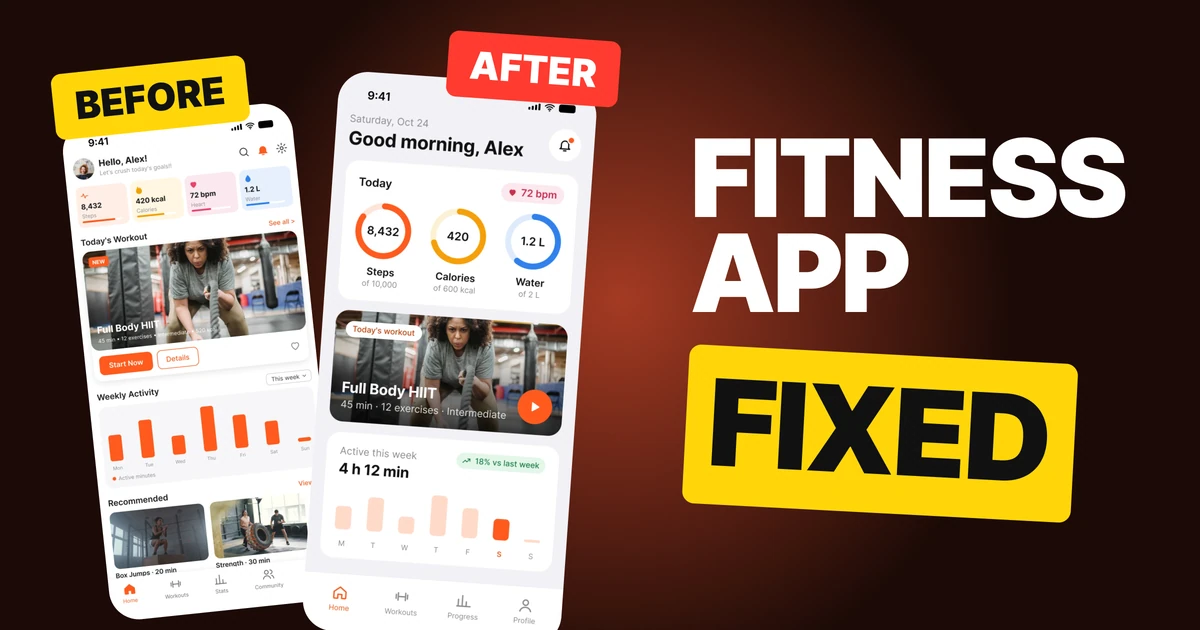
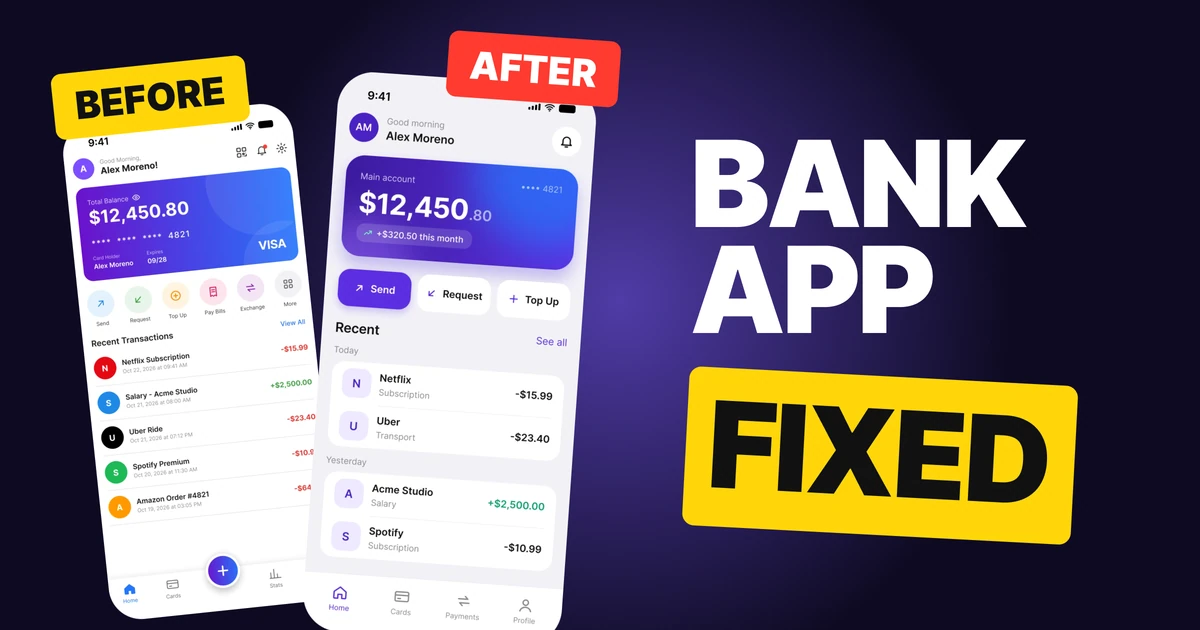
A doctor appointment app that opens with a discount banner, and the same screen fixed so the next appointment comes first. Every change side by side, the reason behind each, and the free Figma file.
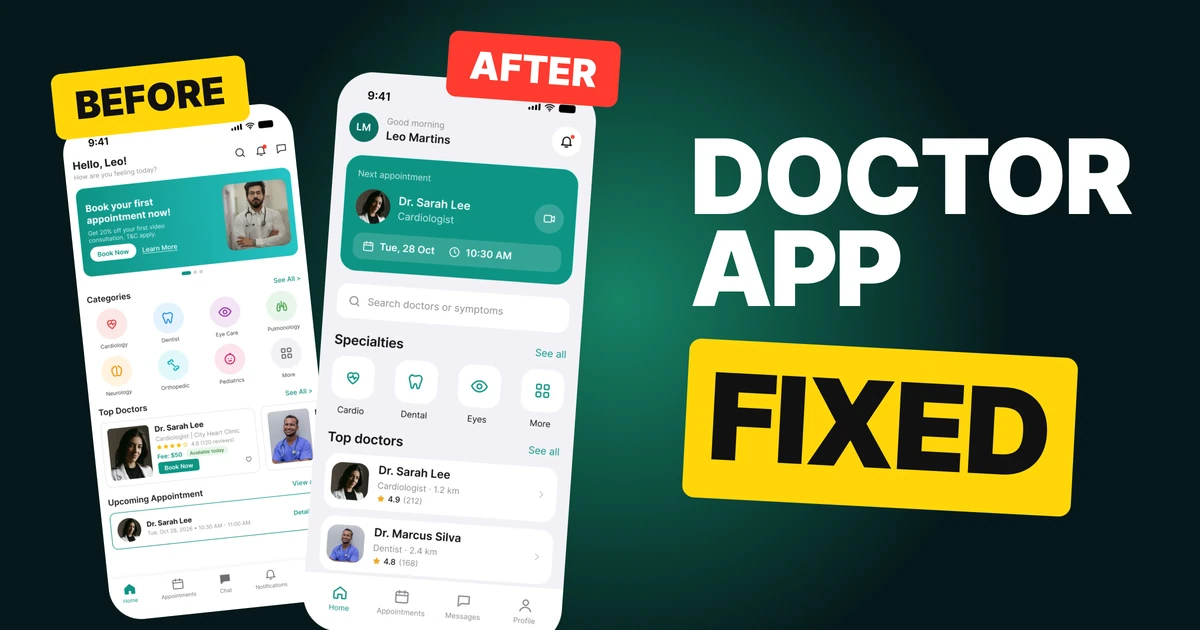
People open a health app for one reason more than any other: their next appointment. The first draft below opens with a discount banner instead, and the appointment sits in a thin strip near the bottom. The fix puts the appointment first and cuts everything that was competing with it.
Every feature survives. You can still search, browse specialties, book a doctor and message the clinic.
The whole screen, before and after
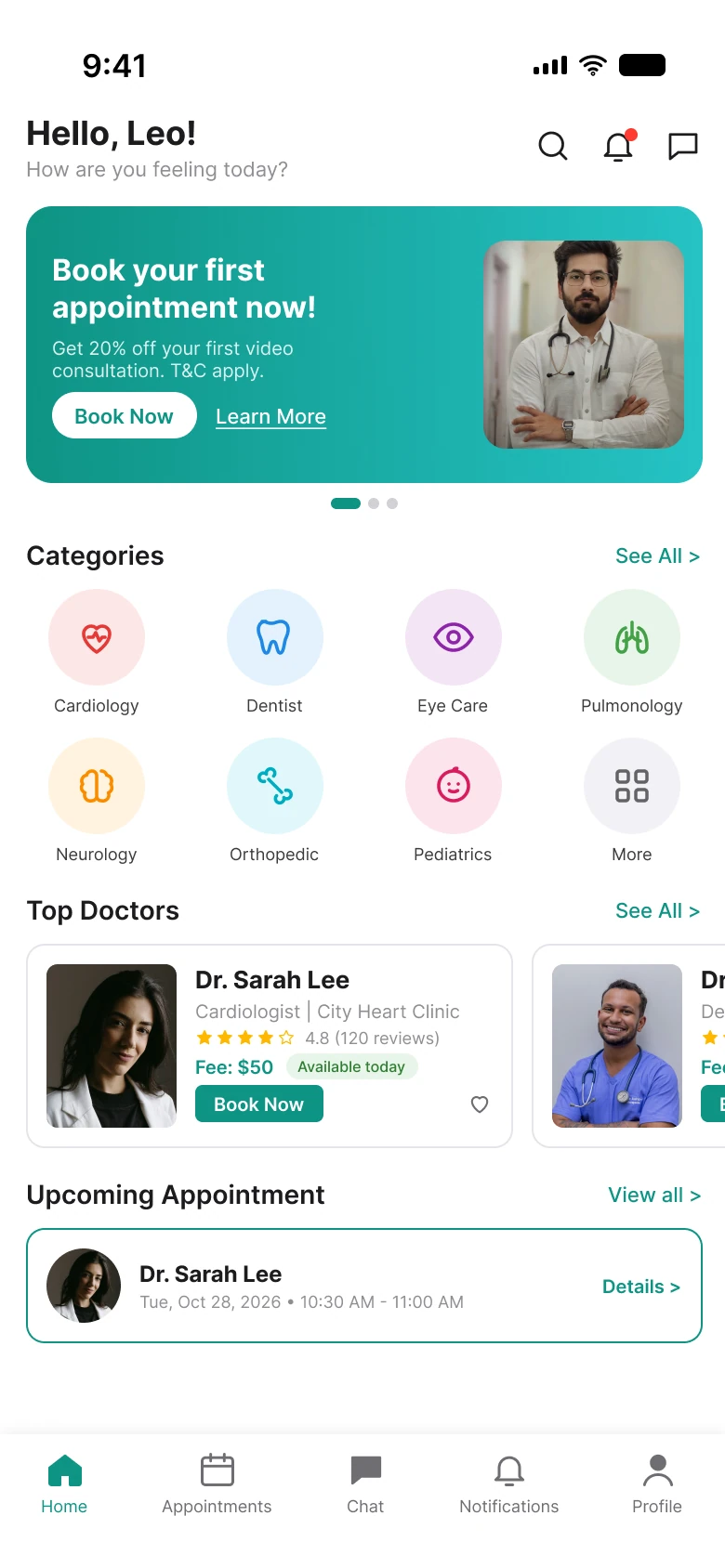
Junior draft
Fixed
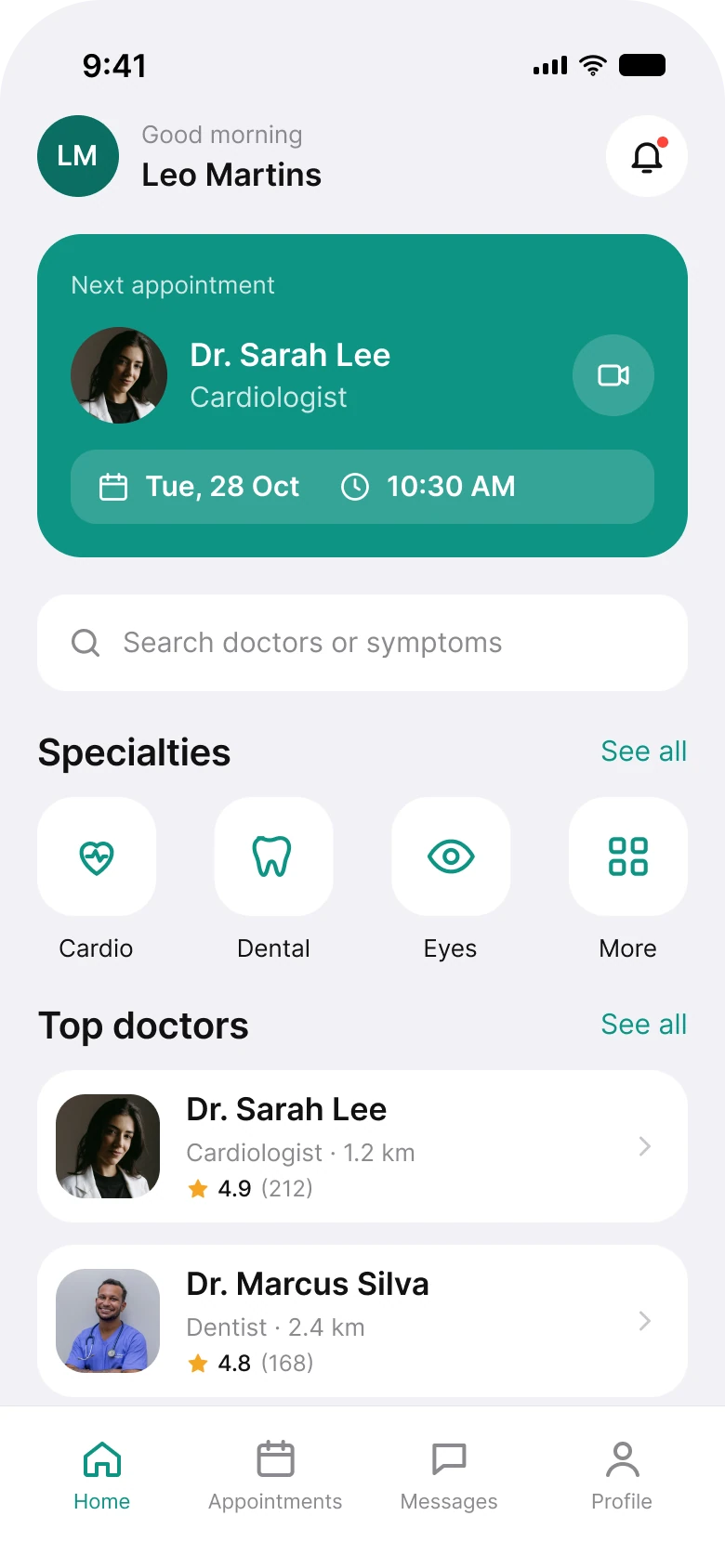
On the left, the first big thing is an offer: a teal banner with a photo of a doctor, a button and a link. The thing the person came for, their appointment with Dr. Sarah Lee on Tuesday, is the smallest block on the screen and sits under two other sections.
On the right, the same appointment is the largest block, with the doctor, the date, the time and a button to start the video call. The offer is gone from the home screen, because a first-visit discount is for people who have not booked yet and this person has.
| Junior draft | Fixed | |
|---|---|---|
| First block on the screen | Discount banner, 149 px tall | Next appointment, 174 px tall |
| Side margin | 14 left, 12 right | 20 on every row |
| Text sizes | 8 to 18 px | 11 to 28 pt, the iOS type ramp |
| Category colors | 8 | 1, the brand teal |
| Items on the doctor card | 9 | 3 lines and a chevron |
| Header icons | 3 | 1, plus an avatar |
| Tabs | 5 | 4 |
Fix 1: put the next appointment first
Before
After
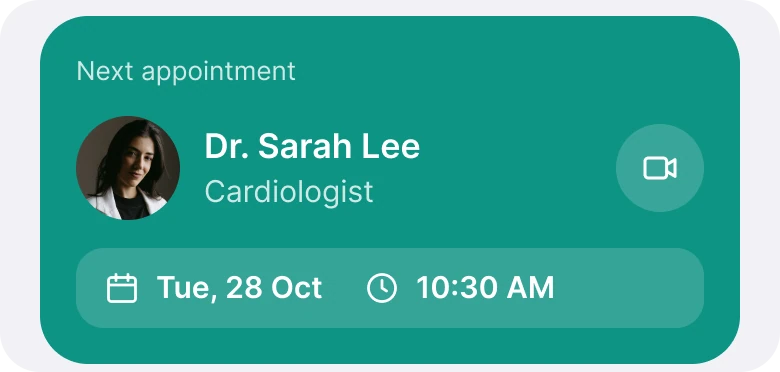
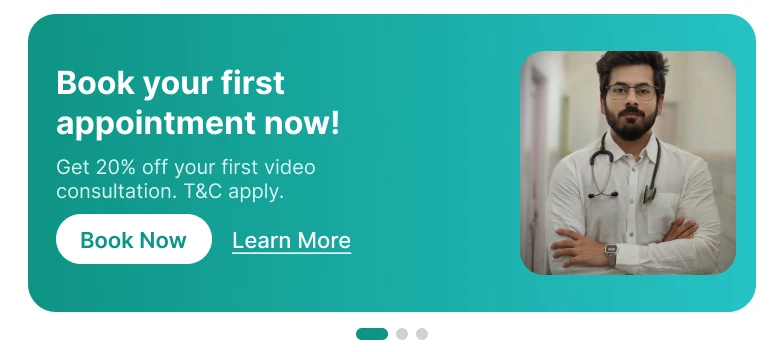
"Book your first appointment now!" with 20% off a first video consultation, a Book Now button, a Learn More link and carousel dots, against a Next appointment card with Dr. Sarah Lee, Cardiologist, a video call button, and the date and time on one row.
A home screen should answer "what do I need to do next?" before it answers anything else. For a returning patient that is the appointment: who, when and how to join. In the draft that answer is at the very bottom, in a line of small text with a "Details" link.
The fix turns the appointment into the hero. The doctor's face and name tell you who it is, the date and time sit in one row, and the video icon is a single tap to join. A banner would have to be dismissed, a card with a button gets used.
The date also got shorter and easier to read. "Tue, Oct 28, 2026 • 10:30 AM - 11:00 AM" became "Tue, 28 Oct" and "10:30 AM", because the year is not in doubt and the end time is rarely needed to decide whether to show up.
Rule to reuse: the top of a home screen belongs to the thing people return for, not the thing you want to sell.
Fix 2: four specialties, one color
Before
After
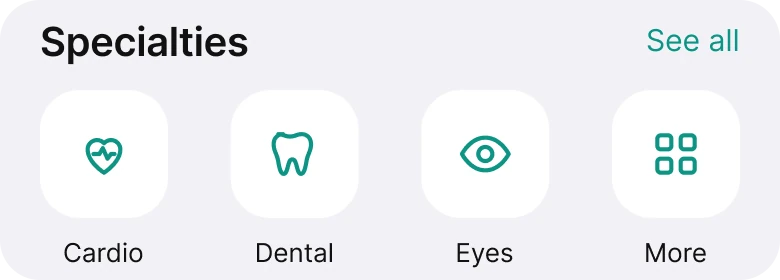
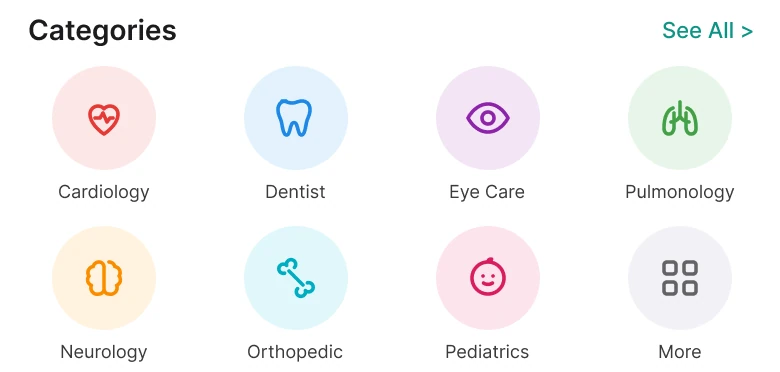
Eight round icons in eight colors, Cardiology, Dentist, Eye Care, Pulmonology, Neurology, Orthopedic, Pediatrics and More, against four white tiles with teal icons: Cardio, Dental, Eyes and More.
Eight colors on eight icons give the eye eight places to stop and no reason to stop at any of them. Color is a signal, and here it says nothing: the red heart is not more urgent than the purple eye.
The fix keeps one color, the brand teal, so a color means something again. The labels are shorter ("Cardio", "Dental", "Eyes") so each fits on one line at a readable size. And only four are shown, with a "More" tile, because a person who needs a rarer specialty will use search, which sits right above.
Fix 3: a doctor card that is a row
Before
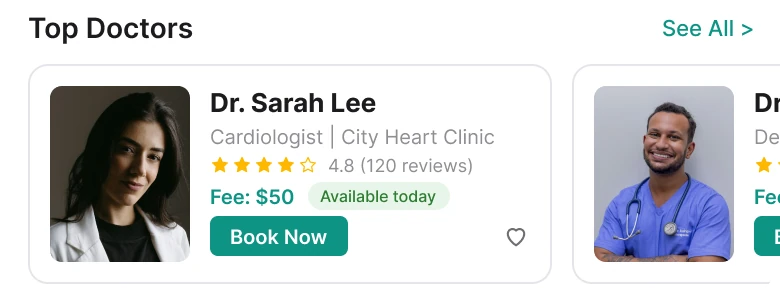
After
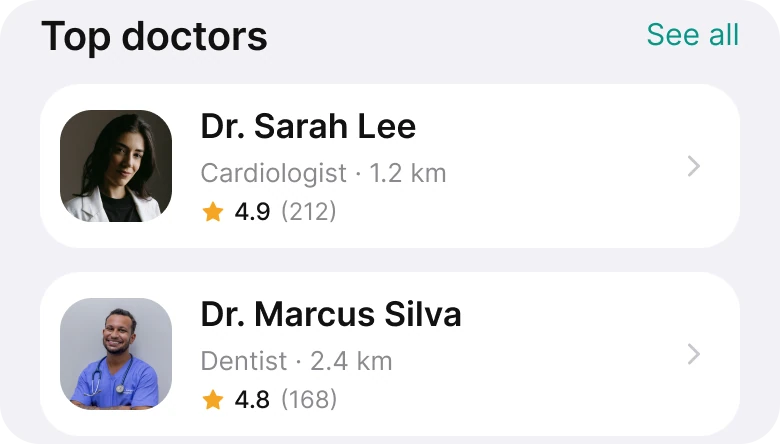
One card with a photo, a name, "Cardiologist | City Heart Clinic", five stars, 4.8 (120 reviews), "Fee: $50", an Available today pill, a Book Now button and a heart, with the next card cut off, against two rows with a small photo, a name, "Cardiologist · 1.2 km", and a rating of 4.9 (212).
The draft card carries nine pieces of information and two actions. Each is reasonable alone. Together they make the card a form the reader has to scan line by line, and the Book Now button on every card turns a browsing screen into a sales floor.
The fix keeps three lines: the name, then the specialty and the distance, which decides whether you can actually go, then one rating with its review count. The fee, the availability and the booking button move to the doctor's own page, where there is room to explain them. A chevron says "tap to open".
The rows are also vertical, not a sideways carousel. A card cut off at the edge is a decent hint that more is there, but a list lets someone compare two doctors at a glance, which is the actual task.
Fix 4: one icon in the header
Before

After

"Hello, Leo!" with "How are you feeling today?" and search, bell and chat icons, against a green initials avatar, "Good morning, Leo Martins" and one bell with a red dot.
The draft header has three icons, and two of them are repeats. The bell in the header and the Notifications tab open the same place, and so do the chat icon and the Chat tab. When two doors lead to the same room, people wonder which one is the real one.
The search icon stands in for a search field. The fix shows the field itself, one row below the appointment, so there is nothing to open. The bell stays because a reminder or a message from the clinic is the one thing worth a red dot.
The smaller fixes
- Four tabs, not five. Notifications left the tab bar because the bell already covers it. "Chat" became "Messages", the word on the other side of most inboxes.
- An avatar with initials. A solid teal circle with LM tells you whose account this is, the same way every other app does.
- One margin. The draft uses 14 on the left and 12 on the right. The fix uses 20 on both sides of every row, with gaps of 8, 12, 14 and 20.
- Plain greeting. "Hello, Leo! How are you feeling today?" asked a question the screen could not answer. "Good morning, Leo Martins" does not.
- No offer carousel. The banner had three dots and a second link beside its button. The fix drops the offer from this screen and leaves one clear action in the hero.
Audit your own health app
| Question | Why it matters |
|---|---|
| Is the next appointment the first thing on the screen? | It is the reason people come back |
| Can someone join a video call in one tap? | The visit is the product |
| Does every color mean something? | Eight colors mean nothing |
| Does a doctor row show who, what, how far and how good? | That is how people choose |
| Does any header icon repeat a tab? | Duplicate doors lower trust |
| Is the offer shown only to people who have not booked? | A returning patient does not need a first-visit discount |
Get the Figma file
The free file has both screens, every fixed part as a before and after component, the UI color variables, the iOS text styles and a read-me with the photo credits.
Free Figma file
Doctor appointment home screen, before and after
Both screens and every fixed part as Figma components. Free, view only, duplicate it to your drafts.
FAQ
What should a doctor appointment app home screen show first?
The next appointment, with the doctor, the date, the time and a way to join a video call. Search and specialties come after it.
How many specialties should a health app show on the home screen?
Four or so, plus a More tile. People looking for something rarer use search, so a long grid of eight or more colored icons adds noise.
What should a doctor card show in a healthcare app?
The name, the specialty, how far away the doctor is and one rating with the review count. Fees, availability and the booking button belong on the doctor's page.
Should a health app use a promotional banner on the home screen?
Not above an upcoming appointment. A first-visit offer suits people who have not booked yet, and returning patients came for something else.
How many tabs does a healthcare app need?
Four is enough: Home, Appointments, Messages and Profile. Notifications can live in the header as a bell with a dot.
Sources
- Both screens are our own, designed and measured in Figma.
- Photos via Unsplash by Jonathan Borba, Bruno Rodrigues and vaibhav vivian, under the Unsplash License.
- First published as a carousel on App Brainy.
Want this for your own app? Our team redesigns app screens like this one, from the first audit to the finished components.
Get StartedGet new papers by email
New Brainy papers in your inbox. Confirm once, unsubscribe anytime.