Stop Designing in Figma
Figma was the right tool for the design-then-handoff era. That era is over. The fastest, highest-fidelity design environment in 2026 is the codebase, accessed through v0, Cursor, Lovable, and Vercel UI. The case for code-first design, the honest counter, and a five-question test.
Your Figma file is a static photograph of a product that does not exist. By the time the engineer ships it, it is already wrong. The fonts render different, the breakpoints you ignored surface, the empty state you forgot appears, and the hover you sketched as a comment gets interpreted by someone who is not you. The fix is not better Figma plugins. The fix is to stop using Figma as a design tool and start using the codebase.
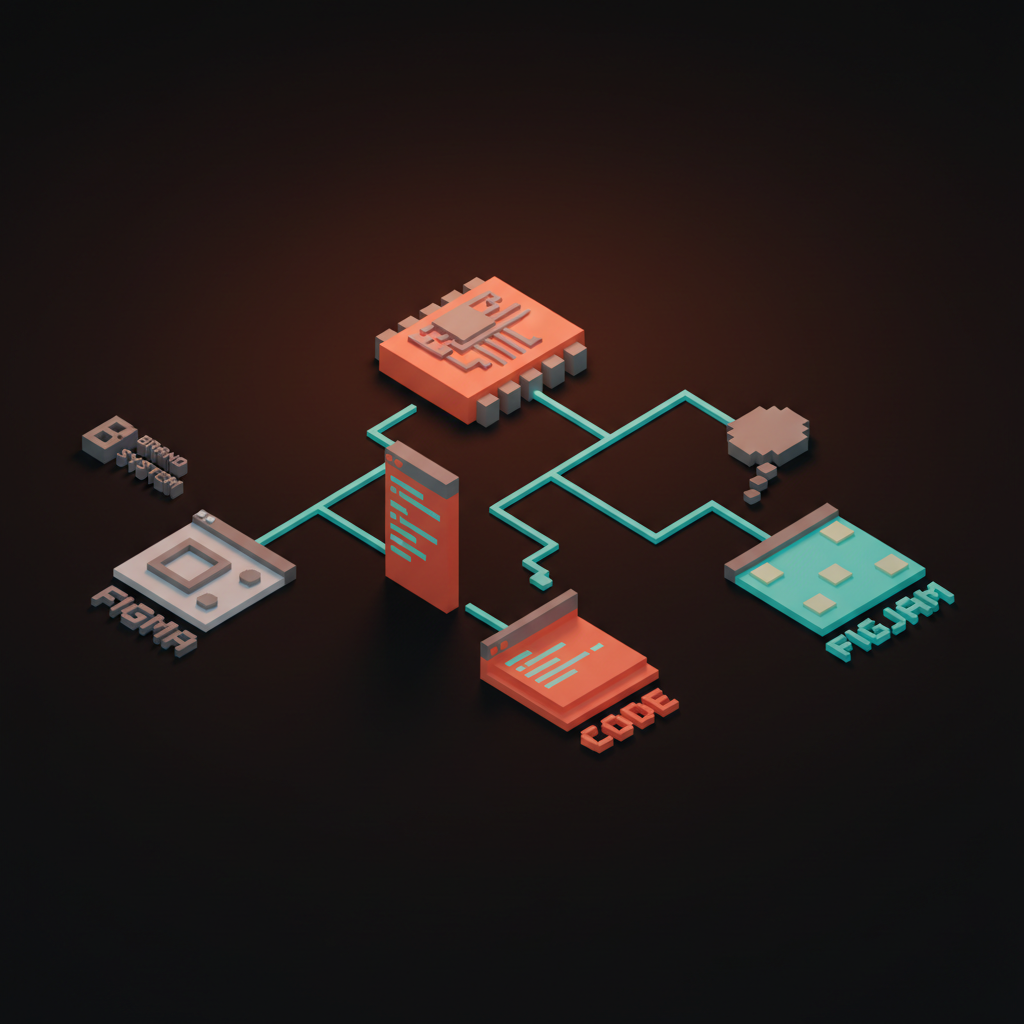
This is not a Figma takedown. Figma still wins for systems work, brand exploration, and FigJam diagramming. The thesis is narrower and harder. In 2026, product design happens in code. v0, Cursor, Lovable, and the Vercel UI registry have replaced the artboard as the place where surfaces actually get designed. Designers still shipping pixel-perfect Figma frames for engineers to "implement" are doing two jobs at half the speed.
What actually changed
Figma was built for an era when production was the bottleneck. In 2018, generating a working React component took an engineer three days and a designer could push out twenty hi-fi frames in the same window. Shipping flat artboards as the deliverable was the rational move. The artboard was the fastest part of the pipeline.
That math inverted in 2026. v0 turns a sentence into a working component in thirty seconds. Cursor edits a real repo with a real diff. Lovable spins up a deployable app from a single prompt. The artboard is now the slowest part of the pipeline, not the fastest, and the gap is widening every quarter. The deeper teardown of the artifact-level shift is in the death of the mockup. This piece is about the tool that produces the artifact.
The flat frame did not get worse. The bench got better.
Where Figma still earns its keep
Be honest. Figma is excellent at four jobs, and pretending otherwise gets the rest of the argument dismissed.
Figma still wins for brand identity exploration, where logos, type studies, and color systems live before any codebase exists. It wins for design system inventories, the single file that lists every token, variant, and state with a multiplayer model nothing else replicates. It wins for FigJam diagramming and team alignment, the whiteboarding and journey mapping where the surface is the conversation. And it still wins for the designer who genuinely cannot read code, a role rarer in 2026 than the industry pretends but still real.
Everything else, every product surface that ships to a real user, belongs in code.
The five differences
Designing in Figma and designing in code are not the same job at different speeds. They are different jobs.
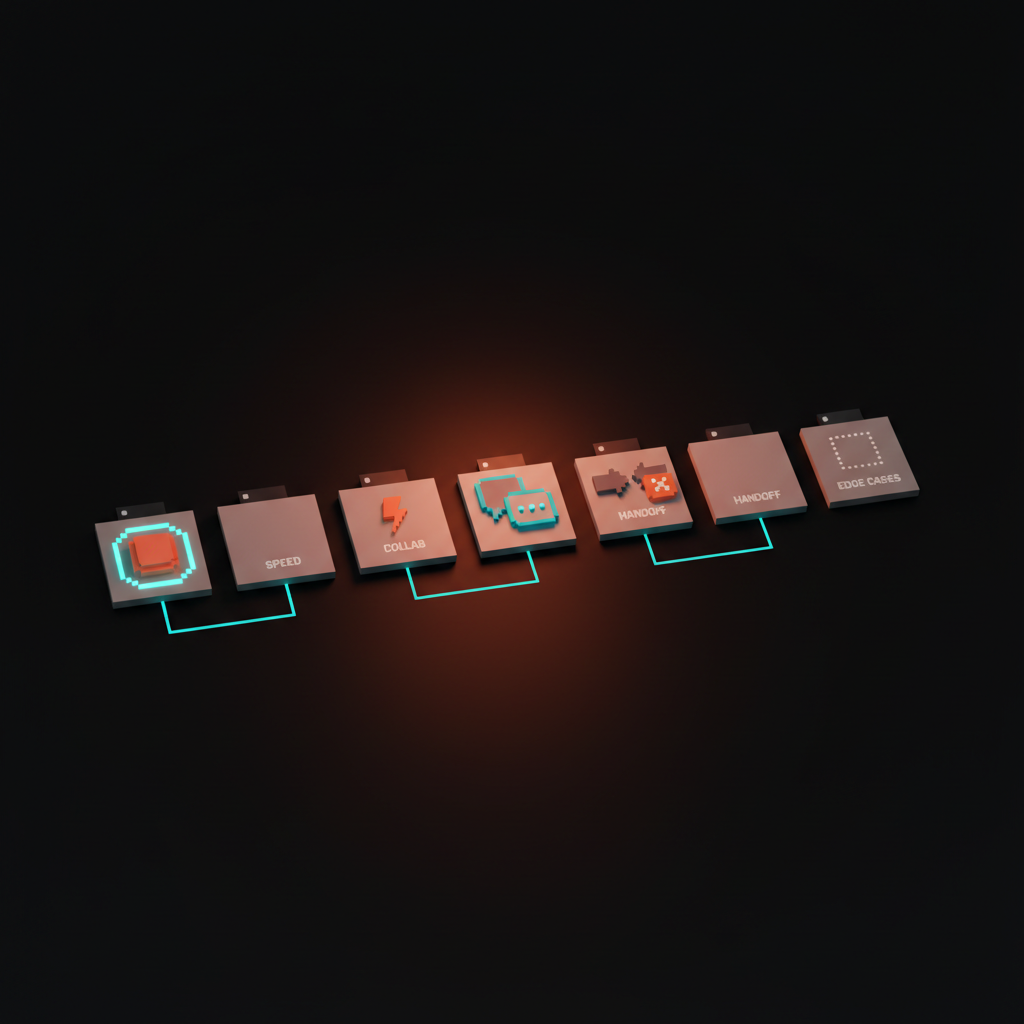
Fidelity. A Figma frame approximates type, ignores hover, fakes scroll, and renders fonts the browser will not load the same way. A code surface uses the actual font, the actual button component, the actual breakpoint, the actual focus ring. The gap between approximation and reality used to be acceptable. In a product where loading, empty, and long-content states are half the design, it is not.
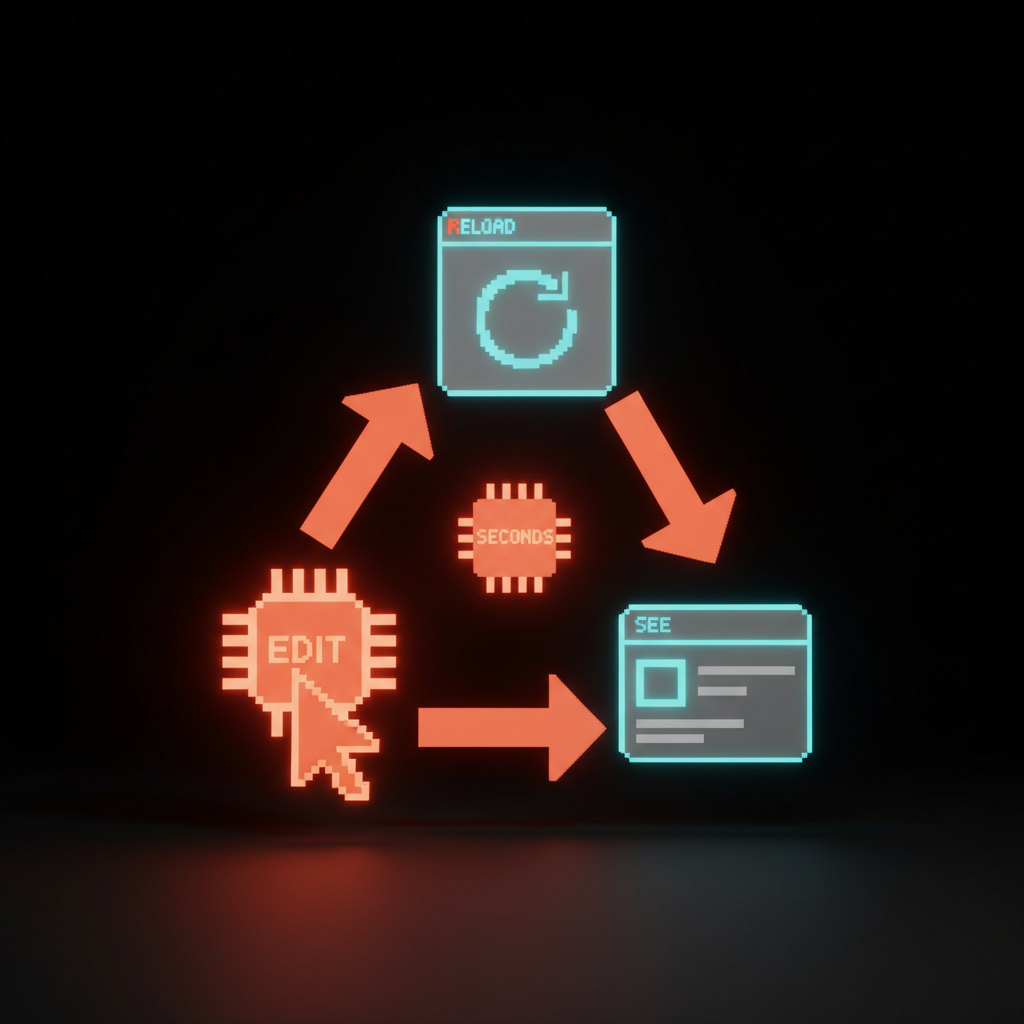
Speed. The Figma loop is edit frame, comment to engineer, wait, review the build, comment again, wait again. The code loop is edit, reload, see. The first runs in days, the second in seconds. Iteration speed decides how many ideas the team gets to test before launch.
Collaboration model. Figma comments and PR comments are different surfaces. Figma comments are designer-to-stakeholder and designer-to-engineer-as-spec. PR comments are designer-and-engineer-as-peers on a single artifact. The second model is what design engineering teams run, and it is structurally faster.
The handoff disappears. The handoff is the most expensive moment in the traditional pipeline. Designing in code deletes it. There is no translation step because the design is the implementation.
Edge cases reveal themselves immediately. Empty, loading, long-content, mobile, error, slow-network. In Figma, those exist if the designer remembered to draw them. In code, they exist whether the designer remembered or not, because the component has to handle them to render. The code forces honesty.
v0, Cursor, Lovable, and Vercel UI are the new design surface
The new design environment is not one tool, it is a stack reaching critical mass at once. Each of these tools handles a layer of what Figma used to do alone.
v0 by Vercel turns a prompt into a working React and Tailwind component in roughly thirty seconds. Fork the result, iterate by prompt or by hand, ship it into the codebase. The fork-and-iterate model replaces duplicate-and-tweak from Figma, except the duplicate is real code.
Cursor is the design surface for product designers who can read code. Open the actual repo, see the actual rendering, edit a component with prompt or by hand, watch the change in the browser the same minute.
Lovable is the founder-and-solo-designer surface. One prompt to a working web app, then iterate on the running thing. The fastest path from intent to a live URL, no Figma file required.
Vercel UI and the shadcn registry are the component shelf. Pull a real component, customize it inside the codebase, ship it. shadcn ships components as code you own, which means the design system is editable in the same surface as the design.
The tools differ in shape, but they share the same idea. The running surface is the artifact. The artboard is a draft, if it exists at all. For the deeper practitioner pattern, see vibe coding for designers and Claude Code for designers.
How Linear, Stripe, and Anthropic actually run
The teams shipping the best product UI in 2026 share a workflow shape, and none of them ship Figma as a final deliverable.
Linear treats the codebase as the source of truth. Their design engineering team lands designs as pull requests against the running app, not as Figma frames. Stripe's design system is built and shipped from code. Figma exists as documentation downstream of the code, not the source upstream. Editing the system means editing the code. Anthropic designs Claude product surfaces inline, in React components and Claude artifacts, with designers reading and editing the actual app on every release.
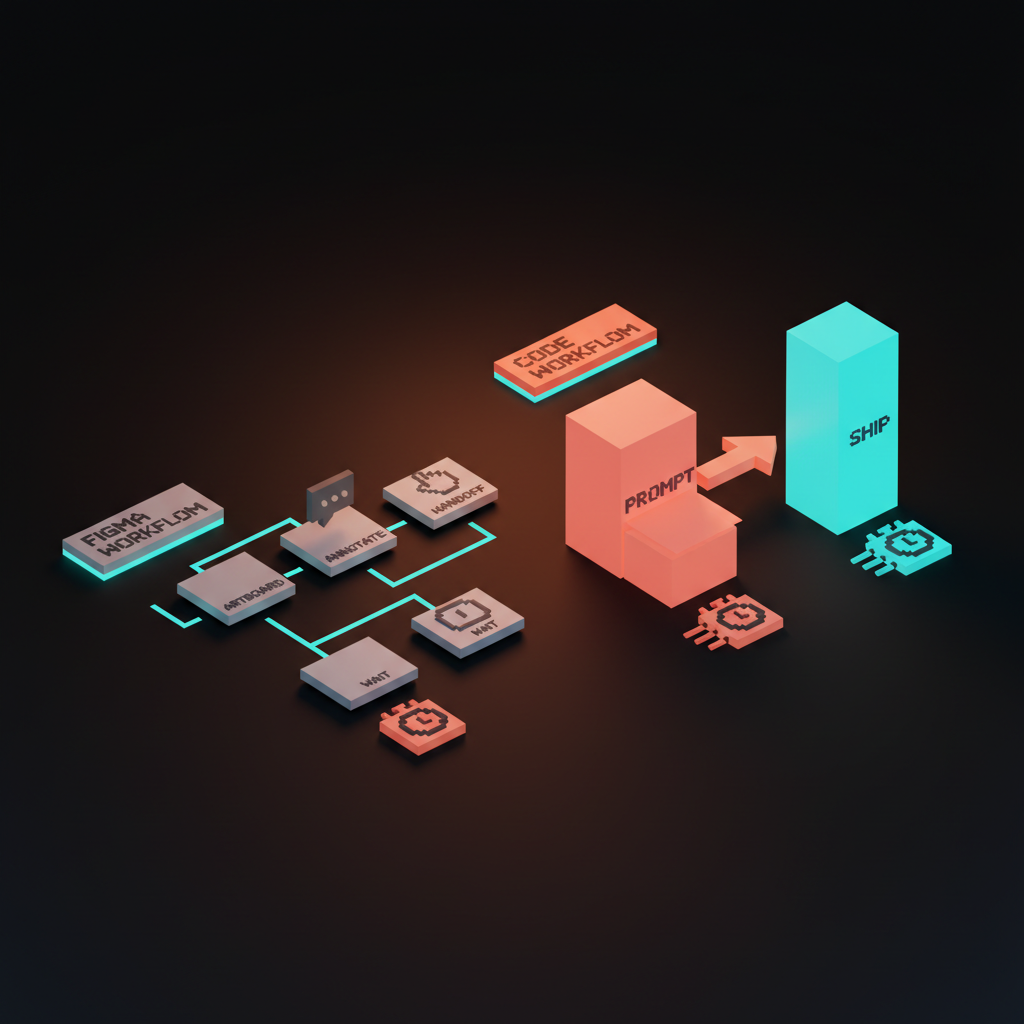
The pattern repeats across every product team that ships at premium speed. Tokens upstream, code as canvas, AI as the production layer, designers in the diff. The flat-frame pipeline is not how any of them work, and the math has caught up to the rest of the industry.
Five questions to ask before you design in code
Not every designer should drop Figma tomorrow. The honest test is five questions. If three or more answers are yes, design in code is the right surface for the next project.
- Do you ship the work, or hand it off? If you ship, code wins. If you hand off, code still wins, but the cultural delta is bigger.
- Can you read the codebase? Not write production React from scratch, just read components, understand props, recognize a design token, and edit values without breaking the build.
- Is the design a static spec or an interactive surface? A spec belongs in Figma. A surface with hover, focus, scroll, motion, and edge states belongs in code.
- Does the team have a design system to extend? A real component library, even shadcn baseline, makes code-first design two orders of magnitude faster than Figma.
- Is iteration speed your bottleneck? If you are losing sprints to the handoff cycle, code-first kills the bottleneck. If you are losing sprints to brand strategy, code-first does nothing. Solve the right problem.
A team that hits four out of five lives in code. A team that hits two out of five should still split work between Figma and code, with the bias slightly toward code on every new project.
Anti-patterns to drop
Four patterns kill more shipped product UI than any tool choice. If a team is doing any of these, the tool change matters less than the workflow change.
The dev-mode-as-handoff fantasy. Designer ships a Figma file marked up with red lines. Engineer "uses Dev Mode" to translate. Both pretend the translation is faithful. It never is. Dev Mode is useful, but it is the same handoff fantasy in a new wrapper. The real fix is to make the engineer and the designer edit the same artifact, which is what code surfaces enable. For the connector layer, see the Figma MCP guide.
The pixel-perfect mock that ignores actual fonts and breakpoints. A frame at 1440px with Lorem Ipsum and a font the production app does not load. The mock looks pixel-perfect, the shipped product looks nothing like it, and everyone signed off on the lie.
The design system that lives in Figma and silently diverges from the code. The Figma library says the button has 12px padding. The code says 14px. Nobody updated either. After six months, the Figma file is fiction. One source of truth, in code, with Figma as a downstream render.
The six-month redesign that ships as a PDF. A flagship redesign delivered as a hundred-page Figma export, presented to the C-suite, handed to engineering for "phase two." Phase two does not happen because by the time engineering scopes the rebuild, the company has changed strategy twice. The redesign that does not ship did not exist.
The code-first design audit
Before the next project kicks off, run the audit. Seven questions, ten minutes, sharp answers.
- What is the deliverable, a frame or a shipped surface? If shipped, the deliverable is code. Stop pretending the frame is the product.
- Who owns the running app, and is the designer in the diff? If the designer is not in the diff, fix that before changing tools.
- Where do tokens live? If the answer is Figma, move them. The token file should be the source of truth that Figma reads, not the other way around. The AI design workflow breakdown covers the upgrade path.
- What is the iteration cycle, in hours? If it is more than four hours from edit to shipped change, the workflow is the problem, not the design.
- Which surfaces are still designed in flat artboards, and which have moved to code? Map the split. The split should be biased toward code on every new initiative.
- What plugins is the team relying on to fake handoff fidelity? If the answer is "many," see the figma plugins worth keeping and cut the rest.
- What does the team ship next quarter that proves the workflow works? Not a slide, a deployed surface. If the answer is hand-wavy, the workflow has not actually changed yet.
A workflow that survives the audit ships product. A workflow that fails the audit ships decks. The difference compounds every quarter, and speed is the brand when every other variable is roughly equal.
FAQ
Is Figma dead?
No. Figma is not dead, and the thesis is not "Figma is dead." Figma is excellent for brand identity work, design system inventories, FigJam diagramming, and stakeholder presentation. The thesis is narrower. Figma is no longer where product design happens, because the codebase is faster, higher fidelity, and ships the same artifact the user touches.
What about designers who cannot read code?
That designer should learn to read code, not write it. Reading components, recognizing tokens, editing values, and reviewing a diff is a one-week skill, not a career change. AI handles the heavy lifting on production code in 2026. The designer brings composition, judgment, and taste to the running surface, which is more valuable, not less, when the production layer is cheap.
Should a small team really skip Figma entirely?
Not entirely. A small team should still use Figma for brand exploration, system inventories, and team alignment. The shift is on product surfaces, where v0, Cursor, Lovable, or shadcn registry will outperform an artboard on every metric. The honest split is brand and systems in Figma, product surfaces in code, and the bias on new initiatives leans toward code.
Get on the right side of the workflow
The Figma-as-design-tool era was right for fifteen years and is over. The codebase is the design environment in 2026, and the teams shipping product UI in code are charging more, learning faster, and winning briefs the Figma-deck studios used to own.
If you want a product UI shipped in code with designers in the diff instead of a Figma deck thrown over the wall, hire Brainy. Brainy ships brand, product engineering, and the AI workflow as one project, not three. The studios still pricing the Figma file as the final deliverable will not be on the brief next quarter. Be on the brief.
Want a product UI shipped in code with designers in the diff instead of a Figma deck thrown over the wall? Brainy ships the workflow end to end.
Get StartedGet new papers by email
New Brainy papers in your inbox. Confirm once, unsubscribe anytime.