Designing for Agents Watching
AI agents are now first-class users of your product. The 2026 design constraint: every surface needs a human plane and a machine plane, or you lose the next agent integration.
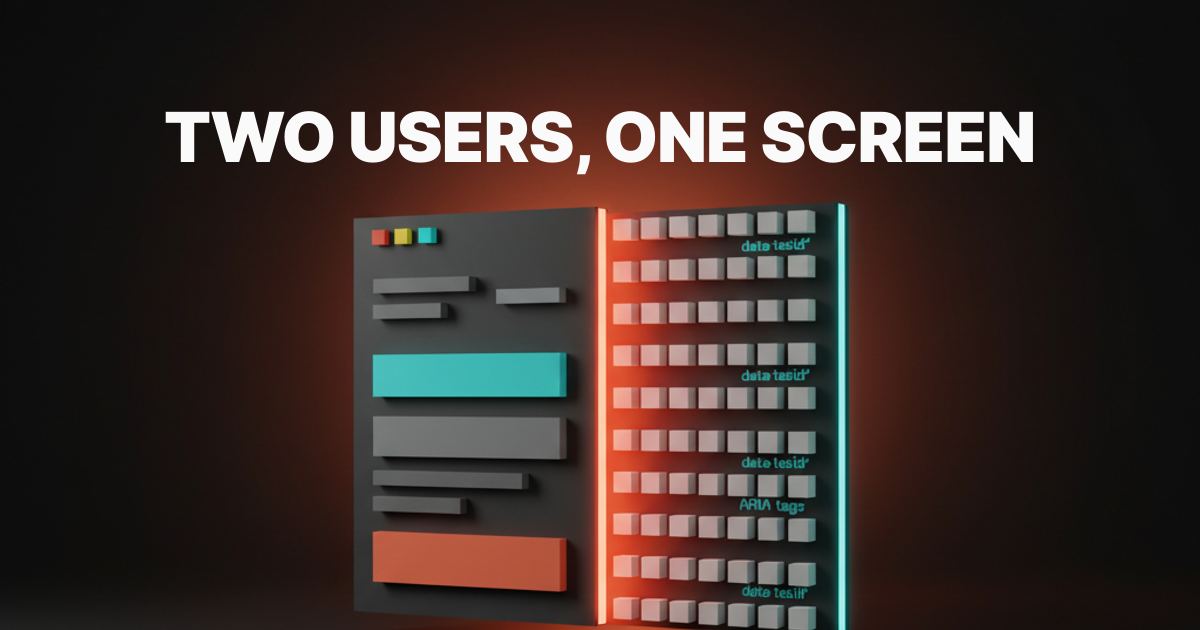
The user is no longer alone behind the screen. While the human reads the headline, an AI agent is parsing the DOM, naming the buttons, judging the selectors, and deciding whether your product is something it can drive on behalf of someone else. Designing for one user was a 2024 luxury.
The shift is structural, not cosmetic. Cursor calls your buttons. Claude reads your screenshots. Anthropic Computer Use clicks through your forms. OpenAI Operator buys things on your checkout. Every surface a human touches, an agent now touches too, with different criteria for what good looks like.
Two audiences, one screen
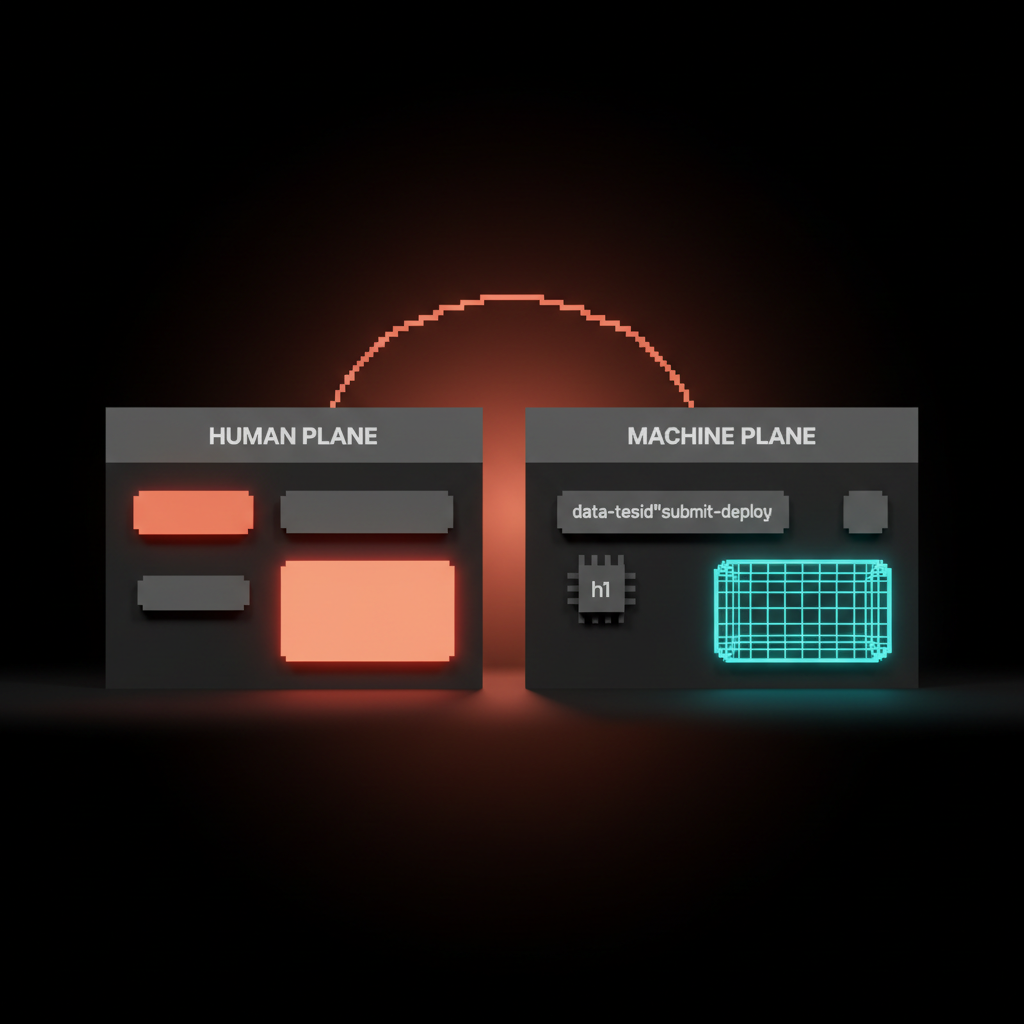
Every product surface in 2026 has a human plane and a machine plane stacked in the same DOM.
The human plane is what designers have always shipped. Flow, taste, hierarchy, the trust a user feels when a button does what the label promises. The machine plane is the same surface read by a different user. Stable selectors, named affordances, semantic HTML, machine-readable status, a structure an agent can parse without ambiguity.
The mistake most teams make is assuming the two planes are the same plane with different priorities. They are not. A button can look perfect to a human and be invisible to an agent if its accessible name is "click here" or its DOM node is a div with a click handler.
Five layers where agent-watching shows up
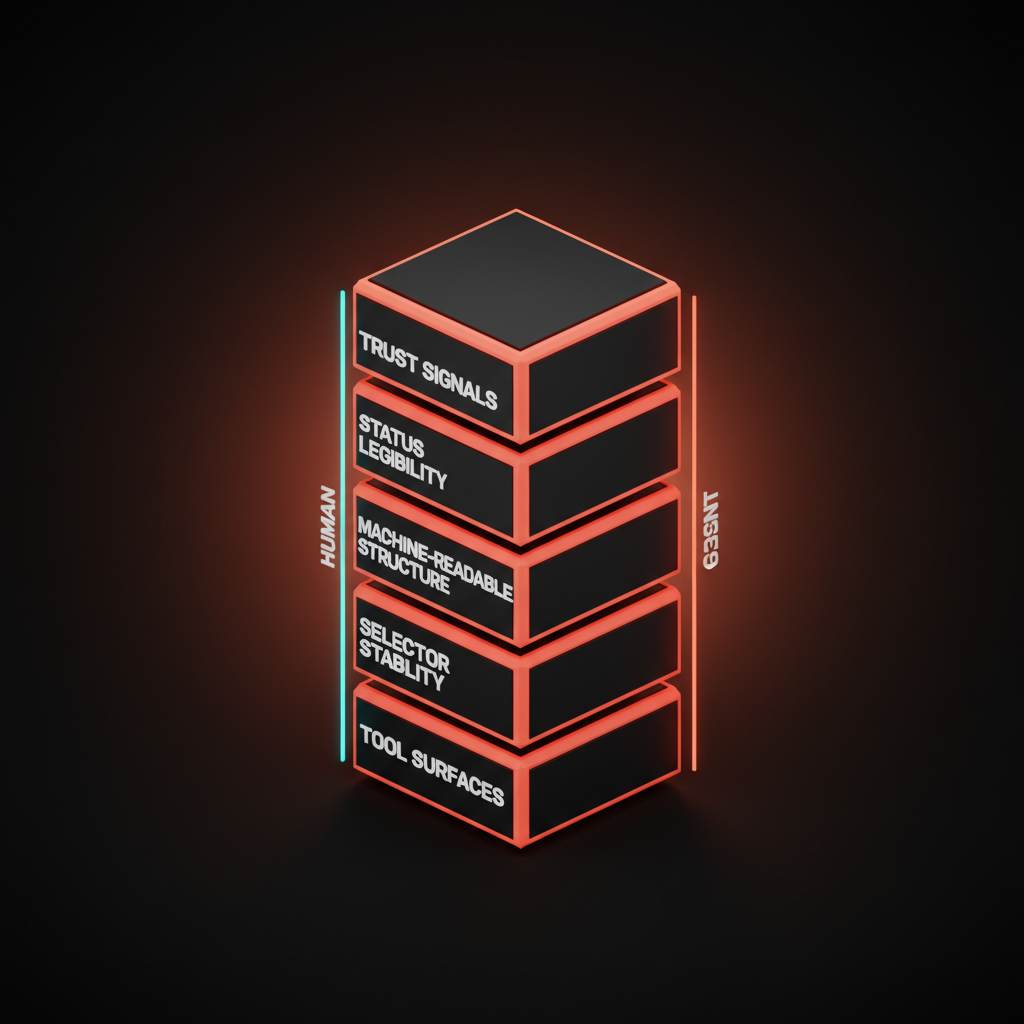
Agent-watching is a stack. Five layers, each a place where the human plane and the machine plane either align or fight: tool surfaces, selector stability, machine-readable structure, status legibility, trust signals. Every product designing for the dual user is making decisions on all five, even when they do not call them by these names.
Layer 1: tool surfaces are the named buttons agents call
A tool surface is any product capability an agent can invoke by name. Cursor's tool calls, Claude's tool use, Anthropic Computer Use's screen actions, Vercel Sandbox's run commands. The agent does not think in pixels, it thinks in named verbs.
Every primary action in your product is a candidate tool surface. Stripe is the gold standard, decades older than the agent moment: every action has a named, documented, predictable affordance. customers.create does what the name says. A product whose primary actions are buried inside unlabeled buttons is a product an agent cannot drive without guessing.
The design move is to treat every important action as a named tool. The label, the ARIA description, the route, the API endpoint, and the Model Context Protocol handler should all carry the same verb. Agents and humans then reach for the same affordance through different doors.
Layer 2: selector stability is the designer's contract with the agent
In 2024 a designer could ship <div onClick={handle}> and call it done. In 2026 that same div breaks every agent integration the day someone refactors the wrapper.
Selector stability is making sure the affordances an agent learned yesterday still work tomorrow. Three decisions. Use semantic HTML where it exists, <button> not <div>. Add data-testid to anything an agent or test runner needs to find. Keep accessible names stable across releases, the same way you keep API field names stable.
Linear is unusually good at this because Linear was built API-first and the UI is one of many surfaces. Every primary action has a stable selector and a stable name. Most enterprise SaaS swaps a class name in a refactor and silently breaks every integration that touched it. The agent does not get a deprecation notice. It just stops working.
Layer 3: machine-readable structure is the design artifact you used to skip
The agent reading your product is also reading your Open Graph tags, your JSON-LD, your sitemap, and increasingly your llms.txt and AGENTS.md files. Each of those is a design artifact in 2026, not a developer chore.
AGENTS.md is the new README, except the audience is a model. It tells the agent what your product does, what surfaces are safe, and what conventions matter. JSON-LD tells the agent what each page is. The Model Context Protocol endpoint tells the agent what tools your product exposes and how to call them.
Designers who think this is engineering territory are missing the leverage. The hierarchy of what the agent sees first, the names you give to your tools, the descriptions you write for each surface, all of that sets the agent's mental model of your product the same way headings and microcopy set the human's.
Layer 4: status legibility means a machine can tell what just happened
A loading spinner is fine for a human and invisible to an agent without eyes on the screen. A success state communicated only by a green flash is unreadable to anyone who cannot see green. A modal that closes silently is a state change that did not happen, as far as the agent is concerned.
Status legibility makes every state a machine can detect. Linear's API returns a stable response object for every action. Vercel's deploy state machine has named states, READY, BUILDING, ERROR, with a structured payload at every transition. Claude Code streams every tool call and result as structured text the agent can parse.
The design move is a status layer the agent reads alongside the visual one. An ARIA live region that announces the new state. A toast with a structured role="status". A response object the agent gets back when it called the tool. The human keeps the spinner, the agent gets the structured event. Same posture as designing for AI latency, which has to read in both planes at once.
Layer 5: trust signals close the loop after the agent acts
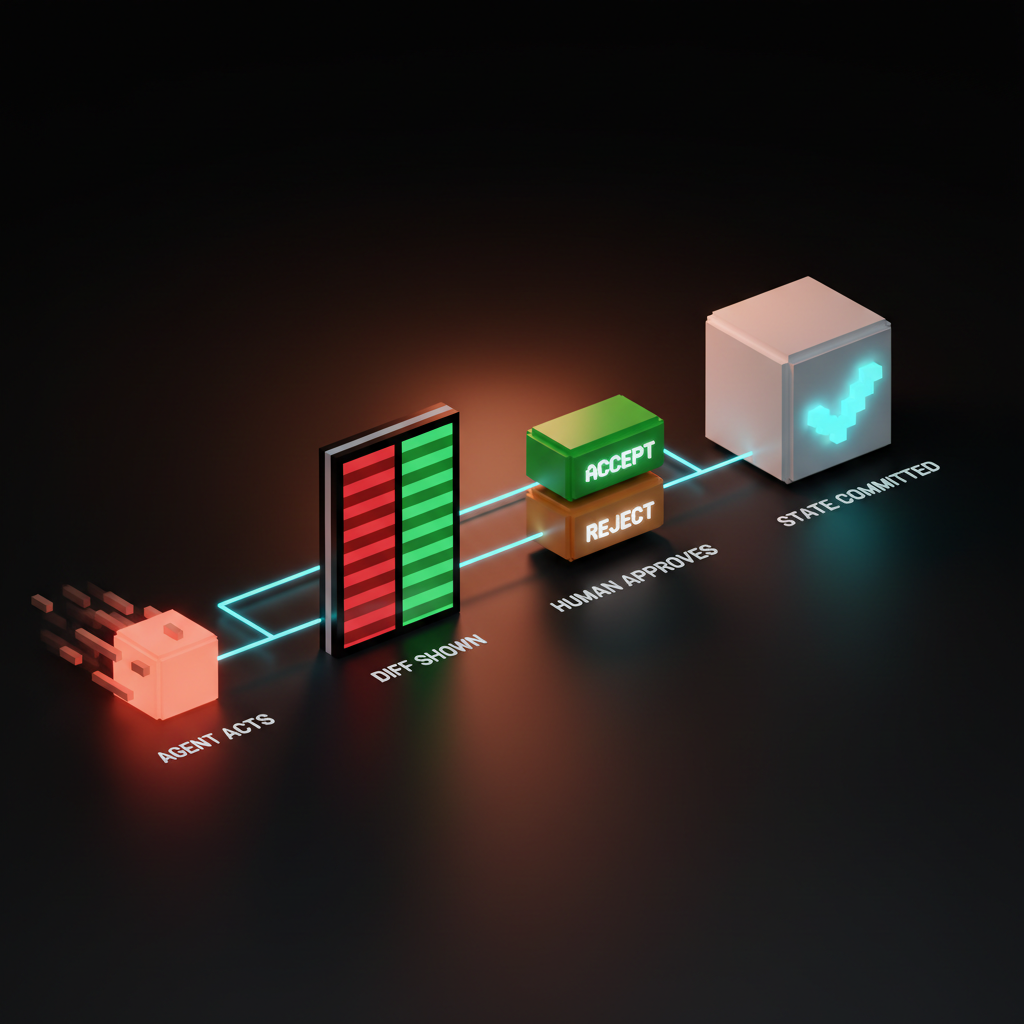
When an agent does something on behalf of a user, the user has to see what it did, fast. Most products skip this layer, and it is the one that decides whether anyone trusts the integration enough to use it twice.
Cursor's diff approval is the textbook example. The agent edits files, the diff appears inline, the user accepts or rejects per chunk. Claude artifacts ship the same pattern in a different shape. GitHub Copilot Workspace is a dual-pane plan-and-execute surface with accept-reject at every step.
The trust signal is not decoration. It is the load-bearing surface that makes agent autonomy survivable. A product where the agent acts and the human only sees the after-state loses trust the first time something goes wrong.
What the products doing it well actually ship
The dual-user frame is easier to see in shipped product. Short teardowns, each specific.
Cursor. The agent diff approval is the entire trust loop. Inline accept and reject per chunk, full file diff visible, agent never commits without consent.
Claude artifacts. The artifact preview pane is the contract between agent and human. The agent produces, the human reviews, the artifact has a stable URL and a structured output the next agent can pick up.
Anthropic Computer Use. Screenshots are the contract between agent and product. Every visual hierarchy and label decision is now an agent-readability decision. An icon button with no accessible name is a button the agent has to guess at.
Vercel v0. The human-prompt and agent-render contract is the entire surface. The user describes, the agent renders, every render is a reviewable artifact.
Linear and Stripe. Both AI-native in posture, API-first by architecture. Every primary action is named, stable, callable. Both shipped this discipline before the agent moment arrived, which is why every agent product integrates with them cleanly.
Replit Agent, Raycast, and GitHub Copilot Workspace round out the lineup. Replit surfaces the agent's work as a live editable workspace. Raycast's command palette is a surface humans and agents share natively. Copilot Workspace's dual-pane plan-and-execute pattern commits the plan in writing before action, making mid-run correction possible.
For the full pattern library these products share, the AI agent UI design patterns breakdown maps it, and the AI-native product design piece covers the architecture underneath.
Anti-patterns that break agent integrations
Five failure modes show up over and over. Each one is a design decision, not an engineering oversight.
Div soup. Every clickable thing wrapped in <div> because styling is easier. Every refactor breaks every selector. Fix: semantic HTML by default with data-testid on anything that needs to survive a class-name change.
Hidden affordances that require hover. The "edit" button that only appears on mouseover. Agents do not hover. Fix: keyboard-reachable affordances that show up in the DOM regardless of pointer state.
"Click here" links. Five "click here" links on the same page are five identical affordances to anything that reads the DOM. Fix: link text that names the destination.
Success states conveyed by color only. A green border, a green flash, a green icon. None of those are detectable without a vision model. Fix: a structured event, an ARIA live region, or a response object alongside the visual signal.
Modal popups with no findable close. The "X" that is a <svg> with no label. Fix: an accessibly named close button on every modal and a documented escape behavior.
The pattern across all five: anything that depends on a human eye or pointer is invisible to half your users.
The dual-user audit
Run this on any surface before it ships. Seven questions, three minutes.
- Named action. Every primary action has a stable accessible name and a stable selector.
- Machine state. Every state change emits a structured event.
- Visible diff. Every agent-driven change surfaces as a reviewable artifact before commit.
- Keyboard path. Every hover-only affordance is also reachable without a pointer.
- Stable selector. Every interactive element has a
data-testidor semantic equivalent that survives a refactor. - Human in loop. Destructive actions gate, catastrophic actions double-gate, reversible actions run with undo.
- Documented surface. The product ships an
AGENTS.mdor equivalent telling an agent what is here, what is safe, and what conventions matter.
A surface that passes seven of seven is dual-user complete. A surface that fails three or more is shipping with the agent locked out, no matter how good the human plane looks.
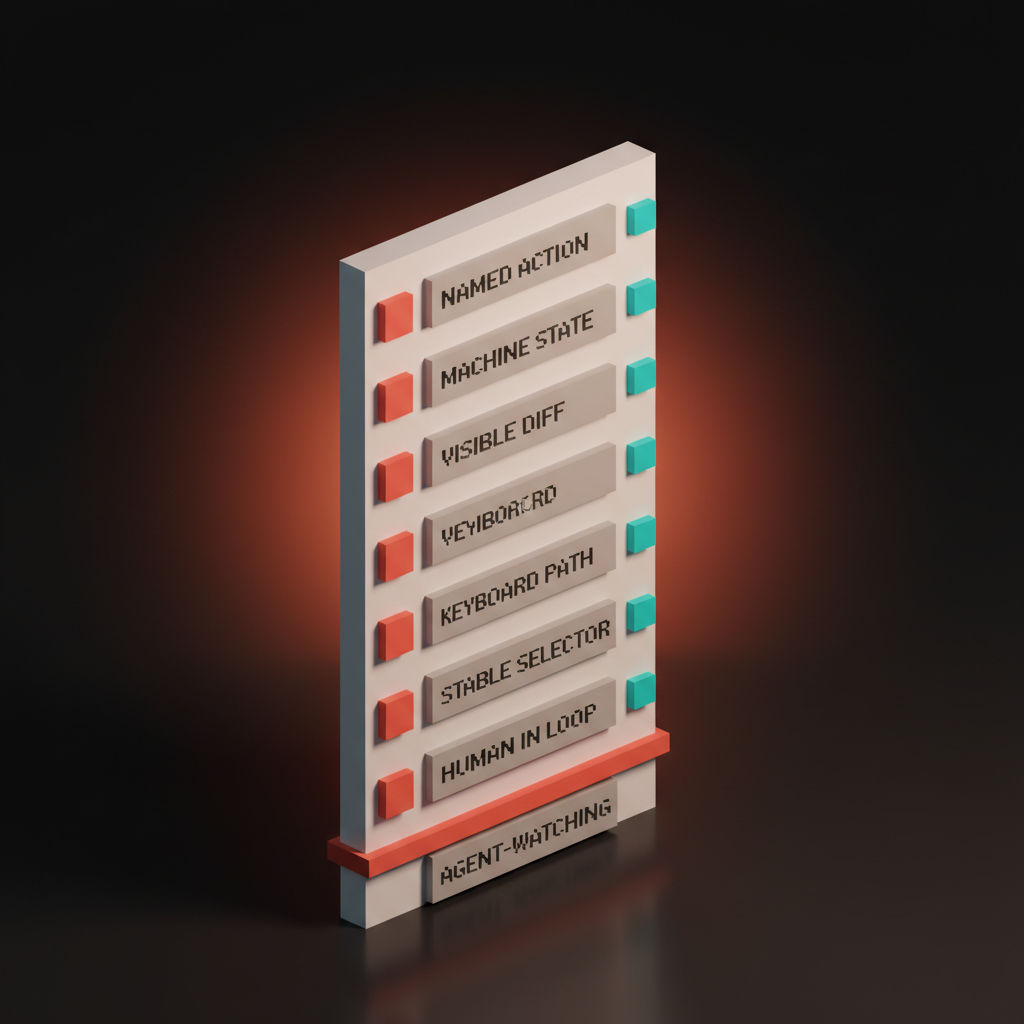
The audit is a habit, not a one-time exercise. Every new surface, every refactor, every brand redesign runs through these seven questions before it ships, the same way every redesign runs through accessibility. Agent-readability is the new accessibility, and it compounds the same way.
For the input-layer version of this discipline see prompt surfaces. For the empty-state corollary, see empty states are the product. For the foundation underneath, web design principles covers why structure is now aesthetic.
FAQ
What does designing for AI agents actually mean in 2026?
Treating the agent as a first-class user of your product, not a bot to defend against. The agent reads your DOM, calls your buttons, and judges your interface by criteria the human will never see. Every surface needs a human plane and a machine plane that share the same affordances, state, and vocabulary.
How is this different from accessibility design?
Most of it overlaps. Stable accessible names, semantic HTML, keyboard reachability, structured status, all of that is the accessibility discipline applied to a new user. The new layer is tool surfaces and machine-readable structure, including MCP endpoints, AGENTS.md files, and JSON-LD. Treat accessibility as the foundation and agent-readability as the next floor up.
Do I need an MCP server to be agent-ready?
Not on day one. A product with clean DOM, named actions, stable selectors, structured status, and reviewable artifacts is already 80 percent agent-ready. An MCP server makes the agent's job faster and more reliable, but ship the structure first, ship the protocol second.
Two users, one screen, one job
The agent is not a threat to design. It is a second user with different needs, and the products treating it that way are already pulling away from the ones that did not.
Most teams are still designing for one user. The brand brief talks about the human, the moodboard pictures the human, the research interviews the human. The agent shows up after launch, when an integration request comes in, and the team has to retrofit selectors, names, structure, trust. Retrofitting always costs more than designing for both planes from day one.
The shift is not technical, it is a posture. Treat every surface as dual-user, run the audit before it ships, give the agent the same care you give the human. Refuse, and somebody else's product gets the agent traffic, the partnership, and the revenue.
If you want a team that ships brand and product UI with both planes designed at the same time instead of stitched together later, hire Brainy. We design the human plane the way we always have, and the machine plane like the second user it actually is.
Want a product where the agent loves your interface as much as the user does? Brainy ships AI-native product UI end to end, from the human plane to the machine plane and the trust handoff between them.
Get StartedGet new papers by email
New Brainy papers in your inbox. Confirm once, unsubscribe anytime.