Designing Streaming UIs
The streaming output region is the new canvas. A working playbook for designing AI streaming UIs as a real interaction model, with five layers, real product teardowns, anti-patterns, and a pre-ship audit.
The streaming response is the most underdesigned surface in modern software. Most teams shipped a TypeScript fetch hook, wired it to a div, and called it product design. The result is a typewriter pretending to be an interface.
Streaming is not text appearing. It is an interaction model with rhythm, pauses, scroll behavior, interrupt affordances, and trust signals. A team that designs only the input has shipped half a product. The output region is the other half, and it is where most AI products are losing the user.
This piece is the operational version. What a streaming UI actually is, the five layers every good one ships, real teardowns, the anti-patterns killing surfaces in production, and a pre-ship audit.
A streaming UI is a surface, not a fetch loop
A streaming UI is the entire region the user reads back from while the model runs. The visible text is one part. The cadence, the cursor, the scroll behavior, the structural commitments, the interrupt controls, and the post-stream state are the rest.
The surface has measurable properties. Time-to-first-token. Token cadence. Structural commitment. Interrupt latency. Completion signal. Post-stream affordances. Ignore any of these and the stream is a side effect of an API, not a designed component.
Cursor, Claude, v0, Lovable, Linear AI, Raycast AI. None treat streaming as raw token output. Each ships a structured surface. That is the bar.
The five layers of a great streaming surface
Five layers, in the order the user experiences them. A streaming UI that ships fewer than four is incomplete.
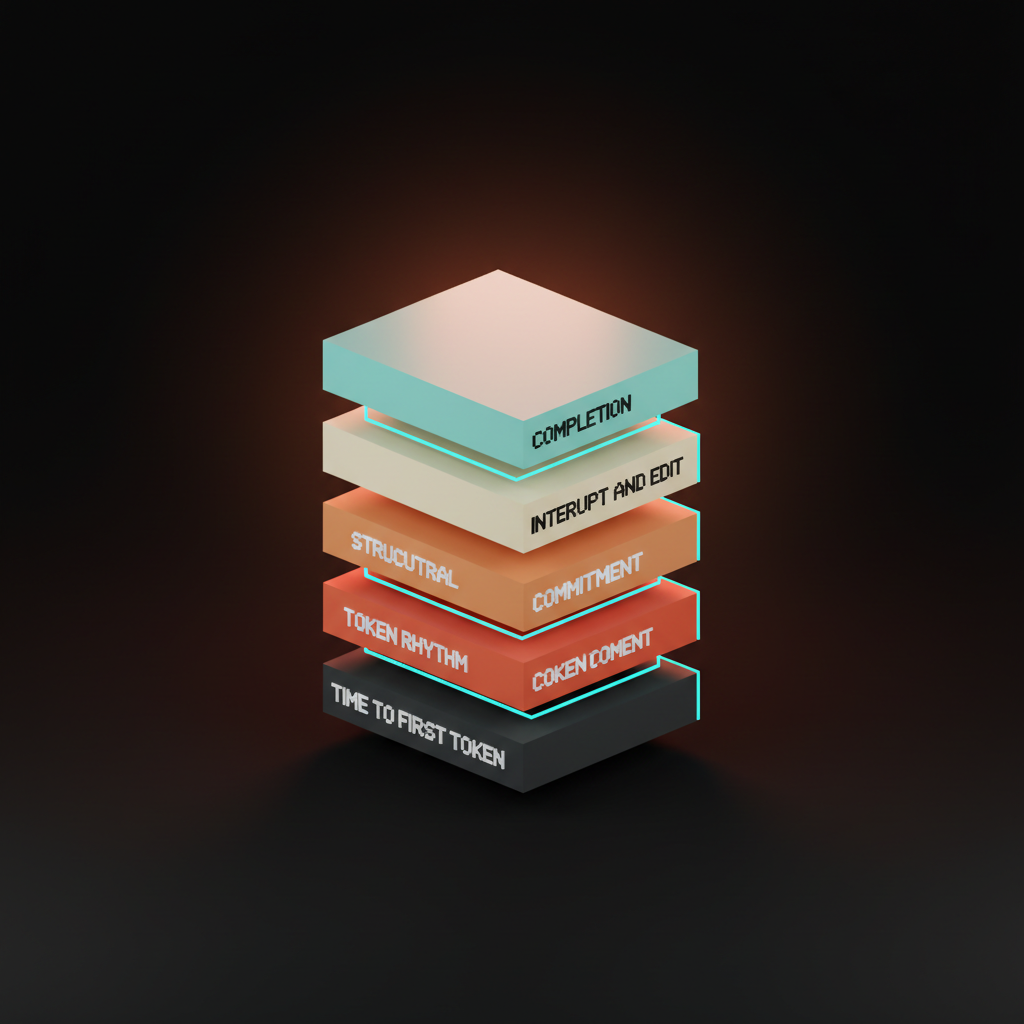
Time-to-first-token is the moment the void becomes feedback. Token rhythm is what the stream feels like once running. Structural commitment is how the surface handles lists, tables, and code without re-flow. Interrupt and edit is the user's escape hatch. Completion is the moment the stream ends and the artifact becomes interactive. Skip any and the stream rots from that layer up.
Layer 1: Time-to-first-token
The first 200 milliseconds decide whether the user trusts the surface. Under 200ms with a real feedback signal feels instant. Past 800ms with no feedback, the user is already deciding the product is broken.
The choices are concrete. A skeleton placeholder that pre-allocates the output region. A blinking cursor. A typing-dots affordance. A streaming prefix where a known phrase like "Here is" lands in 300ms before the content.
ChatGPT's three dots work because they are honest. Claude's gradient pulse is the upgrade, a soft animated band that signals the surface is alive without committing to fake content. Cursor renders a thin cursor-line and a status chip that names what is happening. The user is looking at something within 200ms in every case.
The void is the failure. A blank region that hangs for 600ms teaches the user that AI is something to wait through. Ship the cursor before you ship the model.
Layer 2: Token rhythm
Raw token streams are jittery. A model that emits four tokens, then twenty, then one, looks like a glitching terminal even when the underlying delivery is fine. Rhythm is a design decision.
The fix is a smoothed cadence. Buffer incoming tokens for 30 to 60 milliseconds, then render at a steady rate. The user reads at 250 to 400 words per minute, so the target is a stream that lands at or just above reading speed without spiking. Claude shipped this discipline early.
Vercel's streaming UI primitives in v0 ship the same idea, a render loop that decouples the network from the visual update. The token stream from the API is one layer. The visual stream is another. The two should never be the same.
The cursor matters. A cursor that follows the last rendered token, with a soft trailing fade, anchors the eye. Without it, the user's eye jumps around hunting for where the stream is. Cursor's cursor in their composer is not a coincidence of name.
Layer 3: Structural commitment
The hardest layer. Flat prose is easy. A stream that commits to a list, table, code block, or chart mid-response is where most surfaces break.
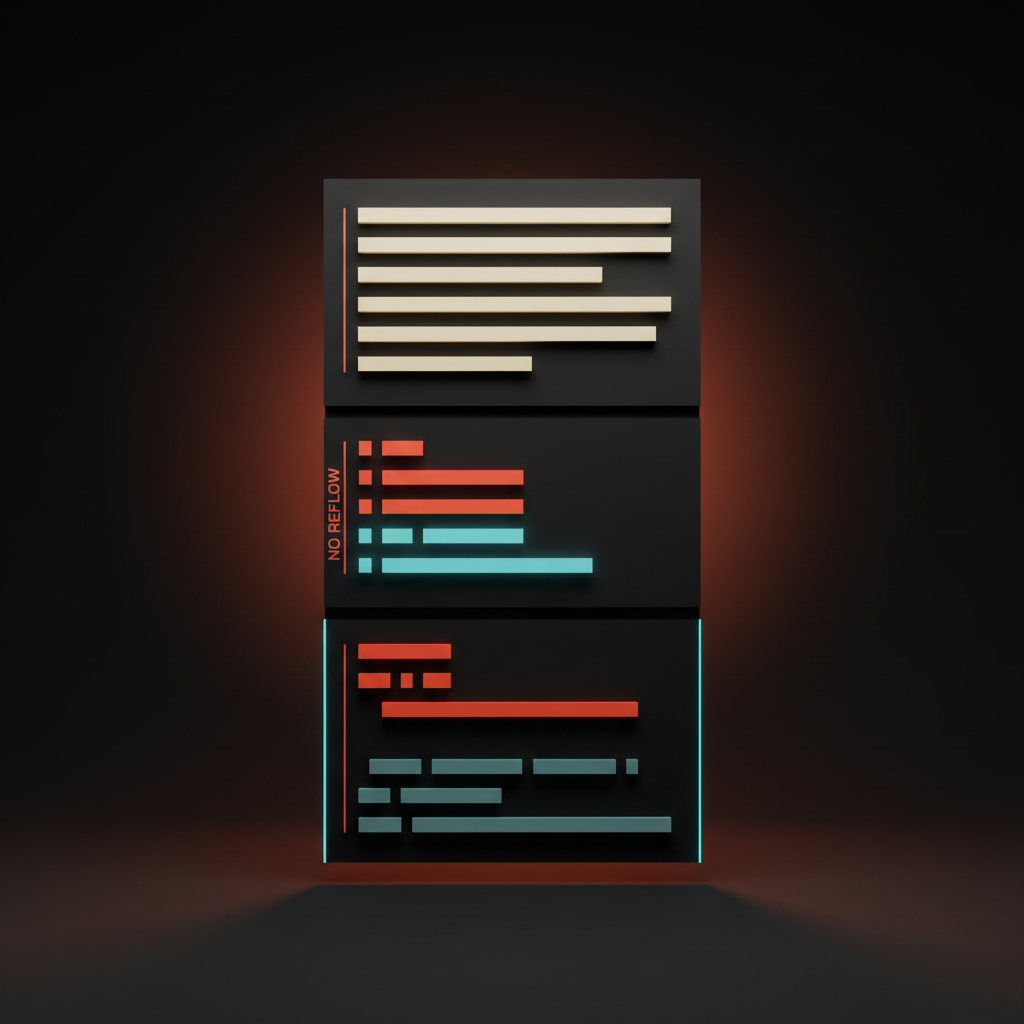
The naive version is markdown-as-streaming. The renderer parses every chunk, the layout reflows on each commit, the list re-numbers, the code block swaps fonts mid-stream, the page jumps. Every reflow is a tax on attention.
The right version commits structure the moment it is detectable, then streams content into the committed layout without re-flow. A list reserves the moment the first hyphen lands. A code block reserves a monospace pane on the triple-backtick. A table commits column count immediately. Cursor's diff streaming is the textbook case. The diff pane reserves layout, file paths land first, individual lines stream into pre-allocated rows. v0's selection-aware streaming ships the same pattern on the canvas side.
Linear AI's structured suggestions ship commitment without ever showing the user a "loading" state. The suggestion lands as a typed object, fields populate in dependency order, the workflow never blocks. Linear ships work, the others ship transcripts.
Layer 4: Interrupt and edit
A streaming UI without an interrupt is hostile. The user is watching the model write something they already know is wrong, and the only way out is closing the tab. Not a product. A hostage situation with a token counter.
The stop button is the cheapest, highest-leverage element on the surface. Visible from token one, not after token 100. Claude, Cursor, ChatGPT, and v0 all ship one. Most homegrown chat UIs forget it.
Interrupt is the floor. Edit is the ceiling. The pattern most teams have not earned is the live edit, where the user revises the prompt mid-stream and the surface re-routes. Cursor's accept and reject during streaming is the closest shipped version. The user reads the diff as it lands, accepts the parts that work, rejects the parts that do not. That is a real interaction loop.
ChatGPT's regenerate is the contrast. The button overwrites the previous response, the user loses the version they liked. Regenerate as overwrite is destructive. Regenerate as branch is design. Claude's history surface ships the branch.
Layer 5: Completion and post-stream
The moment the stream ends is a design moment. Most products treat it as nothing. The stream stops, the cursor disappears, the user stares at a wall of text wondering what to do next.
Claude's artifact materialization is the gold standard. The streaming text gets a quiet completion signal, and the artifact pane swaps from streaming preview to interactive surface in the same beat. The user is not "done reading," they are now "in the artifact." The transition is the entire point.
v0's preview swap is the design-side version. The streaming code ends, the live preview iframe reloads with the final build, the deploy button surfaces. Three states, one transition, no dead air.
Cursor's diff-to-accept is the third pattern. Stream ends, diff stays editable, accept and reject remain, file is not committed until the user says so. The stream is over, the decision is not. That separation is what makes the surface feel like a tool instead of a chat log.
The bad version ends the stream and ships nothing. The cursor blinks out, the prose sits there, the user copies the text into another tool to actually use it. A copy-paste pipeline with a model attached.
Real product teardowns
Cursor runs composer-streaming plus diff-materialization. Composer streams the plan, diff pane streams the patch, accept and reject stay live, the post-stream state is a pending diff the user owns. Every layer hits.
Claude ships smoothed token rhythm and artifact pane swap. Gradient pulse before the first token, steady cadence, artifact materialization at completion, conversation history that branches. The surface feels designed because every transition was.
v0 ships selection-driven streaming with a live preview. The user clicks a region of the canvas, the prompt scopes itself, the stream lands as code and as preview swaps in the iframe. Completion hands off to a deploy button.
ChatGPT is the baseline. Token streaming with three-dot feedback, regenerate as overwrite, branch-from-here as a recent addition. Category default, not the bar.
Vercel AI Playground, Lovable, Anthropic Computer Use, Raycast AI, and GitHub Copilot Workspace each ship slices. Vercel exposes the model picker live during the stream. Lovable runs the stream-to-app pattern, the user watches their app build in real time. Computer Use streams screenshots and reasoning trace in parallel. Raycast streams into a command-palette micro-surface. Copilot Workspace ships plan-then-execute streaming with checkpoints.
The five rules
- Show feedback under 200 milliseconds. A cursor, a pulse, a typing dot, a streaming prefix. Anything but the void.
- Smooth the cadence. Buffer the network stream, render at reading speed, anchor the cursor. Jitter is a design failure, not a network condition.
- Commit structure without re-flow. Reserve layout the moment a list, table, or code block is detectable. Never reflow.
- Ship the stop button before token 100. Visible. Reachable. One click. No exceptions.
- Design the moment after the stream as carefully as the stream. The completion is a hand-off. The hand-off is the product.
The anti-patterns killing streams in production
The dead spinner. A spinner runs while the model streams behind a closed render layer. Delete the spinner. Ship the stream.
The token jitter. Raw token output, no buffer, cadence flickers between bursts and pauses. Smooth it.
The auto-scroll that fights the user. The page auto-scrolls to follow the stream while the user is reading an earlier paragraph. Detect manual scroll, pause auto-scroll until the user re-anchors. Claude and Cursor handle this.
The no-stop-button mistake. Interrupt buried in a settings menu, or appears only after 30 seconds, or does not exist. Visible from token one.
The stream that ends and leaves the user staring. No completion signal, no next step. Design the post-stream.
The destructive regenerate. The new response overwrites the old, the user loses the version they liked. Regenerate as branch, never as overwrite.
Raw markdown as streaming. Renderer reflows on every chunk, the page jumps. Commit structure once, stream into reserved layout.
Fixes are small. Surfaces that ship them feel like 2026. Surfaces that do not feel like 2022 chat sidebars wired to a 2026 model.
The streaming-surface audit
Run these on any AI streaming surface before it ships.
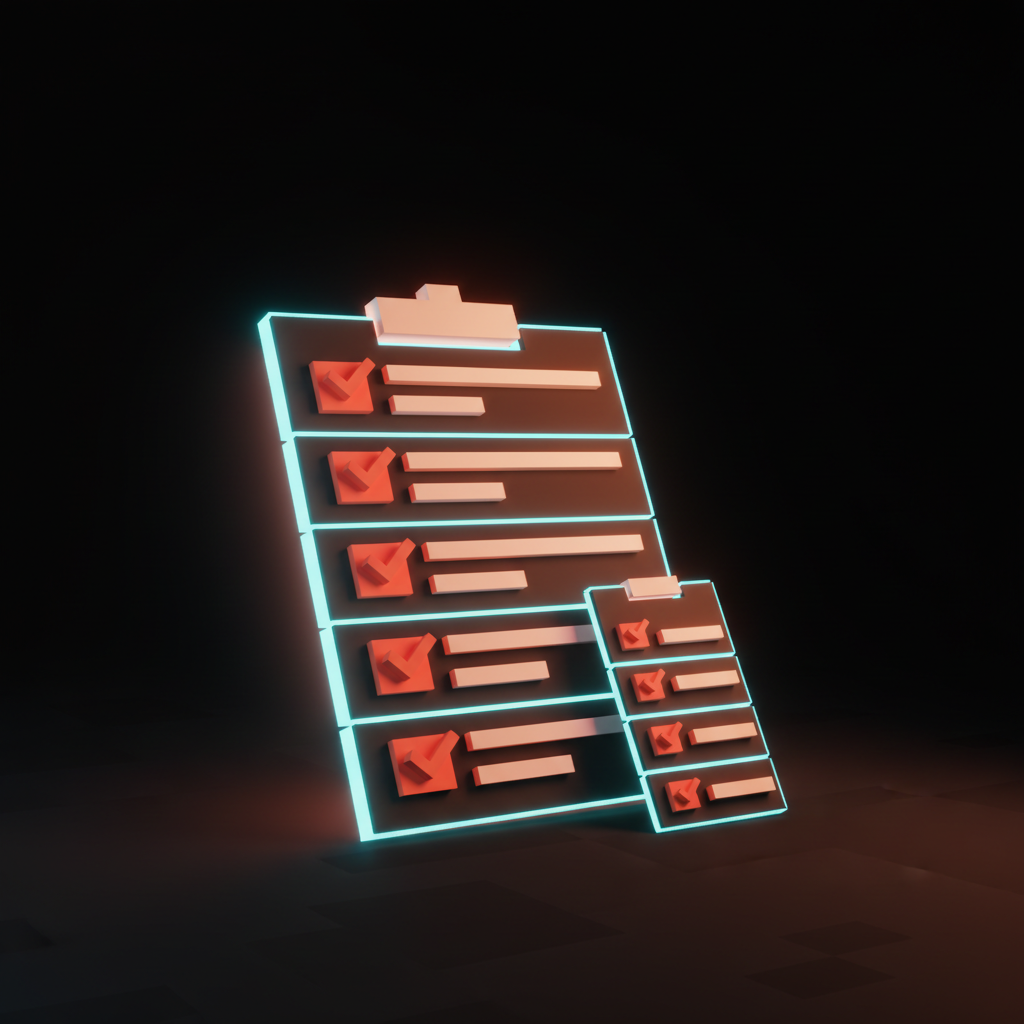
- First feedback. Does the surface show something within 200 milliseconds of submit?
- Cadence. Is the token stream smoothed to reading speed, or raw network jitter?
- Structural commitment. Does the surface reserve layout for lists, tables, and code blocks before content arrives?
- Stop affordance. Is the stop button visible from the first token, in one click?
- Edit affordance. Can the user revise, accept, or reject mid-stream?
- Completion design. Does the moment the stream ends hand off to a real next step?
- Post-stream artifact. Is the output interactive after the stream, or just a frozen transcript?
A surface that passes all seven feels like a designed component. A surface that fails three or more feels like a console log with a model attached. The gap is what separates AI-native product design from AI bolted on.
The teams shipping streaming surfaces this carefully are the same teams treating prompt surfaces as real components on the input side, and designing for AI latency at the system level. Pair it with empty states, agent UI patterns, and trust signals so the streaming output earns the read.
FAQ
What is streaming UI design?
Streaming UI design is the discipline of shaping how AI output appears on screen as the model generates it. It covers time-to-first-token, token cadence, structural commitment, interrupt affordances, and the post-stream artifact. A streaming UI is not a textarea that fills with text. It is a designed surface with measurable properties, and the products winning right now treat it that way.
Why does token streaming feel different in different products?
Because cadence is a design decision, not a network outcome. A raw token stream jitters. A buffered, smoothed stream lands at reading speed. Claude smooths the cadence with a render loop that decouples the network from the visual update. ChatGPT runs closer to raw delivery. Same model class, different surface feel.
What is the most common streaming UI mistake?
Shipping a stream without a visible stop button. The user is watching the model write something they know is wrong and they have no way out. Other common failures: dead spinners, auto-scroll that fights the user, destructive regenerate, raw markdown that reflows on every chunk, and a completion that hands off to nothing. Each one is fixable with a small surface change.
Build the stream like it is the canvas
The streaming output region is the new canvas. AI products live or die on how this surface feels in the first 800 milliseconds and how it stays legible across a 30-second response. Most teams treat it like a typewriter. The teams shipping the bar treat it like infrastructure.
Ship the five layers. Run the audit. Avoid the anti-patterns. The product that comes out the other side feels like a tool instead of a chat sidebar pretending to be one.
If you want a team that ships streaming surfaces as full components instead of bolted-on token loops, hire Brainy. We design AI-native product UI end to end, from the first token to the post-stream artifact, with the trust signals and the interrupt affordances built in before the first user ever hits send.
Want a streaming surface that feels designed instead of bolted on? Brainy ships AI-native product UI end to end, from the first token to the post-stream artifact.
Get StartedGet new papers by email
New Brainy papers in your inbox. Confirm once, unsubscribe anytime.