SVG vs PNG: Which File Format to Use for Logos, Icons and Screenshots
SVG for logos, icons and simple shapes. PNG for screenshots and detailed artwork. The same heart zoomed in both formats, real file sizes, a decision table and the answers designers search for.
Every design tool asks the same question at export: SVG or PNG? They look identical at the size you are working at, so people pick whichever is already selected. The difference shows up later, on a bigger screen, in a slower page or in a brand color that has to change. Here is the same icon in both formats, what each one costs, and a table for the cases that come up in every project.
What actually differs: paths or pixels
An SVG stores instructions: draw this curve, fill it with this color. A PNG stores a grid of colored pixels, one value per dot. That one difference explains everything else.
Instructions can be run at any size, so the curve is redrawn smooth each time. A grid has a fixed number of dots, so a bigger screen has to stretch them. SVG is a vector format and PNG is a raster format. Both are open standards from the W3C, and Figma's export panel offers both side by side.
The same heart, zoomed way in
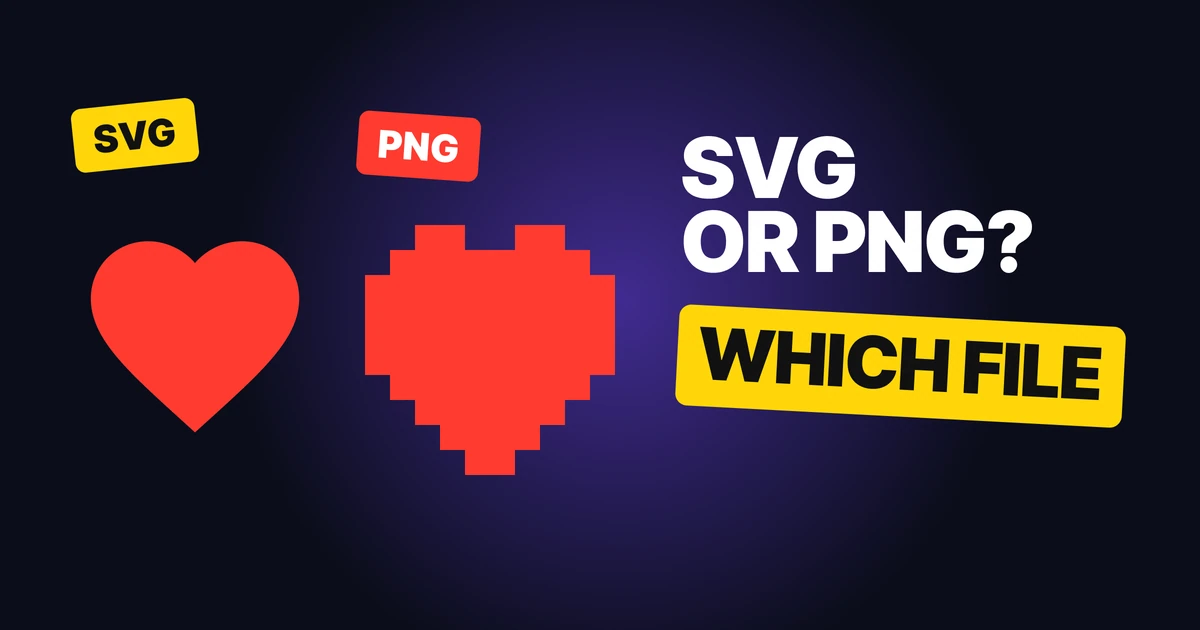
At normal size the two hearts are identical. Zoom in and they stop being the same file.
SVG, zoomed in

PNG, zoomed in

The left heart is redrawn from its path at the new size, so the edge is still a clean curve. The right heart is a 12 by 12 pixel render of the same icon enlarged with nearest-neighbor scaling, so every pixel shows. Real screens do this softer, by blurring instead of blocking, but the cause is the same: the file never held that detail.
The fix for a PNG is to export it larger, which is also its cost.
Recolor in code: one file, any color
An SVG is text. Its color is an attribute, so a stylesheet can change it without a new export.
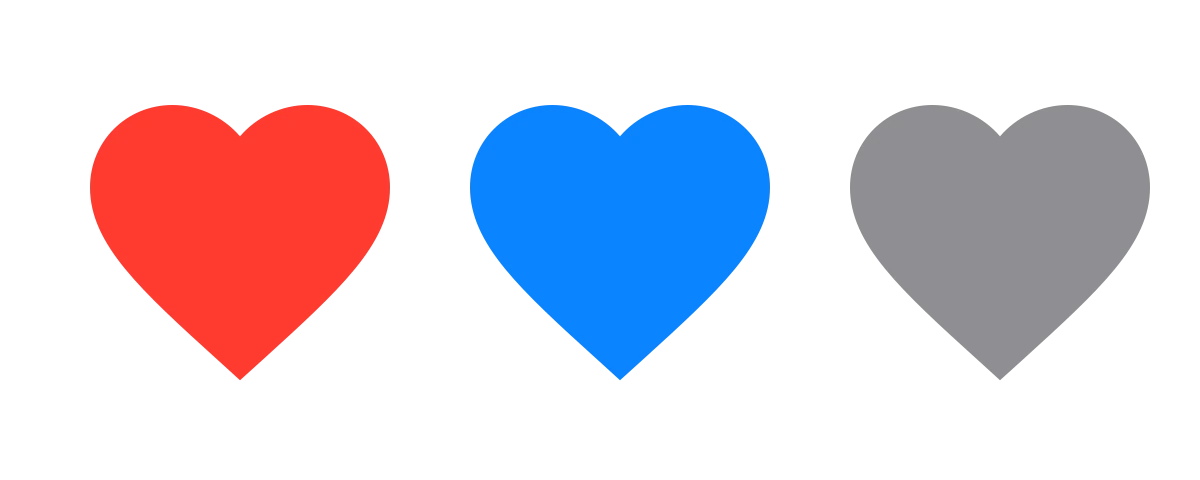
.icon { fill: currentColor; }
.icon:hover { fill: #FF3B30; }
Hover states, dark mode and brand themes become one line each. A PNG needs a new file per color, per size.
File size: it depends on what is in the image
We measured the heart above. The SVG is 290 bytes. The PNG at the same visual size grows with the pixels.
| Heart icon | Size |
|---|---|
| SVG (any size) | 290 bytes |
| PNG at 24 px | 393 bytes |
| PNG at 48 px | 739 bytes |
| PNG at 96 px | 1,386 bytes |
| PNG at 192 px | 2,883 bytes |
| PNG at 512 px | 10,400 bytes |
For simple shapes, the SVG stays flat while the PNG multiplies with every size you ship. Flip it for detailed images. We exported a 1200 by 800 card with a gradient background and a soft shadow: the PNG came to 55,365 bytes, a JPG at quality 80 to 15,248 and a WebP at quality 80 to 4,970. Smooth gradients and shadows are many shades, and an SVG would need a filter or an enormous number of shapes to imitate them.
When PNG is the right call
PNG is the right pick when the picture is not made of clean shapes:
- Screenshots. A browser window or a full app screen with soft shadows and real text rendering is pixels by nature. A PNG keeps them exact.
- Detailed artwork. Fine texture, grain and painted shading do not reduce to paths.
- Transparent images that are not simple. PNG supports transparency, so a cutout with a soft edge works on any background.
One warning: a PNG made of a logo is a PNG with a fixed size. Keep the SVG as the master and export PNGs from it only where something cannot read an SVG.
When SVG is the right call
- Logos. One file for the website header, the favicon and the billboard. See logo file formats explained for the full set, including PDF, AI and EPS.
- Icons. A tab bar or a toolbar icon set, recolored per state with CSS. Lucide, one of the most used open icon sets, ships every icon as SVG.
- Simple shapes and illustrations. Flat color shapes, dividers, badges and charts.
Where SVG falls short: a file with thousands of shapes gets heavy, and some places such as email clients, social sharing previews and older apps may not display one. Use a PNG there.
What about photos?
Neither. A photo from a 2026 phone camera has continuous tone, which is exactly what vectors are bad at and PNG is large at. Use JPG or WebP, which compress photos far better than PNG. WebP is supported in current browsers.
SVG or PNG: a decision table
| Asset | Pick | Why |
|---|---|---|
| Logo on a website | SVG | Sharp at every size, tiny file |
| Favicon | SVG, plus a PNG fallback | Modern browsers take SVG, some places still want PNG |
| UI icon set | SVG | Recolor per state with CSS |
| Illustration with flat shapes | SVG | Stays small and sharp |
| Chart or diagram | SVG | Text and lines stay crisp |
| App screenshot | PNG | Pixels are the content |
| Painted or textured artwork | PNG | Too detailed for paths |
| Image with soft shadow and gradient | PNG, or WebP | Many shades, a vector fights it |
| Photograph | JPG or WebP | Smallest file at the same look |
| Email or social preview image | PNG | Wide support, no SVG surprises |
FAQ
Is SVG better than PNG?
For logos, icons and simple shapes, yes: it is sharper at any size and usually smaller. For screenshots and detailed artwork, PNG is the better format. Neither wins for everything.
Should I use SVG or PNG for a logo?
SVG. Keep it as the master file and export PNGs from it for places that cannot display an SVG, like some email and social tools.
Is SVG smaller than PNG?
For simple shapes it is, as the heart above shows: 290 bytes against 393 to 10,400 bytes depending on the size. For detailed images it is the other way, because an SVG needs many shapes to describe them.
Can I recolor a PNG like an SVG?
Not cleanly. An SVG's fill is a text attribute you can change in CSS. A PNG is baked pixels, so a new color means a new export.
Why does my PNG look blurry when I zoom in?
A PNG holds a fixed grid of pixels. When it is shown larger than its own size, the screen stretches those pixels and the edges blur or block. Export at a larger size, or use SVG if the image is a simple shape.
Is JPG or WebP better than PNG for photos?
Yes. They compress photos far better, so the page loads faster. Keep PNG for screenshots, sharp text and graphics.
Sources
- Scalable Vector Graphics (SVG) 2, W3C.
- Portable Network Graphics (PNG) Specification, W3C.
- Image file type and format guide, MDN Web Docs.
- File sizes measured by us with sharp: a 24 by 24 heart path as SVG and as PNG at five sizes, and a 1200 by 800 gradient-and-shadow card as PNG, JPG and WebP at quality 80.
- First published as a carousel on UX Brainy.
Want your logo, icons and UI exported and organized as one system, ready for every screen? Our team designs and hands over the full set.
Get StartedGet new papers by email
New Brainy papers in your inbox. Confirm once, unsubscribe anytime.