

Figma Variables Architecture: How to Build a Token System That Survives Production
A working architecture guide for Figma variables. The three-layer token model, the modes-vs-collections decision, and the handoff pattern that gets variables out of Figma and into code without rewriting half the system.
Figma Variables Architecture: How to Build a Token System That Survives Production
Most teams using Figma variables are building on a style mental model, and that is the problem. Variables without architecture is just styles with extra clicks.
The teams getting it right treat Figma variables as a real design tokens layer: structured, aliased, scoped, and exportable. The teams getting it wrong are one dark mode request away from a complete rebuild. This is the architecture that survives production.
Variables are not styles, they are the token layer
Figma styles are presets. You define a color, a text style, an effect, and you apply it directly to a layer. That works for a single-brand, single-mode file with no dev handoff requirements. It stops working the moment anything changes.
Figma variables are tokens. A variable holds a value, but it can also hold a reference to another variable. That reference chain, and the ability to switch entire sets of resolved values via modes, is what makes variables architecturally different from styles. The distinction is not cosmetic. It is the difference between a preset system and a token system.
The three-layer token architecture
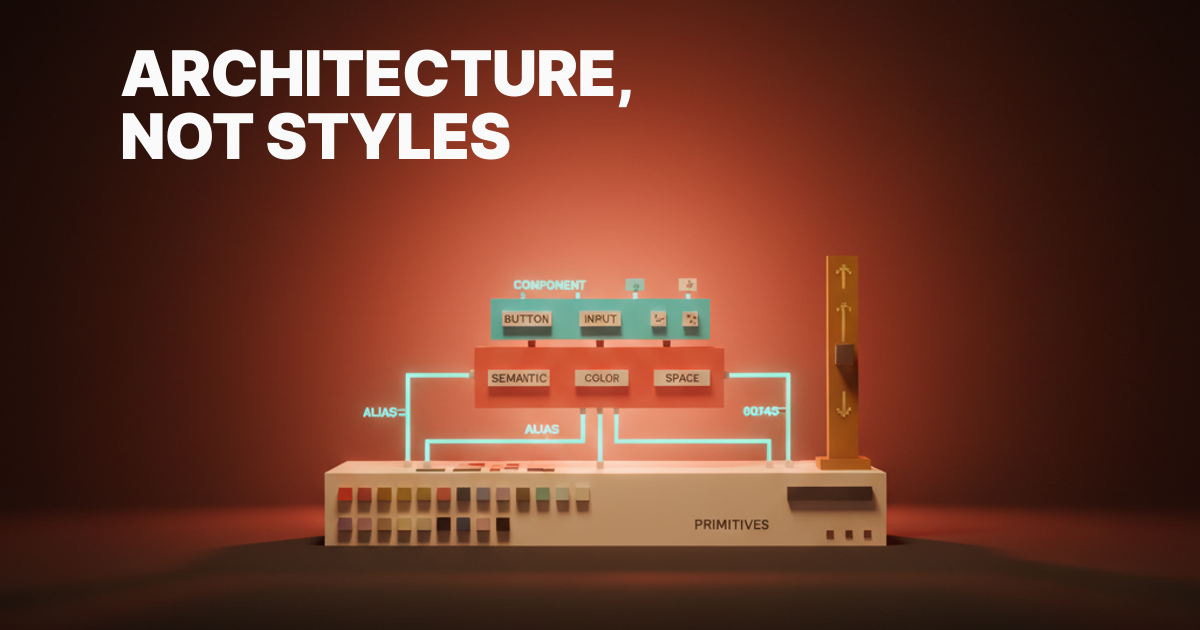
Primitives, semantic, component. Every working variable system has these three layers. Skipping the semantic layer is the single most common architectural mistake in Figma files today.
The three layers map to three jobs: primitives hold raw values, semantic tokens carry meaning, and component tokens scope to a single component family. Each layer talks only to the layer below it. No skipping, no shortcuts.
| Layer | What it holds | What it references | Example |
|---|---|---|---|
| Primitive | Raw values | Nothing | blue-500: #0066FF |
| Semantic | Meaning | Primitives only | text-link: blue-500 |
| Component | Component state | Semantic tokens | button-text: text-link |
The three layers are not optional depending on project size. A small system with five components still needs all three layers, or the first theme request blows it apart.
Layer one: primitives
Primitives are the raw values. blue-500, gray-900, space-4, radius-md. They are the palette, the scale, the foundation. They never get attached directly to a component layer.
The job of a primitive is to exist, to be aliased from above, and to stay out of the way. If a designer is reaching for blue-500 to apply to a button, the architecture is already broken. Primitives belong in the primitives collection and nowhere else.
Naming convention matters here. Primitives should be scale-based or palette-based, never semantic. blue-500 is correct. button-blue as a primitive is a category error that causes pain at scale.
Layer two: semantic
Semantic tokens carry meaning. surface, surface-elevated, text-primary, text-muted, border-default, border-focus. They answer "what is this color for?" rather than "what color is this?"
Semantic tokens alias to primitives. That is the only relationship they have. Semantic-to-semantic aliasing creates ambiguity about where the value lives and makes mode overrides unreliable.
This layer is where your light, dark, and brand modes live. A semantic token resolves to a different primitive depending on the active mode, which is how theming actually works. The primitive blue-500 does not change. The semantic token text-link changes what it resolves to based on mode.
Layer three: component
Component tokens scope to a single component family. button-bg, button-text, button-border, card-surface, card-border, input-bg. They alias to semantic tokens, never to primitives.
The job of a component token is specificity without coupling. button-bg resolves to surface-action, which resolves to blue-500. When the brand changes, you update the semantic layer and the button updates with it. The component token is untouched.
A common objection is that this feels like extra tokens for no reason. The reason is that button-bg and surface-action can diverge. At some point, a product decision requires the button to use a slightly different surface. Component tokens give you the override point without touching the semantic system.
Modes versus collections: the decision tree
Modes switch values inside a collection. Collections separate concerns. These two things are not the same, and conflating them is the source of most architectural confusion in Figma variable setups.
The rule is: one collection per concern, modes for variants of the same concern. Color is one concern. Spacing is one concern. Light and dark are not separate concerns. They are modes of the same color concern.
When to use a mode vs. a new collection:
- Different value of the same thing? Mode.
- Different thing entirely? Collection.
- Switching between light and dark? Mode inside the color collection.
- Switching between compact and comfortable spacing? Mode inside the spacing collection.
- Adding a brand? Mode inside the semantic layer, not a new collection.
| Scenario | Wrong approach | Right approach |
|---|---|---|
| Light / dark | Two color collections | Two modes in one color collection |
| Brand A / Brand B | Two semantic collections | Two brand modes in the semantic collection |
| Compact / default spacing | Mixed into color collection | Modes in the spacing collection |
| English / Arabic (RTL) | Separate variable file | String variables with locale modes |
The four scoping rules
Variable scoping controls where a variable can be applied in Figma. Getting this wrong means designers can accidentally reach for primitives instead of semantic tokens, and the architectural discipline collapses at the point of use.
The four rules are non-negotiable:
- Scope primitives to none. Primitives should not be applicable anywhere. They are internal values, not consumer-facing tokens. Hide them from the apply dropdown entirely.
- Scope semantic tokens to their type. A color semantic token gets scoped to fills and strokes. A spacing token gets scoped to gap, padding, and size fields. Keep the scope tight.
- Scope component tokens to their family. A button token should not be applicable to a card. If the scope is too broad, the component boundary is meaningless.
- Never expose primitives to consumers. If a designer or developer is applying a primitive to a layer, the system has failed at the scoping layer. This is a process failure, not a user failure.
The alias chain that makes themes possible
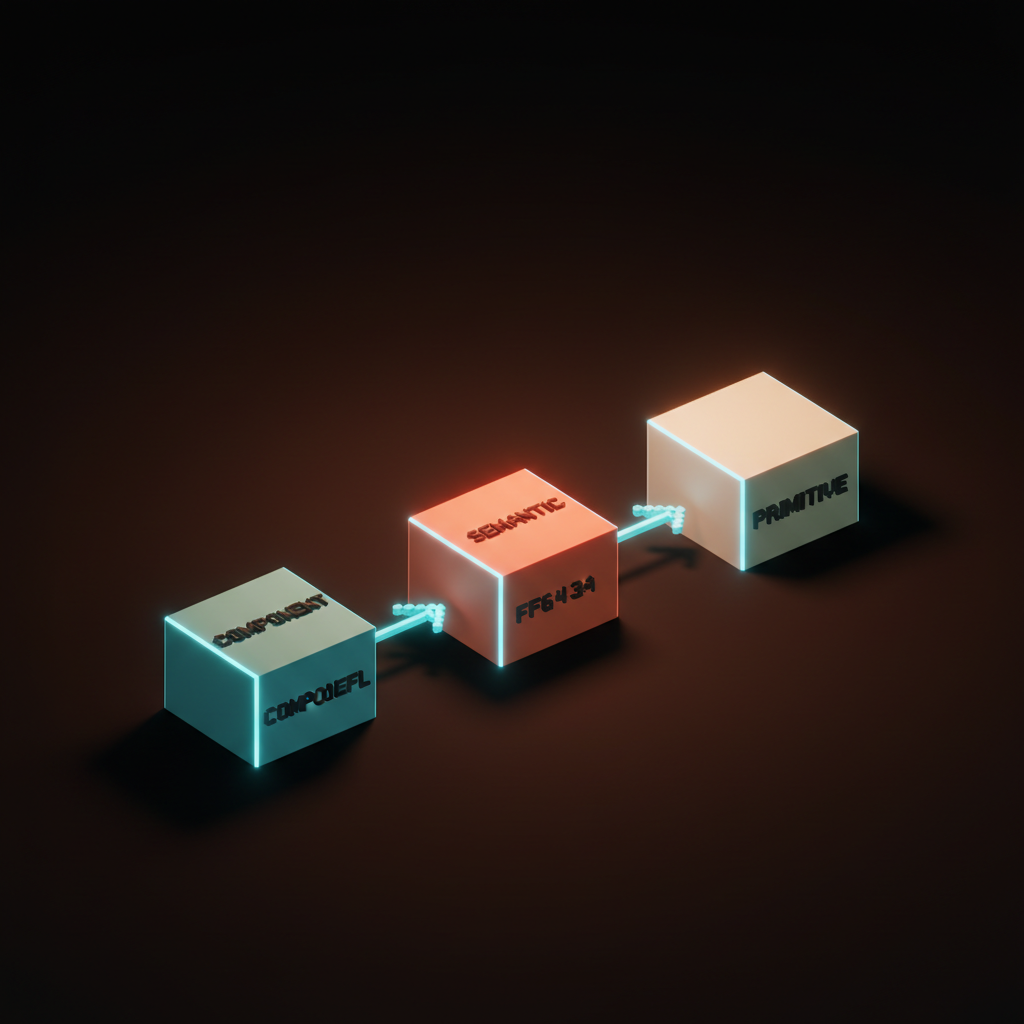
A working theme is a chain of aliases: component aliases to semantic, semantic aliases to primitive, primitive holds the value. The chain length is three, always three.
A chain of two (component to primitive) skips the translation layer and makes modes impossible without manual overrides on every component token. A chain of four creates ambiguity about which semantic layer carries the mode, and auditing it becomes a debugging exercise rather than a lookup.
button-bg → surface-action → blue-500 → #0066FF
That chain survives dark mode by updating surface-action to point to blue-300 in the dark mode of the semantic collection. The button-bg token updates automatically. The primitive blue-500 still resolves to #0066FF. Nothing else needs to change.
Light, dark, and brand modes
The three modes most variable systems need are light, dark, and brand. Only the semantic layer carries them. Never the primitive layer.
Applying modes to primitives is a category error. blue-500 is always #0066FF. It is a primitive. It does not have a light or dark variant because it carries no meaning. The semantic token text-link has a light and dark variant because it carries meaning that resolves differently in different contexts.
Brand modes work the same way. A second brand does not need a second primitive palette unless the brand uses genuinely different raw values. Most of the time, a brand mode in the semantic layer pointing to a different subset of existing primitives is the right call. Two full primitive collections for two brands is usually overdone. For how color decisions upstream shape this, the dark mode color system piece is worth reading before locking in your semantic layer structure.
Number, string, and boolean variables
Figma variables are not just colors. Number variables control spacing, sizing, and radius. String variables control copy inside design files. Boolean variables control layer visibility, which maps directly to component props.
This is the part of the variables system most teams are not using, and it is the part that closes the gap between design and code most dramatically. A spacing scale defined as number variables and applied to auto-layout gaps means a spacing change in the variable updates every component using that token. That is what a real token system does.
String variables with locale modes let designers flip a file between English and Arabic and see the layout break in real time. Boolean variables that map to component props mean the Figma component and the code component have a one-to-one prop relationship, which makes dev handoff reviewable instead of interpretable.
Handoff to code: the pattern that works
A variable system is only as good as its export. The working handoff pattern is Tokens Studio or the Figma Variables REST API, plus a transform pipeline, plus a code-side import script.
Tokens Studio exports variable collections to a structured JSON format compatible with Style Dictionary. Style Dictionary transforms that JSON into whatever output the codebase needs: CSS custom properties, Swift color sets, Kotlin resource files, Tailwind config. The transform step is where naming conventions get normalized and any Figma-specific naming that does not map to code conventions gets cleaned up.
The pipeline should run on every variable update, not manually. A GitHub Action that triggers on a Tokens Studio push or a Figma webhook that fires on variable changes keeps the code-side tokens in sync without anyone remembering to export. This is the pattern Stripe and Atlassian run at scale, and it is achievable in any codebase that has a build step. For color token format decisions in that output, OKLCH color is worth reading before you lock in CSS custom property values.
Want a Figma variable system that survives modes, brands, and dev handoff without rewrites? Brainy designs production token architectures in Figma with the three-layer model, the alias chain, and the export pipeline that drops cleanly into your codebase. Hire Brainy
Seven common mistakes that break variable systems
| # | Mistake | What breaks |
|---|---|---|
| 1 | Semantic-to-semantic aliasing | Mode resolution becomes unpredictable |
| 2 | Primitives exposed to consumers | Designers bypass the semantic layer |
| 3 | Modes used for brands via separate collections | Theme switching becomes a manual find-and-replace |
| 4 | Component tokens aliasing to primitives | Dark mode requires updating every component token |
| 5 | No scoping on any variables | The system is unenforced and collapses at the point of use |
| 6 | Mixing spacing and color in one collection | Mode overrides bleed across concerns |
| 7 | Variable names that carry no meaning | Handoff to code requires a translation dictionary |
Most of these mistakes share a root cause: treating the variables panel as a better styles panel instead of as an architectural layer. The mental model shift is the fix. Everything else follows from it.
The variable system audit
Run this audit on any Figma variable system and you will catch the architectural debt before it ships.
Structure
- Three collections minimum: primitives, semantic, component (or equivalent naming)
- Each collection has a single clear concern
- No collection mixes types (color and spacing in the same collection is a failure)
Alias chain
- Every component token aliases to a semantic token, not a primitive
- Every semantic token aliases to a primitive, not another semantic token
- No token holds a raw value except primitives
- Alias chain length is exactly three for all color tokens
Modes
- Light and dark are modes in the semantic collection, not separate collections
- Brand variants are modes in the semantic collection, not separate files
- Primitive collection has no modes
Scoping
- Primitive variables are scoped to none (not applicable anywhere)
- Semantic variables are scoped to their type (color to fills/strokes, spacing to layout fields)
- Component variables are scoped to their component family
Handoff
- Variables are exportable via Tokens Studio or the REST API
- Transform pipeline exists and is automated
- Code-side tokens match the Figma variable naming convention with documented exceptions
If more than three of these fail, the system needs a rebuild, not a patch. A brand color palette covers the upstream color decisions that feed into the primitive layer if that is where the audit reveals the most debt.
FAQ
What is the difference between Figma variables and Figma styles?
Styles are presets applied directly to layers. Variables are tokens that can reference each other and switch values via modes. Variables can do everything styles do, plus theming, plus dev handoff via export. For a new design system, variables are the right choice. For an existing file with a mature style system, a migration plan is worth writing before switching.
How many collections should a Figma variable system have?
Three to five for most systems: primitives, semantic, component, and optionally separate spacing and typography collections if those scales are complex enough to warrant their own scoping rules. More than five collections is usually a sign that concerns are not being grouped correctly.
Can Figma variables replace Tokens Studio?
For creation and editing inside Figma, yes. The native variables panel handles most of what Tokens Studio was doing before the variables API shipped. For export and transform, Tokens Studio still adds value because it has a mature pipeline to Style Dictionary and handles edge cases the native export does not. The two tools are complementary right now, not competitive.
What happens if I alias a semantic token to another semantic token?
Mode resolution becomes ambiguous. If text-secondary aliases to text-primary and you switch to dark mode, Figma resolves the chain and may not apply the dark mode override where you expect. Semantic-to-semantic aliasing also makes auditing the system nearly impossible at scale. The rule is hard: semantic tokens alias to primitives only.
How do I handle a third brand without rebuilding the system?
Add a third mode to the semantic collection. The primitive collection is shared across brands unless the brands use genuinely different raw values. A brand mode in the semantic layer that points to a different subset of primitives is the right architecture. If the brands are so different that their primitive palettes do not overlap, two primitive collections with a shared semantic structure is the fallback.
Is the three-layer model necessary for small projects?
Yes, but the size of each layer shrinks. A small project might have fifteen primitives, eight semantic tokens, and two component tokens per component. The architecture is still three layers. The temptation to skip semantic on small projects is the reason so many small projects become architectural debt the moment a second designer or a dark mode request shows up. For how the token architecture sits in the broader stack decision, the Framer vs Webflow vs Next.js piece has context.
The shift Figma variables actually unlock
A real variable system in Figma is the closest the design and dev sides have come to a single source of truth. Not a handoff document. Not a Zeplin link. A living, exportable, structured token layer that both sides read from the same definitions.
The teams treating variables as architecture are cutting design system debt by half, not because variables are magic, but because the architectural discipline a good variable system requires also forces the decisions that design systems kept deferring. What does this token mean? What can it alias to? Who owns the primitive? Those questions have answers now, and the answers live in the file.
Variables without architecture is just styles with extra clicks. Variables with the three-layer model, the alias chain, the scoping rules, and the export pipeline is a design system that can survive a second brand, a dark mode, and a developer who has never opened Figma.
Build the architecture, not just the tokens.
Want a Figma variable system that survives modes, brands, and dev handoff without rewrites? Brainy designs production token architectures in Figma with the three-layer model, the alias chain, and the export pipeline that drops cleanly into your codebase.
Get StartedGet new papers by email
New Brainy papers in your inbox. Confirm once, unsubscribe anytime.





