
CLAUDE.md for Designers: Set Up Your Design Rules in 6 Steps
How to set up CLAUDE.md for design work in six steps: start it with /init, name your colors, fix your fonts, set spacing and radius, list your components and write your nevers. The whole 26-line file, ready to paste.
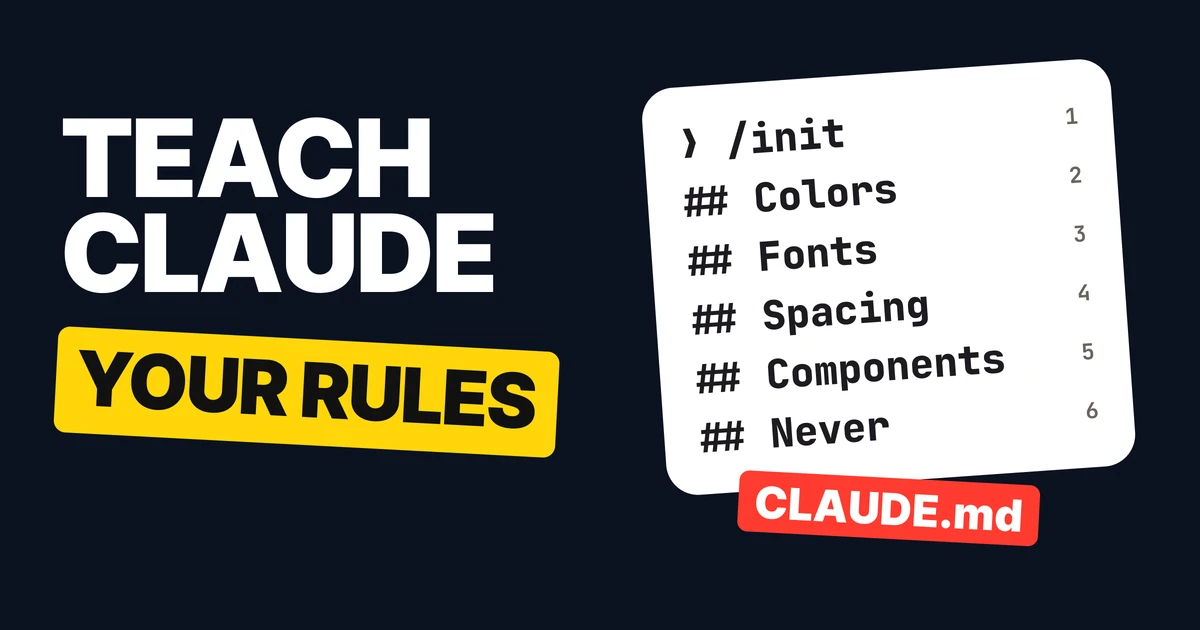
CLAUDE.md is a plain file in your project that Claude Code reads at the start of every session. Put your design rules in it once and you stop repeating them in every prompt. Below are the six steps to set it up for design work, the reason behind each one, and the whole file at the end, ready to paste.
Why a file beats a better prompt
Every Claude Code session starts with a fresh context. Whatever you typed yesterday ("use our orange, not a random one") is gone. CLAUDE.md is the part that survives: Claude Code loads it before your first message, every time.
That changes what a prompt has to carry. Without the file, each request is a brief plus a style guide. With it, the request is just the brief, and the first draft already uses your colors, your type scale and your components. Anthropic's own advice is to add to it whenever Claude makes the same mistake a second time.
1. Start a CLAUDE.md
> /init

● Write(CLAUDE.md)
  └ Wrote 20 lines to CLAUDE.md
      1 # CLAUDE.md
      2
      3 This file provides guidance to Claude Code (claude.ai/code)
        when working with code in this repository.
Open Claude Code in your project folder and type /init. It reads the project and writes a starting CLAUDE.md at the root. In our run on a small scratch project it wrote 20 lines; yours will differ.
That generated file describes the code: how to build it, where things live. It says nothing about taste, because Claude cannot read taste from a folder. The next five steps add what only you know. Put them under one heading so they are easy to find and edit:
# Design rules
The file lives at ./CLAUDE.md in the project and is checked into Git, so everyone on the team gets the same rules. Rules that are only yours, for every project, go in ~/.claude/CLAUDE.md.
2. Name your colors
## Colors
- ink `#111111`
- accent `#FF5A1F`
- ground `#FFFFFF`
- Never a raw hex
ink
accent
ground
A name is a decision; a hex is just a value. When the file says "accent #FF5A1F", Claude writes accent in the code and the orange stays one orange. Without names, it picks whatever looks close, and a few screens later there are several oranges that nobody chose.
"Never a raw hex" is the line that does the work. It turns your list from a suggestion into the only palette. If your project already has tokens in a CSS or JSON file, point to that file instead of copying the values, so there is one source. Our guide to design tokens covers how to name them.
3. Fix your fonts
## Fonts
- Inter for UI
- Sizes: `13` `15` `17` `22` `28` `34`
- Body line height `1.5`
One family and a short scale. Left alone, Claude reaches for sizes like 14, 18, 20 and 24 in the same screen, each one reasonable on its own and messy together. Six sizes is enough for a full product: captions, body, a few heading levels and one display size.
The body line height belongs here too, because it is the setting most often left at the browser default. Writing it once means every paragraph Claude builds is readable without a follow-up prompt. If you are still choosing a scale, modular type scales shows how to pick one.
4. Set your spacing
## Spacing
- Spacing: `4` `8` `12` `16` `24` `32` `48`
- Radius: `8` `12` `16`
"Only these values" is the rule. Spacing is where generated UI drifts first: a 10 here, a 14 there, a 20 that should have been 16. None of it is wrong enough to notice in one card, and all of it shows when you put three screens side by side.
| Value | Typical use |
|---|---|
4 8 | Gap between an icon and its label, tight lists |
12 16 | Padding inside buttons, cards and inputs |
24 32 | Space between groups on a screen |
48 | Space between page sections |
Radius 8 12 16 | Small controls, cards, sheets |
Three radius values cover buttons, cards and sheets. Fewer choices means Claude picks the same corner for the same kind of thing.
5. List your components
## Components
- Use Button, Card and Sheet from our kit
- Don't build new ones
Reuse before you build. If Claude does not know your Button exists, it writes a new one, and now there are two buttons with two hover states. Name the components it should reach for and where they live, and it imports them instead of inventing.
"Don't build new ones" sets the default. When a screen truly needs something new, Claude can still suggest it, and you decide. Keep this list to the components that matter in every task; a full inventory belongs in the code, where Claude can read it.
6. Write your nevers
## Never
- Gradients
- Emoji icons
- Three equal cards
- Invented numbers
The list that saves you the most. These are the habits that make AI output look like AI output: a purple-to-blue gradient on the hero, emoji standing in for icons, the row of three identical feature cards, and confident statistics that nobody measured.
Write the nevers you have actually had to correct, in plain words. Anthropic's guidance is to make each instruction concrete enough to check, so "Emoji icons" works and "make it look premium" does not. Add a line every time you catch yourself fixing the same thing twice.
The whole file
# Design rules

## Colors
- ink `#111111`
- accent `#FF5A1F`
- ground `#FFFFFF`
- Never a raw hex

## Fonts
- Inter for UI
- Sizes: `13` `15` `17` `22` `28` `34`
- Body line height `1.5`

## Spacing
- Spacing: `4` `8` `12` `16` `24` `32` `48`
- Radius: `8` `12` `16`

## Components
- Use Button, Card and Sheet from our kit
- Don't build new ones

## Never
- Gradients
- Emoji icons
- Three equal cards
- Invented numbers
Paste it under the lines /init wrote, then swap every value for your own. It is 26 lines, well inside Anthropic's advice to keep each CLAUDE.md under 200 lines, because longer files take more context and are followed less reliably.
Free Figma file
UX Brainy · CLAUDE.md for designers (free)
The whole file and how to set it up, ready to paste and make yours.
The six steps on one table
| Step | What to write | Example value |
|---|---|---|
| 1. Start the file | Run /init, add a # Design rules heading | Starting file at the project root |
| 2. Name your colors | Each color with a name, then "Never a raw hex" | accent #FF5A1F |
| 3. Fix your fonts | One family, a short size scale, body line height | 13 to 34, line height 1.5 |
| 4. Set your spacing | The only spacing and radius values allowed | 4 to 48, radius 8 to 16 |
| 5. List your components | What to reuse, and "Don't build new ones" | Button, Card, Sheet |
| 6. Write your nevers | The habits you keep correcting | Gradients, emoji icons |
FAQ
What is CLAUDE.md?
A markdown file of instructions that Claude Code reads at the start of every session. It lives in your project (./CLAUDE.md) for team rules, or in ~/.claude/CLAUDE.md for your own rules across every project.
What should a designer put in CLAUDE.md?
Your named colors, one font family and a size scale, your spacing and radius values, the components to reuse, and a short list of things Claude must never do. Keep each rule specific enough to check.
How do I create a CLAUDE.md file?
Open Claude Code in your project and type /init. It writes a starting file at the project root. Then add your design rules by hand, or type /memory to open the file from inside a session.
How long should CLAUDE.md be?
Anthropic recommends under 200 lines per file. Longer files use more context and Claude follows them less consistently. The design rules in this guide take 26 lines.
Why does Claude still ignore my CLAUDE.md sometimes?
Claude treats the file as context, not enforced settings, so vague or conflicting rules get followed loosely. Make each rule concrete, remove contradictions, and see Claude Code memory for why long files lose instructions.
Sources
- Anthropic, How Claude remembers your project: CLAUDE.md files give Claude persistent instructions and are read at the start of every session;
/initgenerates a starting file; project and user file locations;/memory; add to it when Claude makes the same mistake a second time; write instructions concrete enough to verify; target under 200 lines per file because longer files consume more context and reduce adherence; CLAUDE.md is context, not enforced configuration. - The
/initterminal above is from our own run of Claude Code 2.1.318 in a small scratch project on 2026-11-04. The 20 lines it wrote are that run's count and will differ per project. - The colors, font sizes, spacing and radius values and the nevers are an example file we wrote for this guide, not a real design system.
- More on the setup: Claude Code for designers, Claude Code commands and Claude skills for designers.
- First published as a carousel on UX Brainy.