The MCP Era: How Model Context Protocol Quietly Reshaped AI Apps in 2026
A working primer and state-of-the-protocol on Model Context Protocol heading into mid-2026. What MCP actually is at the wire, why it won where prior agent-tool standards failed, the canonical servers shipping in production, what designers and builders should do with it, and where MCP still loses.
Anthropic published Model Context Protocol in late 2024. Most people filed it under "another standard" and moved on. Eighteen months later, MCP is the de facto plumbing layer of the AI app stack. Claude Code is MCP-first. Cursor runs multiple servers in one session. Linear, Figma, Notion, GitHub, Slack, and Stripe all ship official servers. The protocol won.
This is a working primer plus state-of-the-protocol. What MCP is at the wire, why it beat prior standards, the canonical servers in production, what to do with it, and where it still falls down.
MCP is the cable that finally fit
Model Context Protocol lets any AI client talk to any tool or data source through a standard server. Before MCP, every integration was bespoke. Each client invented its own tool format. Each tool wrote a custom adapter for each client. The combinatorial cost was crushing, and most builders gave up and hardcoded a few integrations.
MCP collapsed that. Build the server once, any MCP client can use it. Build the client once, any MCP server is reachable. The right primitive at the right time, governed in the open, with Anthropic doing the protocol work but not owning the standard.
What MCP actually is at the wire
MCP is JSON-RPC over a transport, with a small set of standard primitives. The server exposes resources (data the model can read), tools (actions it can call), and prompts (templates the user can invoke). The client speaks the same methods on every server: list, read, call. That is the entire abstraction.
JSON-RPC is boring, well-understood, debuggable with curl, and works through every firewall ever built. The primitive split gives the model enough structure to reason about what a server can do, without forcing the server to fit a one-size schema.
The three transports and why they matter
MCP ships over three transports: stdio, HTTP plus SSE, and WebSockets. Stdio runs the server as a child process of the client, the default for desktop clients like Claude Desktop. HTTP plus SSE runs the server as a remote service the client polls and streams from, the right shape for cloud MCP servers. WebSockets cover the rare case you need full-duplex from a remote server.
Transport is mostly a deployment choice, not a capability one. The same server logic ships across all three. A team can prototype on stdio locally and ship on HTTP plus SSE behind their auth gateway without rewriting the protocol layer.
Why MCP won where prior standards lost
ChatGPT plugins, function-calling specs, and OpenAPI-for-LLMs all tried to be the agent-tool standard. All three stalled. MCP won because it picked the right primitive at the right time with the right governance.
ChatGPT plugins were tied to one client and one billing model, and the manifest assumed stateless HTTP endpoints with OpenAPI specs that almost no real product surfaces cleanly. Function-calling specs from each lab were one-vendor formats dressed as standards. OpenAPI-for-LLMs tried to retrofit a documentation format into a runtime contract, and the impedance mismatch crushed it.
The right primitive, server not plugin
MCP's choice to make the integration a long-running server that exposes a typed contract, instead of a stateless plugin manifest, is the architectural call that everything else falls out of. A server can hold database connections, cache resources, manage auth tokens, stream responses, and ship updates without breaking the client. A stateless plugin can do almost none of that. Real integrations need state, retries, observability, and rate-limit handling. Servers carry that. Plugins fight it.
The right timing, post-tool-use, pre-agent-stack
MCP shipped exactly when builders had stopped arguing about whether tool use mattered and started arguing about how to wire ten tools into one agent without rewriting them every release. Tool use was settled. The next problem was orchestration. MCP gave the orchestration layer a clean abstraction.
Governance helped. Anthropic open-sourced the spec, opened the GitHub org, accepted external contributions from day one, and let other labs implement clients without permission. By mid-2026, OpenAI shipped MCP support in their Assistants stack. Gemini supports it through the Gemini API. The big tent is what turned a side project into a standard.
The canonical MCP servers shipping in production
A short list does the heavy lifting. Most agent stacks in 2026 are some combination of these nine.
Figma exposes frames, components, variables, and layer trees, so the model reads a frame the way a developer reads a spec. Linear exposes issues, projects, and cycles, turning Claude Code into a project-aware coder. Notion exposes pages, databases, and blocks, making it the universal context store. GitHub exposes repos, issues, pull requests, and actions, the canonical code context surface. Slack exposes channels, threads, and search. Stripe exposes customers, subscriptions, charges, and metrics, how finance and ops agents read the books.

Postgres exposes schemas, tables, and queries with read or read-write scopes. Filesystem exposes a sandboxed directory, how Claude Code reads and writes a repo. Browserbase exposes a hosted Chromium fleet through MCP, how agents drive a browser without managing infrastructure. Nine servers, ninety percent of the agent work.
The MCP-first clients running the show
Claude Code is the canonical MCP client. Every integration is an MCP server. Adding a tool is editing a config file and pointing it at a server binary or URL. Claude Desktop ships the same model with a UI for configuring servers per workspace. Cursor added MCP support in early 2026 and now runs multiple servers in one session, which is why the same Cursor pane that edits code can also pull a Figma frame, file a Linear issue, and query Postgres.
Continue.dev ships MCP-first. JetBrains AI added MCP support. Zed shipped MCP. Every IDE and AI client that wants to be taken seriously now ships MCP support, and the products without an MCP story are starting to feel old.
What designers should actually do with MCP
Stop screenshotting Figma. Expose your tools as an MCP workspace. The Figma MCP server gives the model real frame coordinates, real variables, and real component instances instead of guessed pixel values from an image.
The bigger move is building a single MCP workspace. Wire Figma, Notion, and your design tokens repo into Claude Code as three servers. The same prompt that asks "build this component to spec" reads the Figma frame, pulls the rationale from Notion, references the token file, and writes the code. That is the first time a design system actually behaves like one continuous artifact in an AI workflow. The same pattern applies to Claude Skills, where the Skill is the persona and MCP is the workspace.
What builders should actually do with MCP
Ship an internal MCP server for every internal tool your team owns. Point Claude Code at it. Watch the same agent that writes code start running operations. The pattern that wins in 2026 is not "AI assistant for X." It is "every tool your team uses, exposed as an MCP server, with one client doing the orchestration."
Want help wiring MCP into your team's tools without losing a quarter on the auth model, or shipping an internal MCP server stack that holds in production? Hire Brainy. ClaudeBrainy ships an MCP server template plus prompt libraries, and AppBrainy ships full product builds for teams that want their agents to share a real workspace, not screenshots.
The build is not glamorous. Most internal MCP servers are a thin wrapper around an existing API, plus auth, plus a list of resources and tools. A few hundred lines of code, and the team's deploy dashboard, error tracker, billing console, or admin panel becomes another tool the agent can use. Ten servers in, the agent is a teammate, not a chatbot.
Where MCP still loses
Multi-server orchestration latency, auth complexity, and the lack of a mobile story are the three places MCP still falls down, and the demos that hide them are the demos to ignore.
Latency on multi-server orchestration is real. A prompt that touches Figma, Notion, and Postgres in one turn can pay three round-trips before the model has enough context to answer, and on slower transports the cumulative wait pushes past five seconds. Caching helps. Connection pooling helps. None of it makes the latency disappear.
Auth complexity is the second hole. MCP does not standardize auth. Every server picks its own model, OAuth, API keys, scoped tokens, sometimes nothing at all. Wiring fifteen servers into one client means fifteen credential stores, fifteen refresh policies, and fifteen audit trails. Most teams underestimate this until the first time a customer-data server leaks into a non-customer context.
The mobile story is missing. MCP assumes a long-running client that can spawn local processes, hold network connections, and manage server lifecycles. None of that is the mobile execution model. There is no useful MCP-on-iOS in mid-2026. A handful of teams are working on remote-only profiles, but the protocol is not there yet.
Three failure modes hyped MCP demos hide
Most MCP regrets in 2026 trace back to the same three holes.
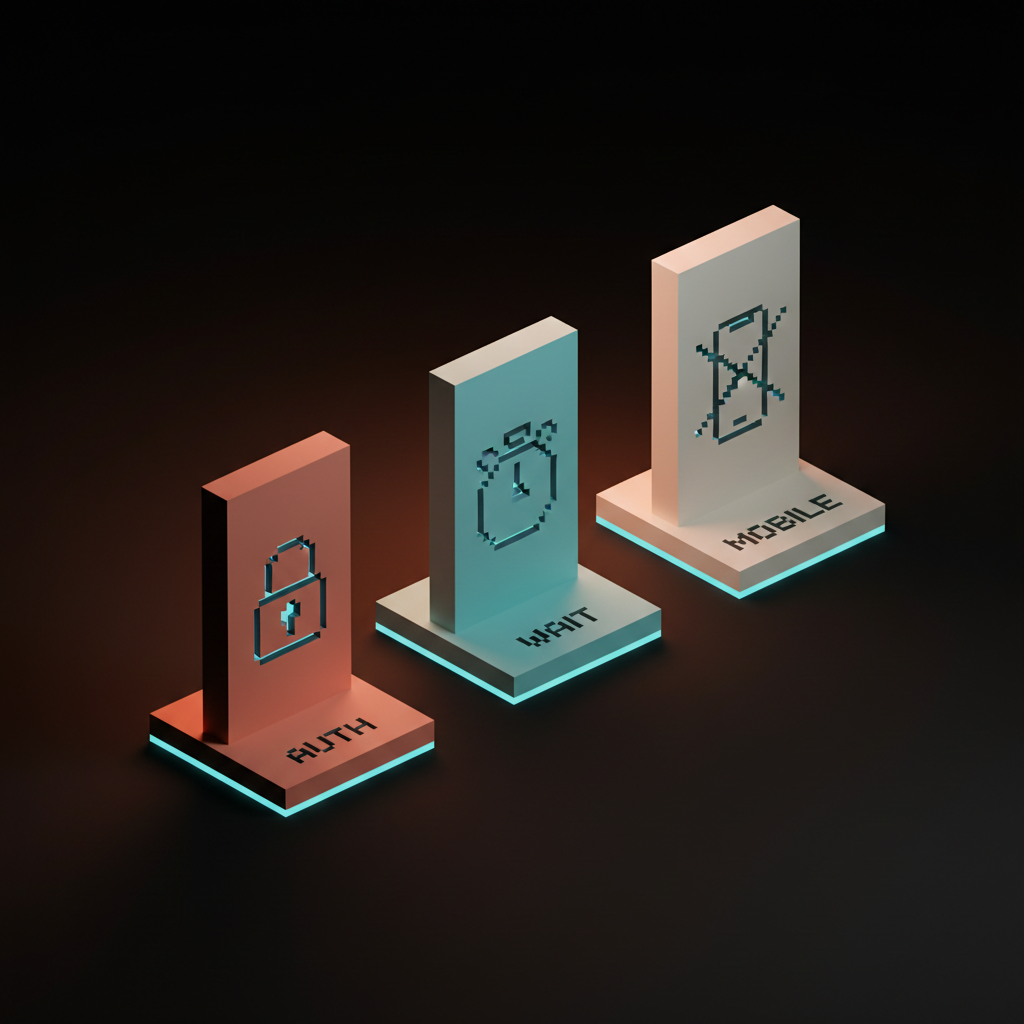
First. The auth-handwave demo. The presenter shows a server connected to a customer's CRM, the agent answers, applause. The auth was a personal token from the demo account. Pointing the same setup at a multi-tenant production system means rebuilding auth with scoped credentials, OAuth flows, and tenant isolation. Fix: pick the auth model before you ship the server, not after.
Second. The local-only demo. Everything works on the presenter's laptop because the server runs stdio with the local filesystem and a personal database. None of it ships to a team that needs HTTP plus SSE and shared credentials. Fix: prototype on stdio, ship on HTTP plus SSE behind your auth gateway, and test the deploy story before the team trusts it.
Third. The single-server demo. The agent uses one server beautifully, the presenter pretends multi-server orchestration is just another config line. In production, the second and third servers introduce latency, auth conflicts, and prompt confusion. Fix: design the server set as a system, not a list. Document the boundaries.
The role-based first move
Each role on the team has a different first move with MCP. The work is unevenly distributed.
| Role | First move | Why |
|---|---|---|
| Designer | Wire Figma plus Notion plus tokens into Claude Code as three MCP servers | The design system finally behaves as one workspace |
| Frontend developer | Ship an MCP server for the team's internal admin or tooling app | Most internal tools are a few hundred lines from being agent-ready |
| Backend developer | Build an MCP server for your service's API with scoped auth from day one | Auth is the place MCP demos break in production |
| Founder | Pick one internal workflow that gets blocked on context, ship the MCP server for it | Narrow MCP wins compound, broad MCP rollouts stall |
The pattern. Designers and frontend developers carry workspace assembly. Backend developers carry the server contract and the auth model. Founders pick the lane.
FAQ
What is Model Context Protocol?
MCP is an open protocol that lets any AI client talk to any tool or data source through a standard server. The server exposes resources, tools, and prompts. The client speaks JSON-RPC over stdio, HTTP plus SSE, or WebSockets. Anthropic published the spec in late 2024, and by mid-2026 it is the de facto agent-tool integration standard.
Is MCP just for Claude?
No. Cursor, Continue.dev, JetBrains AI, Zed, and OpenAI's Assistants stack all support MCP. Gemini supports it through the Gemini API. Anthropic published the protocol but does not own it.
Do I need to write my own MCP server?
Probably not for the canonical tools. Figma, Linear, Notion, GitHub, Slack, Stripe, Postgres, Filesystem, and Browserbase all ship official or canonical servers. You will write your own for internal tools, custom databases, and proprietary APIs. Most internal MCP servers are a few hundred lines of code plus an auth model.
How is MCP different from tool use?
Tool use is the model-side capability of calling functions with structured input and output. MCP is the protocol that defines how tools are discovered, described, and invoked across any client. Tool use is the engine. MCP is the wiring. The computer use agents primer covers the third leg, when there is no clean API to call.
When does MCP not make sense?
When you have one tool, one client, and a hardcoded integration that already works. The win is in the multi-tool, multi-client world. For one agent and one API, plain tool use is fine.
The shift MCP actually unlocks
MCP is not a smarter agent. It is the protocol that finally let agents share a workspace, and the products that treat that workspace as their core surface will win the next round.
Most teams still treat AI integrations as a feature bolted onto a product. The teams pulling ahead treat the AI client plus a set of MCP servers as the workspace, and the product is what shows up at the edges. The first ships another chat tab. The second ships a tool the team actually uses. The same shift shows up in the AI code editor comparison and the Claude 4.7 for builders teardown.
If your stack has no MCP story this quarter, the agents your customers use will skip you. If it does, those agents start treating your product like a teammate. Pick the workflow. Ship the server. Wire the workspace.
If you want help wiring MCP into your team's tools without losing a quarter on the auth model, or shipping an internal MCP server stack that holds in production, hire Brainy. ClaudeBrainy ships Skill packs and MCP server templates. AppBrainy ships full product builds for teams that want their agents to share a real workspace, not screenshots.
Want help wiring MCP into your team's tools without losing a quarter on the auth model, or shipping an internal MCP server stack that actually holds in production? Brainy ships ClaudeBrainy as a Skill pack and MCP server templates, and AppBrainy ships full product builds for teams that want their agents to share a real workspace, not screenshots.
Get StartedGet new papers by email
New Brainy papers in your inbox. Confirm once, unsubscribe anytime.