The Logo Animation Guide: When to Move, How to Move, and What to Cut
A working guide to logo animation. The four motion modes every brand needs, the six animation patterns that survive at every size, and the brief that gets you a usable animated logo in two rounds, not seven.
The Logo Animation Guide: When to Move, How to Move, and What to Cut
Animated logos are infrastructure, not entertainment
A logo animation is the moving version of a static mark, and its job is not to impress, it is to identify, transition, and load. The second you treat it as entertainment, you start building something that works on a showreel and fails on a product page.
Most animated logos shipped today are too long, too cinematic, and built for a context that does not exist in production. The brands that get it right ship a motion system: a small set of animation modes with shared timing, shared easing, and a still frame that every version can collapse to when motion is not allowed.
The four motion modes every brand needs
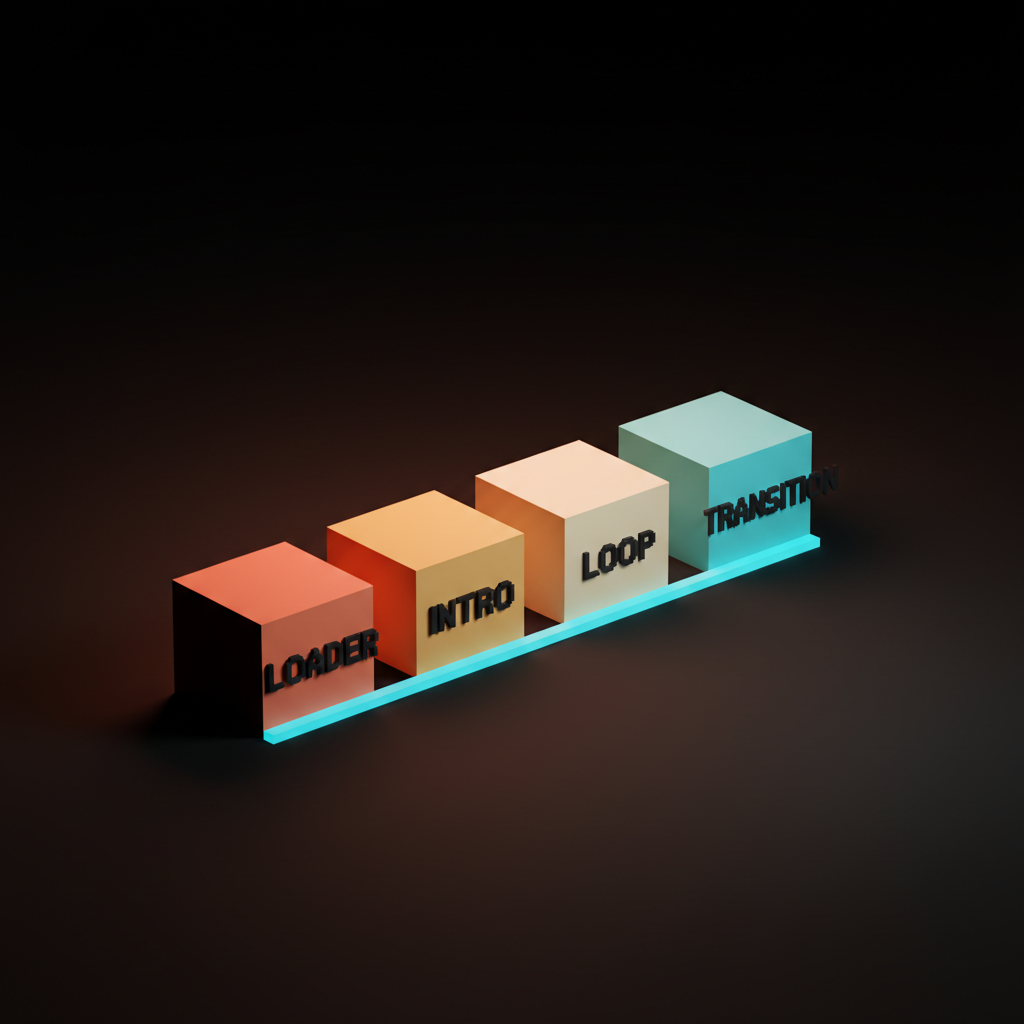
Loader, intro, loop, and transition. Most animated logos are one of these four, and the brands that ship a system instead of a hero clip cover all four with one motion language.
| Mode | Duration | Use Case | Loop? |
|---|---|---|---|
| Loader | 1-2s | App loading states, progress indicators | Yes |
| Intro | 2-4s | Video openers, product launch sequences | No |
| Loop | Indefinite | Web backgrounds, ambient brand presence | Yes |
| Transition | 0.5-1.5s | Between scenes, between product states | Situational |
Each mode has its own length budget and render environment. A loader that runs inside a React app has to be Lottie-ready and lightweight. An intro that opens a product launch video can afford a little drama. Defining these four before any animation starts is how you avoid the 12-second cinematic that nobody asked for.
Loaders are the workhorses
The loader is the animation users see most, and it has to be short, looping, and cheap to render, because it ships inside an app that has bigger problems than your brand. Stripe's animated mark is the canonical reference: simple geometry, sub-two-second loop, works at 24px. No one at Stripe is trying to win an award with it. It just works.
A loader needs one thing: it has to read at small sizes. If your logo does not simplify to a geometric mark or a strong letterform, the loader is where you find out. Most logos that fail at small sizes in animation fail at small sizes in print too, and fixing the mark is the real answer.
Keep it under 2 seconds. Keep the Lottie file under 50KB. Test it at 24px and 48px before you test it at anything bigger.
Intros are the cinematic version, used sparingly
The intro is the three-second open you put on videos and product launches, and it is the only place where a little theater is allowed. Apple Music's intro stinger is a good reference: confident, timed to a sonic moment, and done before you notice it started.
Three seconds is the ceiling. If your intro runs past that, you are burning viewer patience on brand, and that is a bad trade. The intro earns its time by landing on the still frame cleanly, by hitting a sonic beat if your brand has one, and by not asking the viewer to decode anything.
Loops are ambient brand
A loop sits in the corner of a webpage or the end of a reel, and its job is to stay alive without demanding attention. Linear's animated mark is a good example: a simple rotation with the right easing that reads as alive without reading as busy. Mailchimp's wordmark bounce loops with enough personality to read as brand without becoming an annoyance.
The failure mode for loops is being too interesting. A loop that demands eye contact every cycle is a loop that wears out its welcome inside ten seconds. Test it on a populated page with real content around it. If your eye keeps going back to the logo corner instead of the content, the loop is too aggressive.
Loop animations must be seamless. The frame-zero-to-last-frame transition is where most loops break, and that break shows most in slow-tempo ambient loops where the eye has time to notice the seam.
Transitions are the connective tissue
A transition animation moves the logo between states, between scenes, or between products, and it is where the strongest motion systems live. Vercel's triangle build and Loom's intro are transition-adjacent: they connect an identity moment to a content moment without a hard cut.
Transitions are also the hardest mode to design because they depend on what they connect to. A transition that works between a dark product screen and a white splash screen may fail when the sequence reverses. Design transitions in both directions and in both color modes before you call them done.
Most brands never build transitions and rely on hard cuts instead. That is fine until the product gets complex enough that hard cuts read as unfinished. Transitions are the sign a motion system has matured.
The six animation patterns that survive at every size
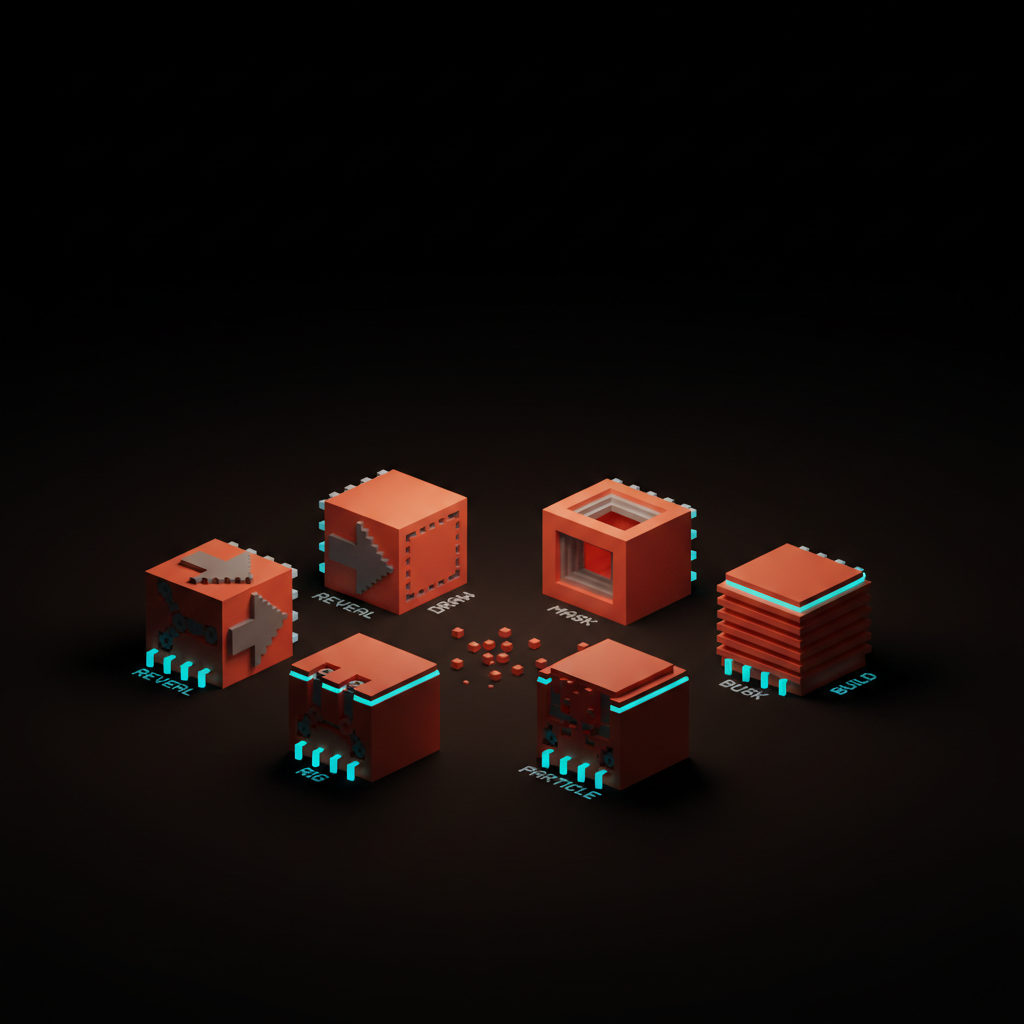
Reveal, draw, mask, rig, particle, and build. Every animated logo shipping today is some combination of these six, and most projects only need two or three.
| Pattern | Best For | Fails On | Complexity |
|---|---|---|---|
| Reveal | Any mark | Nothing; it is the universal pattern | Low |
| Draw | Line geometry, icon marks | Solid filled wordmarks | Low-Medium |
| Mask | Wordmarks, complex marks | Simple single-element icons | Medium |
| Rig | Character marks, multi-part logos | Simple flat geometric marks | High |
| Particle | Premium brand moments, large-screen intros | Small sizes, loaders | High |
| Build | Multi-element lockups, stacked marks | Single-element marks | Medium-High |
Choose your pattern based on the mark's geometry, not on what looks impressive in a portfolio. A draw animation on a solid wordmark looks like a render error. A rig on a flat geometric mark costs three times what the result earns.
Reveal animations earn the entrance
A reveal is the simplest pattern: the logo enters and settles, and the entire craft is in the easing curve and the moment it stops. Slack's reveal is a solid reference. The mark fades and scales into position with an ease-out curve that reads as intentional, not default. It works at every size, in every context, and costs almost nothing to produce.
The failure mode for reveals is using linear easing or default ease. Default ease curves feel mechanical. A custom ease-out with a gentle overshoot reads as alive. The difference is two Bezier control points, and it is the difference between a reveal that feels designed and one that feels exported from a template.
Draw animations show the construction
A draw animation traces the logo's strokes in sequence, and it works for marks with strong line geometry and dies on top of solid filled wordmarks. The pattern shows how the mark was made, and that only works when the mark was built from strokes worth showing.
Tempo matters more in draw animations than in any other pattern. Too fast reads as a glitch. Too slow reads as a tutorial. The sweet spot is the speed at which the stroke feels purposeful, not performed.
Before briefing a draw animation, check whether your mark has live strokes or is built on filled shapes. Filled shapes can be simulated with a stroke overlay, but the result usually reads as fake. If the mark is all solid fills, use a mask instead.
Mask animations are the editorial move
A mask animation reveals the logo through a moving aperture, and it is the cleanest pattern for wordmarks that cannot be drawn. The aperture can wipe horizontally, expand from center, or iris open, and in each case the effect is clean regardless of how the mark was originally constructed.
Mask animations are format-agnostic. They work equally well in Lottie, WebM, and video because the complexity lives in the mask shape's path, not in the mark's vector structure. This makes them the most portable pattern in production.
The failure mode is a slow wipe. A mask that reveals the mark over more than one second feels like a slide transition. Keep the aperture fast and give the easing most of the personality budget.
Rigs, particles, and builds are the heavy patterns
Rigs, particles, and builds are the patterns that need dedicated motion artists, and they only earn their cost when the brand has the budget and the surface to use them. A rig works on character marks or marks with multiple jointed parts. Particles work at large scale and in premium brand moments. Builds work for multi-element lockups where the assembly sequence tells a brand story.
None of these three belong in a loader. They belong in intros, brand films, and product launch sequences. The reason most over-engineered animated logos exist is that a client briefed a heavy pattern without a heavy enough use case to justify it.
Budget for the heavy patterns only after the loader and reveal are working. Those two cover 90 percent of production use. The heavy patterns are the layer on top, not the foundation.
Want a motion ID that ships as a system instead of a single hero clip? Hire Brainy to design an animated logo system that runs as Lottie, WebM, and MP4 with a still-frame anchor and a tempo guide motion artists can actually follow.
The still frame is the most important frame
Every animated logo has to land on a frame that works as the static logo, and that frame is what ships into screenshots, thumbnails, and social previews. An animated logo that lands wrong on its still frame is half a logo, no matter how clean the motion.
The still frame is also the frame that survives format failures. When the Lottie does not load, when video autoplay is blocked, when the GIF fails on a slow connection, the still frame is what the user sees. If it looks broken at rest, all the motion upstream is wasted.
Design the still frame before you design the animation. The animation should arrive at that frame, not incidentally end on it. Every loop should start and end on it. Every reveal should settle on it. Every intro should close on it.
Tempo, easing, and length are the three dials
Tempo, easing, and length determine whether an animation feels like a brand or a demo. Most bad animated logos are bad because one of these three is off.
Tempo is how fast the animation moves at its fastest moment. Too fast reads as nervous. Too slow reads as self-important. The right tempo matches the brand's character, not what looks impressive on a 27-inch monitor.
Easing is the acceleration curve. Default ease is the lazy answer. A brand that moves with a custom ease-out reads as designed. A brand that moves with a spring ease reads as playful. Match the easing character to the brand personality the same way you match the typeface to the brand voice.
Length is the hardest dial to get right because everyone wants more time. Loaders: under 2 seconds. Reveals: under 1.5 seconds. Intros: under 3 seconds. Transitions: under 1 second. If the animation needs more time than that to communicate something, the mark is not doing enough work on its own.
Format and delivery decide where it can ship
An animated logo that ships only as an MP4 is half-built. The deliverables that matter are Lottie, WebM, MP4, and the still hero frame as a transparent PNG.
| Format | Use Case | Pros | Cons |
|---|---|---|---|
| Lottie (JSON) | Apps, web, interactive | Tiny file, scalable, programmable | Requires After Effects pipeline |
| WebM | Web video, browser autoplay | Transparent background, broad support | Gaps in older Safari |
| MP4 | Video production, social | Universal compatibility | No transparency, larger files |
| SVG + CSS | Simple web animations | Pure code, no binary assets | Limited to CSS-animatable properties |
| GIF | Email, Slack, legacy contexts | Universal fallback | Poor quality, large files, no alpha |
The still hero frame should be a PNG with transparency at 2x. It is the fallback every engineer reaches for when the animation does not load, and if it is not in the delivery package, it gets screenshotted from a video and dropped as a compressed JPEG. Do not let that happen.
The one-page motion brief
Hand a motion artist this brief and you will get a usable animation in two rounds instead of seven. Fill in every field before the first call.
Motion Brief: [Brand Name] Animated Logo
| Field | Input |
|---|---|
| Brand name | |
| Static logo file | (link to final vector, all variants) |
| Modes required | Loader / Intro / Loop / Transition |
| Pattern preference | Reveal / Draw / Mask / Rig / Particle / Build |
| Max length: Loader | __ seconds |
| Max length: Intro | __ seconds |
| Max length: Loop | __ seconds |
| Max length: Transition | __ seconds |
| Tempo character | Fast / Medium / Slow + reference brand |
| Easing character | Mechanical / Smooth / Springy / Custom + reference clip |
| Still frame description | (how the logo should look at full rest) |
| Color modes required | Light / Dark / Single-color / All three |
| Delivery formats required | Lottie / WebM / MP4 / GIF / SVG+CSS / Still PNG |
| Canvas sizes required | (e.g., 400x400 for loader, 1920x1080 for intro) |
| Sonic pairing | Yes / No + reference clip if yes |
| Reference animations | (link 2-3 clips that nail the feel) |
| What to avoid | (specific patterns, speeds, or feels that are off-brand) |
| Agreed review rounds | 2 |
Three things that save rounds: fill in the reference animations field with real examples, define what to avoid with the same specificity as what you want, and agree on the still frame description in writing before a single frame is built.
FAQ
How long should a logo animation be?
It depends on the mode. Loaders should loop in under 2 seconds. Reveals should settle in under 1.5 seconds. Intros can run up to 3 seconds. Transitions should complete in under 1 second. The most common mistake is briefing a single length for all modes and ending up with a 3-second loader that feels like a full production.
Do I need a Lottie file or is MP4 enough?
You need both. MP4 is for video production and social. Lottie is for apps and web, where you need a transparent background, small file size, and programmatic control. If your developer is building anything in React, Next.js, or native mobile, they need Lottie. MP4-only delivery is a signal that the motion artist has not shipped a production animation before.
Can I animate any logo or do I need to redesign first?
Some logos animate poorly because they were designed poorly, and animation exposes every structural weakness the static version hides. A logo with fine detail, stacked gradients, or no strong geometric read at small sizes will fight you through every animation pattern. If your logo needs to work at 24px as a loader, it needs to simplify to a strong single mark first. That is a responsive logo system problem, and fixing it before you animate saves you from spending money animating the wrong version.
What does a good animated logo cost?
A loader and reveal in Lottie plus WebM from a skilled motion designer: $800 to $2,500 depending on complexity and rounds. A full four-mode system with all formats and a tempo guide: $3,000 to $8,000. Anything involving rigs, particles, or a sonic pairing sits above that. If someone is quoting $150 for a logo animation, they are selling you a template with your colors dropped in.
Should the animated logo sync to a sonic brand moment?
Only if you have a sonic brand. If you have a defined sonic brand identity with a brand sound or stinger, the animated intro should sync to it. If you do not have a sonic brand yet, animate for silence first. Most brand animations play on muted devices anyway, and designing for silence first means the animation works on its own.
How do I brief the easing curve without knowing motion terminology?
Reference clips are the fastest path. Find two or three animations that feel right and link them in the brief. Then describe what they share: "springy and a bit playful," "mechanical with a hard stop," "smooth and confident." Easing vocabulary is imprecise; reference clips are not. If you want to get specific, use cubic-bezier notation and test it at the actual animation duration before sending it to the artist.
What is a Lottie file and why does my developer want it?
Lottie is an open-source animation format that encodes After Effects animations as JSON. The file is small (typically 5-50KB), scales to any resolution without quality loss, and can be controlled programmatically: played, paused, and scrubbed from code. It is the standard for app and web logo animations because it is the only format that handles transparency, scalability, and interactivity in one package.
The animated logo as system, not asset
The brands that win on motion treat the animated logo as a system with rules, not a single hero file. A system has four modes, a shared motion language, a defined still frame, and delivery specs that cover every production environment. A single hero file is a showreel entry that works in one context and fails in ten.
If your brand identity guidelines do not include a motion section, that section is missing. The same rules that govern your brand color palette and typeface should govern how your logo moves: defined values, documented rationale, and a spec that any motion artist can execute without a discovery call.
Build the system. Ship the still frame. Get the easing right. The rest is production.
Want a motion ID that ships as a system? Hire Brainy to design an animated logo system built for production: Lottie, WebM, MP4, a clean still-frame anchor, and a tempo guide that gives motion artists something to actually work from.
Want a motion ID that ships as a system instead of a single hero clip? Brainy designs animated logo systems that run as Lottie, WebM, and MP4 with a still-frame anchor and a tempo guide motion artists can actually follow.
Get StartedGet new papers by email
New Brainy papers in your inbox. Confirm once, unsubscribe anytime.