

I Built an Interactive Website Hero in Figma That Reacts to Your Cursor. Here Is the Process.
A step-by-step build: generate a cinematic scene with the Higgsfield Figma plugin, turn it into a cursor-reactive parallax hero, and ship it. Copy-paste prompts inside.
I Built an Interactive Website Hero in Figma That Reacts to Your Cursor. Here Is the Process.
Most "AI in your design workflow" demos stop at a static image. This one moves. An interactive website hero, a cinematic sci-fi vista that tilts toward your cursor, built in Figma without a single 3D file or a line of shader code.
Every asset came out of the Higgsfield plugin, inside the canvas I already work in every day. No render farm, no game engine, no handoff to a developer.
Here is the finished hero. The loader calibrates, the scene reveals, then it reacts to the cursor in every direction.
The whole thing is four moves, and the prompts are below, ready to copy:
- Generate the base scene with the Higgsfield plugin.
- Build the page UI over it.
- Generate the four orbit clips and pull their frames.
- Hand it all to Figma Make and let it wire the interaction.
None of it needs After Effects, a 3D app, or an engineer. It is one plugin, the Figma canvas, and Figma Make.
Step 1: Generate the base scene
Open the Higgsfield plugin inside Figma, switch to Image, and generate one cinematic establishing shot with Nano Banana Pro. The trick is to ask for clear depth, with foreground, midground, and background as distinct planes, because that separation is what makes the parallax read later.
Paint, not photo. Generate a few variations and keep the one with the cleanest separation between planes, then drop it straight onto the canvas.
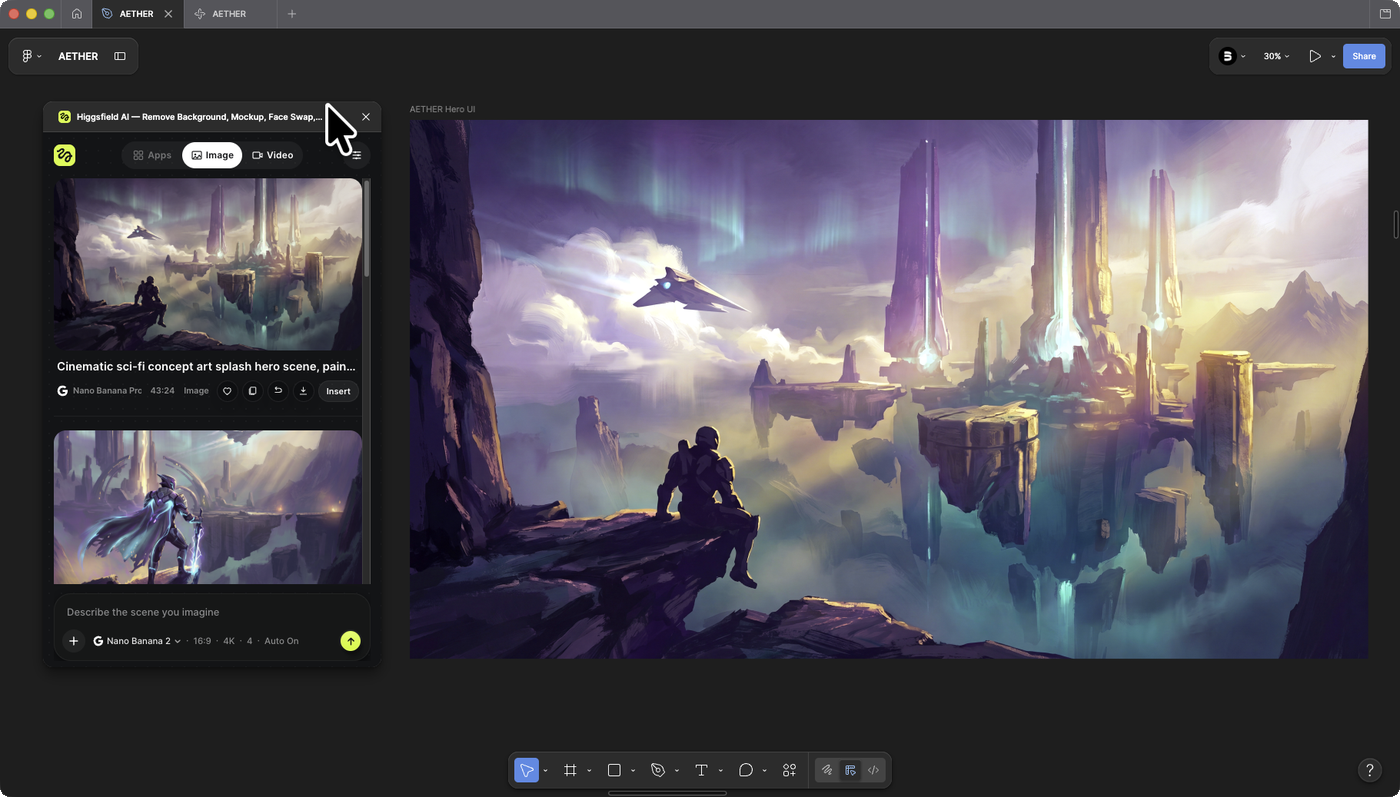
Soft hand-painted sci-fi concept art, cinematic and atmospheric. A lone armored hero on a dark rocky cliff in the near foreground, gazing out over a vast misty valley of floating islands and tall glowing spires fading into an aurora sky. Strong depth built from clearly separated planes: dark foreground cliff and hero, floating rocks in the midground, distant spires far behind, soft atmospheric haze between each layer. Moody purples and teals with warm light. Simple and clean, not busy, painterly brushwork, epic scale.
Step 2: Build the page UI
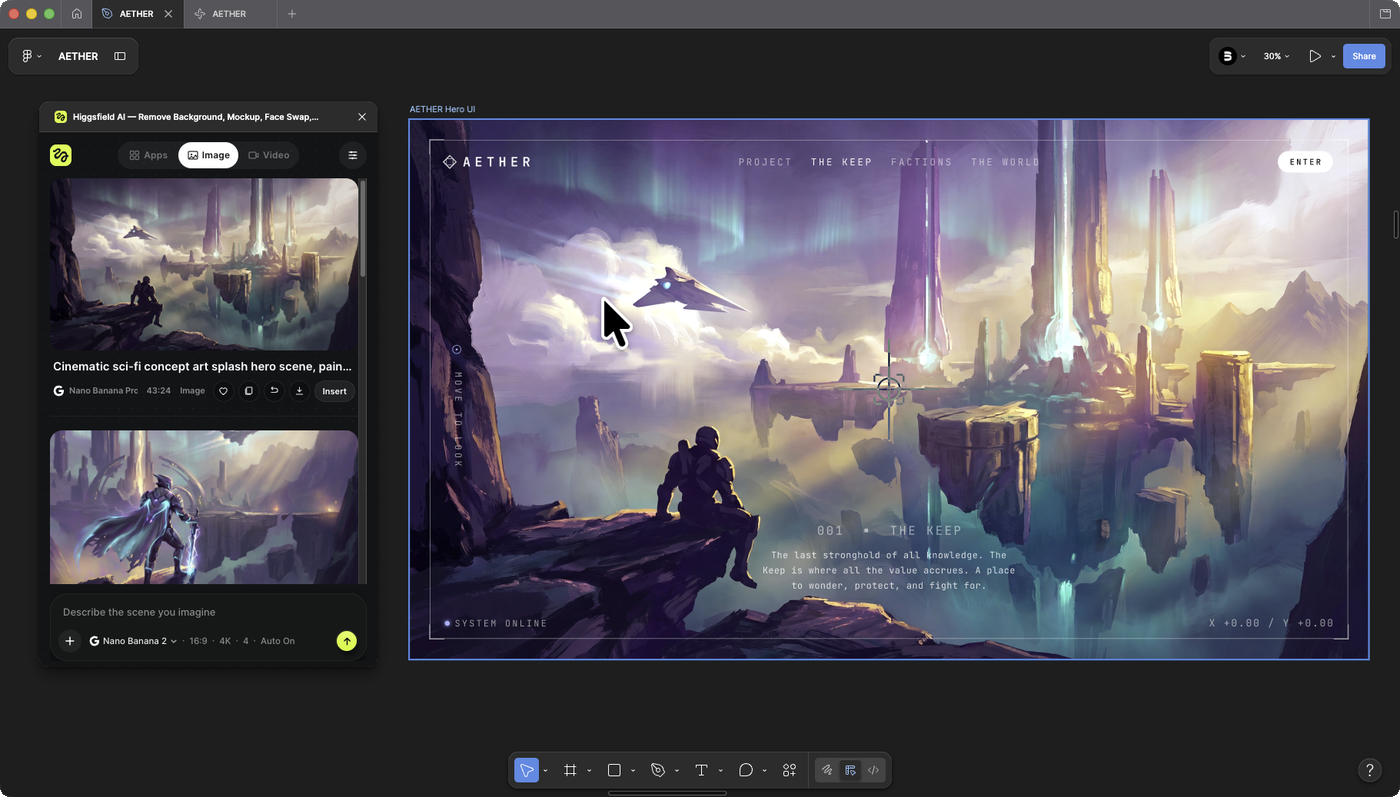
A hero is not just a picture, it is a page. You can design the interface by hand in Figma, or describe it and let Figma Make draw it for you. Either way, the page needs:
- A wordmark logo and a top nav.
- A headline with one line of supporting text.
- A primary and a secondary button.
- The small HUD details, labels, a reticle, a status line, that make it feel like a live product.
Keep every label in one type system so the chrome and the scene read as a single world, not a picture with text stuck on it.
Step 3: Generate the orbit clips and pull the frames
Switch the plugin to Video and generate the scene from four nudged camera positions: up, down, left, right, on Kling 3.0. The word that matters here is orbit, not tilt.
Tilt rotates the camera in place and gives you almost no parallax. Orbit moves the camera through space, so the near cliff swings far while the distant spires barely move. That difference is the entire illusion.
Keep the angle small, around 12 degrees, run one move per clip, and lock the shot so nothing wobbles.
Higgsfield drops each clip onto the canvas as a video layer, not as stills, so the last bit of this step is turning each clip into frames:
- Export the clip and pull its frames with whatever you already use, a frame-extraction tool or your video editor.
- Lay each direction's frames into Figma as its own set.
- Group each set into a clean component, one per direction, ready to hand off.
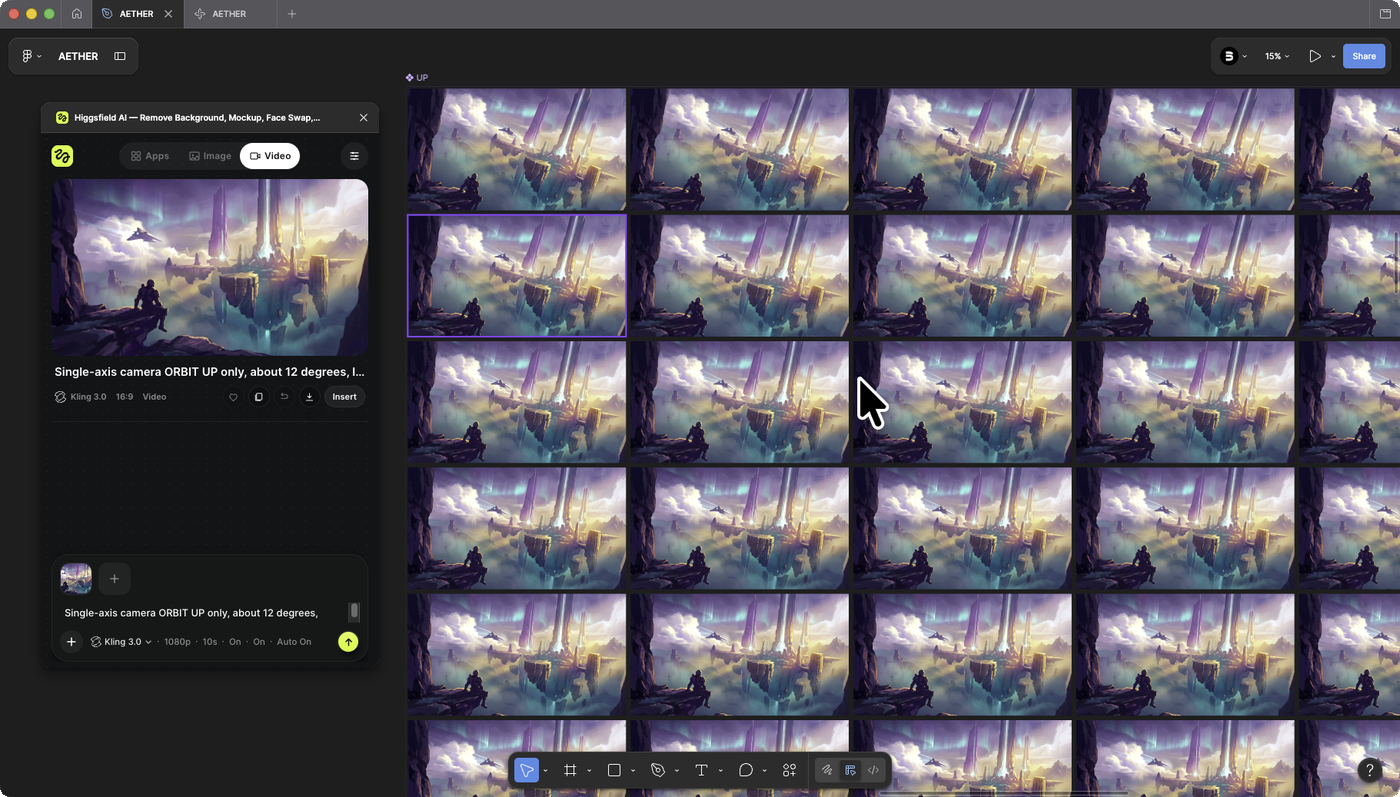
Single-axis [camera ORBIT](/paper/glossary/camera-orbit) UP only, about 12 degrees, locked-off and gimbal-smooth, no handheld, no camera shake, no wobble. Vertical axis only, no horizontal drift, no diagonal. The scene is completely frozen, nothing in it moves, only the camera. Slow, subtle, seamless. Strong parallax: near foreground shifts more than the distant background.
Step 4: Assemble it in Figma Make
Now hand Figma Make everything: the UI, the four direction sets plus a center frame, and the prompt below. It reads the cursor, shows the nearest frame, and eases the motion so it glides. It also adds the calibration loader and keeps the interface in the same world as the scene.
One prompt, one Enter, and the parallax is live in the preview. From there you nudge the wording until the motion feels right, then publish the page or hand off the code.
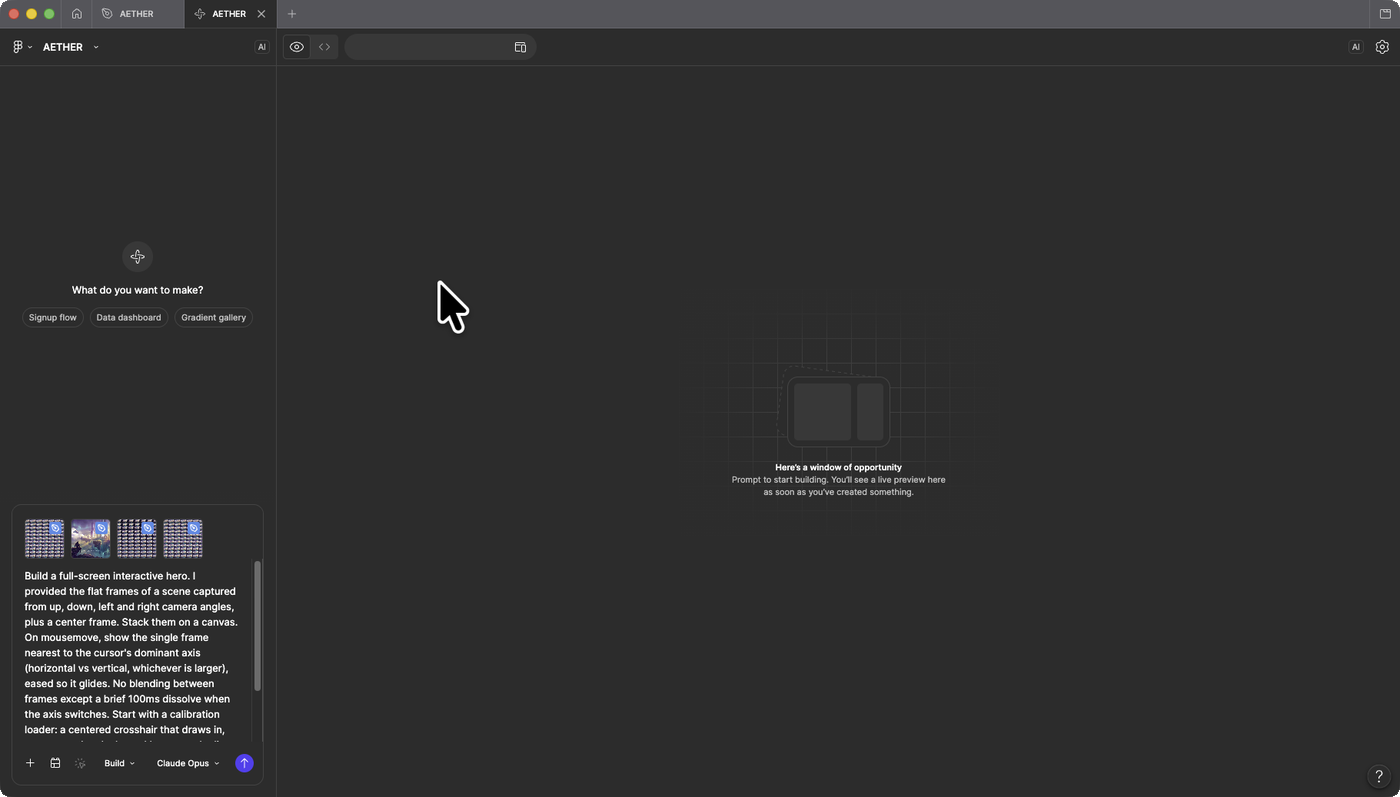
Build a full-screen interactive hero. I provided the flat frames of a scene captured from up, down, left and right camera angles, plus a center frame. Stack them on a canvas. On mousemove, show the single frame nearest to the cursor's dominant axis (horizontal vs vertical, whichever is larger), eased so it glides. No blending between frames except a brief 100ms dissolve when the axis switches. Start with a calibration loader: a centered crosshair that draws in, counts up, then locks and becomes the live cursor as the scene reveals. Over the scene, lay a full interface in the same minimal monospace HUD style: a wordmark logo top-left, a horizontal nav menu top-right, a centered headline with one line of subtext, and a primary plus a secondary button. Thin rules, small uppercase labels, so the chrome and the scene read as one system. Dark and minimal. Respect prefers-reduced-motion.
Why this matters
The point is not the spaceship. It is that a designer can now ship a motion piece that used to need a 3D artist, a render farm, and a WebGL engineer, from inside the tool they already live in.
Look at what was produced versus bought:
- The scene: generated in Higgsfield.
- The four camera angles: generated in Higgsfield.
- The frame sequence: pulled from those clips.
- The assembly: one build prompt in Figma Make.
The total cost was an afternoon and a plugin, not a production budget and three contractors. The bar for cinematic and interactive used to be a team. Now it is a prompt and a willingness to fuss over the details, which is the part designers were always good at anyway.
If you build one, tag Brainy. We want to see it.
Brainy creators get briefs, tools, and an audience of 2M+ designers. If you are building with AI like this, come build with us.
Get StartedGet new papers by email
New Brainy papers in your inbox. Confirm once, unsubscribe anytime.





