
Figma vs Framer: Which Design Tool Should You Use?
Figma hands developers a spec. Framer hands visitors a live site. The one question that decides it, the same hero built in both, a decision table for ten projects and what each tool gives the people after you.
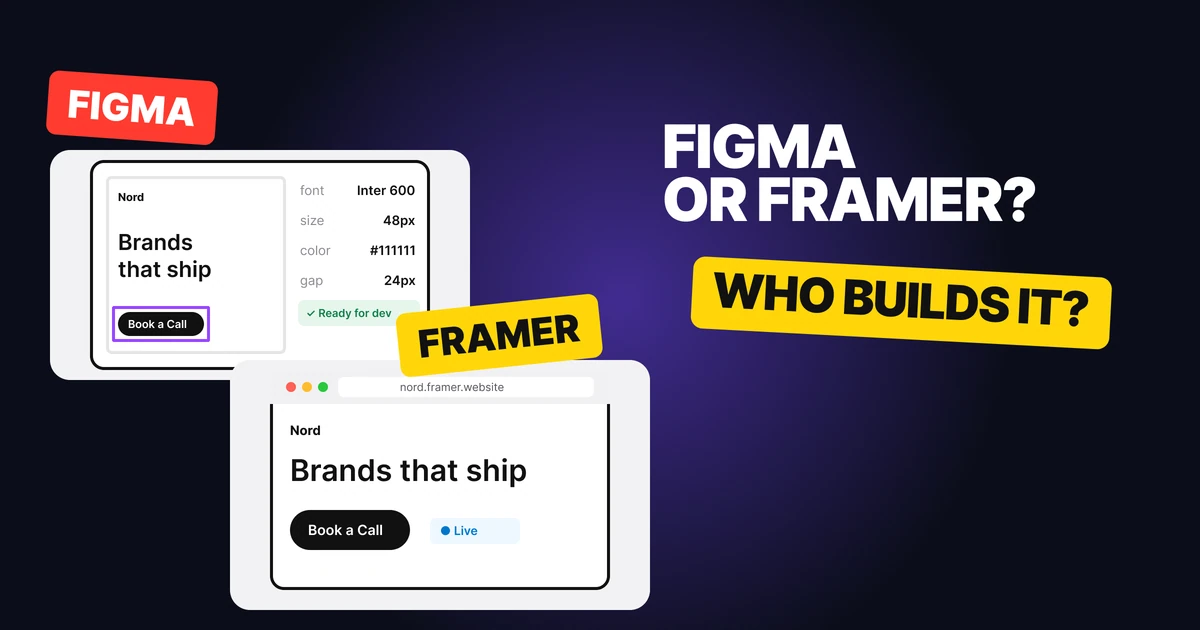
Figma and Framer both open to a blank canvas, both lay out pages in frames, and both can now put a website online. So the question gets asked as if one tool had to win. It doesn't. The answer depends on who turns the design into the finished thing, and here is the question that decides it, one hero built in both tools and a table for the projects that come up most.
The one question: who builds the finished thing?
If a developer will write it in code, the design is a plan, and the tool should make that plan easy to read. If nobody will rebuild it, the design is the product, and the tool should publish it.
That one question settles most arguments before anyone compares features. It also explains why teams that use both are not confused: their app lives in Figma because engineers build it, and their marketing site lives in Framer because the marketing team runs it.
The same hero, two results
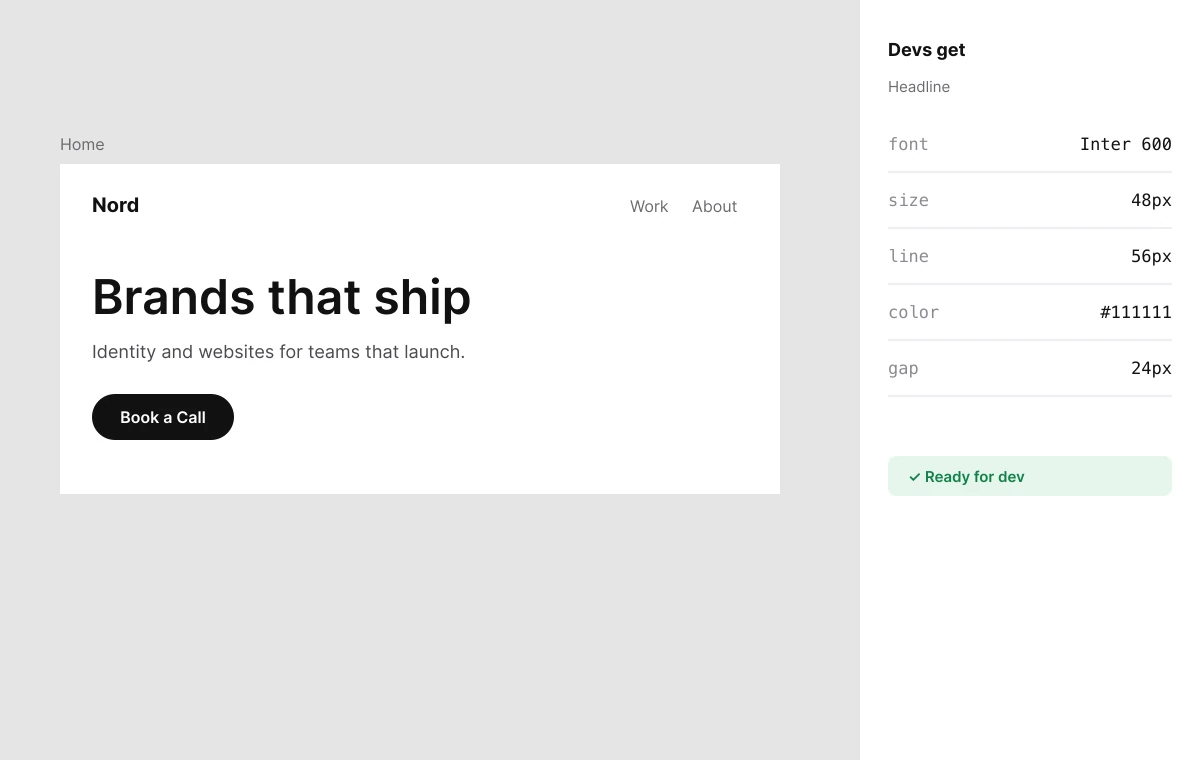
Figma: devs get specs
Framer: visitors get a live site
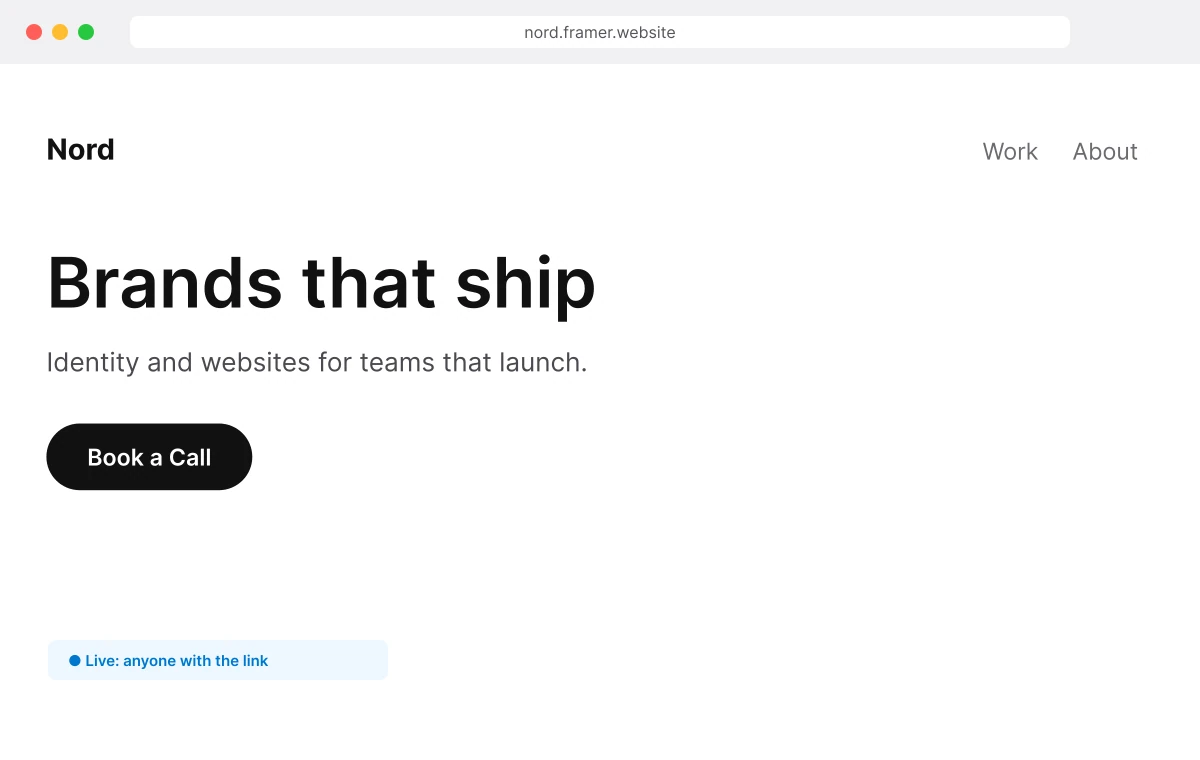
Here is one hero for Nord, a made-up studio: a headline, a line of text and a Book a Call button. On the left it sits in Figma, and the output is a list of values a developer copies into code. On the right it sits in Framer, and the output is a page anyone with the link can open.
Neither result is better. They are for different people. The Figma result is useless to a visitor, and the Framer result is not much use to a developer who has to rebuild the hero inside a React app.
Figma is right when developers will build it
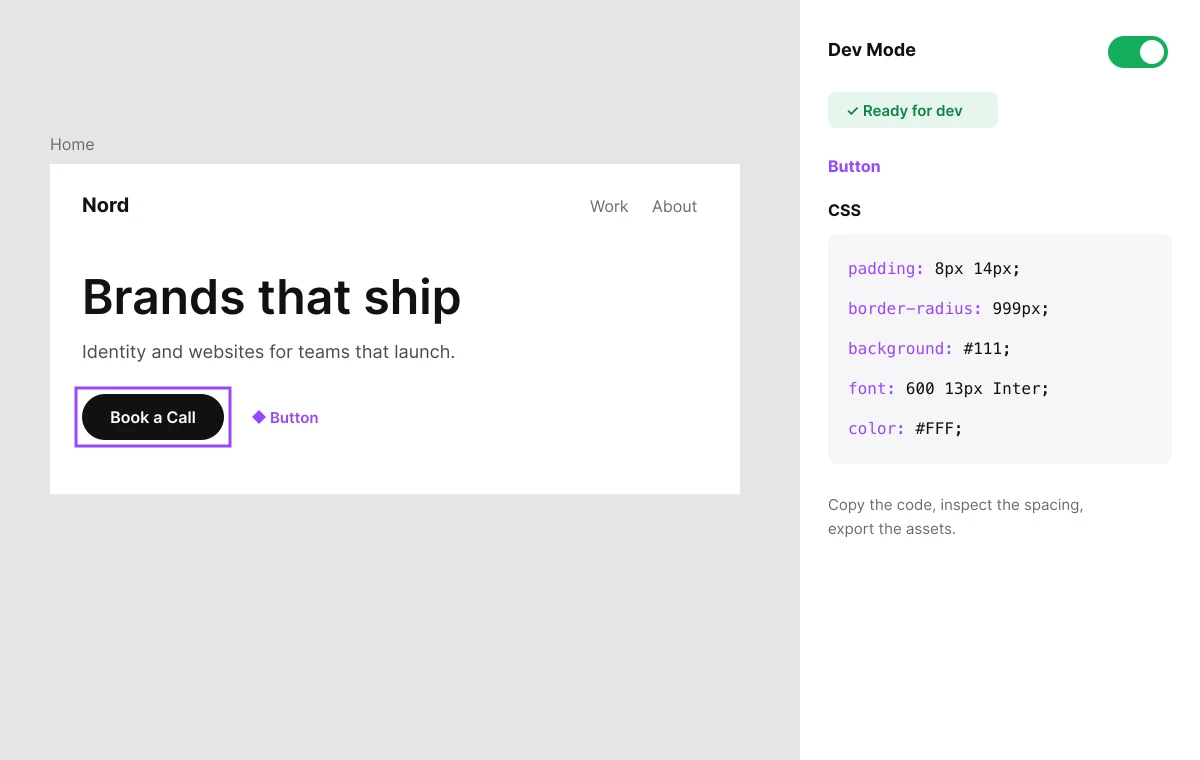
Figma is a design tool first, and its best feature for a product team is what happens after the design is done. Three signs it is the right pick:
- It is an app, not a website. Sign up flows, dashboards, settings and checkout are built by engineers, in code, with real data behind them.
- Developers will build it in code. Dev Mode shows them each layer's CSS, spacing and assets, and a frame or section marked Ready for dev tells them which screens are final.
- Many products share one library. Components and variables published as a team library show up in every file that uses them.
Where it fails: anything nobody will build. A marketing site designed in Figma still needs someone to turn it into a site, and every later change to a headline goes back through that person.
One library across every product
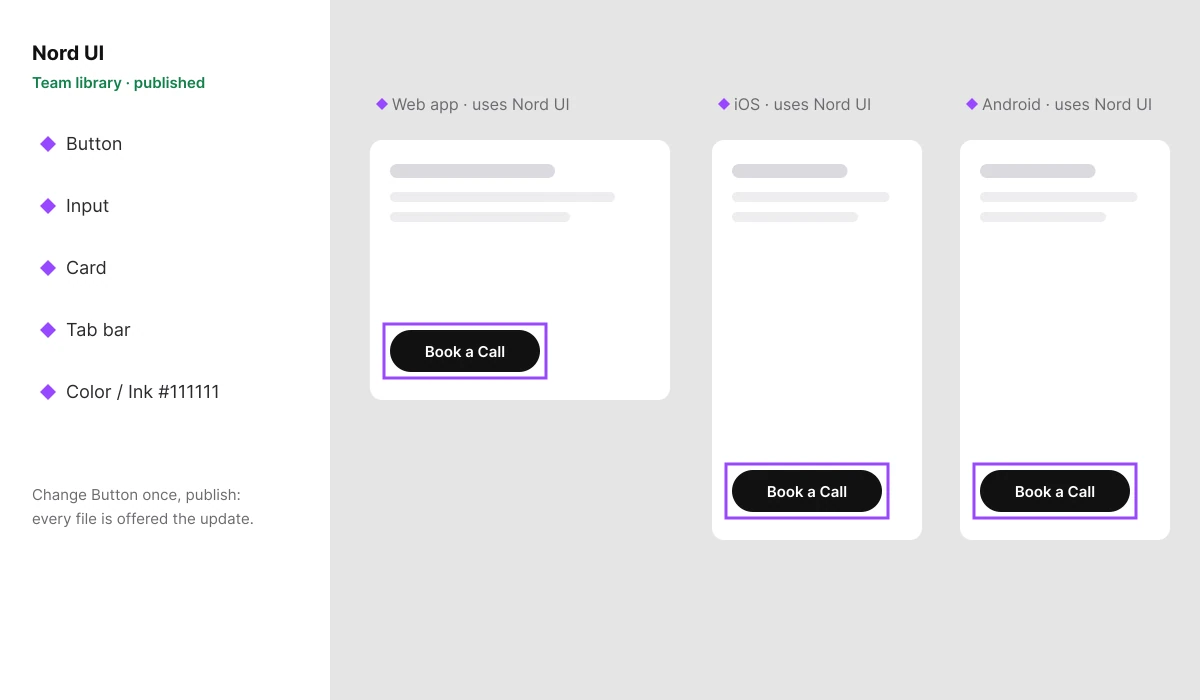
This is the part Framer does not try to do. A company with a web app and two mobile apps keeps its buttons, inputs and colors in one Figma library. Change the button once, publish, and every file that uses it is offered the update.
If your design system feeds code, it belongs where developers already read it. Our guide to Figma variables architecture shows how to set that system up so it survives production.
Framer is right when you run the site yourself
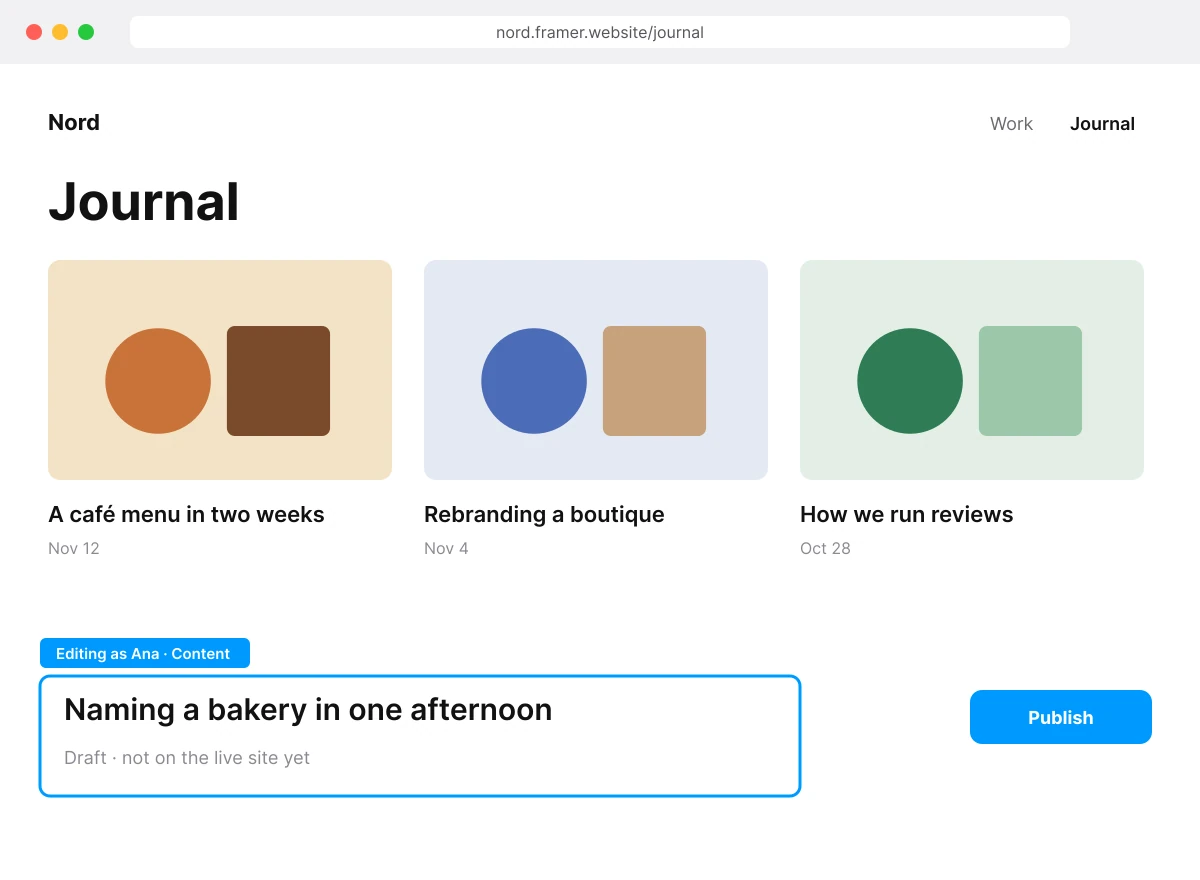
Framer designs, publishes and hosts the site, so what you build is what goes live. Three signs it is the right pick:
- It is a marketing site you run. Home page, pricing, about, careers: pages that change with the business, not with the product.
- Writers edit pages after launch. The CMS holds the blog or the journal, and content editors can change text and add posts on the page itself without opening the design canvas.
- You will A/B test the landing page. Framer runs A/B tests on its own pages, so the marketing team can try two headlines without filing a ticket.
Where it fails: product UI. An app with accounts, data and logic is still written by developers, and Framer is not built to hand them a codebase. It publishes the site itself.
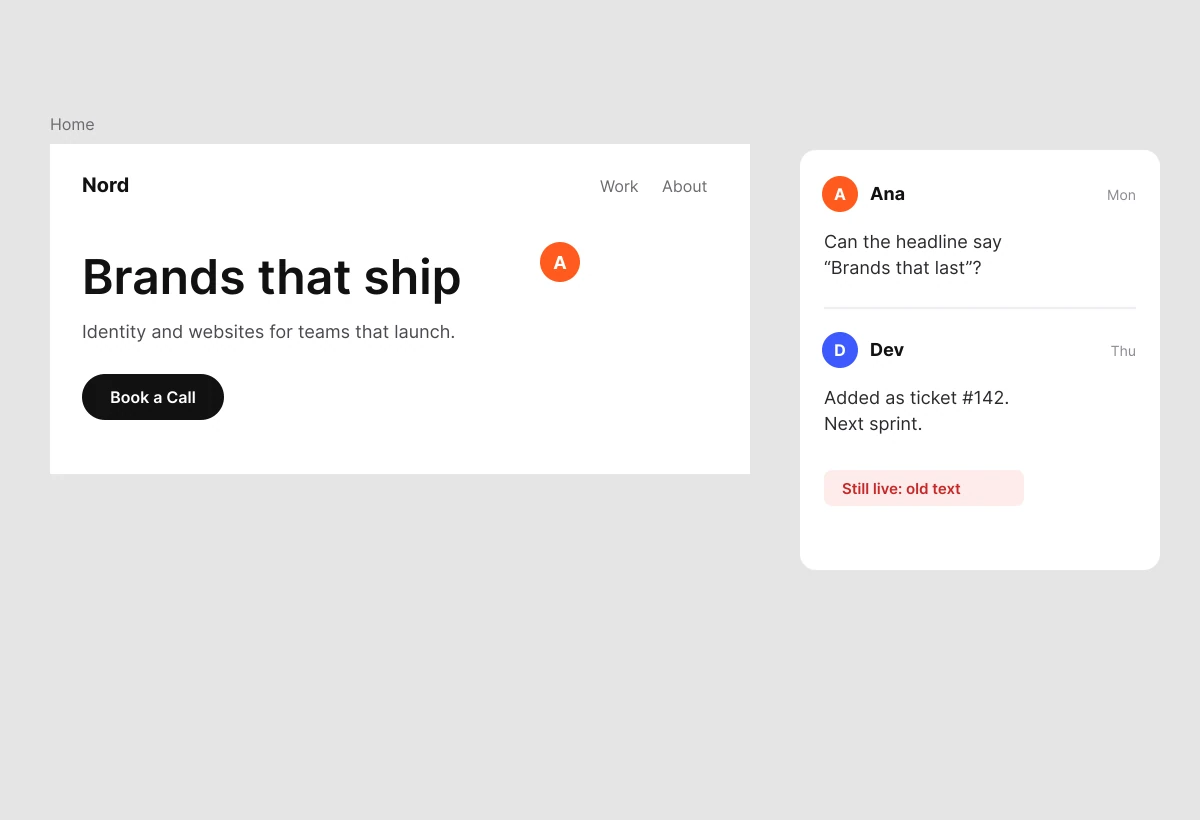
The common mix-up: a marketing site that waits on developers
Wrong: designed in Figma, run by devs
Right: built in Framer, run by the team
On the left, Ana wants one word changed in a headline. The site was designed in Figma and built by a developer, so the change becomes a ticket, waits for a sprint, and the old text stays live all week. On the right, the same team runs its site in Framer, and Ana writes and publishes a new post herself.
The reverse mix-up happens too. A product screen built in Framer gets rebuilt from scratch by engineers anyway, and the specs they needed were never written down. If you do hand Figma files over, our design handoff guide covers what to mark and what to say.
What developers get from the Figma file
The point of a Figma design is the values. For the Nord hero, this is what Dev Mode gives the developer:
| Layer | Property | Value |
|---|---|---|
| Headline | Font | Inter 600 |
| Headline | Size and line height | 48px, 56px |
| Headline | Color | #111111 |
| Headline to text | Gap | 24px |
| Button | Padding | 8px 14px |
| Button | Corner radius | 999px (a pill) |
| Button | Label | Inter 600, 13px, #FFF |
And the button as CSS, ready to paste:
.book-a-call {
  padding: 8px 14px;
  border-radius: 999px; /* any radius larger than half the height makes a pill */
  background: #111;
  font: 600 13px Inter, sans-serif;
  color: #FFF;
}
In Framer you skip this step. The values are already on the live page.
What Framer charges for the jobs above
Framer bills per site and per seat, and the parts this comparison leans on are listed on its pricing page (read November 2026):
| What you need | Framer's price |
|---|---|
| Pro plan (A/B testing is listed there as an add-on) | $30 a month |
| A content editor (CMS, translations, on-page editing) | $10 a month per editor |
| A full editor (design, content and publishing) | $20 a month per editor |
| A/B testing, funnels and triggers (Convert add-on) | $50 per 500,000 events |
Figma or Framer: a decision table
| Project | Pick | Why |
|---|---|---|
| iOS or Android app | Figma | Engineers build it in code |
| Web app or dashboard | Figma | Real data and logic, built by the dev team |
| Design system for several products | Figma | One team library, published to every file |
| Marketing site run by the marketing team | Framer | Framer publishes and hosts it |
| Blog or journal updated every week | Framer | CMS and content editors |
| Landing page you want to A/B test | Framer | Tests run without a developer |
| Portfolio or studio site | Framer | You run it, and it goes live from the canvas |
| Site in several languages run by marketing | Framer | Localization is a paid add-on |
| Marketing pages inside the product's own codebase | Figma | Developers build and ship them with the app |
| A flow you want to test before anyone writes code | Figma | Prototype it, then hand over the screens |
For a marketing site where Framer is one of several options, our Framer vs Webflow vs Next.js comparison goes deeper on the stack.
FAQ
Should I use Figma or Framer?
Use Figma when developers will build the result in code, like an app or a web product. Use Framer when you will run the site yourself and want to publish, edit and test it without a developer.
Is Framer better than Figma?
Neither is better. Figma is better at handing a design to developers and sharing one library across products. Framer is better at turning a design into a live site that your team edits after launch.
Can Framer replace Figma?
For a marketing site you run yourself, yes: many teams design and publish it in Framer alone. For an app that engineers build, no, because Framer publishes its own sites instead of handing developers specs for a codebase.
Can you publish a website from Figma?
Yes. Figma launched Figma Sites on May 7, 2025, which publishes responsive sites from Figma, and it is still marked beta. The rule above still holds, because it is about who builds and runs the result, not which tool can press publish.
Do designers use Figma and Framer together?
Often. The product is designed in Figma because engineers build it, and the marketing site is built in Framer because the marketing team runs it. One person can do both, as long as each job goes to the tool made for it.
Sources
- Guide to Dev Mode, Figma Learn: code, spacing, assets and Ready for dev.
- Publish a library, Figma Learn: components, styles and variables shared across files.
- Publish your designs on the web with Figma Sites, Figma blog, May 7, 2025.
- Framer CMS: collections, editing content on the live site and the visual content editor.
- Framer pricing, read November 2026: Pro plan, editor and content editor seats, the Convert add-on for A/B testing, localization.
- Framer updates: A/B tests and funnels in Convert.
- The studio Nord, its journal posts and the teammate Ana are invented for the demo.
- First published as a carousel on UX Brainy.