

Designing Agent Memory: The 2026 Designer's Handbook
Agent memory is the new AI design surface no one teaches. Build memory features users actually trust with 4 types, 5 trust principles, plus a workshop.
Your AI product remembers things now. You did not design that part, did you.
Most teams shipped memory in 2025 and 2026 the same way they shipped notifications in 2012, by turning it on, watching users get angry, and patching the worst complaints. That is a fine way to make a forgettable product. It is a terrible way to make one users actually trust with their work, their preferences, and the small embarrassing facts that make an agent feel like it knows them.
This is the designer's handbook for agent memory. Read it once, then go fix your product.
What agent memory actually is
Agent memory is anything your product remembers about a user across sessions and uses to change its future behavior. That is the whole definition. The keyword is "uses to change," because storage without behavior change is just a database, and a database is not a design problem.
A chat history log is not memory. A list of preferences the model silently injects into every prompt is memory. A vector store of past conversations the agent searches when relevant is memory. The pinned project context in Claude or the custom instructions in a GPT, those are memory too, just with different shapes and lifetimes.
Designers should care about three properties of any memory feature. What gets stored, when it gets used, and who can see and change it. If your product is fuzzy on any of those three, your users will be too, and fuzzy users do not trust the thing they are using.
Why memory broke into mainstream UX in 2025 and 2026
Three things converged. ChatGPT shipped memory to everyone in early 2025, Claude rolled out projects with persistent context shortly after, and the cost of running long context windows finally fell enough that "just remember everything" stopped being a punchline and became a product strategy. By the end of 2025, memory was a standard checkbox on AI product launches.
The user expectation followed fast. People who use Claude, ChatGPT, Cursor, and Granola every day now expect any new AI tool to remember them. They get annoyed when it remembers wrong, and spooked when it remembers things they did not realize they had told it.
The supply of products with memory features has exploded. The supply of products with good memory design is still close to zero. That gap is the opportunity.
The four memory types every designer should know
Most teams treat memory as one undifferentiated bucket. That is the first mistake. There are four distinct types, and each one has different storage, surfacing, and trust requirements.

Preferences are the user's stated choices about how the agent should behave. Tone, format, length, language, what to skip, what to always include. These are explicit, slow-changing, and high-trust. Users want to set these once and forget them.
User facts are things about the user as a person. Name, role, company, projects they work on, tools they use, the names of their kids if they happened to mention them. These accumulate fast and feel intimate. Users want to see them, edit them, and delete the weird ones.
Work-in-progress context is everything tied to a specific job. The brand brief from yesterday, the document the user is iterating on, the data they pasted in last Tuesday. This is high value during the work and pure noise after. The design challenge is knowing when it stops being useful.
Behavior signals are inferred patterns the agent uses to predict what to do. The user always wants code in TypeScript, the user always rejects the first three logo concepts, the user is faster at 9 PM than 9 AM. These are the most useful and the most invisible, and that combination makes them the most dangerous.
The five trust principles for memory design
There are five principles. Skip any of them and your memory feature is a liability waiting to be screenshot and posted by an angry user.
Visible. Every piece of memory the agent uses must be findable in one click from the conversation. Not in settings, not in a help doc, not buried three menus deep. If the user has to ask "how does it know that," you have already lost.
Editable. Every memory entry must be editable as text and deletable in one click. No "we will use this to improve our model" doublespeak. The user wrote it, the user owns it, the user can delete it now and it is gone.
Scoped. Memory must have a declared scope. Per-conversation, per-project, per-account. A preference for terse replies in your code editor should not bleed into your therapy chatbot. Scope is the part most products get wrong, and it is the failure that destroys trust fastest.
Expirable. Memory must have a lifetime, either declared by the user or inferred by the system. Work-in-progress context should die when the work ships. Behavior signals should decay if the behavior changes. Memory that lives forever becomes a slow leak of stale data poisoning every future response.
Exportable. Users must be able to export their memory in a readable format and take it elsewhere. JSON, markdown, plain text, pick one. This is the principle that proves the others, because nothing forces clarity like having to write your memory layer down for someone else to read.
ChatGPT memory and the silent updates problem
ChatGPT memory is the most-used memory feature in the world. It is also the one that most clearly demonstrates what happens when you nail a few principles and miss the others.

The visible part is decent. There is a memory drawer, you can open it, you can see entries. The editable part works, you can delete an entry and it is gone. So far so good.
The silent updates are where it falls apart. ChatGPT writes new memory entries during normal conversation without asking, and the only signal is a tiny "Memory updated" toast that disappears in two seconds. Users routinely discover months of accumulated facts they never explicitly approved, including misread inferences and embarrassing trivia from a one-off chat. The default behavior creates surprise, and surprise is the opposite of trust.
The fix would be a small permission prompt the first ten times a memory is saved, plus a weekly digest that shows what was added since the user last checked. Neither exists. That is a design decision, not a technical limitation.
Claude memory in projects, and what it gets right
Claude's approach is the opposite of ChatGPT's. Memory in Claude lives mostly inside projects, which are user-created containers with explicit instructions and uploaded files. The user creates the project, names it, fills it with context. Memory is opt-in by construction.
This solves the scope problem cleanly. Your "Marketing Strategy" project does not contaminate your "Therapy Journal" project, because they are separate containers with separate context. The user understands the boundary because the user drew it.
The trade-off is that Claude does less for you. There is no auto-memory of your preferences across projects, so you end up repeating yourself. The newer Claude memory features are starting to bridge this gap, but the design lesson is already clear. User-drawn scopes beat system-inferred scopes for trust, even when they cost a little convenience.
Cursor rules, the .cursorrules pattern, and memory as code
Cursor uses a different model entirely. Project rules live in a file in the repo called .cursorrules or in .cursor/rules/. Developers write the rules in plain text, commit them to git, and the agent reads them on every interaction.
This is memory as code. It has every property of the trust principles for free, because text files in a repo are visible, editable, scoped, and exportable by definition. The only weak spot is expiration, which the developer has to handle by editing the file.
The lesson for non-developer products is not "ship a config file." The lesson is that memory you can read as a single document feels safer than memory you have to query through a UI. When you design a memory drawer, design the document view first, then the editor on top of it.
Granola, custom GPT instructions, and the long tail of memory shapes
Granola, the meeting notes tool, treats every notebook as its own context. The agent reads what is in the notebook to write new notes. There is no global memory of you as a user. The shape is "memory is whatever is in the room," which works because meetings are naturally bounded.
Custom GPT instructions are the oldest memory shape in the modern AI era. The creator writes a system prompt, the user picks the GPT, the prompt shapes every reply. It is brittle, it does not adapt, and it is still the most-used memory mechanism by raw count because it is dead simple and totally legible.
The pattern across all of these is that the best memory designs make the user the author of the memory. The worst make the system the author and the user the audience.

The four failure modes you must design against
Every memory feature fails in one of four ways. Name them, watch for them, kill them in design review.
The Creep. Memory accumulates faster than the user can curate it. After three months the user has 400 entries, half of them wrong or stale, and no realistic way to clean them up. Fix this with caps, decay timers, and bulk-delete tools.
The Surprise. The agent uses memory the user did not know it had, and the user feels watched. Fix this with proactive disclosure, a "why did you say that" affordance on every reply, and explicit confirmation the first time a memory is used.
The Lock-In. The user cannot leave because their memory is trapped in your product. Fix this with a one-click export to a portable format, no marketing email gating it, no support ticket required.
The Memory Hole. The agent forgets the thing the user most needs it to remember. The user repeats the same context five times and switches products. Fix this with explicit pinning, a "remember this" button that does what it says, and a memory inspector that proves the entry is there.
Pick which of these your product is closest to right now. That is your roadmap for the next quarter.
The design vocabulary for memory features
You cannot design what you cannot name. Here is the working vocabulary the best teams are converging on, with definitions you can steal.
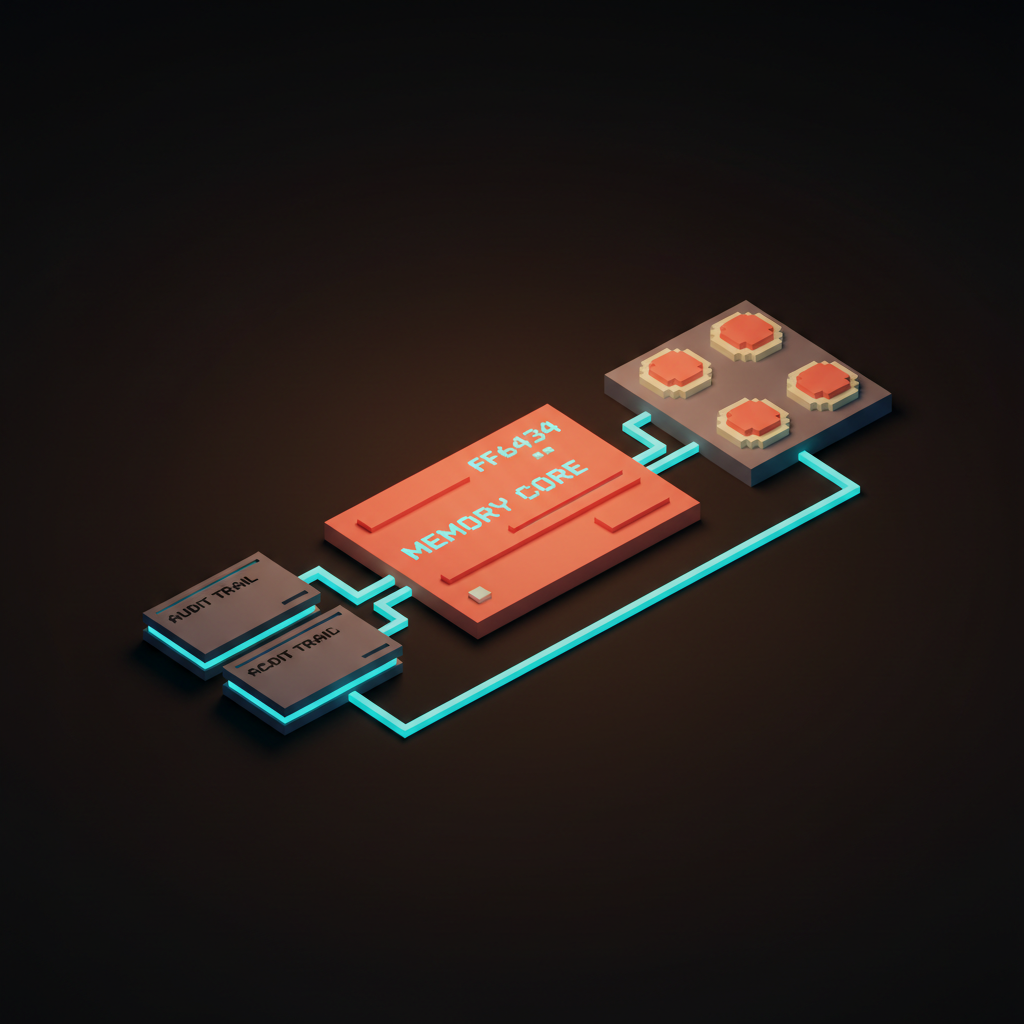
A memory card is the atomic unit of stored memory. One card, one fact or preference, one timestamp, one scope, one source. Show cards the way you show messages, with consistent affordances on every one.
A scope chip is a small pill that declares the scope of a memory or a session. "This conversation," "this project," "all of your work," "everything." Scope chips go on memory cards, on conversations, and on the agent's own replies when it cites memory.
A decay timer is a visible countdown or expiration label on a memory entry. "Expires in 14 days," "kept until project closes," "permanent." Decay timers turn the abstract idea of expiration into something the user can see and change.
An audit trail is a log of what the agent did and why, including which memories it used in each reply. Make this a one-click affordance on every message. The first product to nail audit trails for AI replies will own the trust market for the next decade.
A memory inspector is the full-screen view of all stored memory, organized by scope, filterable by source, sortable by recency. This is the single most important screen in your AI product, and most products do not have one.
A memory feature design workshop
Here is a six-step workshop you can run in an afternoon to design a memory feature from scratch. Bring a designer, a PM, and one engineer who knows the model layer.
- List the four memory types for your product. Write one sentence per type describing what your agent should remember in that bucket. If a type does not apply, kill it explicitly.
- Draw the memory inspector. Just the inspector, no other screens. What does a single memory card look like, what filters exist, what can the user delete, edit, pin, or export.
- Decide the default scope for each type. Per-conversation, per-project, or global. Defend the choice in one sentence each. If you cannot defend it, the default is wrong.
- Set the expiration policy for each type. Either a fixed duration, a tied event like "project closes," or "permanent until user deletes." No type gets to be ambiguous.
- Design the disclosure. How does the user know when memory is being saved, when it is being used, and when it is being updated. Be specific about toasts, badges, inline citations, and weekly digests.
- Write the export format. Open a text editor and write the JSON or markdown your export button will produce for a heavy user with 200 memory entries. If it reads like a database dump, redesign until it reads like notes.
That is the workshop. Run it before your first line of memory code, and run it again after launch when you discover what users actually use.
A quick comparison of where the major products stand
Here is the scorecard for the products most teams reference today. Your mileage will vary as these ship updates, but the pattern of strengths and weaknesses is stable.
| Product | Visible | Editable | Scoped | Expirable | Exportable |
|---|---|---|---|---|---|
| ChatGPT memory | Partial | Yes | Weak | No | No |
| Claude projects | Yes | Yes | Strong | Manual | Partial |
| Cursor rules | Yes | Yes | Strong | Manual | Yes |
| Granola notebooks | Yes | Yes | Strong | N/A | Partial |
| Custom GPT instructions | Yes | Yes | Strong | Manual | Yes |
The pattern is clear. The products that let the user create the container score highest on scope and exportability, and they pay for it in convenience. The products that automate memory score highest on convenience, and they pay for it in trust. There is no product yet that has truly solved both, which is why this is still a wide-open design space.
What this means for the next two to three years
Three predictions, all confident enough to bet on.
Memory inspectors become a standard product surface. Within 18 months, every serious AI product will have a dedicated memory screen, and the quality of that screen will be a top-three reason users pick one product over another. Start designing yours now.
The trust principles become regulated. Visibility, editability, and exportability of AI memory are going to show up in privacy law, probably in the EU first, probably broadly by 2028. Products that treat them as features instead of compliance work will own the high-trust segment.
Memory becomes the brand. The reason people stay with one AI product over another will stop being model quality and start being how well the product remembers them. The model is a commodity, the memory is the moat. Designers who own that moat for their products will be the most valuable people on AI teams in this cycle.
You now have the framework. Go open your product, find one memory feature that violates one of the five principles, and fix it this week.
Memory is not a settings problem. It is a relationship problem dressed up in storage. Every memory entry is a small claim your product makes about who the user is, and that claim either matches the user's self-image or grates against it.
The teams that win this cycle will staff memory like they staff search or onboarding. A dedicated owner, weekly reviews of what got stored and why, real metrics on memory accuracy and user trust. Not a side quest for a backend engineer.
If your roadmap does not have memory work on it for the next quarter, the roadmap is wrong. Open the document, add the work, assign the owner. The window to be early is closing fast.
Need a designer who actually understands AI products? Hire Brainy to design your memory layer.
Get StartedGet new papers by email
New Brainy papers in your inbox. Confirm once, unsubscribe anytime.





