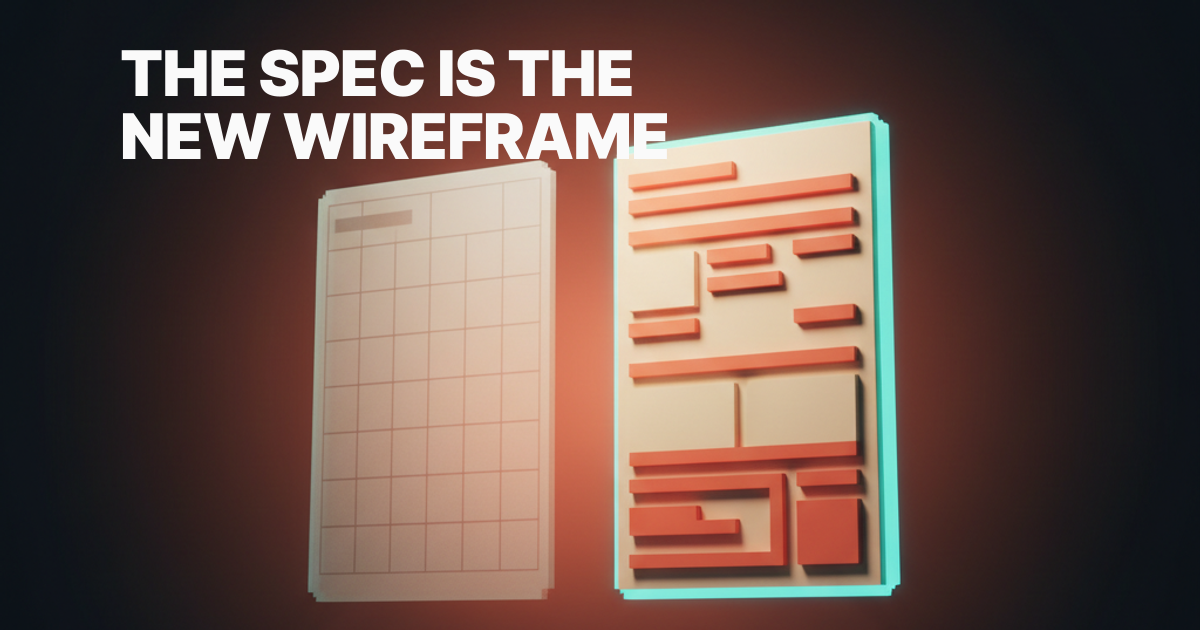
The Spec Is the New Wireframe: Spec-Driven Design in 2026
Spec-driven design replaced the wireframe. Here is what a great design spec looks like, how it routes through AI tools, and how to write your first one.
The wireframe is dead weight. The spec is the artifact that ships product now.
For two decades, the wireframe sat at the center of product design. Boxes, arrows, low-fi rectangles, placeholder copy. It was the first deliverable, the alignment tool, the thing you dragged into a Figma file before anyone touched real pixels.
In 2026, that artifact has been quietly demoted. AI code generators read structured intent better than they read wireframes, and PMs route specs straight into Cursor.
Engineers ship features from spec.md files without a Figma link in sight. The mockup is now the last step, when it shows up at all.
This is not a tooling story. It is a craft shift. Designers who treat the spec as the primary artifact ship faster, hand off cleaner, and end up owning more of the surface area than they ever did with pixel files. Designers who keep pushing rectangles around a Figma canvas are watching their influence evaporate in real time.
Why wireframes lost primacy
The wireframe earned its place in a world where shipping a screen took four people, three handoffs, and a sprint. You needed a low-fidelity artifact because the high-fidelity one was expensive. You needed a translation layer because engineers and PMs could not look at a Figma file and agree on what it meant.
That world is gone. Cursor, Claude Code, v0, Bolt, and the next four tools after them can take a clear written description of a feature and produce a working surface in minutes. They cannot read your wireframe. They can read your spec.
The bottleneck moved. Pixels are cheap now, intent is the scarce resource.
A wireframe encodes layout. A spec encodes intent, behavior, edge cases, and the conditions under which the feature is correct. Guess which one a code-generation tool actually needs.
There is also a quieter shift happening at the team level. The designer-as-PM blur, the rise of the design engineer, the disappearance of the dedicated researcher on most product teams. All of it points the same direction. The artifact that travels well across these blurred roles is text, not boxes.
Wireframes were also fundamentally a planning tool for humans who could not yet see the thing. AI tools can render a passable working surface from a description in seconds. The cost of "let's see it" collapsed.
When you can generate a real interactive surface in less time than it took to draw a low-fi version, the low-fi version stops being useful. You either go straight to the spec, or you go straight to the prototype, and skip the rectangles entirely.
The mockup explains what. The spec explains why.
A mockup answers one question: what should this look like. A spec answers the harder ones. What is this for, and who is it for.
What happens when the data is empty. What happens when the network fails. What does success even mean here.
A good designer in 2026 writes the spec first and lets the visual fall out of it. Not the other way around. The visual is downstream of the decision, and the decision lives in the spec.
This is not new wisdom. Senior designers have been writing structured rationale for years. What is new is that the spec is now the asset that AI tools consume directly, which means the writing quality of your spec is now load-bearing.
A vague spec produces vague output, and the cost of that vagueness is no longer a confused engineer. It is a half-built feature you have to scrap.
The anatomy of a great design spec
Specs that survive contact with both engineers and AI have a stable shape. After looking at hundreds of them across product teams that ship fast, the pattern is consistent.
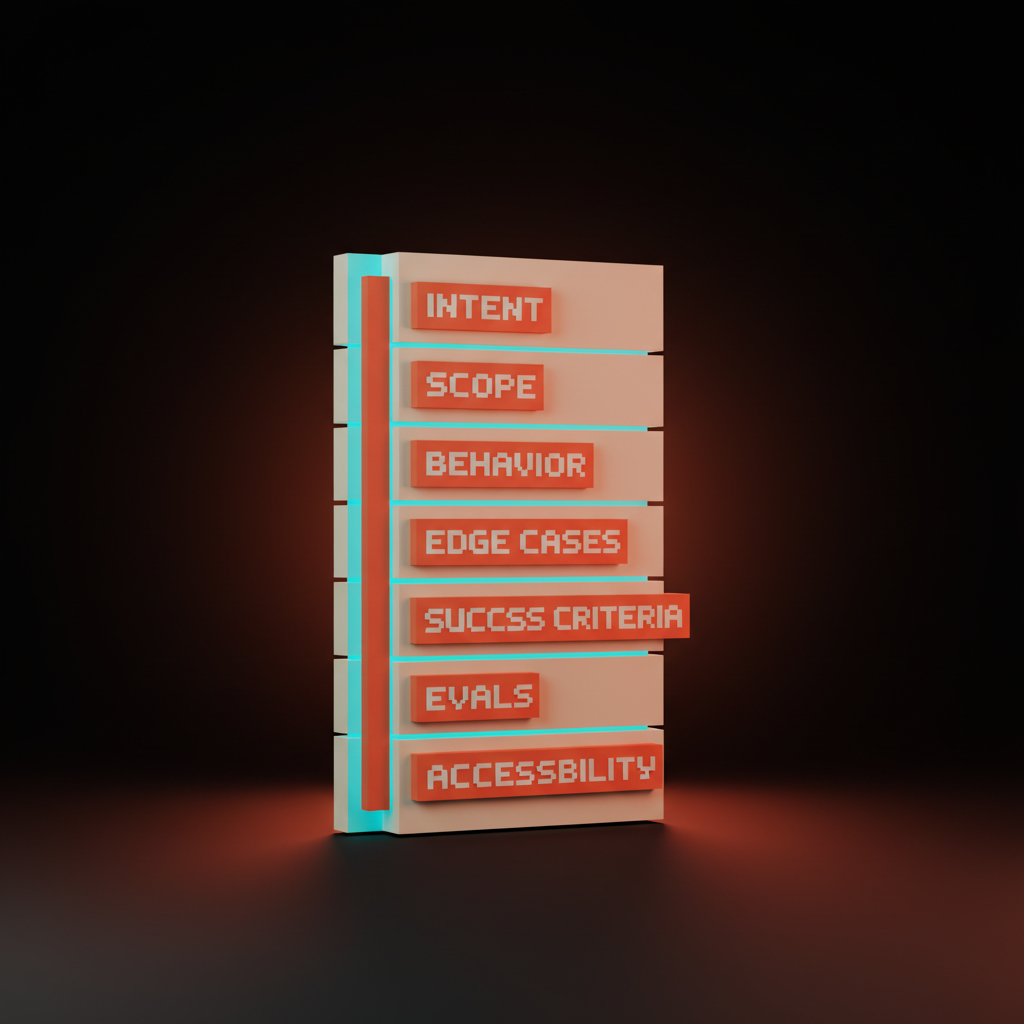
A working design spec covers seven sections, in this order:
-
Intent. One paragraph covering why this exists, what user problem it solves, and what changes about the product after it ships.
-
Scope. What is in, and what is explicitly out, with the out list doing more work than the in list.
-
Behavior. Step by step, what happens when a user interacts with the feature, including triggers, states, transitions, and results.
-
Edge cases. The unglamorous list nobody wants to write but everybody needs: empty state, error state, loading state, permission denied, network offline, rate limit hit, stale data.
-
Success criteria. How we know it works, measurable rather than vibey, "save rate above 40%" not "users feel good about saving."
-
Evals. What we will test automatically to confirm the implementation matches the intent, which is where AI workflows really diverge from old design.
-
Accessibility and copy. WCAG requirements, keyboard paths, screen reader behavior, and every string the user sees, in the voice of the product.
That is the working core. Some specs add a "References" section linking to design system tokens, similar features, or precedent. Some add a "Risks" section flagging things the team should pay attention to during build. The seven above are non-negotiable.
Notice what is not in there. No screenshot, no layout diagram, no box-and-arrow flow. The spec describes the feature as a set of constraints and behaviors, not a picture.
Wireframe-first vs spec-first, in practice
The shift from wireframe-first to spec-first changes more than the artifact. It changes who does what, when, and how the work moves through a team.
| Dimension | Wireframe-first workflow | Spec-first workflow |
|---|---|---|
| Primary artifact | Figma file with low-fi screens | Markdown spec, ~200 to 500 lines |
| Time to first build | 3 to 7 days | Same day, often same hour |
| Engineer input timing | After mockup is "done" | During spec drafting |
| AI tool involvement | Limited, late stage | Primary build path |
| Edge case coverage | Discovered in QA | Written upfront in section 4 |
| Handoff format | Figma link plus annotations | Spec file plus design tokens |
| Iteration unit | Screen or flow | Section of the spec |
| Where intent lives | In the designer's head | On the page, in writing |
The spec-first column is not a future state. It is how the fastest product teams already operate in 2026. The wireframe-first column is what the slow teams still call "design."
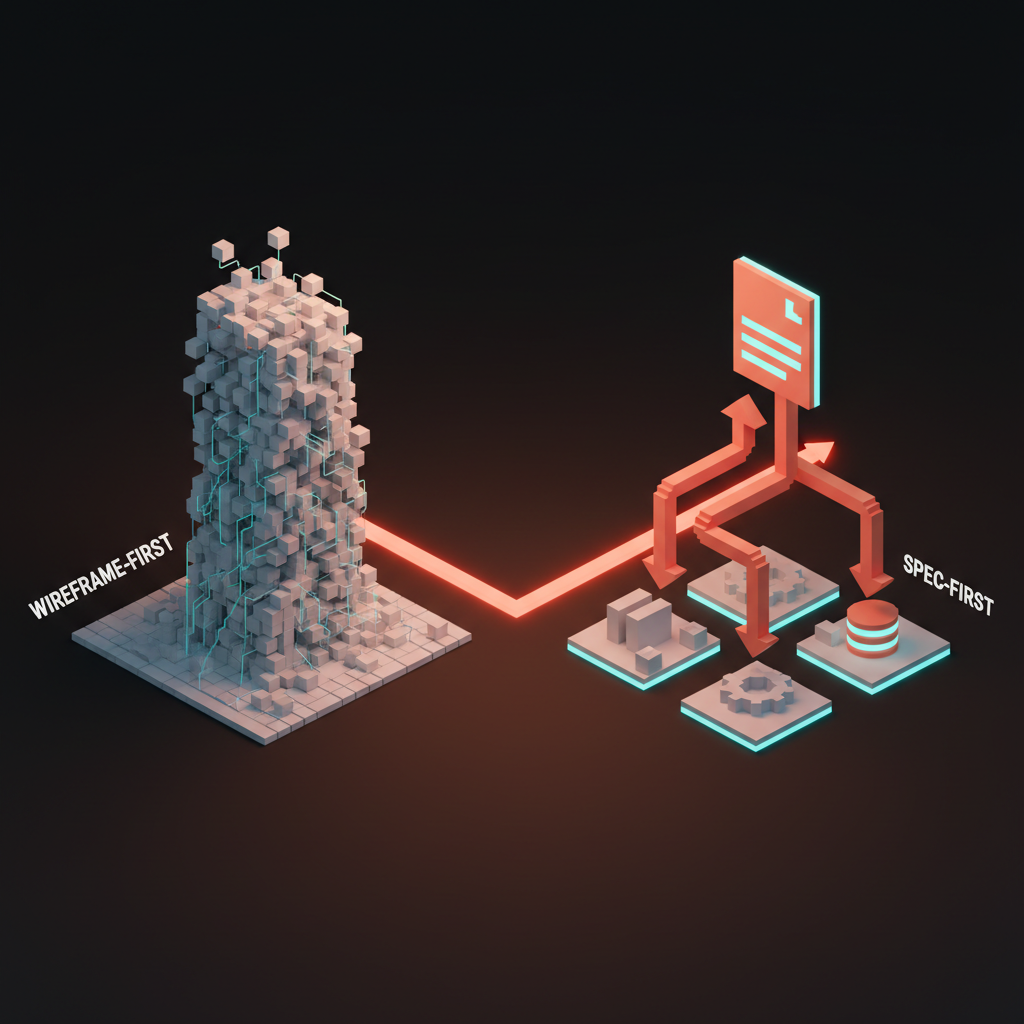
How specs route through AI tools
A well-written spec is not a deliverable that sits in Notion forever. It is an input.
The spec is what you paste into Cursor when you are scaffolding the feature. It is what you hand to Claude Code when you want a working route. It is what v0 reads when you generate the initial UI. It is what Bolt consumes when you spin up a prototype.
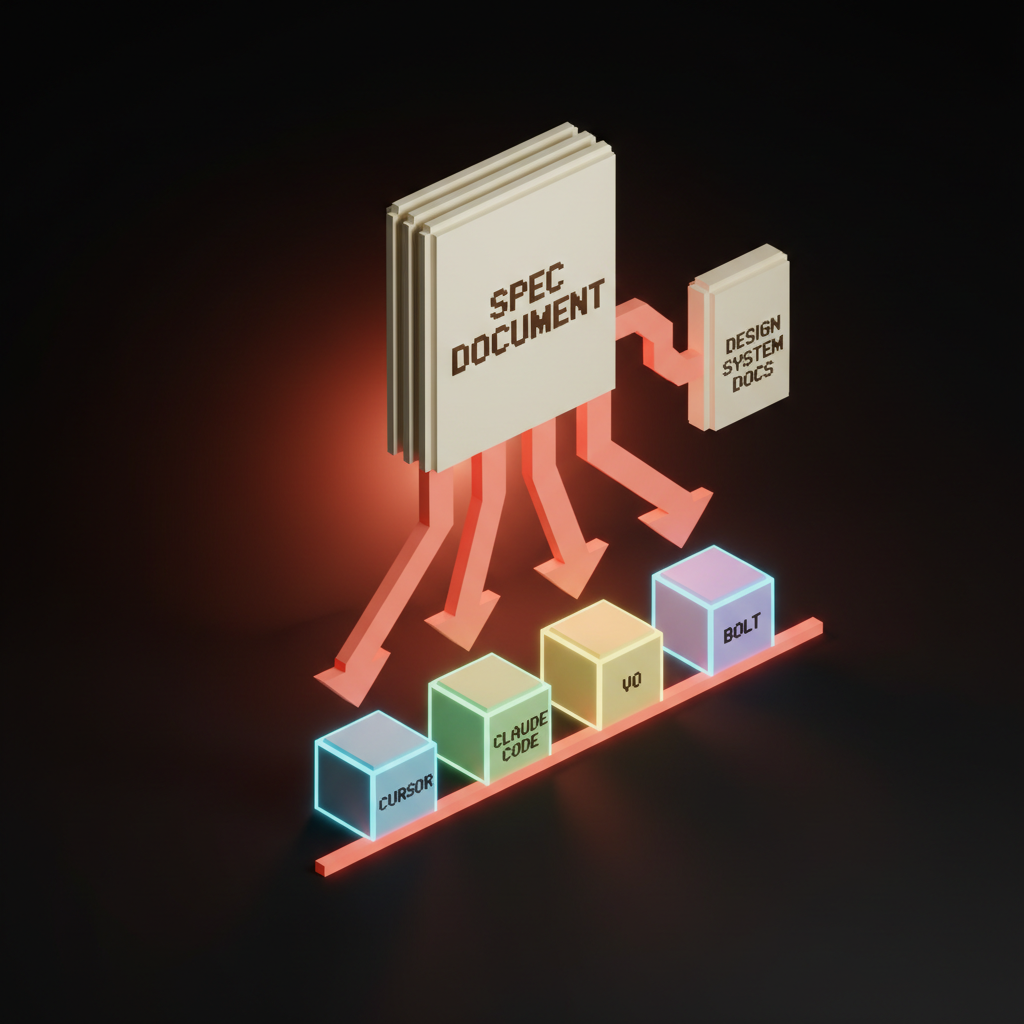
The same artifact, routed differently, drives every part of the build.
Engineers reference it during implementation. Design systems teams use it to validate token usage. QA writes tests against the success criteria and evals sections. Even the marketing team can pull launch copy from the intent paragraph.
This is the real win of the spec-as-artifact shift. One source of truth, written once, consumed by every tool and every role. No more "the Figma is out of date but the Linear ticket has the latest." No more designers chasing engineers to update mocks after backend constraints get discovered.
The spec lives in the repo. It moves with the code, and it gets reviewed in pull requests. When the spec changes, the change is tracked, dated, and credited. Try doing that with a Figma file.
Writing specs that survive contact with engineers and AI
The fastest way to spot a bad spec is to give it to a code generator and read what comes back. If the output is wrong, the spec is wrong. The model is a brutal but fair editor.
Bad specs share traits. They use product team jargon nobody outside the squad understands, and they describe interactions in terms of UI components ("the modal") instead of user actions ("the user confirms the save"). They skip edge cases because the writer assumes the reader will figure it out. They hide the success criteria in someone's head.
Good specs are concrete. They name behaviors, not components, and they write out the empty state in plain English. They define success in numbers a system can measure. They are boring to read because boring is what survives ambiguity.
A useful test: hand your spec to someone who has never seen the product, and ask them to describe what gets built. If they can do it, the spec is good. If they ask three clarifying questions, the spec has three holes. Patch them and ship.
Insight: A code generator is the most honest editor your spec will ever meet. If the build is wrong, the writing is wrong.
A complete annotated mini-spec
Here is what a working spec looks like for a real feature. This is the save-to-collection pattern for a hypothetical SaaS, written tight, copy-pastable into a repo today.
# Spec: Save to Collection

## Intent
Users browsing content need a way to bookmark items into named groups
so they can return to them later. Without this, repeat visit rate
drops and high-intent users churn.

## Scope
In: save action on any content card. Collection picker. Default
"Saved" collection. Create new collection inline.
Out: collection sharing. Collaborative collections. Collection
cover images. Reordering items within a collection.

## Behavior
1. User clicks the save icon on a content card.
2. Picker opens, anchored to the card, listing user's collections
   plus a "+ New collection" row.
3. User selects a collection. Item is saved. Picker closes.
   Toast confirms with collection name and an Undo action.
4. If user selects "+ New collection", inline input appears.
   On submit, collection is created and item is saved to it.

## Edge cases
- User not signed in: clicking save opens auth modal,
  resumes save action after auth.
- No collections exist: picker shows "+ New collection" only,
  with placeholder text "Save your first item."
- Network error mid-save: toast shows error, save action remains
  available, item is not marked saved.
- Item already in target collection: picker shows checkmark,
  selecting it removes the item from that collection.
- User hits free-tier collection limit: "+ New collection"
  row shows lock icon and routes to upgrade.

## Success criteria
- 30%+ of weekly active users save at least one item per month.
- Average user has 2.4+ collections within 30 days of first save.
- 60%+ of saved items are revisited within 14 days.

## Evals
- E2E: save flow completes in under 2 seconds on 4G.
- Unit: collection picker renders correctly with 0, 1, 50 collections.
- Visual: picker anchoring stays within viewport on all breakpoints.

## Accessibility and copy
- Save button: aria-label "Save to collection".
- Picker is fully keyboard navigable. Esc closes.
- Focus returns to save button on close.
- Toast is announced via aria-live="polite".
- Copy: "Saved to [Collection]" / "Undo" / "Save your first item".
That spec is roughly 40 lines and contains zero pixels. An AI tool can build a working version of this feature from it in one pass. An engineer can scope it in fifteen minutes, and a QA lead can write the test plan straight from the evals section.
This is the artifact. Not a Figma file. Not a flowchart. This.
How to write your first spec
If you have never written one, start here. Pick a small feature you know well, and open a blank markdown file. Use the seven-section template above, and set a 90-minute timer.
Write the intent paragraph first. If you cannot write it in three sentences, you do not actually understand the feature yet. Stop and figure that out before going further.
Then write the scope. The "out" list is the most important part. Force yourself to write five things this feature is not. This is where most specs find their actual edges.
Behavior next. Write it as a numbered list, in plain English, like you are explaining it to a smart friend who has never used the product. No component names, no design jargon, just what the user does and what happens.
Edge cases will be the hardest section the first time. Read your behavior list and ask "what if this fails" at every step.
Empty data, wrong permissions, slow network. The user backs out halfway. Write each one down as a sentence.
Success criteria and evals are where you trade fuzzy aspirations for measurable ones. "Users will love it" is not a success criterion. "Save rate above 30%" is. Pick three numbers you would actually defend in a review.
Last, accessibility and copy. Write every string, define keyboard paths, and specify aria-labels. This section forces clarity nothing else does.
Save the file in the repo, not in Notion. Name it spec.md in the feature folder. From now on, this is the source.
Insight: Specs that live in the repo move with the code. Specs that live in Notion go stale the moment the build starts.
Where the design system fits
Spec-driven design only works if the design system underneath it is solid. The spec describes intent. The design system supplies the ingredients. If the system is a mess, the spec ends up importing the mess into every feature.
The teams shipping fast in 2026 treat their design system as a public API for AI tools. Tokens are named for purpose, not appearance. Components have documented props, expected behavior, and accessibility contracts. Every component page in the system reads a lot like a small spec, with intent, behavior, edge cases, and code.
When a spec references a component, it points to a stable contract, not a screenshot. "Use the standard Card component with elevation level 2" is enough. The AI tool reads the component docs, the spec reads as constraints, and the build is consistent across features.
If your design system is still a Figma library full of unnamed local styles, you have homework before you go full spec-first. Document the components in plain English. Name the tokens for what they mean. Treat the system itself as the first spec you write.
When wireframes still earn their keep
Specs replace most wireframes. Not all. There are still cases where a low-fi visual is the right artifact, and pretending otherwise is just contrarian for sport.

Three situations where a wireframe still earns its place:
-
Genuinely novel layouts. When you are inventing a new spatial pattern, something the design system does not yet support, you need to draw it, because words alone will not get you there and a spatial idea needs a spatial sketch.
-
Hero sections and brand-driven moments. Marketing pages, launch surfaces, and hero modules where the layout itself is the message, since a spec cannot communicate "feels expensive" and a wireframe at least gestures toward it before the visual designer takes over.
-
Leadership alignment in non-product orgs. If you are presenting to an executive team that has not adopted spec-driven workflows, a wireframe is still the lingua franca, used as a translation tool rather than a primary artifact.
That is the list. Three cases. Everything else, the spec is the better artifact, and the wireframe is a habit you should drop.
The new portfolio for designers
The portfolio question follows the artifact question. If specs are the work, what does a portfolio look like.
The strongest design portfolios in 2026 lead with spec excerpts, not screen mockups. A page with the intent paragraph, the edge case list, and a screenshot of the shipped feature does more for a hiring manager than ten dribbble shots.
It shows decision making. It shows scope discipline. It shows the candidate can do the actual job.
The mockup gallery still exists, but it is the second tier of the portfolio, not the first. Visuals show taste. Specs show thinking. Hiring managers at the companies you actually want to work for are screening for thinking.
Designers transitioning into 2026 should rebuild their portfolios around three to five case studies, each anchored by the spec and ending with the shipped result. Not the Figma link. The shipped product. The spec is the through-line.
How junior designers should reskill
Two camps of junior designers exist right now. The ones treating AI tools as homework cheats they need to hide, and the ones treating them as the new craft. Only the second camp is going to have a career in five years.
The reskill path is straightforward. Learn to write, and not "learn to write design crit feedback." Learn to write structured technical prose, the way a PM writes a PRD or an engineer writes an RFC.
Read good specs, imitate them, and get someone senior to redline yours.
Spend an hour a day in Cursor or Claude Code with a spec you wrote, watching what gets built and where it diverges from your intent. Every divergence is a hole in your spec. Patch it, run again. This loop, done daily for three months, will rewire how you think about design.
Stop spending time on tutorials about Figma plugins. Start spending time on the structured thinking that survives every tool change. Specs survive. Pixel pushing does not.
Insight: Junior designers who write good specs are operating two tiers above peers who only push pixels. The gap compounds every week.
Pair this with two adjacent reskills. First, learn to read code well enough to review what AI tools build from your specs. You do not need to write production React, but you do need to look at a component file and know whether it matches the behavior you specified.
Second, learn evals. Writing a test that confirms "the empty state renders the right copy" is now a design responsibility, not just an engineering one. The spec defines correctness, evals enforce it. A designer who can write both is operating two tiers above one who can only push pixels.
What this means for designers
Pixel pushing is now a junior task, automated by tools, commodified by templates. The job moved up the stack. The job is now intent design, scope discipline, edge case thinking, and writing well enough that an AI tool can ship a feature from your prose.
That is not a downgrade for the discipline. It is the opposite. Designers who write good specs are now operating closer to product strategy than ever before, with more pull on the surface area than the old workflow ever allowed.
One designer with a good spec habit can drive what a four-person team used to drive. The output gap is real, and it compounds week over week.
The work to do this week is small and concrete. Pick one feature you are working on, write the spec, use the seven sections. Hand it to an engineer and an AI tool in parallel.
See what comes back. Compare to whatever you would have produced with a wireframe. The gap between the two outputs is the gap between the old craft and the new one.
The wireframe was useful for a long time. The spec is useful now. Write the next one.
hero:
  key: hero
  [prompt](/paper/glossary/prompt): "voxel illustration. A wireframe and a spec document side by side, with the spec glowing brighter. Soft pastel palette. Editorial. The composition does not include any human figures."
  alt: "A wireframe and a design spec document side by side, the spec glowing brighter"
  width: 1600
  height: 900

inline-1:
  key: spec-anatomy
  prompt: "voxel illustration showing a spec document with labeled sections: intent, scope, behavior, edge cases, success criteria, evals. Soft pastel."
  alt: "A spec document with labeled sections: intent, scope, behavior, edge cases, success criteria, evals"
  width: 1400
  height: 900

inline-2:
  key: workflow-comparison
  prompt: "voxel split illustration. Left: designer pushing pixels in figma forever. Right: designer writing a clear spec, AI tools building. Soft pastel. The composition does not include any human figures."
  alt: "Split illustration comparing endless pixel pushing on the left to a clear spec driving AI tools on the right"
  width: 1400
  height: 900

inline-3:
  key: spec-routing
  prompt: "voxel illustration: a single spec document at the top, branching arrows down into Cursor, Claude Code, v0, Bolt, design system docs. Soft pastel. The composition does not include any human figures."
  alt: "A single spec document at the top, branching arrows down into Cursor, Claude Code, v0, Bolt, design system docs"
  width: 1400
  height: 900

inline-4:
  key: when-wireframes-still-work
  prompt: "voxel illustration: a few preserved wireframes for novel layouts and hero sections, the rest fading into mist. Soft pastel. The composition does not include any human figures."
  alt: "A few preserved wireframes for novel layouts and hero sections, the rest fading into mist"
  width: 1400
  height: 900
Want a design partner who ships specs that AI tools and engineers both read cleanly? Brainy writes them every day.
Get StartedGet new papers by email
New Brainy papers in your inbox. Confirm once, unsubscribe anytime.